I’ve noticed too that this particular screen only works for OS Updates and not for sound / pattern .syx files.
However, if you press the < Digitone 1.32A button in the top left corner and go back to this screen and press go to the SYSEX TRANSFER page:

Then you see the following screen:
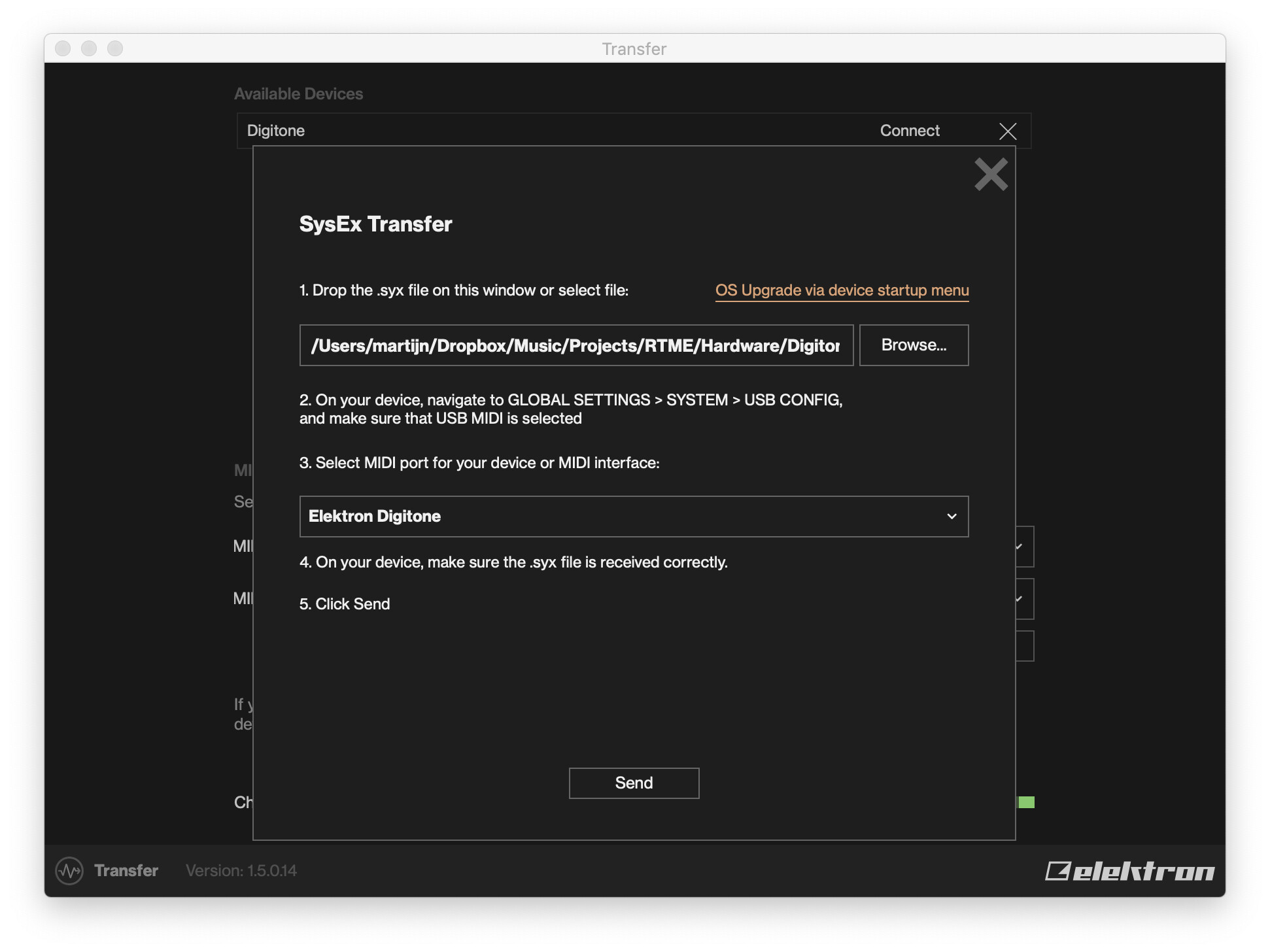
Now on your Digitone, go to Settings -> Sysex Dump -> Sysex Receive and choose what you want to receive (Pattern or Sound).
Now press Send in the Transfer app and it should work now.
(And please report to Elektron, as this can be considered a bug)