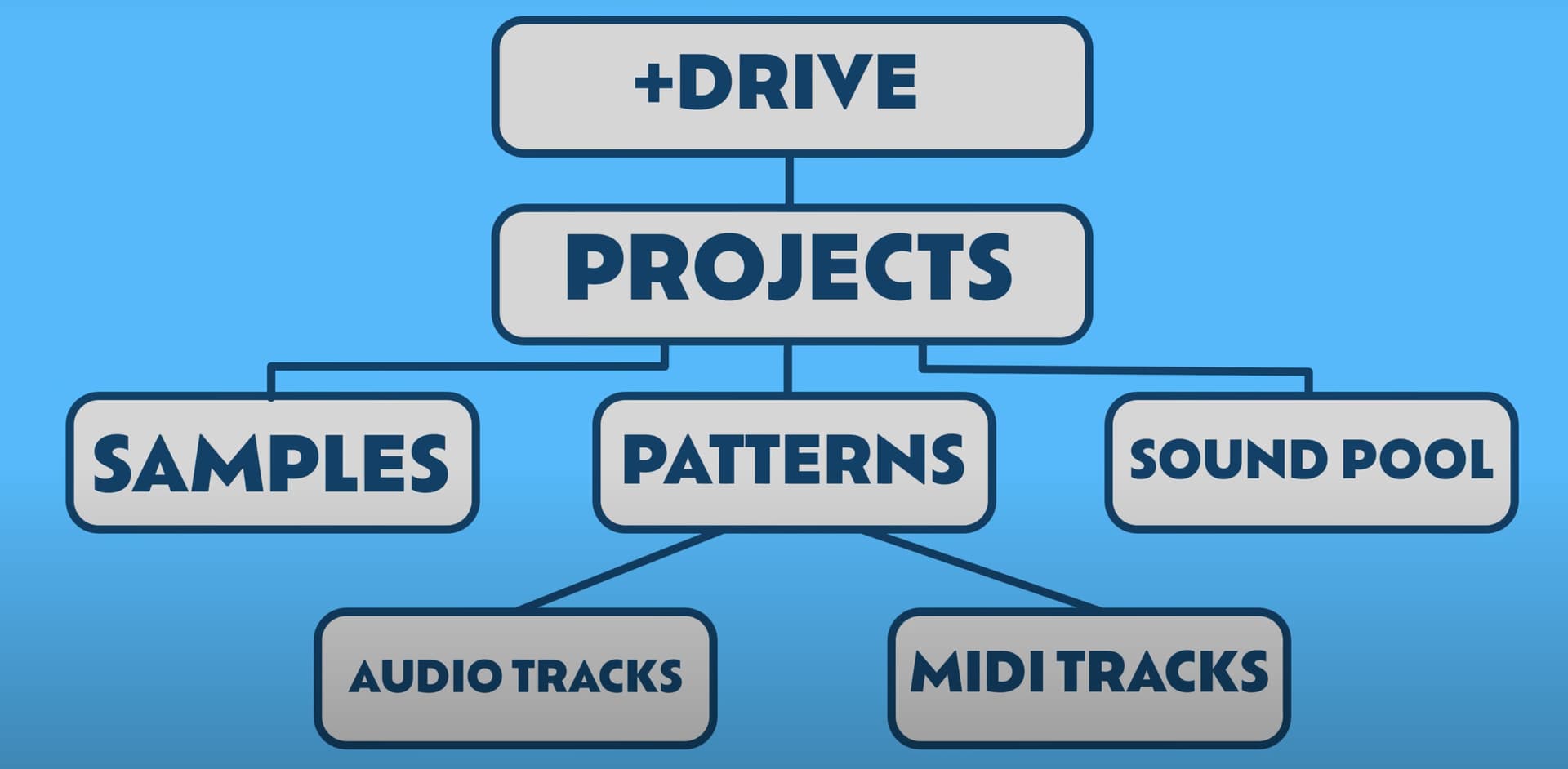
I think this video should help. And pictures always help me … this is from the video.
1 Like
Thanks for the links. I’m slowly getting the hang of how the structure with sounds/samples/soundpool works. My main problem is still: How do I transfer my sample library from the Mac (various folders with WAV files) to the +drive (bulk copy) using “transfer”? So that I can then access my samples in the +drive and copy them from there to the DT’s sound pool (RAM).
Hi,
The method described several posts ago where you click on your sample folder and drag it into transfer is specifically how you get your samples to the +drive.
It sounds like the problem you’re having is with the method of how to access your samples on the +drive and then add them as sounds to the sound pool and the process is very specific because you need to save your sample as a sound.
Again, I will say this clearly, your sample must be saved as a sound, there is no getting around that. Your samples are not automatically sounds, that’s why I stressed the difference in my prior post, because you must then manually save a sample as a sound in order to use it as a “sound” in the "sound pool.
For importing samples into the sound pool, there is a very good description of the process right here in the post I quoted below, and this linked post is exactly how you access your samples in the +drive on a digitakt and then save them as sounds and import them into the sound pool:
Hopefully that will help some!
1 Like
It’s as easy as opening Transfer, go to the drop page and drag & drop all your sample folders (from a finder window).
Then wait for a long time and there you have all your samples on the +drive of your DTII.
Hi guys, im having some issues with loudness when using Transfer. In this case, im taking a sample from a DAW project and transferring to the DT2 using Transfer.
After transfer the level is very low, as well as no audio wave on the DT2.
What am i missing? Do i need to normalize the audio before transfer?