This definitely works if you select the bus track by pressing e.g. 9, without holding down the Track button. The bus track then appears overlaid on top of whichever audio track you were on.
You can return to the audio track by pressing the bus track again (9 in this case).
Anyone planning to use tonverk and the outbox8 with the 1010 blue box for its EQ?
I told the devs at Superbooth we badly need an eq per track and they seemed to not have considered it by how I saw them react in surprised and thoughtful way - polite Swedish maybe ha
I haven’t done any multisampling for a while, and there seems to be a few tools out now. Can anyone tell me what’s currently the easiest way to create .emulti from vst instruments manually?
I still don’t really like the on board multisampler due to the lack of loop points and also the files seem way bigger than I need them to be
Or if anyone knows where to find a load of vintage synth emultis that would be super awesome
loopseek, bonk , verkbench are the ones ive become familiar with since owning tonverk. there are others too (logic i think, sample robot and loopop/starsky shared a web based tool recently)
many have threads on here. (leepseek, bonk, verkbench)
conversion wise, convertwithmoss though some of the above tools already load sound fonts … tonverk might load it too.
as for where to find vintage … i dont know any specific site … there are some free on decentsampler website, and a few people have posted some (red means recording and others posted some a while ago, sonic state give away free ones sometimes, try gumtree too ?)
Verkbench can load most decent sampler patches for re-saving as Tonverk elmultis. Also, if an sfz won’t load on Tonverk, you can run that through Verkbench to strip out the unsupported sfz properties.
And as already mentioned, convert with moss is great for doing batch conversions of existing configs.
anyone using insert FX filters to achieve some EQ goals - I saw wavefolder has alot of types of filters … nothing EQ specific like we have on the DN2 though
Or do you find you get where you need to just with the basewidth filter ?
Perhaps if you have any recommendations for filter types for specific areas of the FR that cause problems that would be very helpful e.g. cleaning up bass maybe the basewidth filter slope is too gentle ?
When I have a troublesome lower mid or similar I use the Filter folder. I actually keep forgetting it folds, as I only use it as an EQ. It’s not ideal since there’s no amount parameter, but it’s better than nothing.
I really miss having an EQ pr track. Just a simple semi-parametric EQ with cut/boost & frequency controls and a fixed Q value would go a long way.
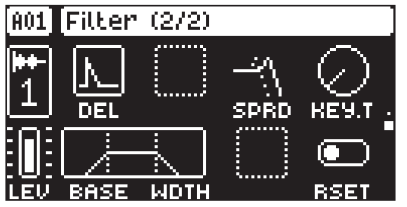
There is space available on the FLTR 2 page after all
Just sussed a tonverk teardown to see if i could fit batteries in there (you totally can), and have found the DAC chip theyre using is about to be discontinued. https://au.mouser.com/en/ProductDetail/Cirrus-Logic/CS42526-CQZ?qs=bUPhaerQQeFSdsu1nR5JNw%3D%3D
Wonder if we will get another distinct build version with different hardware after this becomes unavailable, or maybe they just buy out enough stock for the tv lifecycle.
Anyone tried TV with outbox yet? Can someone confirm that you can use the transform functions like randomize velocity for a CV V/oct out on the outbox?
Did anyone already found a way to use the keyboard tracking for some rudimentary slicing? It works for me, but I’m not sure whether my solution is "over engineered*
If you set a depth of -60 (idk why it’s 60) on src tune and sample start to 160 or 320 ( just use several modulation slots), you can play several useful slices with the keyboard.
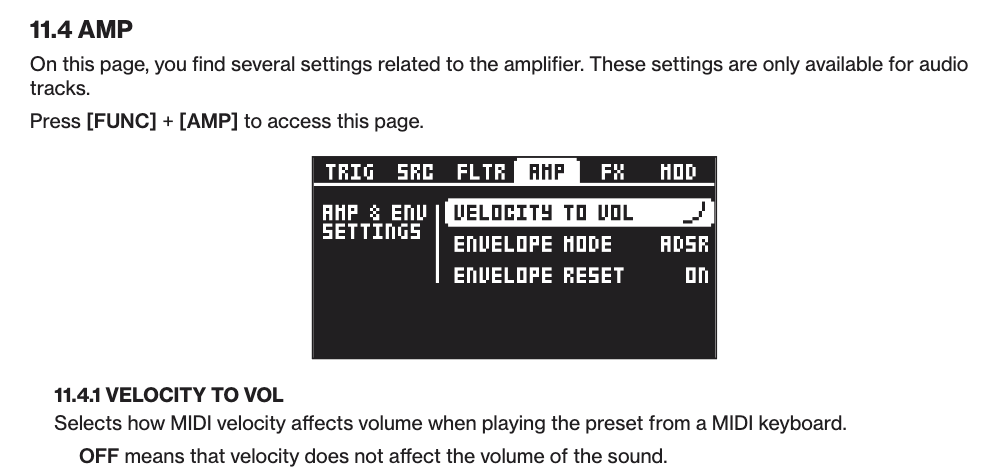
My first attemp was using velocity tracking in combination with transform actions to get some choppy results, but I didn’t find a way to disconnect velocity from the amp
Thanks. It works although it produces some minor clicks which ca be handled with a little bit of attack. Took me some time to realize that depth should be set to 127 instead of 128 on the velocity tracking page.
I never used this transformation function before but is it normal that you can’t lookup the new velocity value after randomising or ramping?