If you want a bit more control I’d suggest -
Slice each break into 8 ( for this example)
Map those across 8 notes in a multi
Add various other breaks , also sliced , as velocity layers
By using a multi you have more control over playback of a slice within a sequence
Set trig to mono on tonverk .
Using a subtrack , you can only start a break from playing start point , not half way through
Using round robin will add variety but it’s not easy to control , .
But we all have our preferences .
Also , within the multi , if you span the slices over 8 notes and another set one octave up , you can easily swap using the octave + / - setting on trig menu too . … or track transpose
Just bought a Tonverk! Stunning machine, even though I’ve only just scratched the surface.
I wonder if someone can help me get my head around subtracks, though. I get what they’re for, but the fact each subtrack cannot have its own effect - or even send different send amounts to e.g. master delay/reverb - seems limiting. Possibly I’m missing something, but when I tried to plock a step on a subtrack to a particular rev send amount, it wouldn’t let me.
OK, fair enough. I’m not complaining; it’s a stunning machine and I’m fine with limitations, but I would like to understand the rationale here. What are the main uses for subtracks? Drumkits is an obvious one, but it’s surely unlikely that I’d want all subtracks to have the exact same send/fx settings? Commonly I might apply some reverb to the snare but not the hats, for e.g. Am I missing something? (Very possible.)
Correct. Outputs C-D into one stereo FX box, outputs E-F into a second stereo FX box, then the stereo returns from each FX box are connected to a little Mackie mixer whose output goes to the Tonverk A-B inputs.
imo you should be allowed p-lock the fx in any subtrack n it should apply em to the supertrack. having to go into supertrack just to p-lock fx is a ux killer for me. I know they’re global n all but it’s a headwrecker.
Could you possibly elaborate for a noob? By the Super track do you mean the track that owns the sub tracks? So that has its own pattern independent of the subtracks? Appreciate this is basic stuff for most of you.
I approach sub-tracks thinking along the lines that they’re a sort of custom break. Generally, if I have a percussion element that I want to isolate for effects, I just assign it to its own track.
And you found how to plock individual trigs on the Supertrack. So if you have a particular hit you want to activate an effect for, you can do it there.
Throw a compressor on the master or another effect with a gain parameter and increase the gain. (Also you can increase the volume in your buses this way).
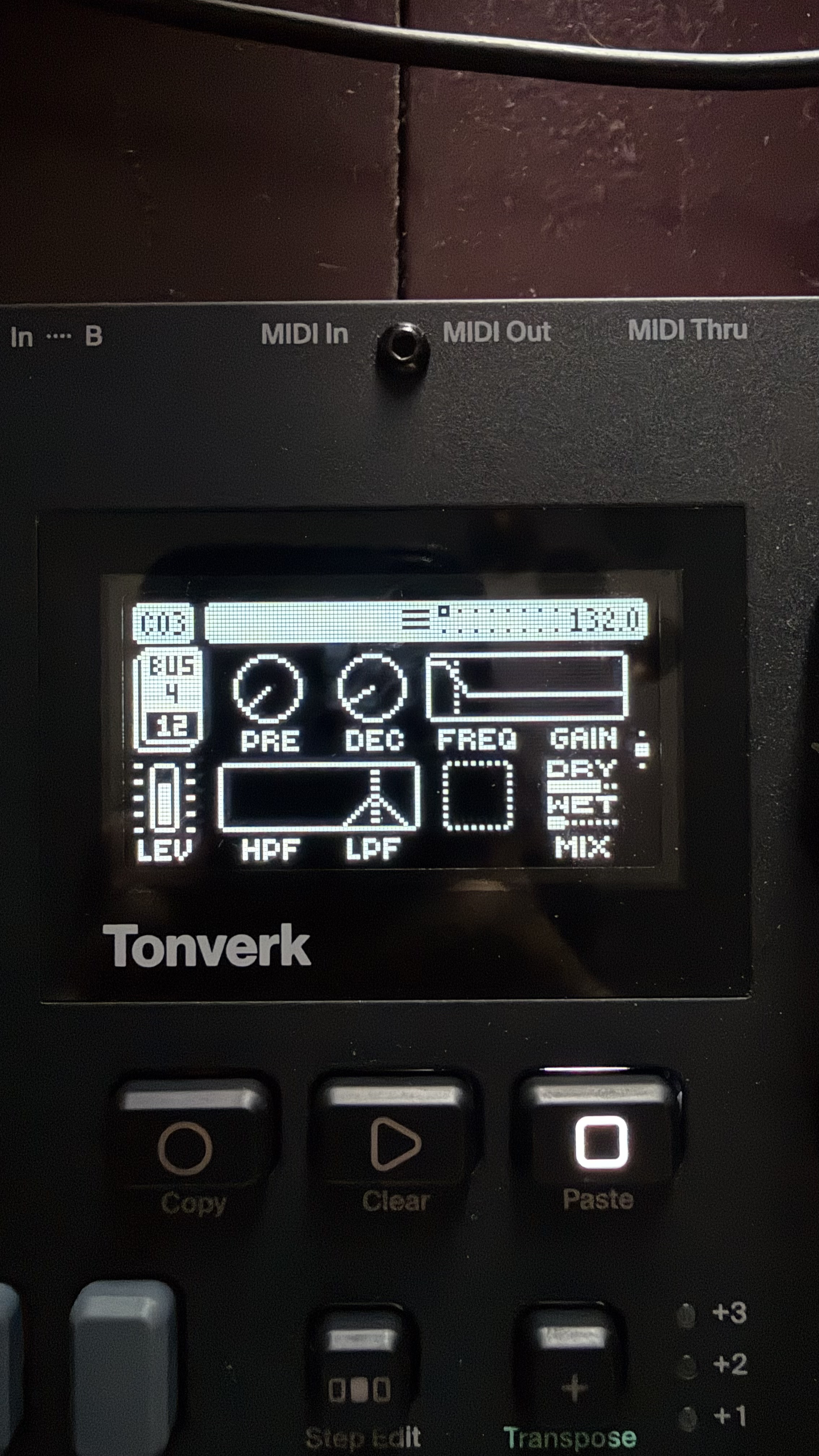
One way I get around FX assigned to the whole subtrack is restrict the FX to only pick up very narrow frequencies. If i’ve got all my drums on one subtrack but only want say a short reverb on the hats and clap i’ll put a reverb in as an FX but have the filter range really narrow on the highs.
Got a compressor and something else on the drums subtrack and the reverb in the photo on the bus that the subtrack is routed to. Not ideal but works surprisingly well.
Hey ya. I’m trying to control the Super 6 from the Tonverk via USB MIDI, but the S6 is unresponsive.
I tried sending MIDI through the same cable from my MacBook to the S6, and that works fine, so the settings on the S6 should be correct. I also tried sending MIDI from the TV to Ableton Live to control Operator, and that works too. I’ve also tried sending MIDI from the TV to Live and then to the S6 through the External Instrument device, and that works as well.
However, when I try to send MIDI directly from the TV to the S6 via USB, it doesn’t work. What am I missing here? Everything seems to work fine with a basic MIDI cable.
I have a MIDI machine on Track 1 and have set the channel to 1 on the Source page. Audio is routed through the A–B inputs and is audible when I press the keys on the synth, so the audio routing is correct.
On the Port Config page, Output is set to MIDI + USB.
Tonverk and super 6 do not have usb host, the type of midi connection you are trying to make is not possible, either you connect the super 6 to the pc or you use a midi cable to connect it to the tv
damn, I haven’t yet used OB so I can’t comment on ops. what I could suggest is, record TV single track out via AB outs or USB (I would prefer AB out analog) in USB AUDIO/MIDI mode, record same track via OB mode. compare level difference. increase OB Samp to match USB Samp, compare sound. if there is no difference then just amp the OB channels with DAW gain.
going a bit deeper I have no idea how TV outs over OB in terms of bit rate.
(im sure this is clearly mentioned on documentation, just haven’t got to it yet)
cause if we at 32 bit on OB and daw is capable on recording 32 bit then afaik you could increase level to a lot more than one would expect.
USB Audio/Midi mode is completely non functional for me on windows PC. No audio at all possible in that mode. I guess they didn’t have any windows users in the testing of the latest update.