Tonverk: bug reports

That kind of design ?


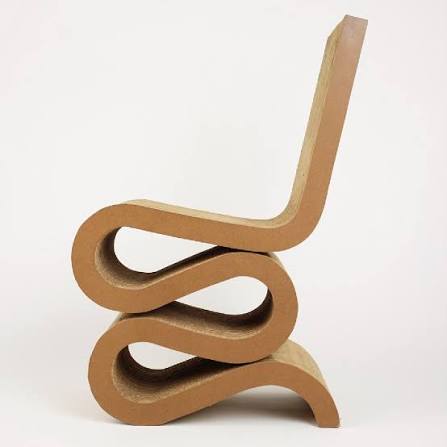
(This represents a square chair)

What I don’t understand is why the behavior is totally different when speed is negative : the square lfo with phase 0 starts from its opposite phase with slew. Not the case with positive speed :

Wonky design ! Very different from other Elektrons, and for me it doesn’t make sense.

4 Likes

This throws me off every time!

FADE controls on TV are reversed from all other boxes.
Is this by design or a bug?

I hope it’s a bug and they fix it. If it’s by design I hope they backport it to all the other boxes so we can use them together without being confused every time.

On DN2 and all previous boxes, clockwise rotation of FADE encoder creates a fade out. On Tonverk clockwise rotation of FADE creates a fade in.
Obviously either is a valid interpretation, but consistency between boxes would be nice when there’s no clear need for a change.

2 Likes

Speaking of Warble. If you idle your Tonverk for a while (like going away to have lunch or something) and then come back, Warble is all fucked up and suddenly the modulation depth is set to almost max. It almost feels like an easter egg, like the tape’s gone extra wonky because you let it run for a while :stuck_out_tongue:

Switching to a different pattern and back fixes it again.

4 Likes

At least it proves it is a true analog fx ! Worse during summer…

4 Likes

could be there’s a reel tape in the box!

1 Like

So debatable if it’s bug, but definitely a bit weird and always throws me off.

If you watch the page indicator pixels while you count along its super confusing, when the sequencer hits page 1, nothing happens on the page one pixels until step 3 of the page.

It makes it seem like you’re still on the previous page until step 3. I think the current page square should get bigger for a step or something when it hits step 1.

Can slow down the tempo to 30 to see it clearly.

1 Like

There’s no LFO control for AMP:Hold Time.

Sustain settings still appear when AMP is in AHD mode but don’t do anything.

2 Likes

Has been debated !

Tonverk OS Upgrades & Updates - #1308 by sezare56

Elektron talked about future improvements.

1 Like

Yes, ADSR parameters only.

Nice, your mock-up looks good, maybe a bit too flashy but definitely easy to see what page you’re on

1 Like

Just happened to me. Suddently no more audio. Disconnecting and reconnecting the power worked…

I figured out why the Tonverk stopped producing audio (disconnecting and reconnecting the power supply fix it).

The issue was triggered by a bug with the Oxi E16 connected to the Tonverk. It began sending a barrage of random program changes, which drives the Tonverk crazy.

It seems like an easy fix. Elektron could introduce a buffer for program changes so the machine doesn’t choke on erratic incoming MIDI messages.

I’d rather call it a filter. (That would receive PCs with channel set on TV only).

Ideally, don’t send unnecessary midi data to Tonverk.

Random ? Doesn’t seem normal if you didn’t set them yourself.

Yep, completely random. It’s a beta firmware, so it’s likely faulty.
Since some users experienced an identical issue, this could be also triggered by “stable” MIDI sources.

1 Like

I feel like Tonverk is gaslighting me =\

LFO speed 16.00 x 1 BPM on SPEED 1
LFO speed 16.00 x 8 BPM on SPEED 1/8

Should be the same right?

The SCALE [SIC] (SPEED) setting also affects the speed of all LFOs, the delays time settings, the arpeggiator and retrig speed.

(personally not a fan of this change but whatever, maybe it’s better for some)

BUT it’s not the same speed, the SPEED 1/8 x 8 BPM seems a fair bit faster, but not even a perfect integer multiple.

I tune a SAW LFO SPEED 16 x 1 BPM, depth -64.00 TRIG to a grainer SRC POS so my sample is playing through perfectly every 8 pages.

(grainer settings: start POS 60, scan: 0, sprd: 0, pan: 0, dens: 127.0, size: 32.0, amnt: 8, mode: rand, dir: fwd, fade: 127, shape: 64)

However I want to have it all on one page so I can see it more easily so I set SPEED to 1/8 and BPM to x8.

Now however the SRC POS does not complete perfectly every 1 page, it’s significantly faster, it completes by ~step 13.

4 Likes

the NCH1 filter at RESO: ~16 appears to be an allpass filter, RESO > ~16 appears to be a peak filter, the diagram seems very misleading and shows it just narrowing the band without any peaking.

NCH2 filter has no peaking, seems to have two notches, a bit more than an octave above and an octave below the cutoff. RESO seems to control the depth of the notches rather than the width of them, in both cases the diagrams are very misleading.

In mono mode a long trig with retrigger enabled will overwrite a following trig without retrigger disabled.

Eg.

Play Mode: Mono
Trig 1, length 1/2 has RETRIG enabled
Trig 2, length 1/2 has RETRIG disabled, COND 2:2

On the second loop Trig 2 will not fire and cancel Trig 1’s retrig, the retrig will continue until step 8.
In Mono mode I’d expect Trig 2 on the second loop to cancel Trig 1’s retrig.


After unquantized live recording, it’s possible you can get trigs that you can’t set the microtiming to zero.

If moving microtiming and the resulting absolute value is <= 1/960 or something it should probably just snap to 0


Song mode mute issue

1.3.3

When a track is muted by song mode during a pattern change it doesn’t note off properly as it would if you mute it manually, it continues playing forever even after sequencer stop.
Multi player instrument with a loop, AHD envelope with note hold and 0 decay. Trig’s Note length is short.
Behaviour seems to vary depending on what row I start playing the song on.

Arps will continue to play despite being muted.

Eg.

01 --- A15 1 0032 125.0
02 --- A14 1 0032 125.0 X (all tracks muted)
END: STOP

Tracks playing in A15 and muted in row 2 continue playing forever even after end of song

As a non ideal workaround, when changing patterns that introduce a new mute, split the pattern into 2 rows, one for 2 steps without mutes, followed by the rest of the pattern -2 steps and with the desired mutes.

01 --- A15 1 0032 125.0
02 --- A14 1 0002 125.0
03 --- A14 1 0030 125.0 X (all tracks muted)
END: STOP

Seems like mutes when triggered midway through a pattern work as expected.

Also having an issue when playing a song directly after boot plays it incorrectly (instrument playing in wrong octave maybe?), i have to switch to a pattern, then back to song before it will play as expected.
1 Like

Low-Pass Filter FX bug…

I’m not sure if this has been logged yet (I’ve searched this topic but got nothing).

Steps to reproduce:

  1. In any Audio track, Bus track or the Mix track, go to FX and load up the Low-Pass Filter FX.

  2. Top left control in the Low-Pass FX track is LFO Speed (“SPD”)

  3. You can adjust the LFO Speed by twisting the SPD knob as normal, which is fine. But if you want to snap the speed value to the standard divisions available for any other timed control on any Elektron box (1/4, 1/8, 1/16, 1/32 etc), the usual approach (holding FUNC while turning the SPD knob) does not work. Using FUNC + knob will will snap the LFO Speed back to the default value (1/4) but will then not move the value to any other range (1/2, 1/16, 1/32 etc). The SPD setting remains stuck at 1/4.

Logged with Elektron.

2 Likes

As I already said, I think the lack of relevant snapping values isn’t a bug, but something that should be done…on all Elektrons, for each parameter.

2 Likes

I solved this by creating new project. It looks like the factory project was full.