I second that. The build quality could be better but I absolutely love it. It’s easily become my most used device since buying it last summer.
3 Likes
Look at the opz forum for a thread
“Warped opz body fixed”
That will take you to the fix…
There you go…
1 Like
“Legit, the worst piece of gear I’ve ever purchased.”
Heh, you’ve never bought a Korg NTS-1.
1 Like
I have both  it’s a great combo!
1 Like
Me too, love them both.
Ah cool. Sounds interesting! Recently got an op-1 and love it, would be interested to check out the op-z but at the new price point with all these reports of issues I’m a bit put off…
The biggest problem with owning and liking the OP-Z is that, whenever you start a forum thread to discuss it, someone jumps in to point out that it bends, or that the buttons and encoders can break.
As if we didn’t know that!
Please leave us alone to trade tricks and tips. Perhaps we need a dedicated no-complaints thread for that?
7 Likes
Honestly the only issue I’ve had with mine is the encoders popping out. No double trigs, no bent chassis, etc. I don’t discredit that folks have these issues and they’re probably pretty prevalent, but I’ve had my unit for a year and half and used it a lot but haven’t experienced any of those.
I suspect there’s a sizeable contingent of us who are just quietly enjoying our OP-Zs. I tend to see a lot of angry former owners in threads like this one. I know we’ll never get insight into it truly, but I’d love to know how many units out of a hundred tend to get these issues. Based on what I see online it seems high, but it’s really hard to know. Maybe I’m just lucky to have an issue-free unit, but all I know is I like mine!
2 Likes
I know it’s been mentioned but deoxit totally fixed my buttons. Was like light and day the difference it made
Do you spray it on top where the buttons are? Do I need to take the back off before I use deoxit?
I followed this guide that was posted on here, the only difference is when I squirted it I put too much on I think but in the end it did a great job. Few days after i thought I’d messed up and buttons sounded squelchy so I left it turned off and kept pressing the buttons to check them. Eventually turned it on and squelching disappeared and flawless since. Copied guidance in below and thanks to dranger for the tip
Disclaimer entirely at your own risk, of course.
You can fix the button problem using Caig Deoxit D5.
I have done this successfully on one of my OP-Z, do not be tempted to use any other type of spray, especially WD-40 or contact cleaner which are greasy and will make a mess and probably make it worse.
Deoxit D5 is safe on plastic and leaves no residue, the D5 version is the only product suitable for this particular job.
How to do it.
Remove bottom plate and battery from OP-Z, you will probably want to take a backup first.
Place OP-Z on a table with some kitchen paper or similar under it to prevent mess.
Set the nozzle on the D5 to the lowest setting, and carefully spray a short burst into each button affected, press the button multiple times to ensure that it penetrates the contacts, like 20-30 times and firmly. Repeat for any other buttons.
When done wipe away excess on top and underside and let it sit for a while, probably an hour or so, then re-assemble. You might find that they are all working, or some still do not, if so repeat for any that are not working properly. Mine took 2 attempts to get them all working perfectly.
Edit: A very tiny amount is recommended, you can always add more if needed.
I think the problem happens because dust or oxidation gets inside the small metal domes under each switch, the D5 cleans this out if used in the manner described.
D5 is quite expensive (I paid around £20) but it comes in handy for other things, like cleaning switches and sockets, though do not use it for potentiometers as it removes all of the lubricant, there are other versions of Deoxit for that purpose.
A can will last for years, you only need a few sprays to fix the OP-Z buttons, and I have no doubt that they will need redoing in the future, so it is handy stuff to have around.
Hope it helps, it worked well for me but be mindful to follow the instructions if you want to try it on yours, at your own risk
2 Likes
I have all the mentioned problems and then some (my pitchbend only works upwards) but I still love my OP-Z. It’s a wondrous thing.
I guess it’s more of a question of the glass being half empty or half full. I’ve thought of myself as a pessimist but a sizeable portion of people on this forum have made me realize that I’m a very optimistic and positive person.
8 Likes
The one I sold never had any problems. No bending, no double trigs, no encoders popping out. It was perfect. I was neglecting it after a while and now it has gone on to a better home.
1 Like
thanks 
1 Like
Such a fun combination 
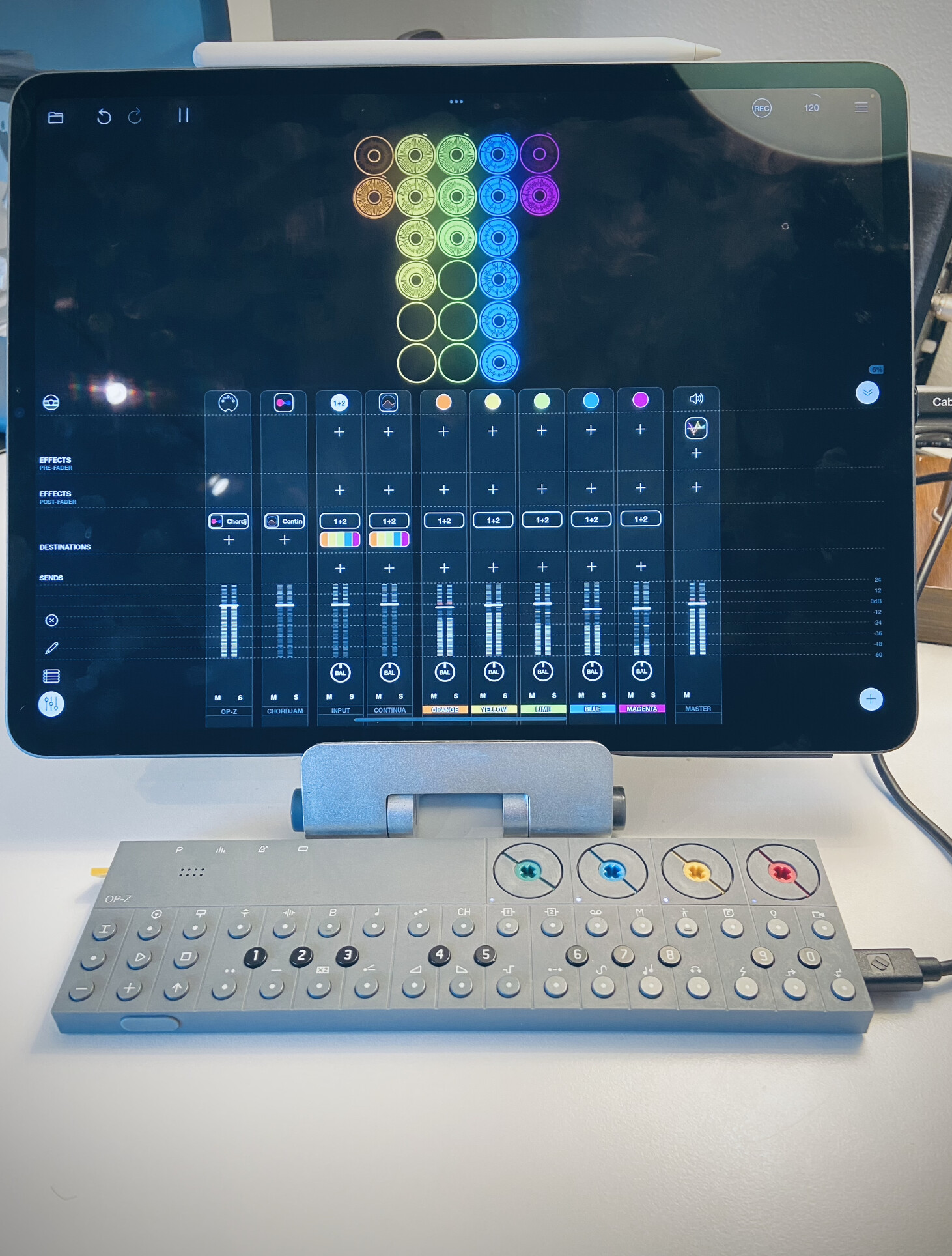
Thanks for the info @muzka I have the double trig issue and some of this D5, so I’ll give it a try at some point…
4 Likes
I was gonna ask you in the Loopy Pro thread, but how do you like it? I’d love to know more about what your OP-Z to LP setup is and what OP-Z adds to the mix.
LoopyPro is freaking awesome!
I use the OP-Z or the Circuit Rhythm as a sequencer to play soft synths and capture those Loops.
I also integrate Drambo with the workflow…I think a few of us in this thread are using it regularly now with various setups and various intentions.
Grab the 7 Day demo when you’re ready to give it a test drive. It’s the best $30USD I’ve spent on the iPad. I’m finally getting my SoftSynths and hardware working the way I want to with the iPad because of how easy it is to capture perfect loops and one shots.
Same here. OP-Z as sequencer for synths and drums in Loopy Pro, and sometimes Drambo as a sequencer inside LP.
I also spent a little while making an Ableton template for the OP-Z.
It currently has drum racks on tracks 1-3, each with one kind of drum: kick, snare, hats. Each takes MIDI input from track 1, 2, or 3 on the OP-Z.
I have a bass and a piano track, too. And here’s the neat part. I have a Launchpad Pro’s MIDI input on a spare track. This track routes the Launchpad’s notes to the OP-Z on MIDI Ch1. The OP-Z is set to use Ch1 as its auto-channel, and to midi-echo incoming notes.
This lets me play notes and chords into the OP-Z, on whichever OP-Z track is currently selected, while also still live triggering the soft synth or drum track in Ableton.
Has much major been added to the OPZ since the synth/fix engines from about 2 years ago?
I sometimes flirt with the idea of getting one again. Was a nice fun wee device to have around. Plus never got the chance to use it with my iPad Pro.
1 Like
did it have the “analog” engine then? in my opinion the most musical of the engines.
Im currently fiddling around with using the ipad as a sound module and the opz as a sequencer. I know other users on this form are using the same setup for a mobile setup.
1 Like