I have got this but they do not always work, poor quality, there is better stuff out there
The quality of the isolator does not matter much, the actual source of the noise does. Then you can hope to choose the right kind of isolator.
1 Like
I’m using this https://satechi.net/products/6-port-gan-charger to power Roland S-1, 1010 Tangerine, and a midi splitter. My octatrack mk2 is plugged into the same power splitter as the Satechi Charger.
- The S-1 makes no noise regardless of the configuration
- The Tangerine hums if the S-1 is plugged into the OT. If the S-1 is not plugged into the OT, but still in the same charger as the Tangerine, then there is no hum.
The hum is quite dirty/high pitched
1 Like
Still can’t get it to work no matter what configuration I try in FL Studio. Starting to hate seeing it on my table.
How have you connected your Tangerine’s MIDI to your computer? USB-C? DIN? It appears that, for now, Tangerine’s USB-C MIDI will only establish a MIDI In connection to the Tangerine: https://forum.1010music.com/forum/products/nanobox-tangerine/community-tangerine/47658-usb-midi-out-issue
and https://forum.1010music.com/forum/products/nanobox-tangerine/community-tangerine/47611-multi-sample-vst?p=47636#post47636
However, for Tangerine’s multi-sampling to work, you will need to establish a MIDI Out connection from the Tangerine. It is the latter which will tell your VST what to play.
So, for now, you will have to use either a bluetooth MIDI connection (WIDI jack to computer bluetooth) or a male DIN (Tangerine) to USB A/C (computer) cable connection. If you have tried this already, then please share your relevant MIDI settings on your Tangerine and on your computer.
EDIT: Just tried it out myself successfully with my laptop, which comes with BLE (MacOs 13.6):
-
Connect Tangerine via CME’s WIDI jack to laptop’s bluetooth using the little tool provided by Korg named Bluetooth MIDI Connect (app store);
-
Connect laptop’s line out to Tangerine’s line in;
-
Use MainStage or Logic as a sample source. No setup needed because MIDI seems to be set to
OmniorAllby default. -
Set the output levels in the sound source and test the input levels on the Tangerine. Also make sure that there is no noise (e.g. ground loop) and finally press record.
If your laptop does not come with BLE, CME’s WIDI Bud Pro will do. A DIN to USB MIDI cable (e.g. Roland UM One Mk2) will be all-in-all cheaper than the combo WIDI Jack+Bud Pro 
2 Likes
Just received the tangerine and it’s early days but love it so far. However I would also really like to audition wavs when browsing…do we know if this is coming in a firmware update?
1 Like
It’s in the backlog, and has been for some time. I can’t comment on / promise an update schedule, but believe me, you’re not the only one asking for this.
5 Likes
Many thanks for the quick reply! I know you’re very busy… Great to see you guys engaging with the community so much.
On a side note, I have also found the manual for the Tangerine to be really helpful and comprehensive.
3 Likes
for anyone that’s been using one of these…
is it realistic to think I can have eight sliced clips with up to 127 slices each, all being triggered by MIDI notes per slice?
I guess that’s maybe not even that much of a strain for a modern device really, and it would beat my current solution pretty easily.
And remove the 10 minutes it takes to load samples into RAM on my Triton rack from setup time/prevent my anxiety about it crashing and having to try and reload them!
I sold my MPC One a year ago and bought a few modules for a small eurorack system. Yesterday, I was thinking how I missed the piano sounds from my MPC so thought about buying a Knobula Pianophonic for my rack. $499. For a millisecond. Then, hit my head with my hand and just said, NO, I cannot go down the rabbit hole.
So, ordered a Tangerine that I will use for the Piano sounds plus a few other multisampled sounds and one shot drums/percussion sequenced with my LPP until I can get another Torso T1. Seems perfect. Sell my small rack and just live with one small music device for awhile. Too much gear, too many places to travel to!
3 Likes
Got my Tangerine. Super simple to make multisamples. Did a few of my Analog four.
Right now I have a Torso T1 and an MC 101 midi into the Tangerine. The Torso is sequencing 6 pads with drums/percussion and the other two pads are sequenced by my MC 101 with that Grand Piano patch and one of the A4 patches.
Works great, sounds great…happy so far.
7 Likes
It’s here:
2 Likes
I so wish this had portamento/glide.
1 Like
Should have called it Blackberry
4 Likes
Nanobat
After looking into this device im seriously interested in one. My only gripe is long term use. I think my Digitakt will live on for a long time with rugged construction. But Im not sure how this will fare.
This seems like such a cool companion to pair with DT for example.
I just wish it was in a metal housing!
Also i wonder if it will get love with updates.
Regarding durability, I own a Razzmatazz and, although it’s made of plastic, it feels pretty robust to me. I feel comfortable carrying it everywhere with me, without taking extreme care.
My only fear is the USB port always needing to be plugged in/out for power, but it seems this will be addressed with the new battery case.
Regarding updates, I think 1010 has a strong track record. But, yeah, you should always buy gear based on what it can do today and not have too high expectations about what might be implemented in the future.
1 Like
That is good to hear! Definitely would see this as a fun thing to carry with considering its small size.
I just had a quick search and I wonder if something like this would work for not having to plug and un-plug everytime:
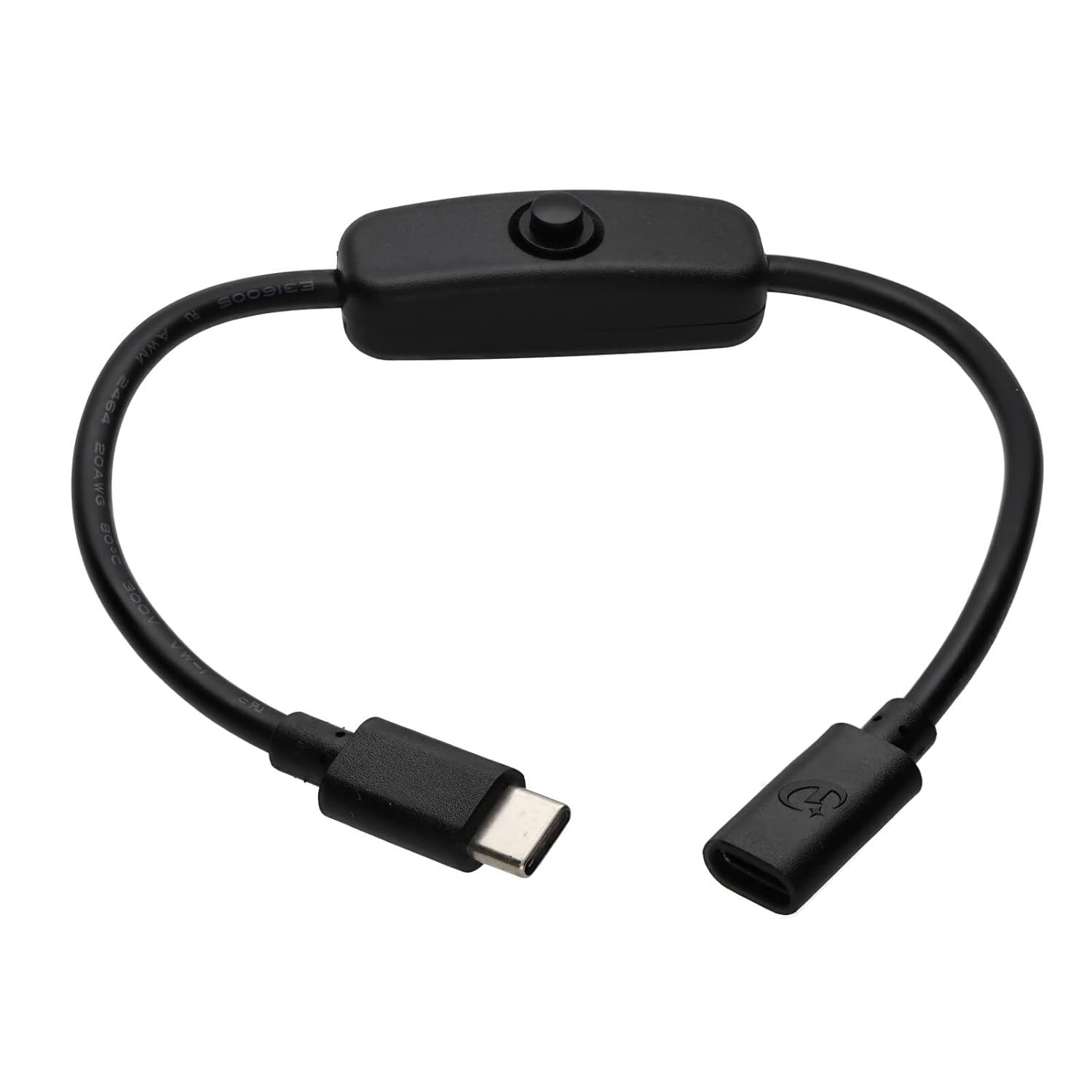
maybe a bit fiddly
I guess youd need another cable too, a bit spaghettiy
Yes, this, or I thought of a magnet wire thingy (I got one for my M8). But I think I’ll go for the 1010 battery case.
1 Like
On the USB power front — and I work for 1010music, so take this with a grain of salt — my development unit has been unplugged and plugged at least once or twice a day daily since I started there two and a half years ago and shows no signs of problems. There were a couple of weeks where when testing the battery case it was more like 10-20 times a day.
USB-C, when properly mounted to a circuit board, isn’t nearly as bad as USB-micro as far as repeated plug/unplug events; there’s better strain relief to the board.
I don’t really travel with my units much, but when I do I’ve either thrown them loose in a bag or put them in something like an Analog Cases case that’s about the right size. They seem to do OK. I suspect that the sort of problem you might have is a sharp impact to the screen — just like a cell phone, although it’s plastic and not pressure-tempered glass — or scratches. I can’t comment on that all that much, though; mine have held up pretty well, but I tend to try to take pretty good care of any gear I carry around with me.
The magnet wire thingy’s not a bad idea if you’re using it without a case, actually. I’ve never tried that. I’m not convinced it’s necessary — but if you get them for all of your USB-C gear it might be convenient, especially if you can find a set that matches both USB-micro and USB-C.
11 Likes