Does anyone know if it’s possible to set up an fx loop on the syntakt? I was curious about setting up a pedal fx chain using the external inputs and wondered if it’s at all possible to have both the main outputs and headphone output configured independently or maybe another workaround?
I mainly was keen to try using my strymon reverb instead of the built in one.
I guess it could be done potentially using overbridge as an option?
Unfortunately the headphone out, main outputs, and audio-over-USB (non-Overbridge) all output the same signal, and there’s no workaround for an fx loop of this kind.
If you are using Overbridge and a computer, you can use the audio routing settings page to send just selected tracks out of the main output (if for instance you want to put just certain tracks through the hardware reverb).
Ok, the overbridge option looks like it may be the solution for studio work and writing. Shame, there’s no hardware option, could be good for live performance.
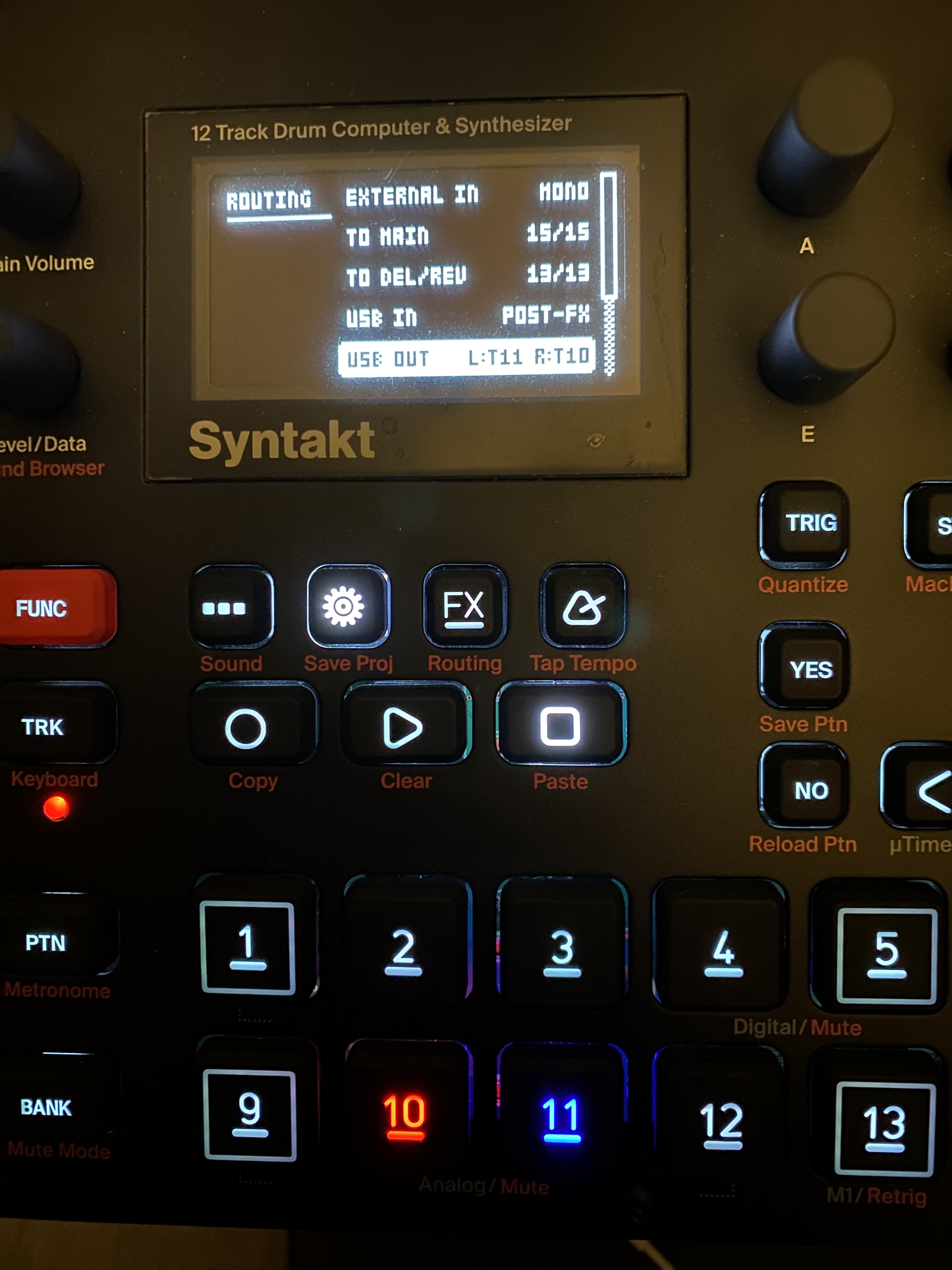
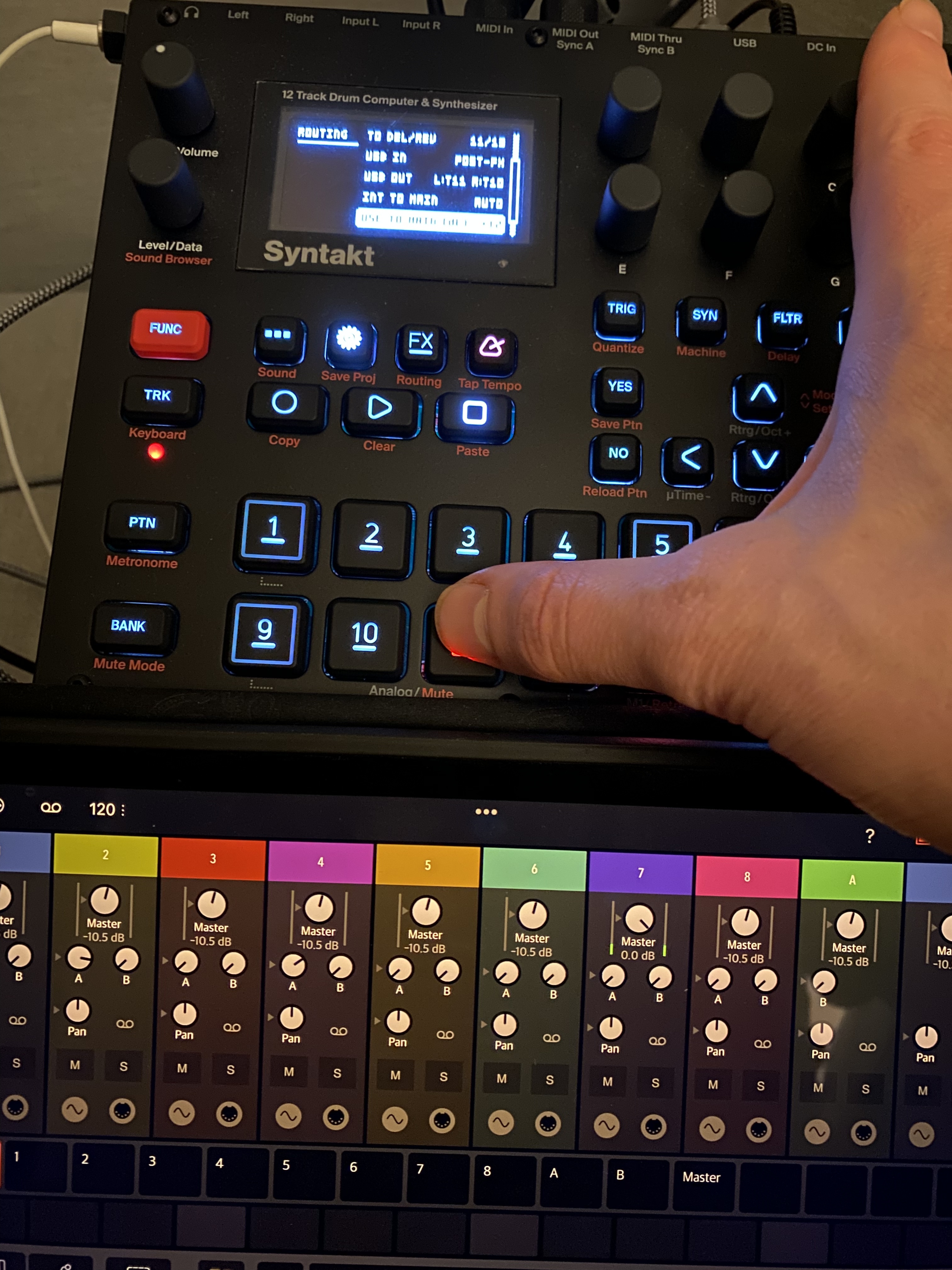
If you’re able to work with audio over USB for the FX loop, the Audio Routing menu in Settings has options for USB OUT: you can choose individual tracks for L and R (or Main or Ext), and then USB IN can be Pre-FX or Post-FX
Sadly this isn’t going to help with the Strymon reverb or other guitar pedals, but I think—will test this out at some point—that routing option opens the possibility of passing a couple of tracks through effects on an iPad, which could open some interesting possibilities…
This is an option on Syntakt that’s not there on my Digitakt, but the answer above about Main, Headphone, and USB being identical for ST was wrong…
At first blush it comes out a touch quiet, I’m just having Drambo listen to 1 track here, but adding the USB +12 dB in Syntakt settings means it’s pretty well balance volume wise.
Wow this is exciting! I’ve got loads of cheap fx apps on my iPad and even more weirder exciting things like granular fx.
The other thought with the usb option is my sounddevices mix pre 3. I usually take that out live to record a set anyhow, but I could prob set up an fx loop template on that for the pedals and use the usb to route that back into the syntakt.
I totally hadn’t even considered my iPad being part of this setup, but actually even having the syntakt potentially triggering some sounds over the midi channels might be worth delving into too.
What are your settings? I am trying to send audio via usb into an Aum channel on my iPad and then send the mix back out to the Syntakt. I can’t seem to set it up correctly.
I have a sampler on another Aum channel and fx on the syntakt audio.
Hi, aside from setting USB Audio/MIDI in the system USB settings, I’m afraid I can’t think of any settings to share that aren’t in the screenshots above. I don’t have AUM (use Drambo instead), but it should be a matter of choosing audio in from Syntakt, and choosing it as the main interface/audio out, as well.
does this setup require a separate audio interface? i’ve been trying to figure out how to send audio from ableton to external effect pedals using syntakt as my interface. i keep getting feedback issues or weird levels. i emailed elektron about it and they said it was possible if i disabled INT to MAIN, but that didn’t solve anything for me
No, my posts here are about using a usb audio loop with iPad to apply Fx to Syntakt audio. I dont think it’s possible to do what you’re suggesting. (Syntakt’s usb audio routing settings do let you send external usb audio through its internal Fx block, that’s the Pre/post Fx setting in the routing menu.)
yes, i did read the ipad usb routing stuff. maybe i’m misunderstanding, but you mentioned using Overbridge to route specific tracks to a hardware reverb. does that assume the hardware reverb then goes to a separate audio interface or is that all happening in ST/Overbridge?