Hi, before I start wasting my time trying to figure this out myself, thought I’d ask here:
Looking for the most efficient, best way to patch my 4 Elektron machines to Sync and talk to each other via MIDI in a Live setup - what comes first and how to connect? Ideally want to hit start on one Elektron and have all play at once.
Monomachine, Machinedrum, Analog 4 MK2, Octatrack MK2. (might add Digitone again). I use Ableton Live 12 w/ Push 2 as my main setup but can bypass Push 2 for the Elektrons.
I guess easiest for now is to just have the Elektrons talk to each other as in a live performance. Later on I can figure how to use Ableton to control/sync all the Elektrons to record the audio and MIDI of each out separately onto a track, as well as overdubs using Ableton as Master.
In this case, I would likely recommend setting up OT mk2 as master clock, then use the midi out -> a4 midi in -> a4 midi thru -> monomachine midi in -> monomachine thru -> machinedrum in
the thru basically duplicates whats coming in from the input port, so this would work in any order provided the master uses the midi out to send clock downstream
OT i imagine might be doing some live looping/sampling so it’s nice to have that as master.
In my setup I prefer to use A4 as master, as it keeps the CV timing a bit more tight.
Also the LFO resolution is higher on elektron boxes if they are set as master, at least this was the case on the older machines not sure about mk2 and the smaller digi boxes
*edit i think what shiggin means above is that to not give midi external control so that pads and knobs dont effect the machines down stream, but to simply just send clock and transport from the first machine. I could be wrong but that’s how i understood it
Yeah, exactly this for midi. I like the song mode on the OT the best. It gives you a level of control of track mutes, scenes, etc. Makes arranging easier.
As far as audio, I’d route the the MNM and MD into the Octa and then take the Octa into the A4. The reverb and delay on the A4 really tie the room together. Then audio/USB out to your DAW/recorder. You could aggregate everything into the OT and use the reverb/compressor on the master, but I think the A4 has more mojo.
If you don’t want to waste your time and say what it is your after achieving, it’s tricky to say what you want when you already have them hooked up to a midi hub
Here’s how I do it.
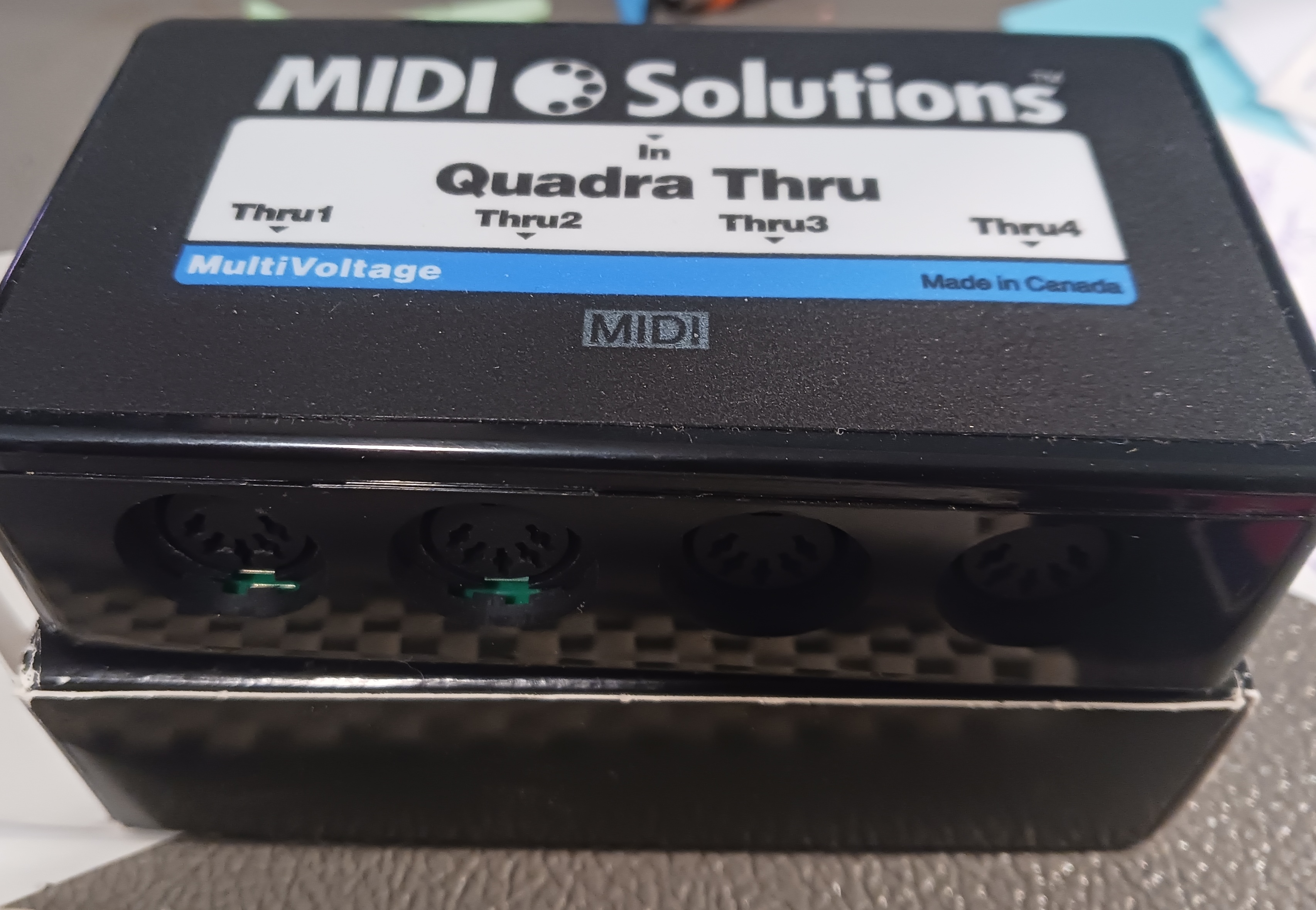
OT as master clock, sends midi out to a quadra thru box, (passive midi splitter) then I have 4 midi cables to each machines midi in down the line.
Best way to do it personally. Perfect sync, no timing issues.
Well, that’s pretty much the whole joke. It’s an allusion to a model (hypothesized explanation) of multivalent intramolecular bonding that involves… four electrons.