Yeah, I’ve got the SiX and those D-Subs are annoying IMO. Plus side I have a Ferrofish Pulse so I have the main and Ch1 &2 inserts routed into that, which works well, but would much prefer the convenience of TRS any day. I suppose that’s what makes the SiX compact but it feels a little counter intuitive to have that smaller form factor yet those massive looms hanging out the back to deal with (if you want to use the inserts).
3 Likes
I am pretty new to the B6 and need some help regarding setup / recording.
I use mono 3 & 4 and stereo 5 to 8 for synths and drum machines and I have mono 1 and 2 for reverb and delay that are fed over the st cue 1 and 2 from all other channels. As far as I can see this works pretty good for working on the mixer, but when I record all channels into Ableton I only have small sound artifacts on Ch1 and Ch2. What am I doing wrong here?
1 Like
Are you on macOS?
Yes
Sorry wrong question. I was thinking of a different problem…
Are the “USB out post fader” switches in by any chance? (with the fader down)
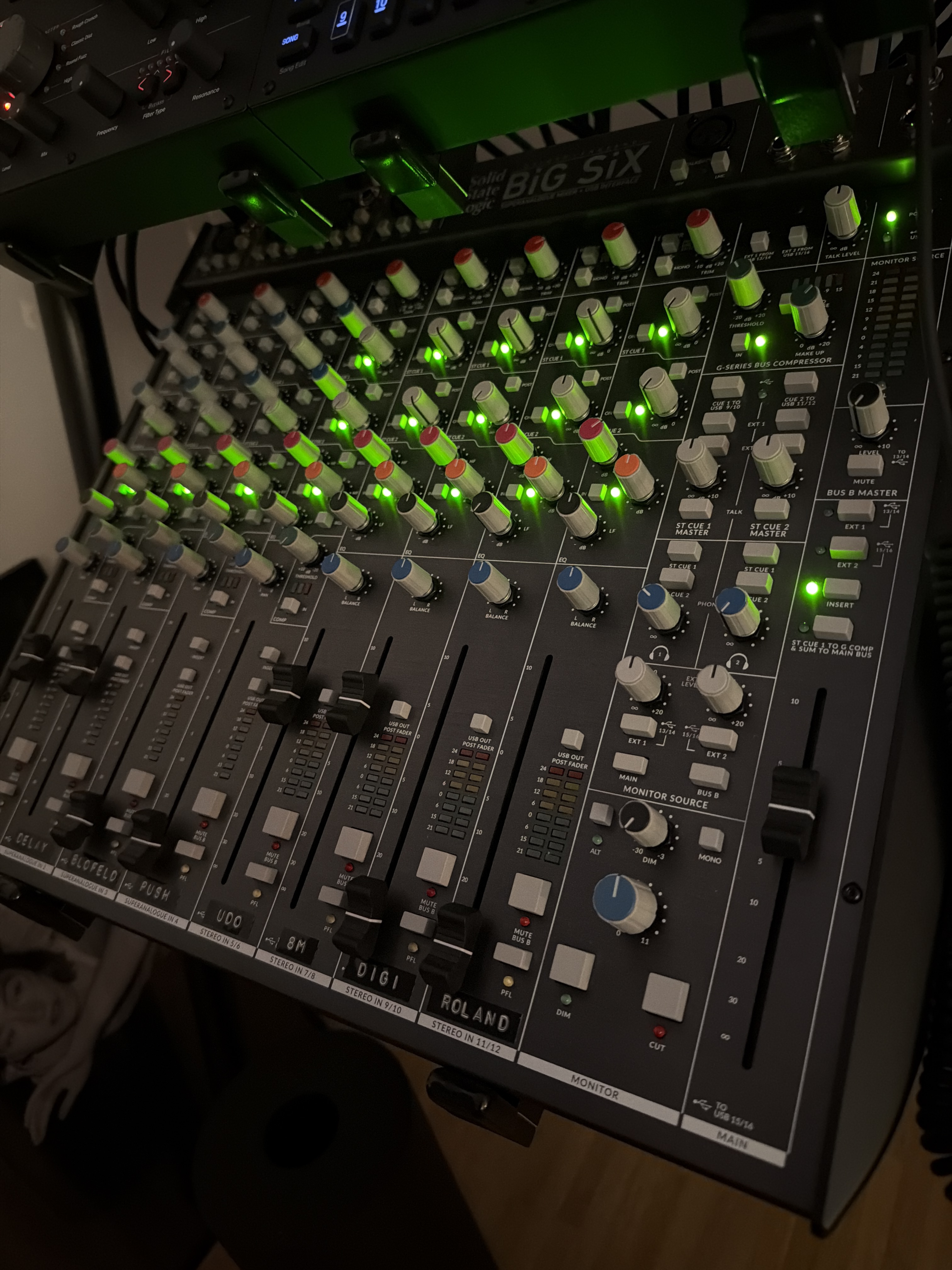
No, they are up for every channel. It might not be much of a help, but here is a picture of how it is set up.
1 Like
You need to activate the cue to usb buttons…
1 Like
The ones just below the compressor section. It is also clearly described in the manual if you need further information
2 Likes
Thank you so much. I did not find it in the manual. I will try it out tomorrow.
What reverb and delay? Are the St Cue 1 & 2 outs connected to pedals? Or did you connect them directly to Mono 1 & 2 in order to record the Cues into your DAW?
Meris LVX und Mercury X going into Mono LineIn 1 and 2 of the Big Six.
I don’t get this shit working, damn 
I just tried different combinations for a while but I think I am doing something general wrong. Is it ok to connect the st cue out 1 l/r to the meris mercury x and to feed a wet mono singal back to the mono line in 1 of the big six? This gives me the wet signal of the reverb on mono channel 1. I am able to listen to it on the mixer. But when I try to record usb channel 1 in ableton (which should give me the sound of mono channel 1), it is silent even though I have sound on the mixer.
Maybe somebody can give me advice if this setup is a good practice. I could even arrange myself with recording the instrument channels with the effects already applied. I am just finding my way into a practicable workflow right now.
This is my exact setup as well  Both of these are stereo effects units, so I wouldn’t run them in mono to the mixer. I use the EXT IN (13/14 & 15/16) to return the effects to the mixer. Works really well, and if I want the LVX to go into the Mercury, I just route them to the stereo channels. I’m also using patchbays, which makes routing super easy for me.
If I wanted to record the wet signal, I’d probably route the pedals to the stereo channels and record them just like you’re trying to do now.
Not sure why you’re not hearing anything from the mono channels when recording, though. I don’t think the cue out to USB should matter here, since you’re trying to record channels 1 and 2 and not the cue out directly, right? Could it be something as simple as channel 1 not being routed properly in Ableton? I have very little experience with DAW recording on the Big SiX, but I’m keen to understand this.
1 Like
Thank you so much. Your help is really appreciated. This is some good advice for a better setup of the effects in general. I decided to use the two mono channels to not loose more stereo for synths, but maybe I can arrange with it. I will try this and see if it somehow fixes the problem. I just need to make up my mind how to assign the synths to the other channels (Blofeld, TEO-5, 3rd Wave 8M, Super 6, DT II, TR-1000).
This might be a little bit off topic but could you give me an inside on how you decided wether you are assigning a machine to your mono or stereo channels?
USB sends 1 and 2 for for analog channel 1 & 2, right?
Because I have a strange behavior on 1 and 2 in ableton and only get strange sound artefacts. All other channels are working correct.
Are you able to post a screenshot of how it looks in Ableton so we can see what you are selecting for channel 1 & 2?
I don’t use Ableton but ”send 1 & 2” sound like it could be the cue 1 & 2 but I’m not sure you could select those? Are you able to see ”channel 1 & 2” when selecting them in Ableton?
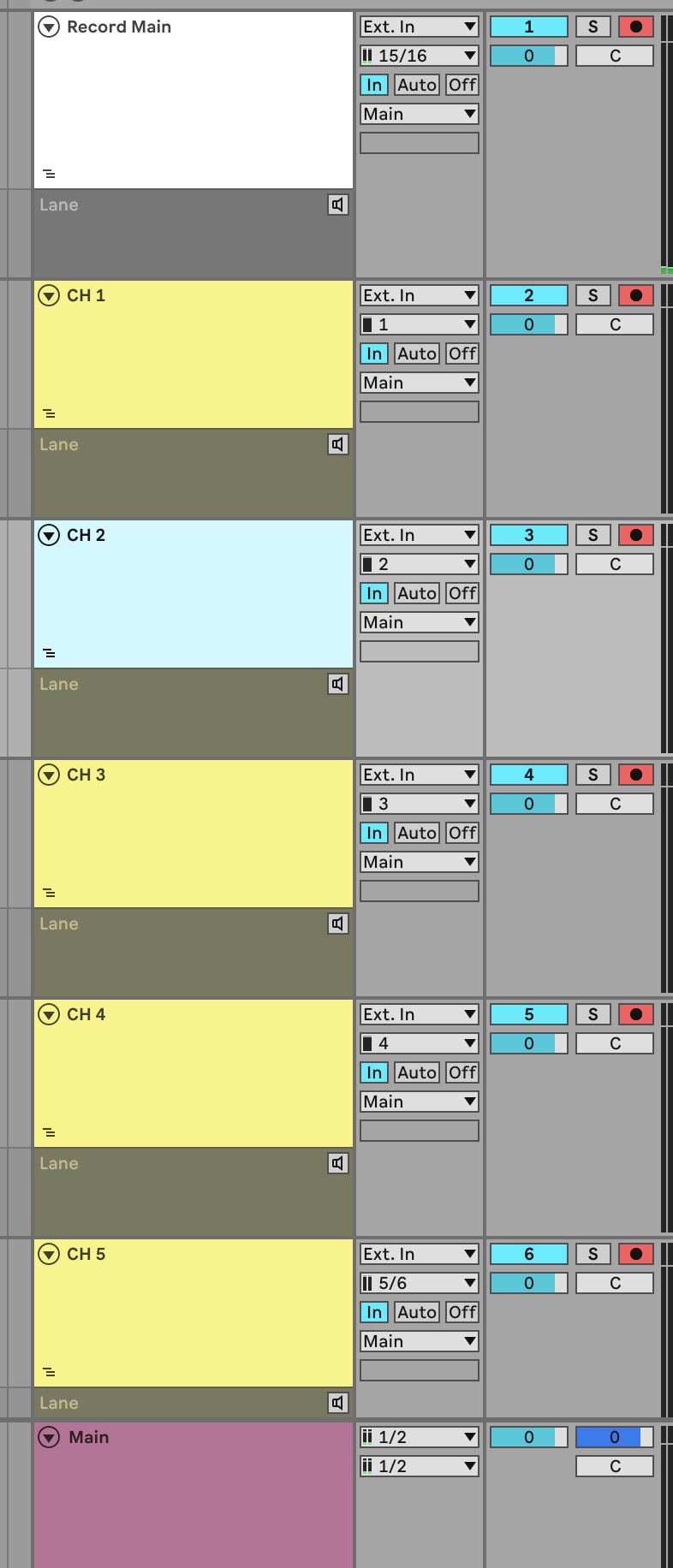

Ok cool i get it now regarding where cue 1&2 gets routed when using usb.
Looks like you route channel 1 & 2 correct as far as I know. So not sure what’s going on… perhaps contact SSL support in case there is something with the hardware.
Try setting Main to 15/16 instead of 1/2.
I don’t know ableton but it seems you are able to record the main mix as it should, but have the main outputs of Ableton connected to USB channels 1 and 2. That should not be a problem depending you not accidentally causing a feedback loop. But perhaps this is the problem.
4 Likes
This was something I thought about as well.
1 Like