Though I think macros are always 0-100 continuous controls by their nature?
You can’t map buttons, colors or name changes.
I am a visual guy, and like to know what control i am using based on color and not just text.(i like having for example color red for feedback or output/input volumes, or some blue tones for main controls like wet…)
It’s faster and more intuitive
You can’t add steps, number or steps and haptic feedback for them also.
I like having feedback if knob just have 2/3/4… states.
Also i noticed, and will do test, but sometimes when i plug roto control, my monitor screen either blackout for a second or has some visual glitch. Could be just cables not inserted well, but it could be something else
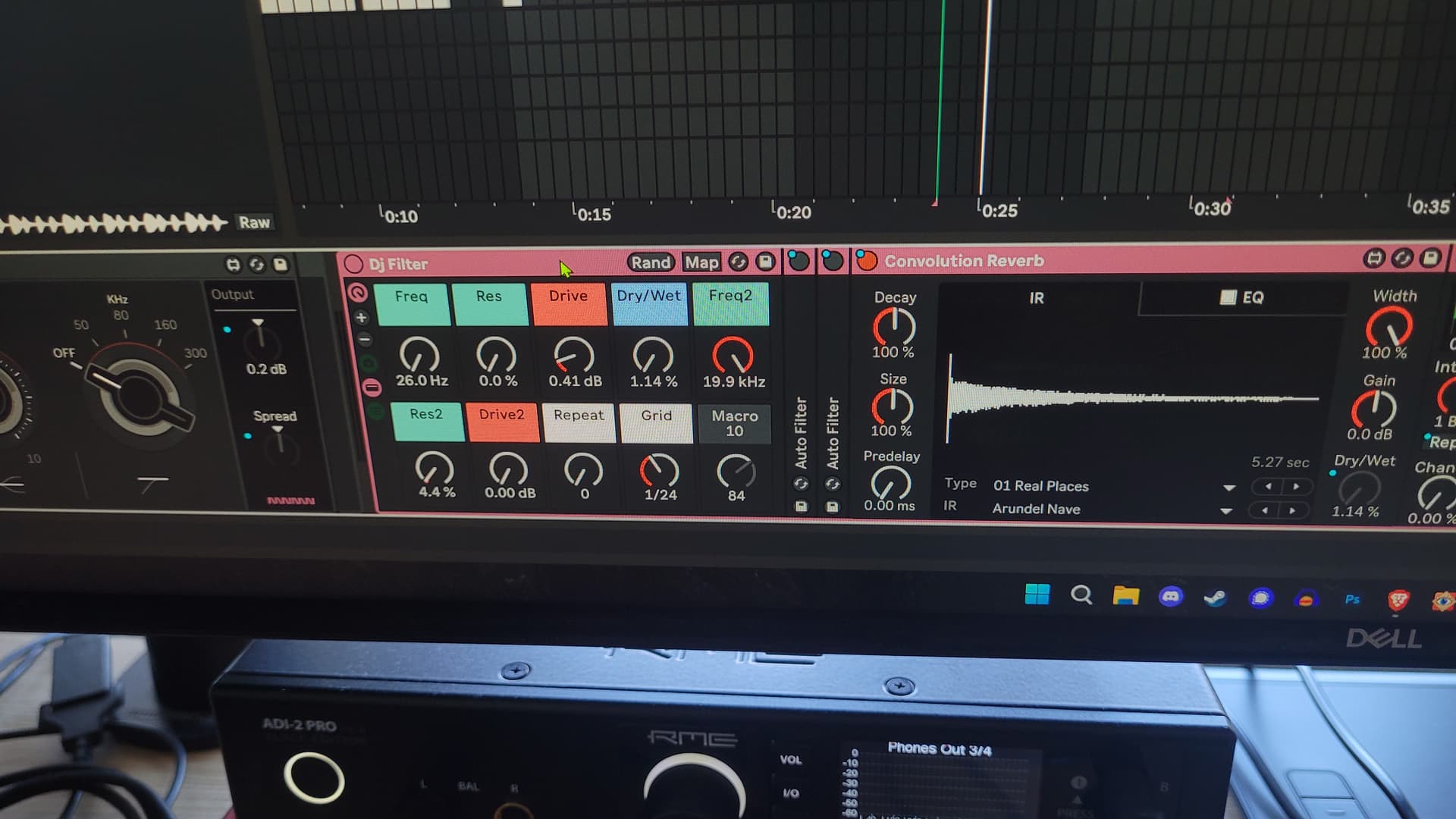
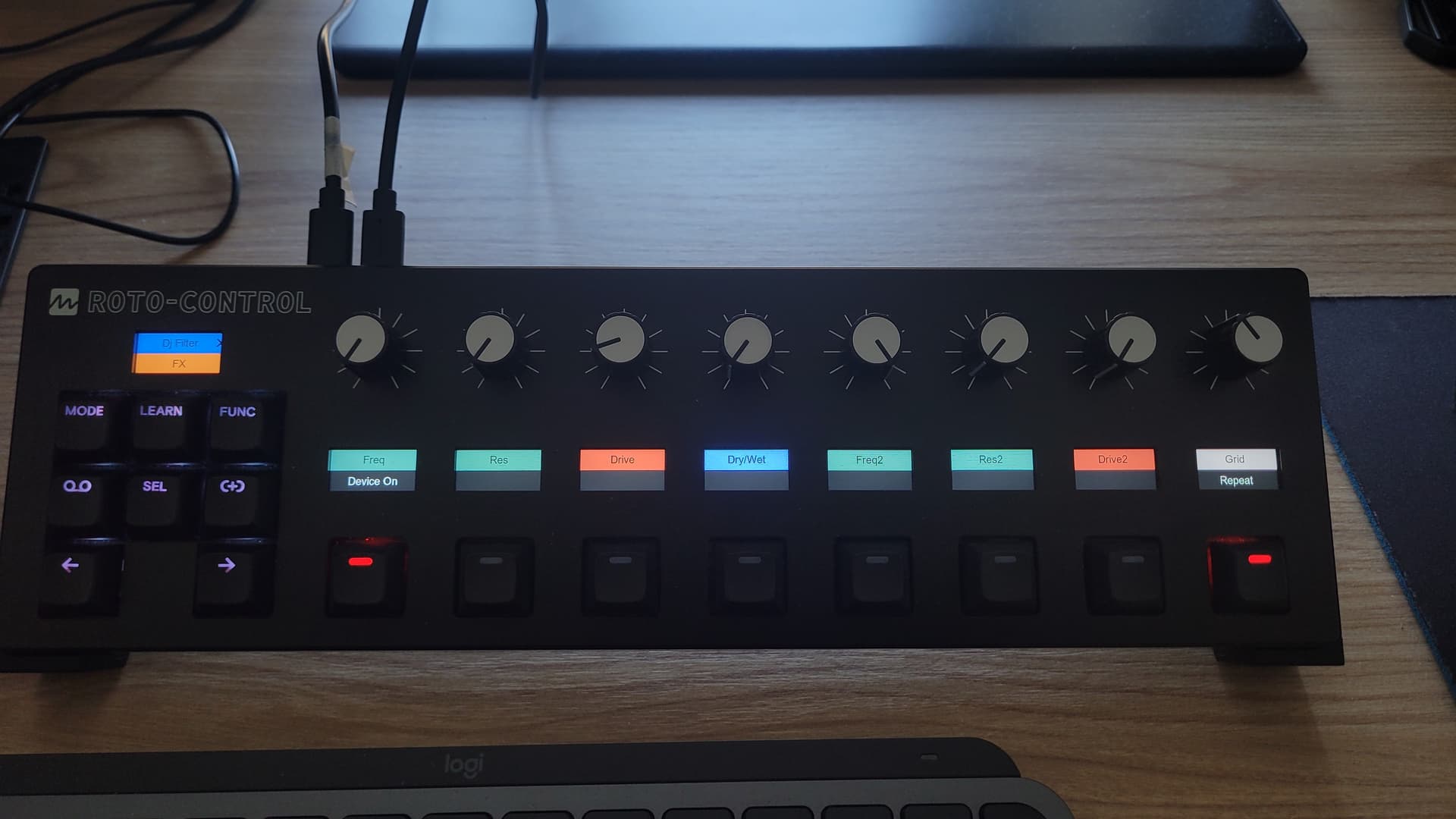
Here is one example of color use.
Pastel greens are for filters, drive is red, blue is dry/wet of a convolution reverb and white is beatrepeat(button mapped for push only and knob for grid size).
I also mapped here plugin on/off button (it can be done on Roto by just pressing Sel) but this is faster and more convenient since it’s on same page for fast switching
2 Likes
Kind of unrelated, but what is that M4L device on the first pic? One with the filter cutoff knob visible.
It’s a beautiful eq73 by monomono.
Check all of their devices @puls
Makes sense. Knowing a bit about how this works under the hood, I think the two most likely workarounds are either MI adding a config file where you can globally turn off auto map for racks, or something like I suggested where you put something in the name of racks which should/should not be mapped. I don’t think the architecture would allow you to opt out through Roto Setup
1 Like
Yeah, for now, for me personally, manual is more usable since i have more options to build my own setup and racks for future use.
I can also understand people who just need quick mapping for live performance and one time use
2 Likes
Makes a lot of sense, thanks for answering !
1 Like
No worries, power of Roto-Control is in motorized knobs and these screens.
On any midi controller i was frustrated not knowing all the stuff being mapped, or remapping every time i start a new song. Or not knowing knob positions… Who can remember and deal with all of that.
I know one can save a template, but having every vst one use or effect mapped on a single device it’s amazing.
Also easy switching between devices is effortless.
Plus knobs following changes and colored screen for easy navigation between mapped function, it’s perfect.
Plus it’s priced well, and has a good support, from a guy who is into djing and music making.
Now i can finally sell midi fighter twister and faderfox uc4
3 Likes
Yep it’s such a game changer for midi controllers! I’ve been searching for something like this for so long 
1 Like
Same, kinda dream controller in my opinion.
This was first device i pressed buy button after first Namm video showing.
Then waited for good 2 months to show up in Europe
I usually like to wait for reviews, see pros and cons and then make decision.
1 Like
Melbourne Instruments recommend to save all presets before the update. In case one already mapped device/plugin gets an automatic mapping in Ableton, one can import the old one. I’m also one who meticulously chooses colours and readable labels. For me it is worth the effort, not only for the looks, but mainly to work faster.
However, I observed that a preset that has already been re-imported gets overwritten by this automated mapping. It’s not a big deal, but I would like to keep the presets I’ve already done. For new, unmapped devices, I welcome automapping. But only if I can customise it later in the editor.
Maybe it was only a glitch, because I had seven instances of this plugin, and was switching channels often.
1 Like
Same. I installed 1.1.3 version thinking this is the case. Unfortunately not yet, maybe in future updates
What i would like to see in future update is track groups, like in Ableton Live, same for roto. To be able to group track and close them in mix/plugin mode, so we reduce amount of scrolling trough pages.
Especially because when working in Live numbers of tracks can go crazy.
Would help with removing clutter @Honeysmack
3 Likes
Yes, folding and unfolding of group tracks is coming to Mix mode 
8 Likes
Great news!
Is it possible also to implement same concept in a Plugin mode for racks?
Since they also have many devices grouped in a single rack, it will unclutter devices scrolling.
These are just awesome quality of life improvements. Thank you
While you are here, can we please have an option to switch manual and automated mapping for racks, or at least an option to fully edit automated one from fw 1.1.3?
Thank you
For me personally, the automated mapping makes no sense. For example, I have mapped the u-he DIVA manually because the default names are misleading. Example u-he calls
OSC Model = Model
HPF Model = Model
VCF1 Model = Model
Env1 Model = Model
Env2 Model = Model
The automated mapping is only for rack macros, which you you can rename in Ableton itself, no?
3 Likes
Correct - automatic mapping of macros is for .adg files, instrument/effects rack with macros. Renaming of macro controls is done in Ableton Live and reflected on Roto-Control.
To turn any plugin or group of plugins into a macro (rack), select the plugin(s) and ‘group’ them [command G]. Alternatively you can also drop plugins into an empty rack. This will create a macro that can be mapped to plugins within that group (rack) and those macro controls will be automatically mapped to Roto-Control’s knobs. Creating a new Macro will default labels to Macro 1-16 in Ableton Live and these will not appear on Roto-Control displays until you have mapped macro controls to parameters within the rack of plugin(s).
4 Likes
The removal of being able to map Audio Effect Racks is extremely disappointing to me! I had some very nice custom mappings of some racks with indent settings, colors, and buttons mapped to flip between two states of a macro knob, but none of this is possible now. I really hope this ability gets added to the next update, the usefulness of this controller just decreased significantly.
I’m struggling to revert back to 1.1.2… @kokosnuss how did you do it?
1 Like