I bet that was a return…normal re-stock says December 15th.
2 Likes
If you were running into this issue on the default Project 1, the explanation provided at the link below about the structure of TR-1000 projects may provide the explanation of why you were running into SMP slot issues:
https://www.modwiggler.com/forum/viewtopic.php?p=4399924#p4399924
Key bits:
Project 1 contains many preset kits that use samples, so by extension the number of slots immediately available is 154. Switching Projects will increase this number to the full 500.
1 Like
I posted this on the Discord, but I can’t seem to reproduce this bug @martin01 ; I get a smooth gradient of lighting levels as I change glow from 0 to 10.
Were you in a specific mode when you encountered this issue?
I get it on the sample button only and noticed it immediately. I was concerned it was a hardware fault but I scoured the internet for images and videos and every single one showed the unselected (eg not lit red) sample button as a little dimmer than the other buttons.
Midihub is arriving in the next few days… To integrate the Nome with it how would you go about it? I’m thinking the DAW going to the Nome, then the Midihub downstream from the Nome with the offset in place for the TR (any anything else that may need it but so far nothing I have is glaringly latent enough to warrant it). Is that how you’re using it with the Nome?
1 Like
yes I saw your original post but still was wanting some clarification/opinion. I’ll figure it out
It’s not the original post but rather additional instructions. I’m not sure how it can be any clearer, as it provides explicit details about how to integrate a Nome II or CS:M with the MidiHub solution, which is what you seemed to be asking about. 
2 Likes
I would do exactly what Pmags put in their post. See their answer to my follow up questions, that’s all you need to know.

No specific mode. I also did an init project. I guess I have to factor reset the machine and check again.
Possible bug?
Pattern change does not fully apply all kit settings. On reloading the kit it does.
You see me changing from Pattern 01 / Kit 01 to Pattern 02 / Kit 02. Then you see me reload Kit 02 and you hear the kit clearly change. Notice how the open hats change on kit reload.
It doesn’t make sense that a Kit reload changes the kit settings since it has just been loaded due to the Pattern change.
This was an init project. But I’ll try to reproduce with a more basic scenario.
Reported to Roland
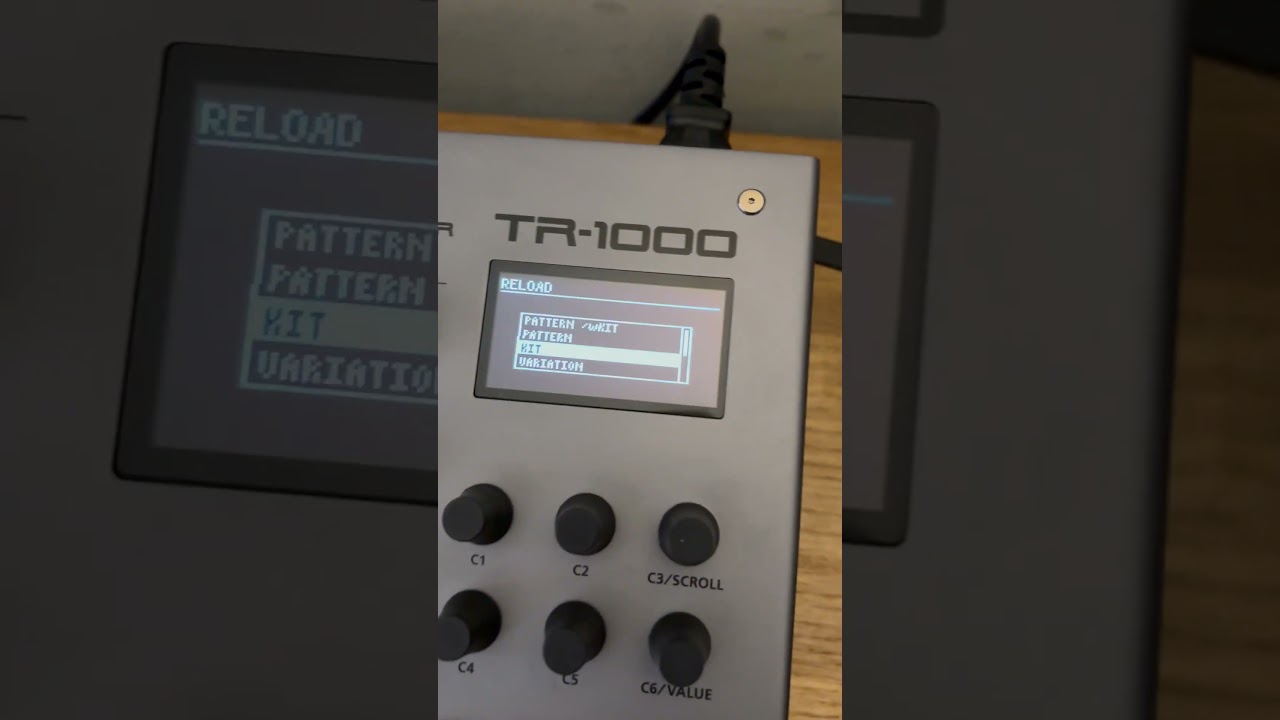
3 Likes
Saving projects takes a whopping 2 minutes and 32 seconds. Even when they are empty.
Reported to support
1 Like
This and the initial boot time makes me think there is a lot going on under the hood which leads me to think the 100ms kit change gap isn’t gonna improve too much.
1 Like
loading Porject 01 does not take too much time. I’m fine with that. As everything is in memory should be all good. Saving a project should take seconds, if not ms, especially when empty. Just meta data. Here it takes 2:32. At least on my machine.
Is there an easy way to choose which Fill pattern to play? The only way I know is SHIFT + FILL then select fill pattern from menu, then hit FILL. Which is not a performance oriented way.
When you hit shift and fill you see the variation buttons will change and A-D are lit up. that is fills 1-4.
I have my fills set to play every 8 bars and after a few rotations I just hit shift fill and swap to another.
2 Likes
Is there a way to set it so it will automatically rotate between the fills? Or do you have to do that manually like you are doing
I’ve been following this thread closely to see how clocking and sync is dealt with. Thanks for the detailed workflow to get things going smoothly.
I’m wondering what would be a solution in cases where you need to use a MIDI interface with more ports. I am considering the MRCC for instance and I don’t see that it has any MIDI delay features at all. I’m not so sure about how things work when chaining MIDI interfaces (e.g. MRCC and MIDIHub together) to achieve sync…especially if I am also considering a MAster Clock.
Seems like I’m going to have too many MIDI interfaces just to get the studio running 
Any thoughts?
Same principle applies, just send a MidiHub output to a MRCC input.
Depending on how complex your setup is behind the MRCC, you may want to filter and merge clock and transport settings appropriately.
The topology might look something like:
Computer <-> Nome II --> MidiHub |-> TR-1000
                                 |-> Inst #2
                                 |-> Inst #3
                                 |-----> MRCC |-> Inst #4
                                              |-> Inst #5
                                              |- etc ...
3 Likes