Hmm curious. Then I would try setting the track delay of the audio sync track to -4ms (in Live, then transport the project to P3SA) and set the external instrument device hardware latency to 5ms.
1 Like
Ok, this came out a bit more ranty than I wanted. I want to accept that this is probably just me needing to learn/ create a new workflow, so if anybody has advice on a workflow transferring sets between P3SA/Live, learning to love Session View, etc I’d appreciate it.
I transferred a project to the computer and am using the Push in controller mode for the first time. I absolutely love having a control surface for Live! However, using the External Instrument plugin creates workflow annoyances when using Live and it actually seems to create more work than if I just recorded the audio output from Push to my computer as its own track in a non-transferred set rather than transferring the set, for reasons I’ll detail below.
When using Live on the computer for the past few years I’ve used templates with separate midi/audio tracks for all my instruments set up prior. This has worked almost flawlessly, and it’s what I’m used to. I can’t really do this when working with the Push as unless I’ve missed something) we can’t set up a default template on P3SA yet. I also never use session view on the computer - Prior to my Push I sequenced everything from an MPC and I always record directly into Arrangement View, so a lot of the workflow in Live using Session View is utterly foreign to me. Adding to this, I need to create new audio tracks to actually capture the audio, which makes External Instrument feel really superfluous (although it just dawned on me that I can do that on the Push as well, once I have another interface to hook up to it).
This all means that if I transfer the set back to the push I’d theoretically have a few audio tracks to worry about - except Push doesn’t have Arrangement View, so I don’t know if I’d even be able to access those tracks. Do they actually get recorded into clips? At this point, it feels like the “integration” between P3SA and Live only really works if you don’t plan on transferring between the two a lot, or if you don’t use Arrangement View.
Am I overcomplicating this? Do I just need to wait until a track is even more finished than I thought before transferring to Live? Any help and advice is appreciated!
I took a chance on the UDG. I will let you know what I think when it arrives! 
1 Like
My view on this is not to transfer back. Or at least at present.
Any external instrument configs simply need resetting in some shape or another when switching between the two platforms.
So for me, I’m treating standalone as a way to fully concentrate on the idea and then when to record I switch to controller mode (or DAW mode) and don’t turn back. This workflow is at least seamless, but agree it’s a mess if you want to go from Live to Standalone.
1 Like
Hmm, my experience Live -> standalone has been pretty much plug and play. Don’t know what I’m doing, but it’s happening
1 Like
You can still access the template file, but you need to open it manually.
Tracks exist independently of Session and Arrangement view. You can think of them as different layouts of the same thing.
1 Like
I don’t have any experiences recording external gear into neither Live nor Push so I can’t comment on that aspect of the workflow.
But the way I currently use the Push 3 SA is as a thing in my lap (literally, despite its size) to noodle on and explore new sounds and ideas until something begins to stick. I might have a bass line, basic drums, a pad and a melody made across a few clips. Here I think that session view works really well to quickly copy clips and make different versions of the bass, different energy levels for the drums and testing out some possible arrangements.
I then try to switch to Live when I feel it will lead to faster results and/or when the need for the expressiveness of the Push isn’t as big anymore. In my latest embryo I had to move to the laptop in order to continue to work on the idea because I was heading out to a business trip with a small backpack. I very quickly recorded a sketch arrangement just to be able to demo it to my friend who I make music with, and then I left the Push at home. Over the next couple of days, it went from a 25% embryo to a full song.
I haven’t moved that project back to the Push again because I haven’t seen the need. Getting quite comfortable in Live now. I will definitely move the project over once it’s time to do a live jam of it with some of the automation re-recorded live though.
So my take on the Push 3 Standalone is that it works great as a sketch pad to get an idea going, and it works very seamlessly with Live. I love that there’s no clear point in time when you need to record a jam into Live, it can all happen very fluidly and differ across projects. The previous song I worked on was more like a 0-80% thing where Live was only used in the more traditional sense of mixing and polishing, where the Push was the main “groovebox” where the arrangement took place. That works too but I feel it’s sometimes not as quick because I’m so comfortable in the arrangement/timeline concept of DAWs.
Regarding Session view, I find that it’s still useful when you have a basic arrangement going. For example, I like to make a new bass clip and see if I can find more interesting bridges or variations that way. It’s very convenient to just press play on a clip while the other tracks still play from the arrangement view. If it doesn’t sound great, I just press Tab and click the orange play button to switch back to the previous arrangement again.
Bottom line is, Push 3 Standalone is a great sketchpad and/or groovebox that can either take you from zero to “basic idea”, or to a nearly finished song. And you have the flexibility of choosing when and how much you want to do the work in Live.
Here’s the track I mentioned above where the Push played an essential role in the creative process - the expressive MPE pads contributed to the entire idea:
13 Likes
You some up the benefits of the current workflow well. This is how I see Push 3 SA atm too, but would prefer to see it evolve to enable more complete arrangements before switching to Live. This is where the song modes found in the MPC, Deluge, Hapax, S2400 etc take ideas that little stretch further.
I personally love editing near complete arrangements in Live. I’m quick zipping around the DAW and can get to the detail easier but I waaaay prefer having a groovebox to get me 70% of the way there first.
Push 3 SA mostly gets me 20-30% of the way there. And does that part very well
2 Likes
I hate my push 3 standalone
Too many options, too much computer, worst buy ever. Mine is for sale now, to buy a focused sequencer.
2 Likes
I went through that last week. Listed it for a few days, then taken off. Like how I got my head around the Octatrack, I’m concentrating on limited parts for now.
I realised after looking for alternative sequencers, midi controllers with pads, separate drum machines & a wave table synth, what I had in the Push was best option…. Let’s see!
3 Likes
I agree that right now the P3 is at its best when used as a tool for ableton live, instead of a standalone groove box, or a standalone “brain” of a hardware setup. I’m still pretty happy with using it standalone. I’m now trying to integrate it with a Syntakt and that it has been giving me some headaches. But that it’s more because of how midi is, than because of Push’s problems - I never really managed to have an organized routine with my hardware setup. I’m much happier with just sampling the hardware and sequence sliced audio bits.
2 Likes
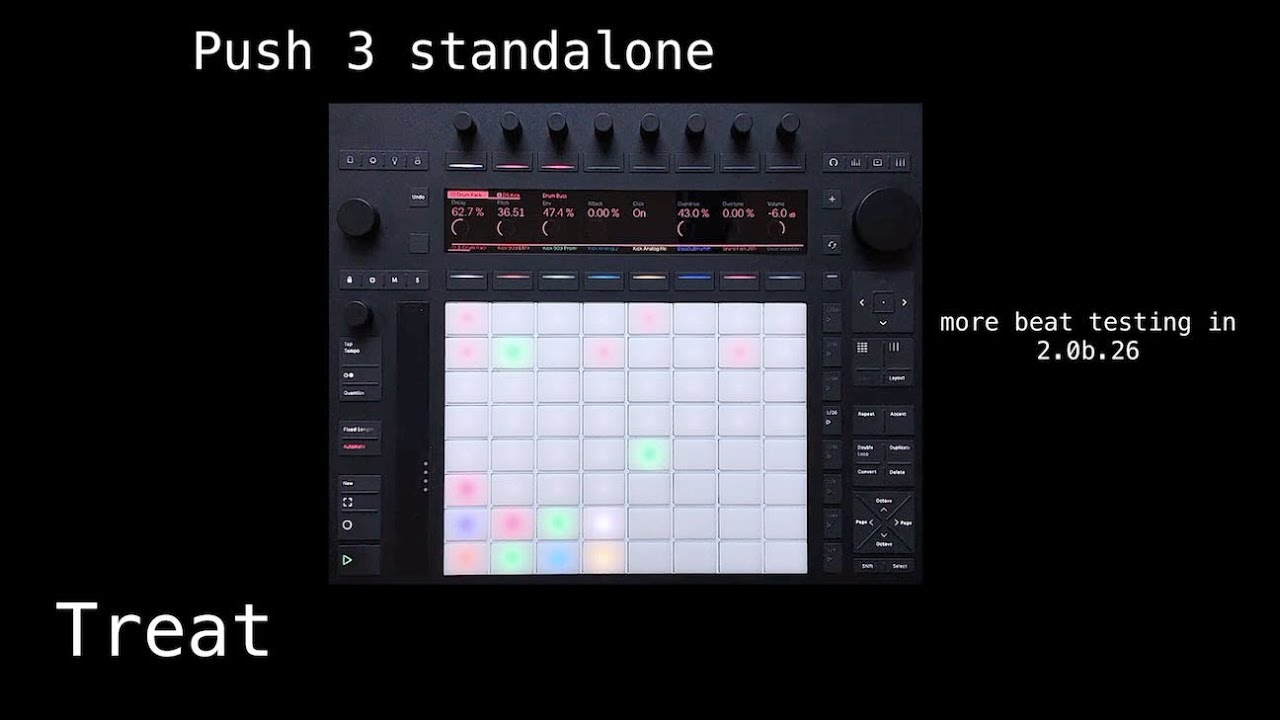
more beta testing…meld and roar are killer…yes the machine bugs and many basic things are not (yet?) implemented…but if you concentrate on the things you CAN DO its a magic box…!
8 Likes
I really like the Push 3 Controller for most things. I use it on my lap with a USB-C cable running to the Mac, and just use it as if it were standalone.
I also use it on a standing desk with the Mac open next to it (it’s actually just crates and a plank on top of a normal table), or over on my music desk where the speakers are.
I’ve stopped using other devices entirely, although I’m sure that will change in the future. The only thing I don’t like is finishing stuff in Ableton. I don’t like it’s arrangement view nearly as much as I like Logic Pro. But I’m getting used to it.
I’m glad I didn’t go for the standalone, as futzing with the back-and-forth transfer seems very annoying compared to just needing a usb cable connected to a laptop.
5 Likes
Personally, I love Push SA. My musical process has become a lot faster and more enjoyable since I got it – it’s a true gamechanger. Everybody’s experience is different, of course, but for me a computer is a total creativity killer. I sold my Push 2 because I just can’t be productive using hardware controlling a DAW.
With Push 3, however, I use standalone mode to make 90% of a song and then arrangement mode in the computer to quickly order the clips I’ve created. Oh, and the fact that I can route my Syntakt and modular into Push via ADAT without having to use a computer is mindblowing.
13 Likes
The UDG case is ok, but the space for cables doesn’t fit the PSU. It’s just half a cm to short, I have contacted UDG about this. Maybe they can improve the design in a future update of the case…
2 Likes
I have 12 notes set up on the same step. I created them from lowest to highest, and the MIDI notes output in that order. When I copy and paste that step, the pasted notes don’t output in the original order even though everything looks the same. I doubt the difference is audible, but the order is important because I use the output to tune my TERRA, which will load its 12 sensors in order of the incoming MIDI.
Does anyone else have a use case where they care about such micro differences in timing? I don’t get this glitch with Hapax or my software sequencer, but rather than depend on those and sync them with Push, I’d prefer Push to handle it. But copy and paste is essential to save a lot of repetitive, tedious data entry.
Thanks for the perspective and advice, everyone! I think I had some hidden hopes that it would somehow help me get songs even further before recording into the DAW than my old setup, and it just doesn’t do that for me at the moment. Which is totally fine! I just need to reset my expectations a bit. I do think that getting an interface for my Push and setting up a template for it will help tremendously. I don’t know how I missed that we can use templates on P3.
Ooh thanks for reporting that. I’ll check with Analog Cases if their Unison case for Push 3 can fit the PSU.
Be careful with that Analog Case Push case. I ordered one and the fit was uncomfortably tight for a Push 3. I returned it.
I was on the site over the weekend and the case is branded as being for Push 2 and 3, but the devices are different dimensions. So either it has been rebranded as fitting both, or the one I got was actually for a Push 2, not Push 2 and 3. Or it’s just too tight for a Push 3 (in my opinion).
Ugh.
Maybe I’ll just go for the Gator Mixer Bag, as that was reported as being a fit for Push 3. I’ll just be sure not to pile anything heavy on top of the bag when the Push 3 is inside of it.
https://gatorco.com/product/15-x-15-x-5-5-mixergear-bag-g-mixerbag-1515/
I’ll get a nice hard case by Pelican or whoever after I’ve become a world famous, in demand producer being paid to fly to LA, Berlin, etc. to play Boiler Room shows
1 Like