Having now checked this on my unit, it was authorise like I suggested earlier. You need to add the code they give you to your account, then in the settings on the Push 3 itself, you need to use the authorize button on the Settings->Software page and follow the steps.
1 Like
Same here.
I think it needs authorized but I have no license for Ableton 12 yet.
I have flat red them asking for one.
They provide a serial code for you on the same centercode page that the Push 3 12 beta file is downloaded from. You need to add that code to your account via the normal ableton website, then authroize the Push 3 using the button inside Push 3 settings.
I think it is a bug when switching from non-beta to beta release (or vice versa). I also discovered that and had to reset the unit with a the fun downloading and re-installing plenty of packs.
Cheers.
That worked. Authorized Live 12 on my Push and on my mac.
Save is working on push now too.
Just a heads up, there are a couple of new MPE drum packs just uploaded in the Live 12 beta
This caught me out. I used the adapters I got free with my MicroFreak (nice of Arturia to provide those for free) and needed to add a couple of adaptors to change the polarity
@SteveElbows @m0ld: your help solved it.
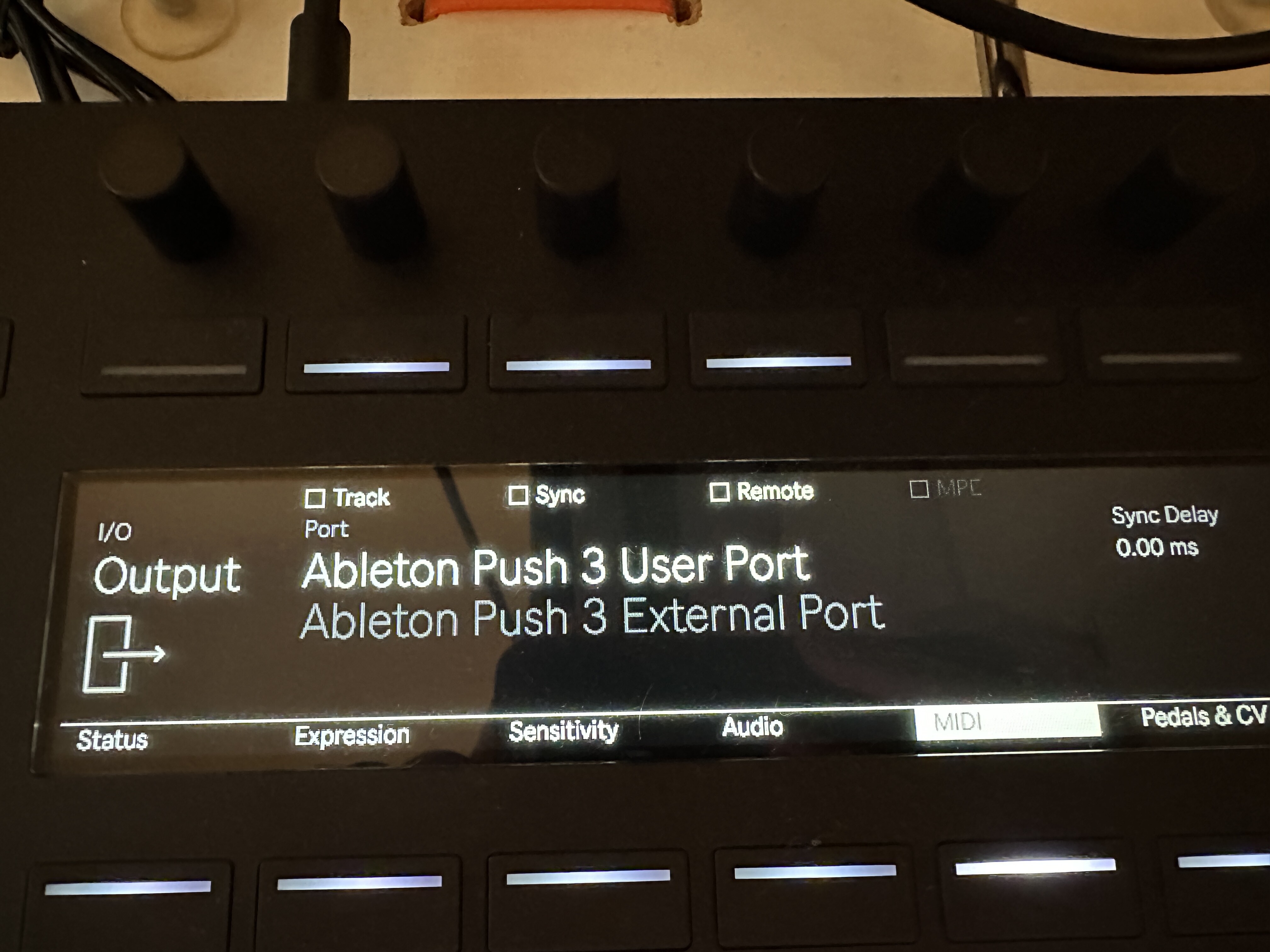
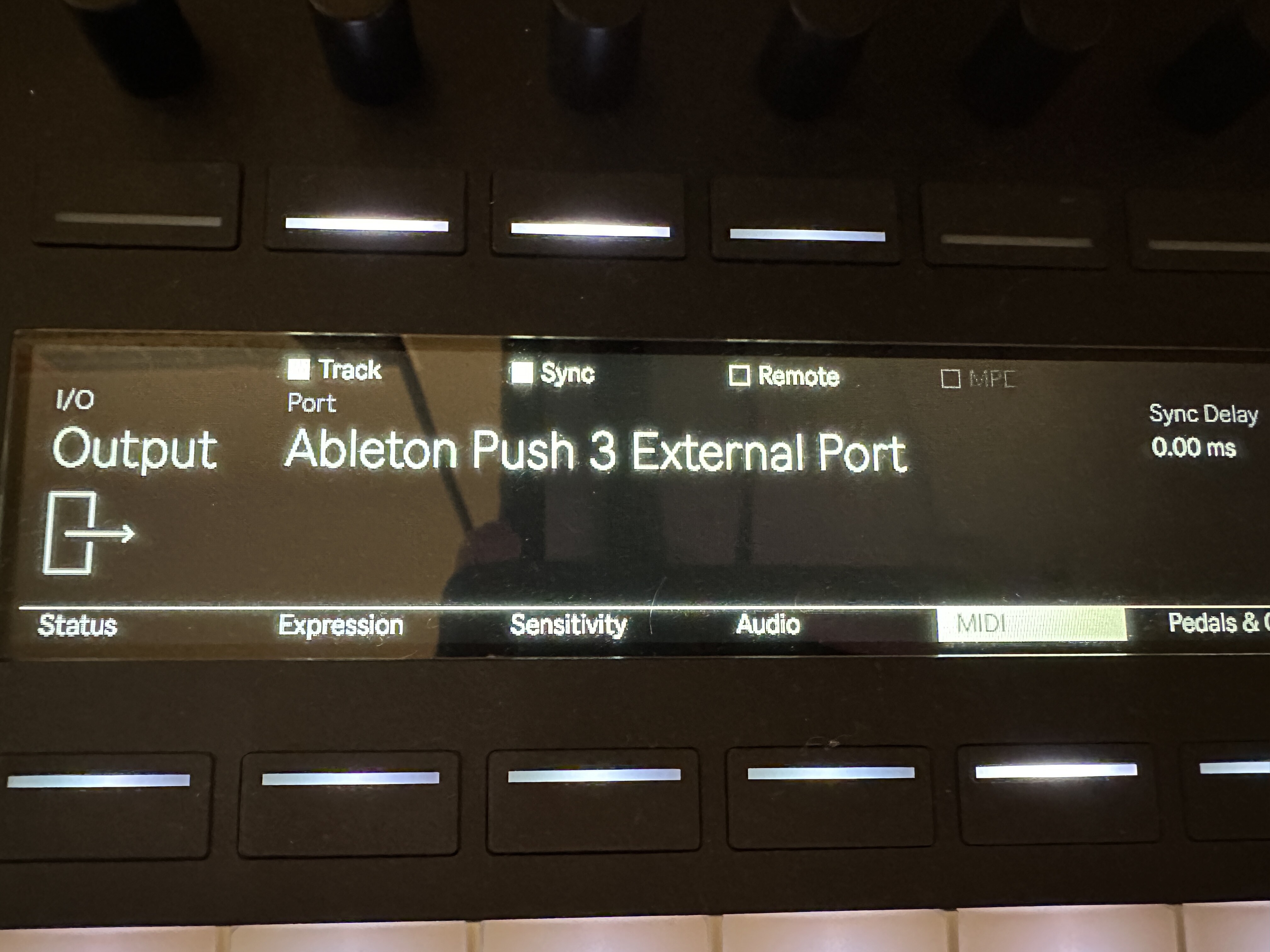
Firstly, I neglected to note in my explanation that I had in fact already been settng the Track, Sync, Remote, and MPE buttons in Settings>MIDI as needed (and per the manual), and also tried various combos of those. I double-checked that stuff, but still the same: output indicator on the Push, but nothing received at the MIDI hub.
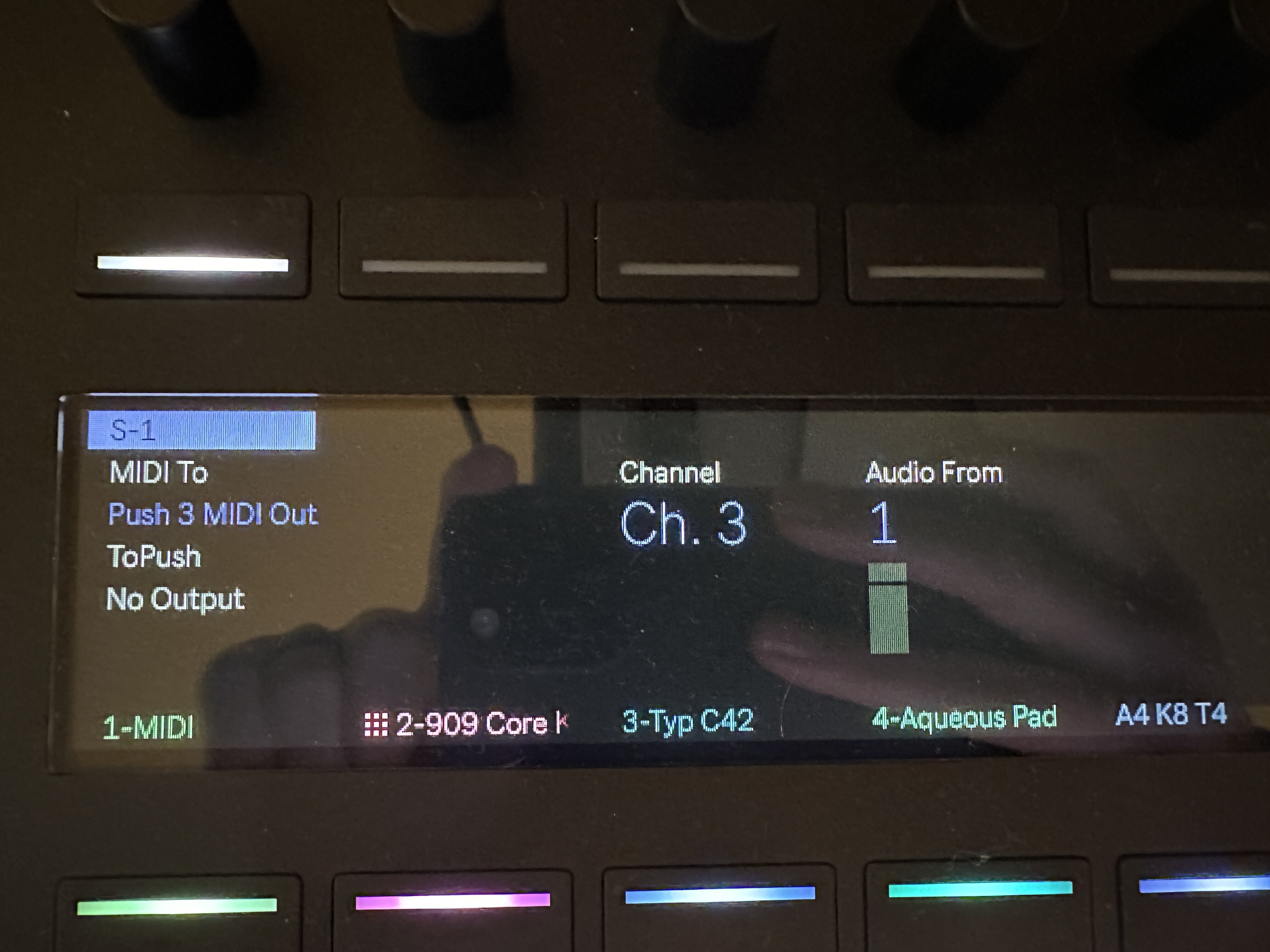
Per your advice, I then noted that “Ableton Push 3 External Port” never shows up in the “MIDI To” list no matter what I do. That’s why I’d originally concluded that “User Port” was the correct choice, but that’s the mistake. @SteveElbows doesn’t encounter this when using the USB, but @m0ld’s photo shows the item “Push 3 MIDI Out” in the “MIDI To” list. Aha! I didn’t have that, but then I noticed that I had left Track, Sync, Remote, or MPE in the settings for the External Port. At one point, I was toggling those but apparently never noticed when “Push 3 MIDI Out” showed up in the list of destinations because I was looking only for “External Port” and “User Port.” When I properly set External Port’s Remote, etc., the item “Push 3 MIDI Out” then showed up in my MIDI To destinations et voila.
I would call that a UI gotcha rather than a bug: it’s user unfriendly to list “Ableton Push 3 User Port” in both settings and the list of an external instrument’s destinations while not doing the same for “Ableton Push 3 External Port.”
I’ve debated between connecting the Push to the mioXM via DIN MIDI vs. USB. Any thoughts on that choice? My main concern is for MPE to work smoothly because I’m using an external MPE controller.
2 Likes
Why not use a USB connection to the mioXM? That way you will see the names of the connected midi devices on the Push screen.
2 Likes
Apparantly, I was wrong: I did have Live 11 beta installed, but was running Live 11.3.13, so that was the problem.
I will now test the suggestion to correct the pitch issue of Iridium with the MPE Control device, will report back 
2 Likes
Yeah, that feature alone could make it worth it, though I only have one piece of external hardware I’d ever possibly use with Push. If using USB also shows the IAC buses by name under the MIDI To’s, that might be useful.
My main concern is MPE performance. I wonder about the performance difference of MPE data throughput via DIN vs. via USB.
OK so I did test this and you actually have to set it to 4x pitch range to make it match the note you’re sliding to. But it does work great!
Thanks a lot!
1 Like
Glad it worked! I agree the settings are really unintuitive and could be named more clearly!
Thanks everyone. I was not authorized but now I am and I’m back and can save! Love this community!
Anyone know if there a way to make random melodies in SA? Maybe a m4l device? 
Is there a way to simply create a note when editing in Clip View?
I need to make arbitrary sets of 12 notes of minimal length that all stack up at exactly the same moment. I can’t think of a way to do this that isn’t tedious af. Hapax has a neat feature that lets me hit a sustain pedal, play any number of notes on an external controller, and collect those notes into a temporary bin that I can place anywhere on the timeline that has its own pad. Is there an easy workflow like that with Push 3?
So if I understand you correctly you just want to have a number of notes a the same time?
Would not using the layout of the sequencer where you can input notes per step in the sequencer accomplish this?
2 Likes
Does anyone else use the chain selector to choose different drum racks live?
That’s my question: can you describe the process where you can input notes per step?
When I play the pads, they only register in a clip while recording, which then requires a lot of tedious editing to get the 12-note stack that I need. Are you saying you tap a pad, and the note appears in the clip at the current time? And then I tap 11 more pads, and the notes stack up as needed?