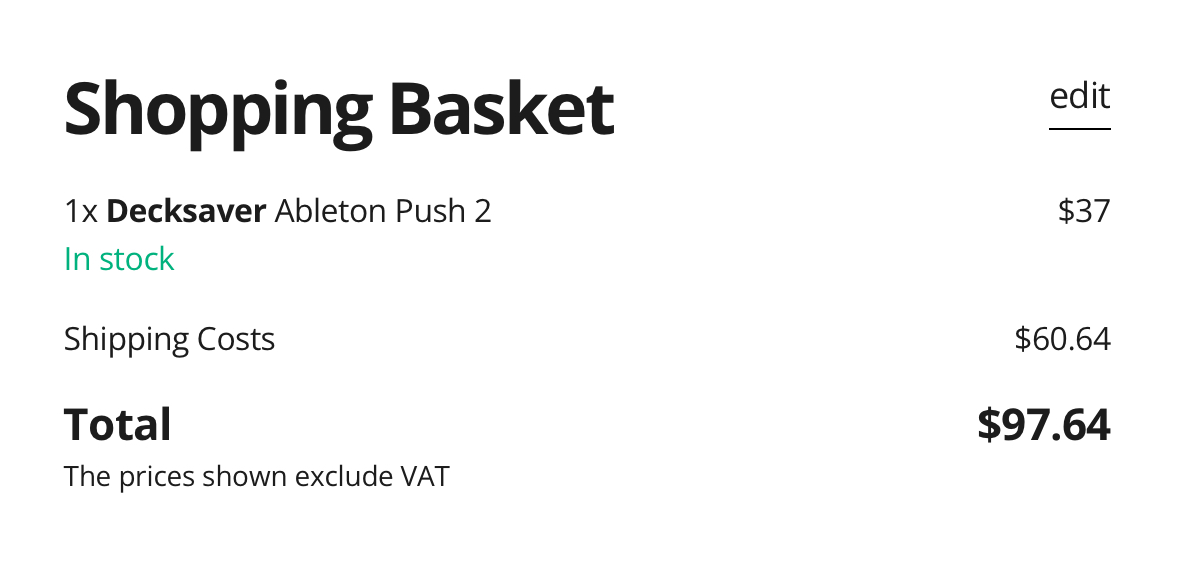
Push 2 decksaver is 40€.
I might wait a bit that Push 3 decksaver is available there.
Push 2 decksaver is 40€.
I might wait a bit that Push 3 decksaver is available there.
P3SA users, which hardcase do you use to transport your device?
Please don’t laugh, but I always use the box in which the Push was delivered for transportation. It has a handle and the Push fits in perfectly. I thought why not, it’s also good for the environment and your wallet. It’s not so cool, of course, but it works.
I don’t. My concern is preserving the device.
I usually put as many stickers as I can on the protection, so a box is OK, as long as it’s solid enough and waterproof enough.
Yes, of course it’s not a permanent solution. it’s definitely not a hard case and it’s not waterproof. I wouldn’t fly with it either.
I mainly use it when I drive to friends’ houses to jam.
One of them has a case from UDG Gear for his Push2 and he swears by it.
He’s waiting for the one for the Push3.
But I don’t want to say anything about it myself, because I have no experience with it. I hope you find a suitable case.
Thank you for this 

The push box would be a good design for a case, just need to make it out of something tougher than cardboard
Yes, but I kinda need it “nowish”, and I needed to find things that my people could gift me for christmas 
But maybe you know something about when Thomann will have in their online store?
Someone commented on this laptop case saying that it fit the Push 3 perfectly. Seems pretty rugged (and a bit heavy), but it looks like it would do the job:
Was about to ask them directly, but I was interrupted. I’ll ask tomorrow, but it could be good to be several to do so.
Quick question please, does the probability functions included in Live 11 work on push 3 standalone? Thanks
Just got a Push 3 and have a Suite 11 license on the computer. Clearly there are lots of presets in Suite that didn’t automatically make its way onto the Push. Dragging the entire Sounds folder in Live doesn’t work. Is there a fast way to copy it all over without having to manually select presets and dumping them in what looks like the root folder of the Push? 
There is an install Packs function on Push 3 itself. Make some tea, get cozy, and put on a video while you click that big wheel.
Edit: this assumes you have a Standalone version.
This is one of the main reasons keeping me from buying the push. As well as the size - I wouldn’t call it portable.
I might get a custom midi controller made and think about mapping it all up, of course won’t replace a push but at least it’ll be something.
Thanks, that should keep me busy in standalone for a while!
But just so I’m clear, this isn’t the same as mirroring what’s on the Live 11 side of things, is it? These are separate packs? What if I’ve carefully curated an entire set of presets across different sound types and I want all of that to carry over to the Push - is there a way?
You are not mirroring anything. You are choosing what Packs to install onto the hard drive of the Standalone so that you can have those available when you are in Standalone. You are copying the sounds, presets, samples, etc. associated with those Packs.
If you want to mirror things, you need to do it manually, as in making sure you have the same Packs installed on your laptop as on the Standalone. There is no automatic mirroring.
I do not know about presets outside of Packs, individual sounds or your own curated collections. I have not ventured down that rabbit hole.
Hi guys,
Questions regarding Push 3 Standalone
1.How many of you are experiencing slight noise from headphone jack on lower impedance headphones (like Sony MDR-7506) when push is connected to the power supply that comes with Push 3?
2.Does anyone know if the jog wheel knob cap could be pulled out like a usual cap or its somehow glued or soldiered and to the Push 3 itself and it can’t be done?
I get some noise. Not that big of a deal when actually, well, producing some sound from the unit.