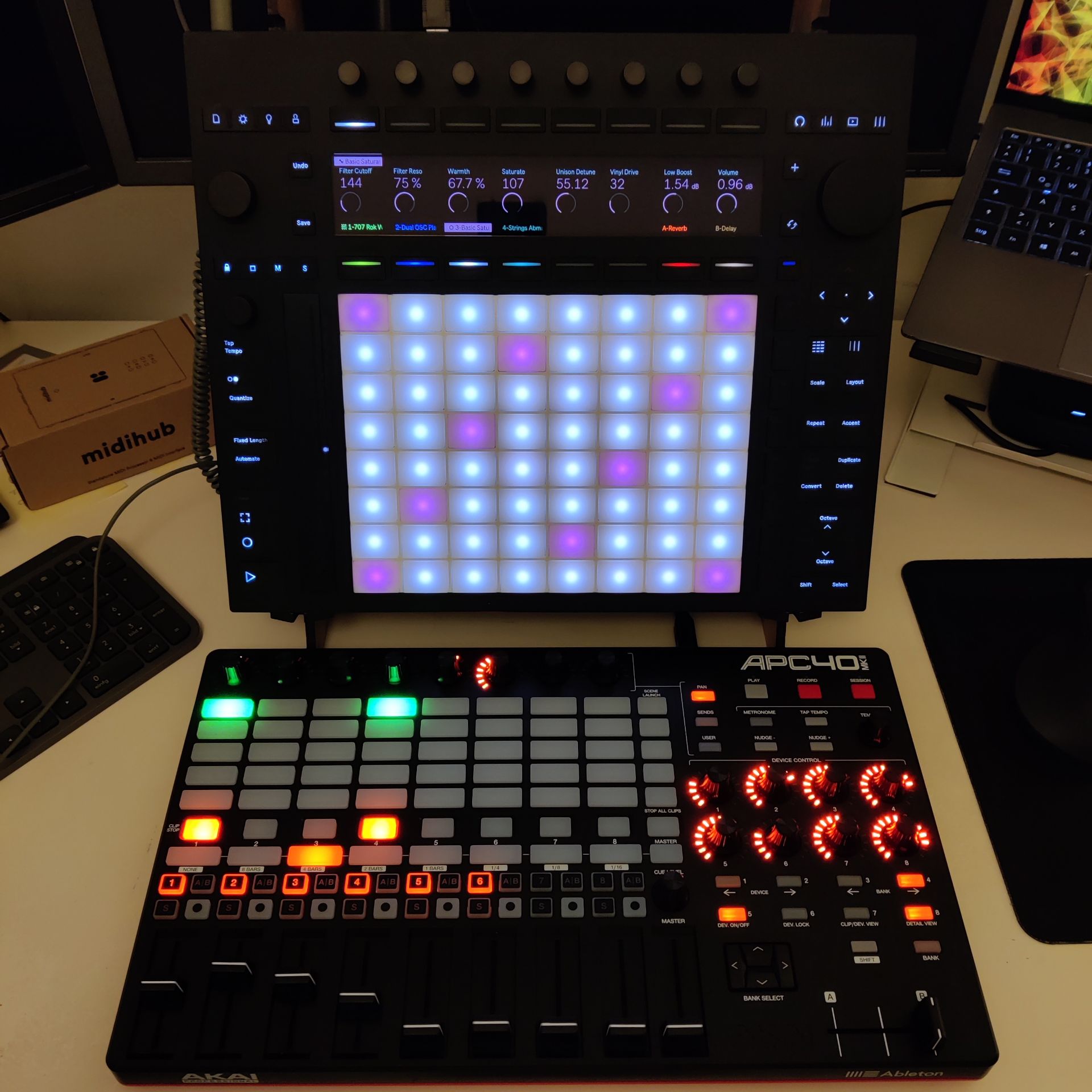
APC 40 MK ll arrived (never owned one) hooked it over the usb device port.
Laugh at me for using a midi controller for a Push 3 standalone which by itself should be enough of a midi controller BUT …
… having REAL faders for track & master volume
… having dedicated buttons on tracks for instant rec, solo & mutes
… having tweakable knobs where my hand don’t hide the screen or while in seq/session modes
… having clip/scene launch buttons while in note view etc.
… having a crossfader which I missed from my Force
is actually really nice!
Works out of the box and gives me +100% more groovebox-hands-on-feels on
my Push 3 standalone.
Not surprised. The unit felt ~weak to me power wise before I returned it. Really hoped they could iron it out with software improvements, but it seems a bit shy with the Nuc they chose.
48 Sample rate and 128 Buffer. I agree. I think the max4live devices aren’t fully optimized or something. I know the Push is plenty powerful for things like this.
EDIT: Firmware 1.1.20b3…updating to the latest now
I have wasted hours of my life trying to send projects and samples from my laptop to the P3 and it just DOESN’T WORK.
This device is currently NOT FIT FOR PURPOSE, I feel conned. Usually I’m such a huge Ableton fan but this is unacceptable.
I have to restart Ableton multiple times just to get the Push icon “visible” and connected in Live, then when I’m finally connected, I can’t even transfer a 600kb project file without it failing before 100%. What the fk is this? What on earth were they thinking not to allow transfer over a cable?
They have lost their minds and I am losing mine, having wasted hours of my life on a device that cannot transfer files. The most SIMPLE F**KING TASK.
…FYI I’m sat next to the router with my laptop and the Push. Is anyone else having this problem or do you think my device is faulty?
Thanks for the suggestion Dave, i have actually tried the hotspot thing and for me it was somehow even worse, i couldn’t get the push to connect at all.
Others have said connect the push to the router via ethernet or buy a new router, both infuriating workarounds which i should not have to do considering the simplicity of the task at hand and the cost of this “standalone” device.
First and foremost: What Dave said, +1 use a hotspot as a hotifx (not a permanent solution ofc), seems what helps the fastest from all I read about that issue.
You have my full understanding of the situation, i just had to firmware reset my Push 3 - for some unknown reason I could no longer use the pads in certain situations. Ableton support was friendly but could not solve the issue and recommended a reset.
Back to your specific issue: Mac is fine so it’s no driver crap. But still, you described Ableton/your network does not recognize Push prperly and if does not transfer crap. Excuse my french. I would nevertheless check the ever so boring troubleshooting steps which you maybe did but since you did not mention it, did you go through these troubleshooting steps?
I Apologize for asking what is probably a duplicate questions, but I can’t seem to find an answer even though I know these have been asked before:
Without hacking the firmware, can I safely remove duplicate max for live devices from the push 3’s projects folder and/or the max4live devices folder? Will doing so break projects that use them? Is there currently any way to avoid having a bunch of dulpicates cluttering up my folders if I decide to use max devices?
I believe that has been identified as a bug, maybe somewhere upthread?
IMO the safest thing to do is to leave it alone. Probably not worth losing work over some odd issue that might arise from removing the duplicates. But that is just me.