I needed an audio looper on the terminal to quickly record idea when I play with my synth and loop on them.
I don’t wanted to fire a GUI or a DAW to do that.
So I basically write it using a coding agent and it works on my 5 years old laptop.
It has only keyboard support and allow you to record/playInLoop and not be distracted by anything ! Yes you are on a terminal !
[*] for arming a channel on your audio interface
[b] for seeing the buffer
[+][-] for changing bpm
[r] for triggering the record on the next downbeat
[m] for mute
[s] for solo
[pageUp][pagedown] for increasing decreasing buffer length
[e] for exporting the wave file of a pattern
[p] for selecting a pattern
[o] for showing the option
[c] activate\deactivate the click audio
[space] stop/start the audio thread
[1][2][3][4] or F1, F2, F3,F4 allow you to select a different screen, Input,Output, audio card selection, and looper view
The code is a large python file without any specific dependency. So download it and run it. You only need python3 and pulseaudio/pipewire audio stack. It use parec to record the audio to a buffer and numpy to do the DSP work and portaudio to discuss with your audio card.
Software is hosted here :
And it loop like that !
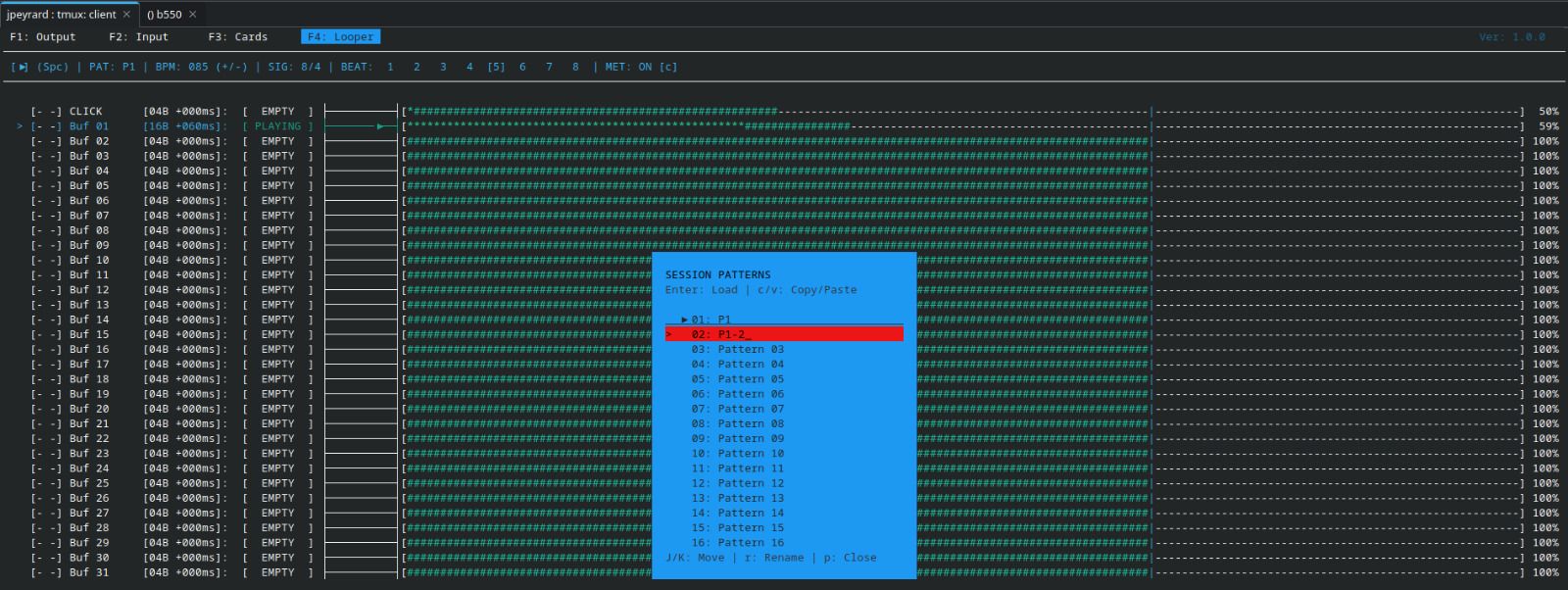
The goods :
- allow to select the audio interface you want to use to record
- click channel
- 32 audio buffer
- record loop of different length in sync
- Pattern based approach if you want to try different ideas over time
- Pitch shifting in sync of loop sample which could be nice for some people
- different color theme
- The software support saving the current state with the audio buffer in a directory
- Ability to export in wave a pattern in flight
- Fully open source and free ! Change it as you want
The bad :
- no midi, I might add that at least in « master mode »
- no customer support, feel free to open issue

- no plan to make it a real software by any mean
- no plan for backward compatibility if the software evolves
- you won’t record an EP with it !