All right will check the install section, the pdf would be very useful as it can be printed so we can read it without the need of a computer, or at least have it on the phone.
Hi @Zky
I’ve made some improvements to the online user guide:
- it’s now a progressive web app, which is a fancy name to say it now has offline cache, and you can install it “as an app” on your phone/tablet
- A download PDF link has been added to the user-guide header menu
Keep in mind that a local pdf file won’t do you any good as updates are made to the app and the user-guide though
On another side topic: If anyone is interested in designing an icon for the app, that would be great
5 Likes
I’m also getting a black window on OSX (10.13.6), but it works on Ubuntu (same computer).
I tried running it from Terminal but am not getting any useful output (or any output at all really!)
yeah i had the same problem i hope it can open soon
Hi @vestibule, thanks for your feedback!
I’m currently wrapping up the copy features - probably just need a few sessions of work to release it!
Next in line is to have a look to what can be done for supporting legacy OS versions  I’ll let you and @Wick know
2 Likes
I don’t know if I’ve thanked you for this yet. But, thank you. I’ve been concentrating on other machines of late, but will try this out when I get back to my trusty OT.
Just a quick question. When you have this program where you want it, will you be able to drag and drop wav files into your audio pools?..on say a blank, new project? Maybe it’s already an option.
Thanks again
1 Like
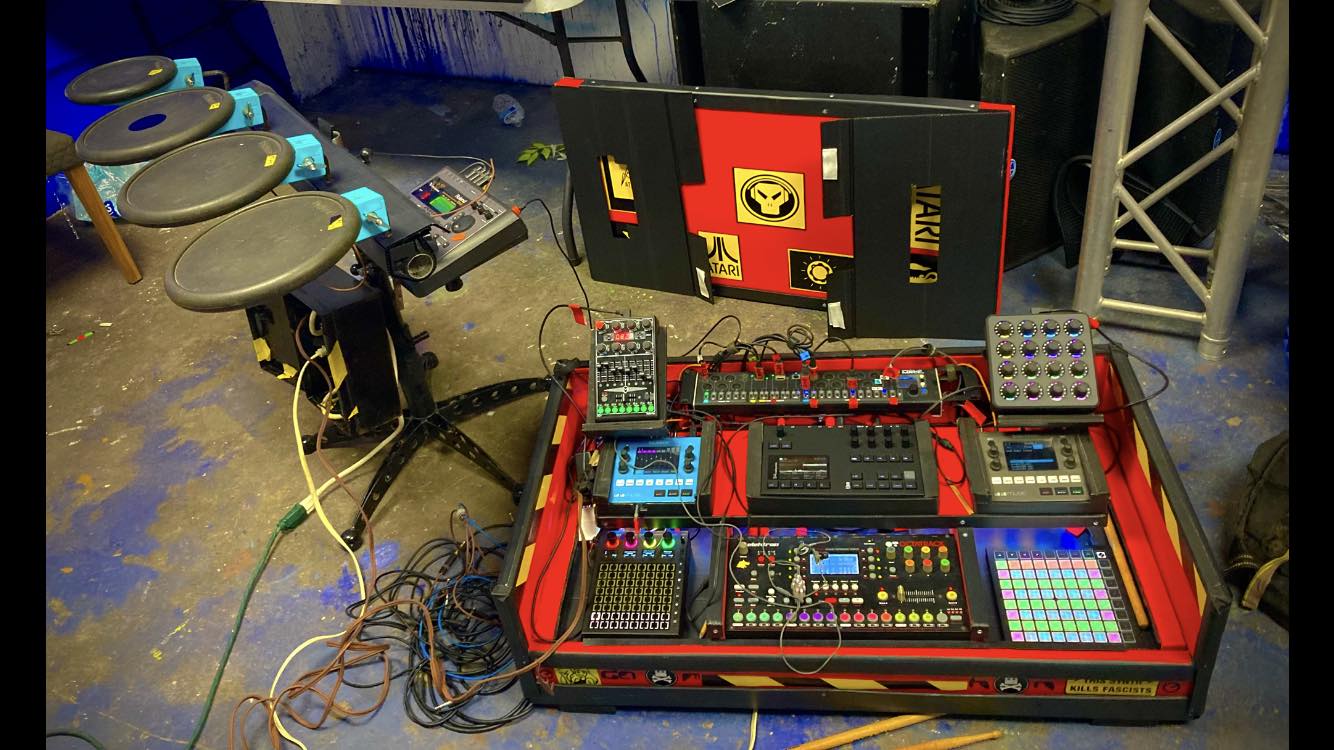
looking foward i really need it to transfers lots of material doing by hand while doing tour gigs take too much time loading things on the octatrack manually
1 Like
Hi @thoughtstarZ ! How do you do ?
Thanks a lot for your support, it does mean a lot to me
The answer is: Yes of course! Part of it is already implemented (see here, here and here)
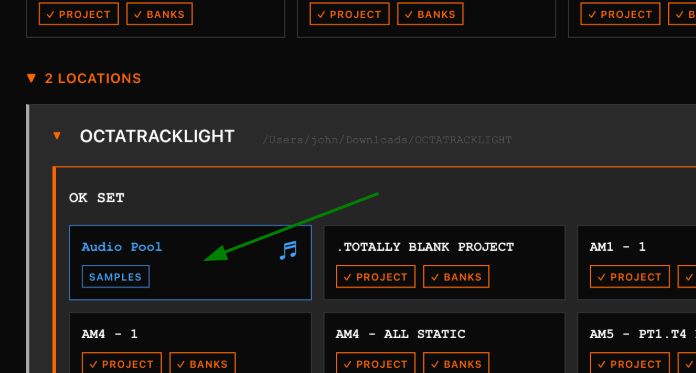
If you go to Projects list (1st page when you open the app) then you can open up the Audio pool directory (colored in blue) of any Set: From there, you can already import samples to your pool. They will be automatically converted to OT-supported format and you can then load them up in your projects Sample Slots
What remain to be added is the ability to assign samples from Sample Slots of projects. It’s not done yet but it’s high on the list ! Among with some other useful features like:
- Auto-fix any samples in the Audio Pool in un-supported formats
- Auto-fix missing samples from Sample Lists (similar to Ableton Live)
- Move all audio files to Audio Pool (and update files references automatically) - and vice versa
1 Like
Are you talking about copy features ?
Don’t worry I got your back - Depending on what life throws at me, goal is to release it next week
3 Likes
yes that be nice features. i do most of main drum material on trackers so once i wrote my energy goes drain on tedious octatrack manually setting long live sets.
Wow. Cool. I’m getting close to setting up my OT again. When I have time I will try out your program.
1 Like
I know how that feels, I’m confident you will find the new features very much handy for such work
Just fixed a bunch of issues I had listed while testing this weekend.
I’ll do a new round of QA testing tomorrow and wednesday evenings - which should validate most if not all copy features 
2 Likes
You can already checkout the user guide when you have a few minutes to spare - I have just updated it with latest fixes
1 Like
@Wick, @vestibule I’ve implemented a fix for the black window issue on macOS 10.13–10.15. It will be included in the upcoming release.
Note that you may notice tighter layouts and reduced spacing between elements. This is due to the older Safari WebView used on these systems, which doesn’t fully support some modern CSS features
4 Likes
Hi,
I’m pretty confident that everyone will be able to enjoy the new release this weekend.
It will include the new copy features.
10 Likes
Finally releasing the Octatrack Manager in v0.26.0 ! 

It features the new Tools tab which contains the long-awaited copy features:
- Copy Banks — duplicate entire banks (all 4 parts + 16 patterns) to one or more destination banks, within or across projects
- Copy Parts — transfer part sound design between parts/banks, with multi-destination support
- Copy Patterns — copy patterns with configurable part assignment (keep/copy/user selection), track scope (all/specific), and mode scope (audio/MIDI/both)
- Copy Tracks — copy individual track data (part parameters, pattern triggers, or both) with single-to-multiple mapping
- Copy Sample Slots — copy slot assignments with audio file handling: Copy, Move to Pool, or Don’t Copy
cc @Blasted_pingin @phading @Supermows @Kinan @GEISSMANN @rosiusyves @thoughtstarZ @Tokin_Tone @west
And as bonus:
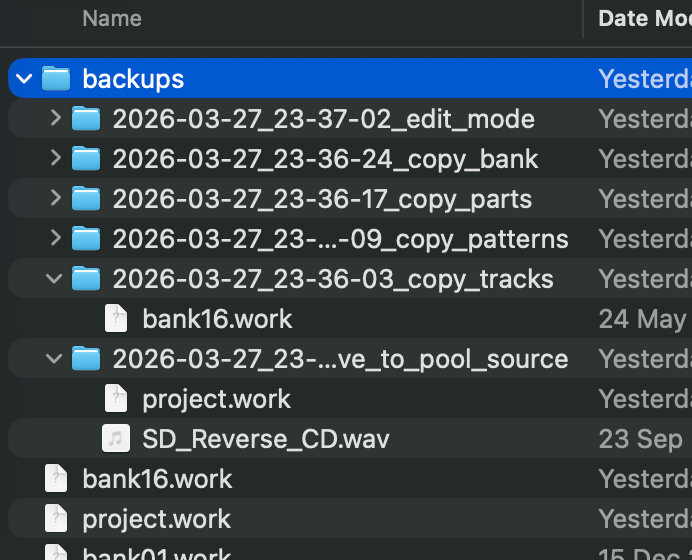
- Automatic backups — timestamped backup of affected files before every write operation (edit mode, copy features)
This release also adds support for older OSX versions
+ Windows / Linux as usual !
The online user guide has been updated to describe all these new features.
/!\ While the app creates automatic backups (see above), no software is guaranteed to work perfectly. Keep your own copies of important work !
You can help the project by:
- Testing the application
- Providing feedback and suggestions
- Supporting development via Buy Me a Coffee
- Helping with macOS releases if you have an Apple Developer account (to sign the app and make the installation process easier)
20 Likes
3 Likes
well it open very nice,i scan for projects on my mac and show up. thats good news.looking forward to test drive to this to work with my live p.a, tours show duties to see if i can crunch time by adding sets more quicker than before,and not struggling each time manually putting things on the octatrack.

2 Likes
I tried it. Love the look. Great interface. Opened it up. It saw all the projects on my OT drive. Went to the Project I made today with only a few samples in the static buffer. Those samples are there. Went to my desktop and tried to drag some new samplechains I made into the Static page, but no dice. I clicked the little switch on top that says Edit, still no sample drag and drop. I’m about to wind down and look through the documentation (maybe read more in this post) to see what I’m doing wrong. But, really, very cool program. Looking forward to using it more. Thanks.
Edit: I read your above explanation to me. I now realize that you haven’t implemented the functionality to drag audio files into actual static or flex slots (I suppose they would have to be in the audio pool first in order to drag them into the slot), just the audio pool. So, yeah, I’ll buy you a coffee and wait for that to happen. Hopefully it’s possible. The rest looks great. I unfortunately don’t really compose songs on the OT much anymore. Just use it as a sort of crazy sample triggering effects box most of the time.
1 Like
Couldn’t be happier to see it making your life easier @Wick !
Let me know about any feature you’d like me to improve/add
1 Like