During a live session with the Elektron Digitakt 2, whether MIDI or audio cables are connected or not, the “pattern changes by itself” without any physical commands from me or any saved programs. This leaves me with no other choice but to manually command it to play the pattern I was previously using.
Has this happened to anyone else? Do you have any explanations or solutions for this?
It’s literally driving me crazy!!!
P.S. The machine is updated to the latest firmware
Song mode accidentally activated?
What do you mean??
Because I honestly really wouldn’t know, I didn’t set anything or press any buttons, so it’s definitely either an automation or a bug that is already built-in, this happens if I change patterns or even projects.
Could doing a factory reset fix this?? Or what else can I do??
I’ll be surprised if this is a bug, but whether there’s a way a project can be corrupted and leave an issue i suppose is open for consideration
patterns can be changed by the user manually, externally connected devices via usb or midi or through chain mode or song mode
i have accidentally created chains in the past by aiming to select one pattern and accidentally tapping the ciorrect number (and its neighbour)
the other cause (albeit bizarre) could be a button issue whereby the program select button is sticky or otherwise has an issue which momentarily ‘activates’ this, such that pressing a trig would change a pattern
In any case, completely disconnect USB and MIDI to simplify the issue and start a fresh project and simply play empty single patterns carefully (note the pattern number selected) to see if it changes from there after a while
… if not then try adding in aspects of your workflow using a copy of the original project and document steps to reproduce for Elektron if it happens … but be sure to have a hygienic midi environment with no computers connected or other midi devices, just have power and audio out whilst testing
you’ll want to read the manual on signs to look out for if you accidentally end up in chain mode or song mode
Thank you very much for your interest.
I have run several tests, and the final conclusion is that it changes patterns on its own without any commands.
I tested it with other machines connected via MIDI with audio routing, and also completely standalone with just the power supply and headphones, but this pattern change still happens.
Do you think a factory reset could solve this? I honestly wouldn’t know where else to look. Also, because after “this thing” happens, the screen remains exactly the same. The only icon that lights up, right in the BPM section of the display, is a speaker with an X, as if to say it is muted. This option remains active even after I reload the pattern and the audio returns.
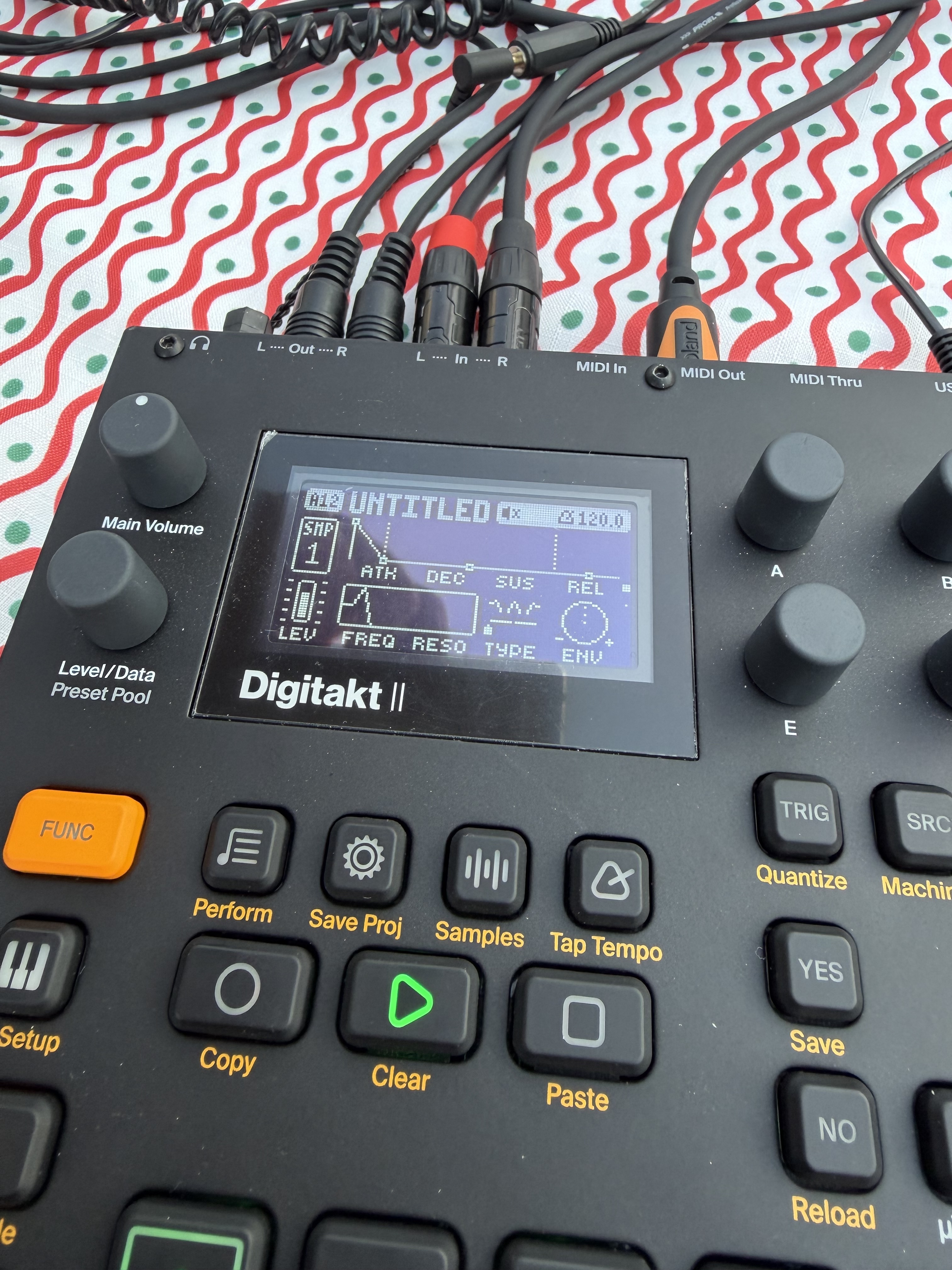
It’s at best a possibility … but i wouldn’t suggest this initially, you may still be able to validate a unique issue with your machine by sharing a project with Support
uploading a video showing this unexpected pattern change would also be helpful for establishing if there’s something to be gleaned from this
iirc a factory reset won’t change user content - you must back up all your content samples/projects/etc before wiping the +drive, that’s teh only way to ‘factory reset’ … erase the drive then do a factory reset and it should be like it was at the factory
whether you’ll have an issue with the reloaded dodgy? project(s) you put back on i wouldn’t like to speculate, but there may well be issues with project integrity with regards to how samples are connected to projects, i’m not entirely sure about that, but it would be something to research before attempting a complete erasure
i think you should methodically share your explorations ideally through videos showing the device connections and screen etc if you want more concrete feedback … ideally from within a fresh project too if it does it there too
if a project is consistently doing this, see if a copy of that project does it
maybe also go into test mode (research first yhbw), first check for errors and then see if you get false/ghost/erratic triggers from the bank button or any
you can test the screen integrity, led integrity and button presses within the test mode - it may reveal odd behaviour although i think this is unlikely - press [PTN] to ensure it isn’t sticking and is responding to presses like all other buttons
Do FUNC + PAGE, what does it say? Maybe CH.LEN? If so, turn it off.
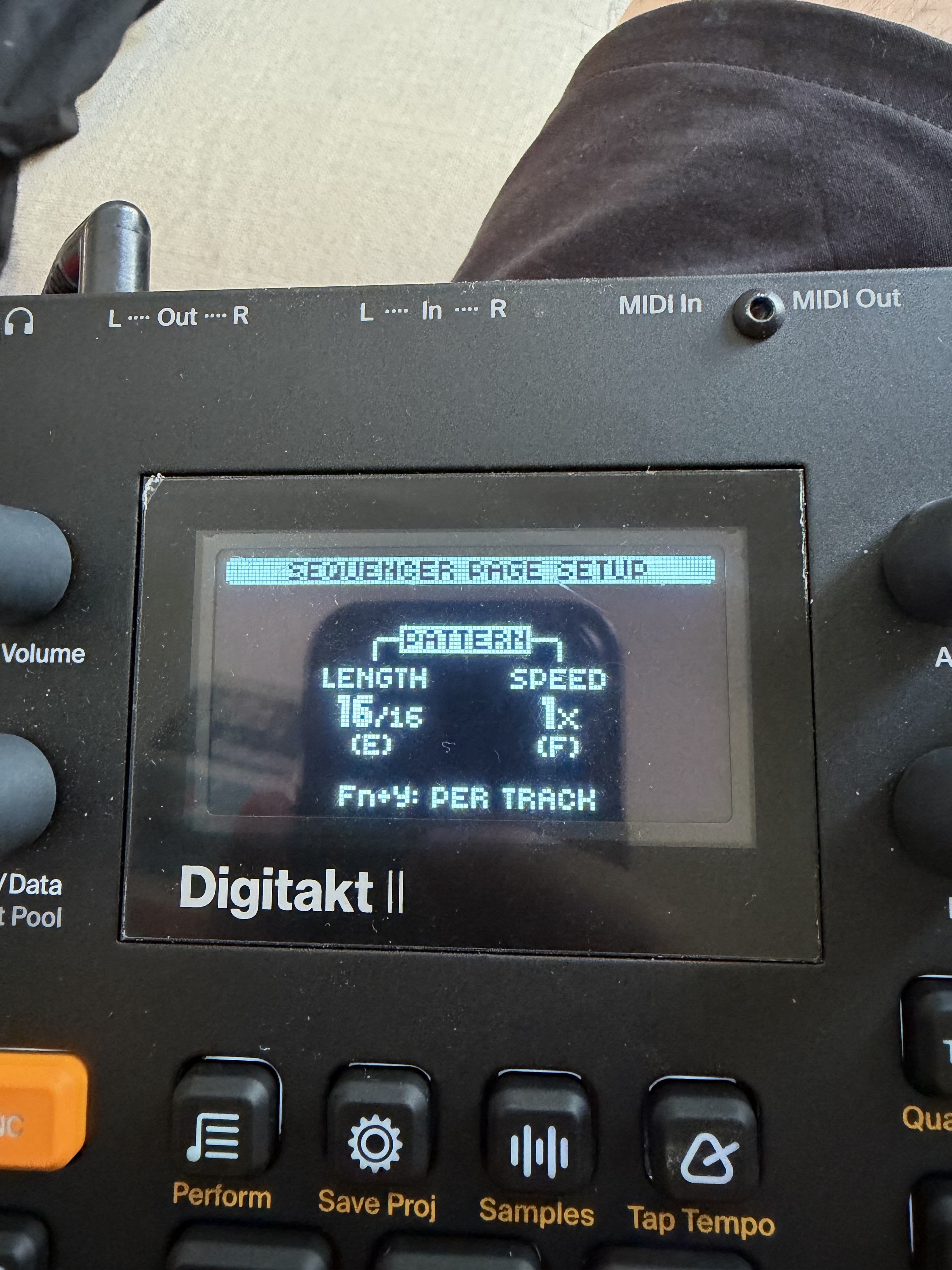
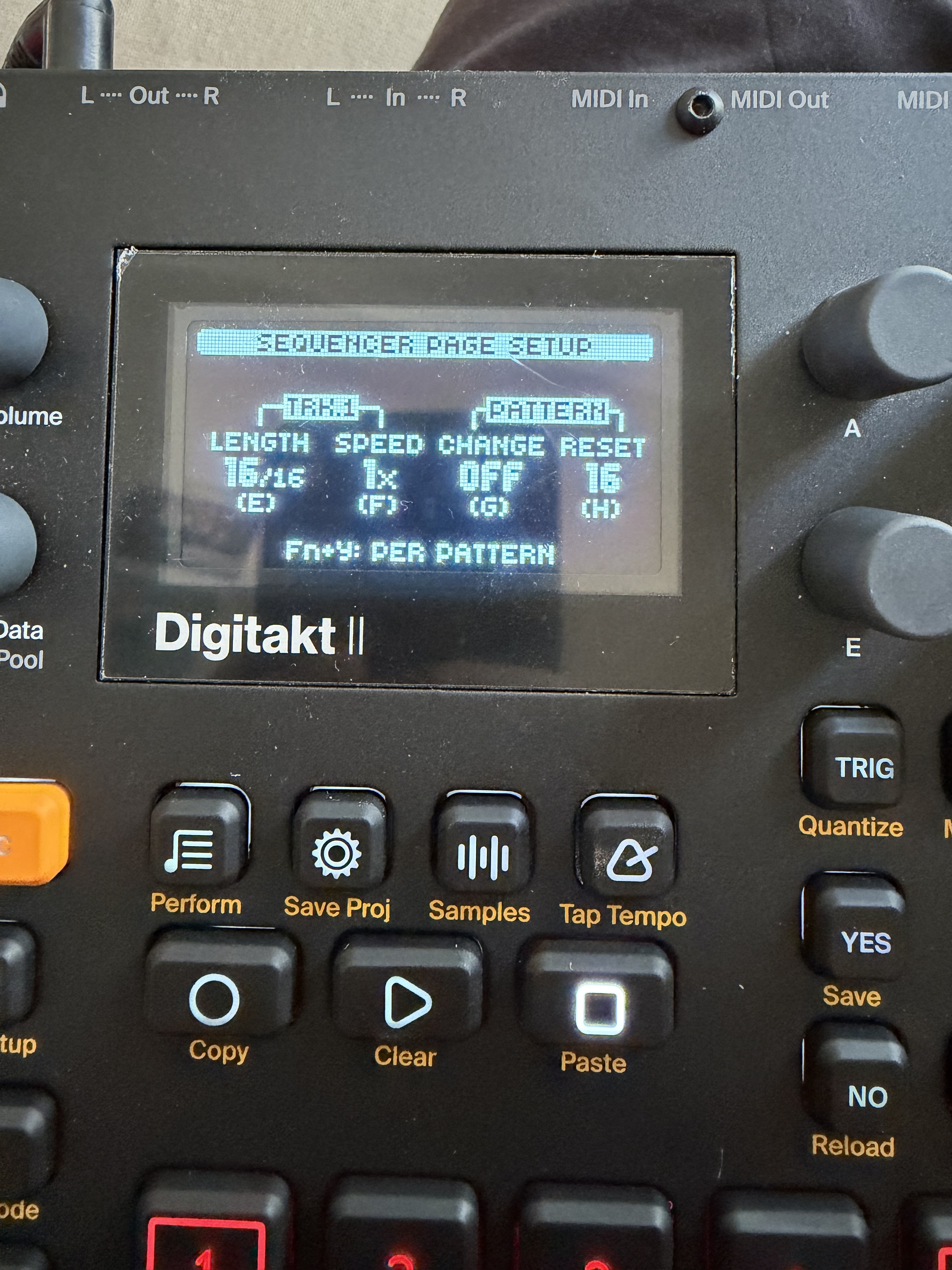
I checked and every parameter is OFF in Pattern Change,
if that’s what you were telling me to do hehe
I would like to do a fresh factory reset if it completely solves the problem, given that I’ve only loaded a few samples and all my projects are works in progress—nothing I’ve focused on too much or that I can’t recreate. My only fear is that this problem might persist. I would like to record a video while using it as you suggested, and I will try, but I’ve been using the machine very little lately.
Stupid question maybe, but is it possible this is a bug that no one else has encountered yet? Especially since, as I mentioned before, my usage is very sporadic, so I don’t think I’m pushing it hard enough to trigger such an issue
You should try a factory reset (it will not erase your saved projects or imported samples) and then press play on the first factory pattern after restarting the machine – does it change patterns then?
If not, does it do it after you’ve pressed Func once or something along those lines?
If that happens, then run the Test Mode and see if any buttons are active/pressed even though you aren’t pressing them physically. Could be a stuck button.
(Hold Func during startup to do the reset and test mode fyi.)
And if none of this happens after resetting, it’s something going on with your project. I think this being a bug is extremely unlikely.
(And of course, nothing should be connected to the device except for the audio/headphone output while doing this)
4 Likes
Perfect, you sound very confident in what you’re saying, and hearing that it’s not a bug is very reassuring.
I will run all the tests you recommended.
I hope it’s just an issue with my project, but this has actually happened to me across several different projects and setups.
The thing that leaves me speechless is that nothing happens for 1 or 2 hours, and then out of nowhere, it just happens…f**k 
If it’s that intermittent my hunch is leaning towards a stuck button or something like that – or you’re perhaps engaging the chain mode?
The reason why I don’t think it’s a bug is simply because it’s such a “simple” core functionality that if it had a bug like this there would be way more people talking about it. 
1 Like
Yeah, actually I did a long search before creating the thread, as I didn’t want to repeat a topic that had already been covered. Anyway, this afternoon I tested the Digi for about 2 hours—the first hour with a new project and the other hour with the old project—and absolutely nothing happened. It remains a mystery, and I see a factory reset getting closer and closer eheheheh