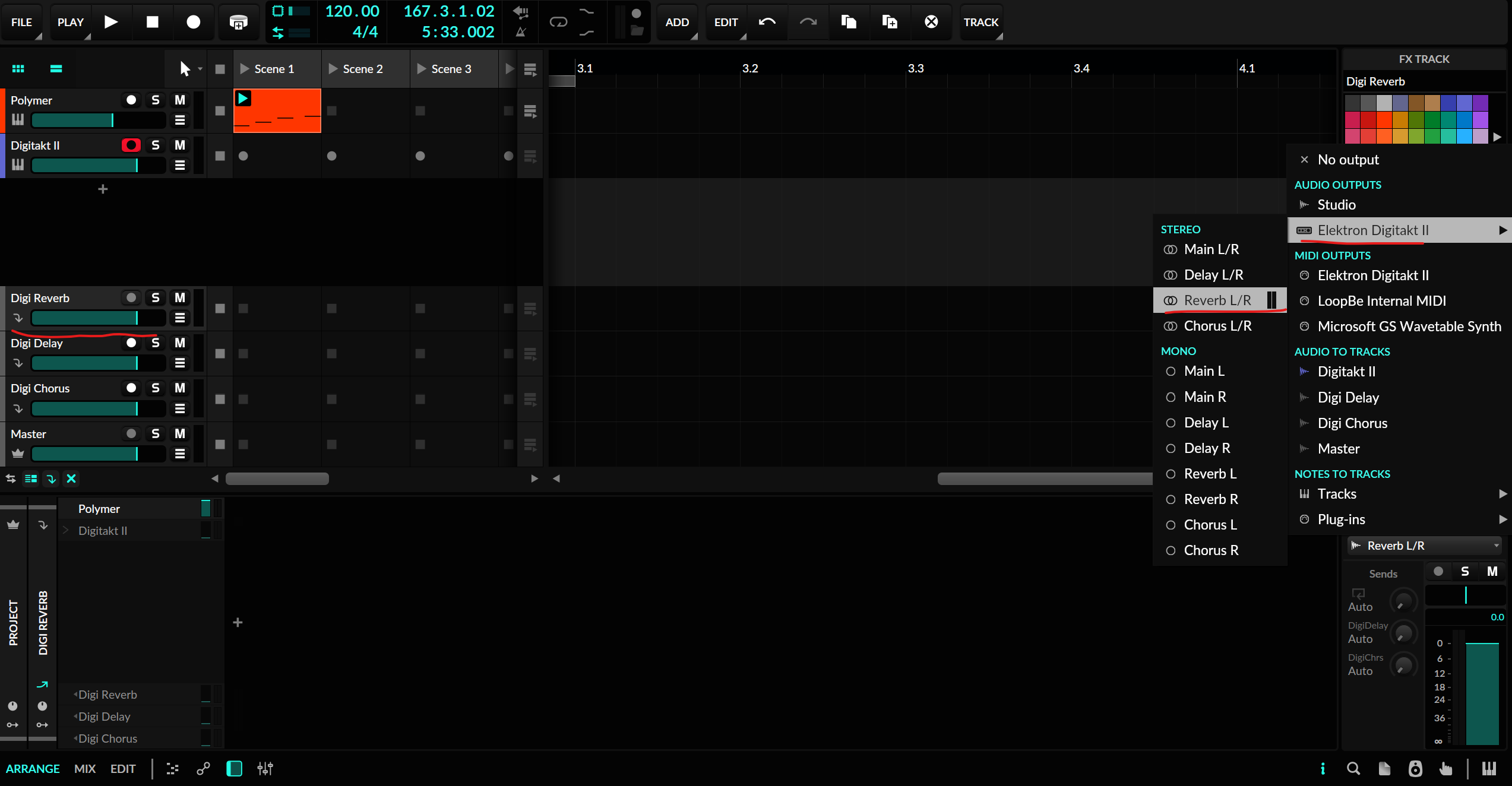
Has anyone managed to send audio to their Syntakt in Bitwig using the sidechain inputs? It works fine in Ableton but I can’t seem to find out how to do it in Bitwig.
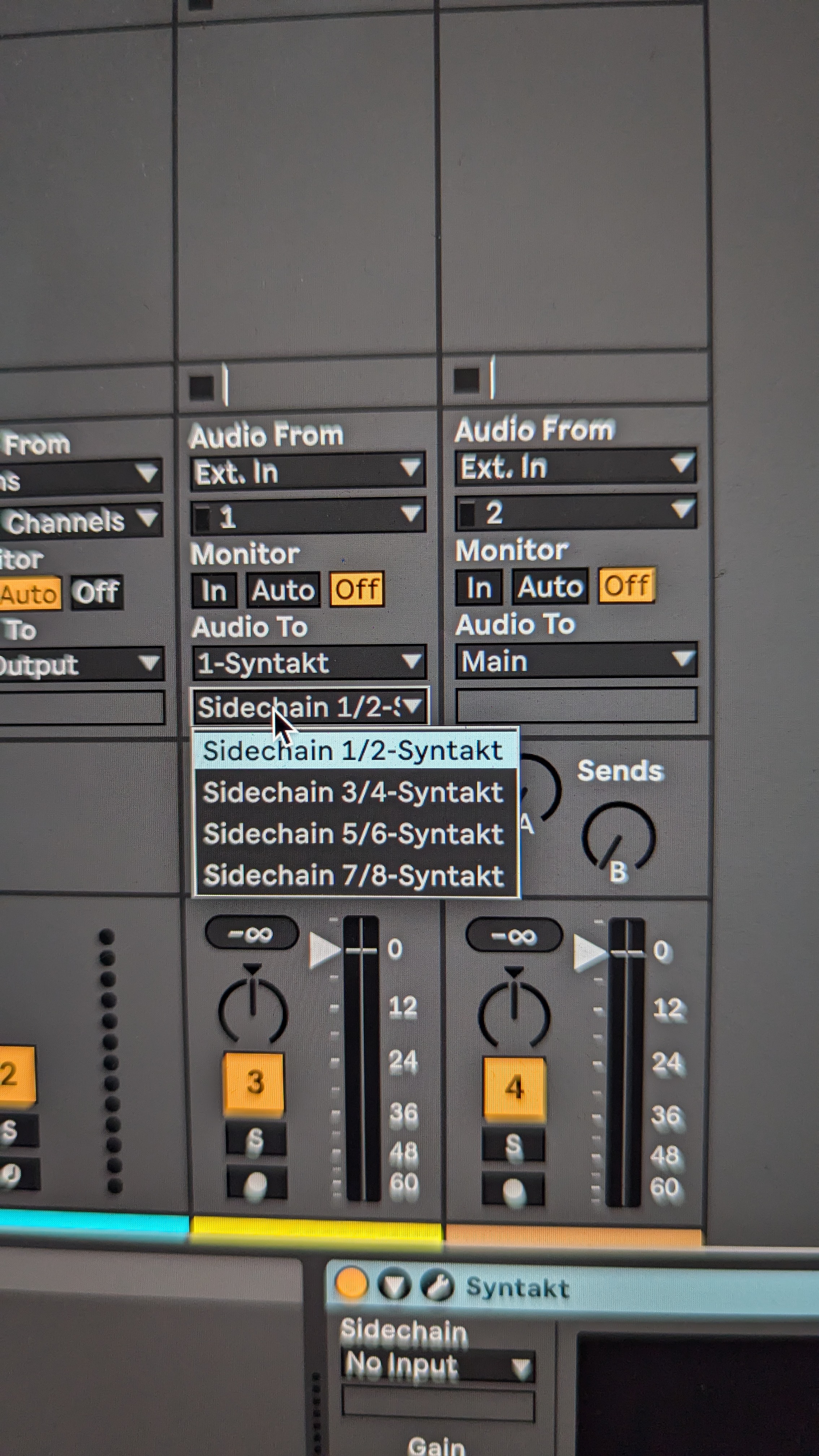
Trying to do this.
Has anyone managed to send audio to their Syntakt in Bitwig using the sidechain inputs? It works fine in Ableton but I can’t seem to find out how to do it in Bitwig.
Trying to do this.
Is that what you’re looking for ?
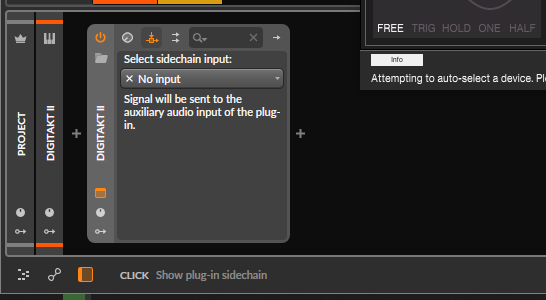
Not sure I understood your problem correctly…
Well I have tried routing audio to the Syntakt this way but it doesn’t seem to do anything.
What I’m trying to do : sending audio from a vst to the fx track and the effects of the Syntakt using these sidechain inputs in Overbridge.
If someone has done that successfully in Bitwig I’d be curious to know how.
I’ll try to do this later today and see how it goes.
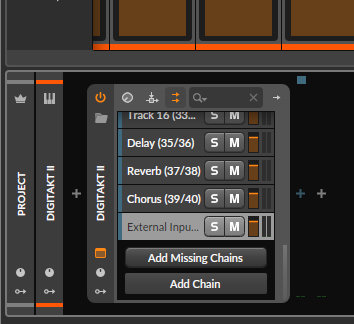
Sidechain is…Sidechain… 
I tried using this input with an audio receiver and even routing thru fx tracks, sound gets through but is not processed by the digtakt fx.
But, the physical inputs are still correctly processed and outputs thru overbridge as you would expect in a standalone config.
I don’t have a syntakt to test unfortunately but I’m interested in the topic.
I’m also trying to do this in bitwig @Kyunghee, but on DT2.
For clarity’s sake heres James Orvis doing it in Live…
https://www.youtube.com/watch?v=ghWoEDlLwKA he demonstrates it from 34.33 in the video. (great video in case anyone hasn’t already seen it)
but how the hell do we do it in bitwig?
Digitone II no problem to do this. Little icon for input routing between the sync and keyboard, top of overbridge plugin. However, not sure how you would send more than two audio channels…
Yeah sorry but the issue isnt where to do it in overbridge’s gui but how to route it in bitwig. In live theres a second “side chain” dropdown to do this but its not there in live.
A new Digitakt user here. I was wondering how to do this myself. Seems like I managed to find how.
Now the Digitakt effects look like usual return tracks in Bitwig, meaning you can send audio to them from your software synths.
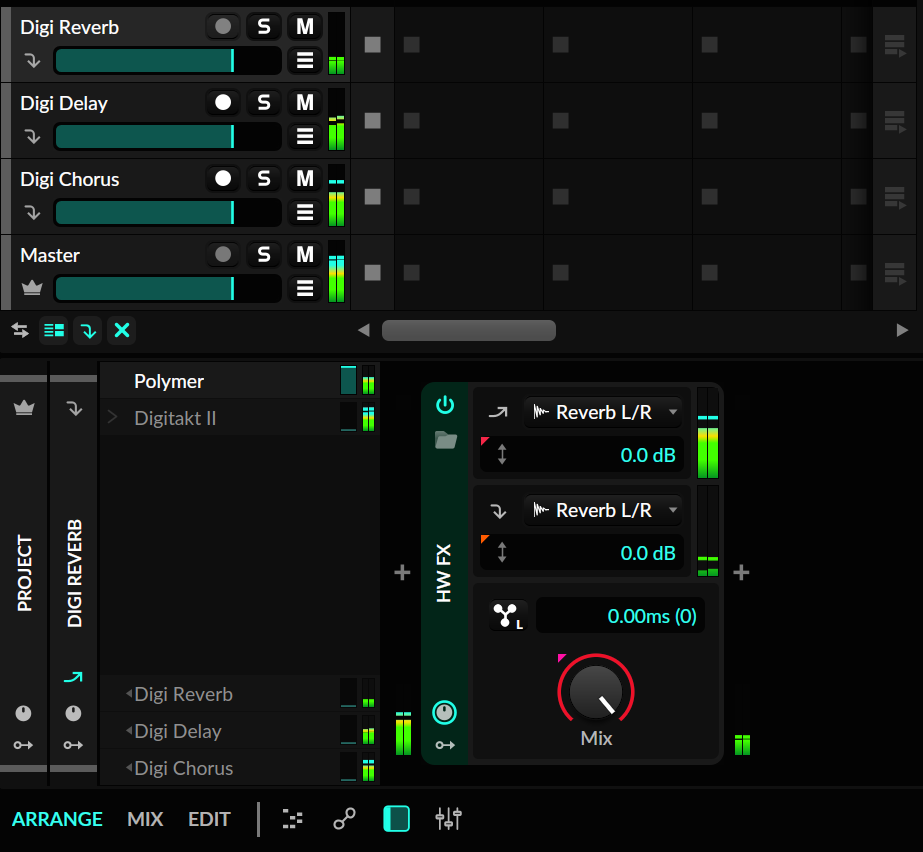
There is a problem however. I can’t get wet signal back in Bitwig to process it. I can only hear it when plugging my headphones to the Digi output.
instead of outputting directly to the digitakt, try adding a HW FX device in the chain on the fx track. then route the output there