Just got a Digitone as my first elektron device and I’ve had a bad time trying to get overbridge to work in any of my daws, both windows and mac.
Let’s focus on mac and garage band since I don’t have to deal with windows drivers. I also am not using a audio interface, just the digitone in USB in overbridge mode.
Right now I can record a stereo mix in USB audio mode, so at least that works.
When I switch to overbridge, I check the engine and it’s up and running.
Two options I tried. Use a vst track with digitone, but in that case it’s super laggy with bad sound. I am guessing it’s something about latency/sample rate, but there`s nowhere to set that up. I checked in OB control panel, buffer size does not do anything.
If I use an audio track, I can select 12 tracks from digitone, but any one I choose it’s simply the stereo mix.
Usually with other VSTs I am able to have a vst track and use the vst as an input for an audio track, but I don’t see this available and the audio is all messed up anyways with the vst.
I think what is messing me up is the fact that the digitone is both the instrument and audio interface.
Not sure what you mean, if you use an interface and overbridge then what does the interface do, both go in separately in USBs. Just lowers the latency of overbridge in the daw?
I find it easier to think of the Digitone as a synth and an audio interface in the same box. You can use the synth (via Overbridge) without the audio interface and just use your original audio interface as you did before. You do need to set up routing in your DAW to get all the channels working but once it’s set up you can save it as a template to avoid doing it every time
That’s the thing I am not able to get 4 audio tracks going in the DAW.
I don’t think it’s possible in audio USB mode and I haven’t been able to get it to work with overbridge at all.
Always connect the Digitone to your computer and turn it on before opening your DAW. Also, before opening your DAW, double check that Overbridge is enabled on Digitone within device settings.
Open your DAW and crate a new midi track.
Load Digitone onto that midi track.
Create subsequent audio tracks, where you should now be able to choose separate tracks from Digitone as audio input sources.
I am on Windows, but there shouldn’t be any difference. I have noticed that things don’t seem to run as smooth when I am using an Elektron device in Overbridge mode, while also using it as my audio interface. So try using a separate interface, if you’re experiencing cracks and pops, or your CPU is maxing out.
Was able to not have glitchy sounds with overbridge in logic pro, but still can’t record separate tracks.
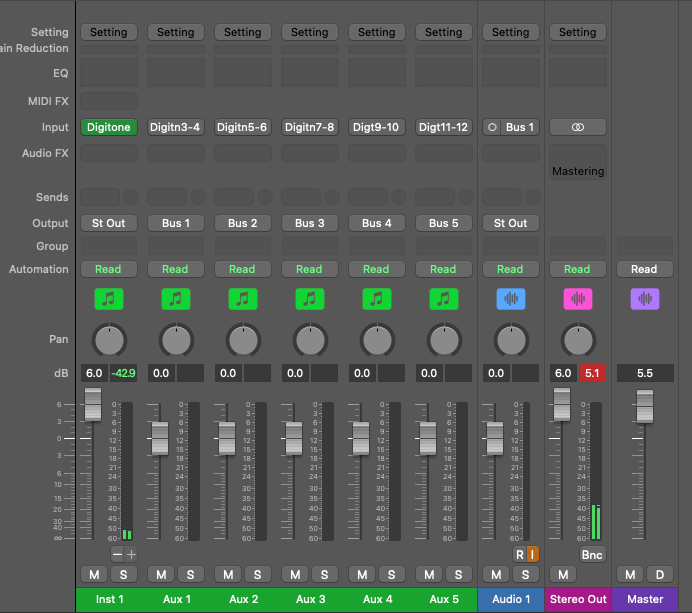
Added bus 1-4 output on the midi track, added 4 audio tracks each using one of the bus, recorded sound on the 4 tracks is the stereo mix out of the whole digitone.
I tried 4 daws and it’s doesn’t work in different ways in each. Quite frustrated, should be really simple, I was doing it with NI vsts 15 years ago with no problems.
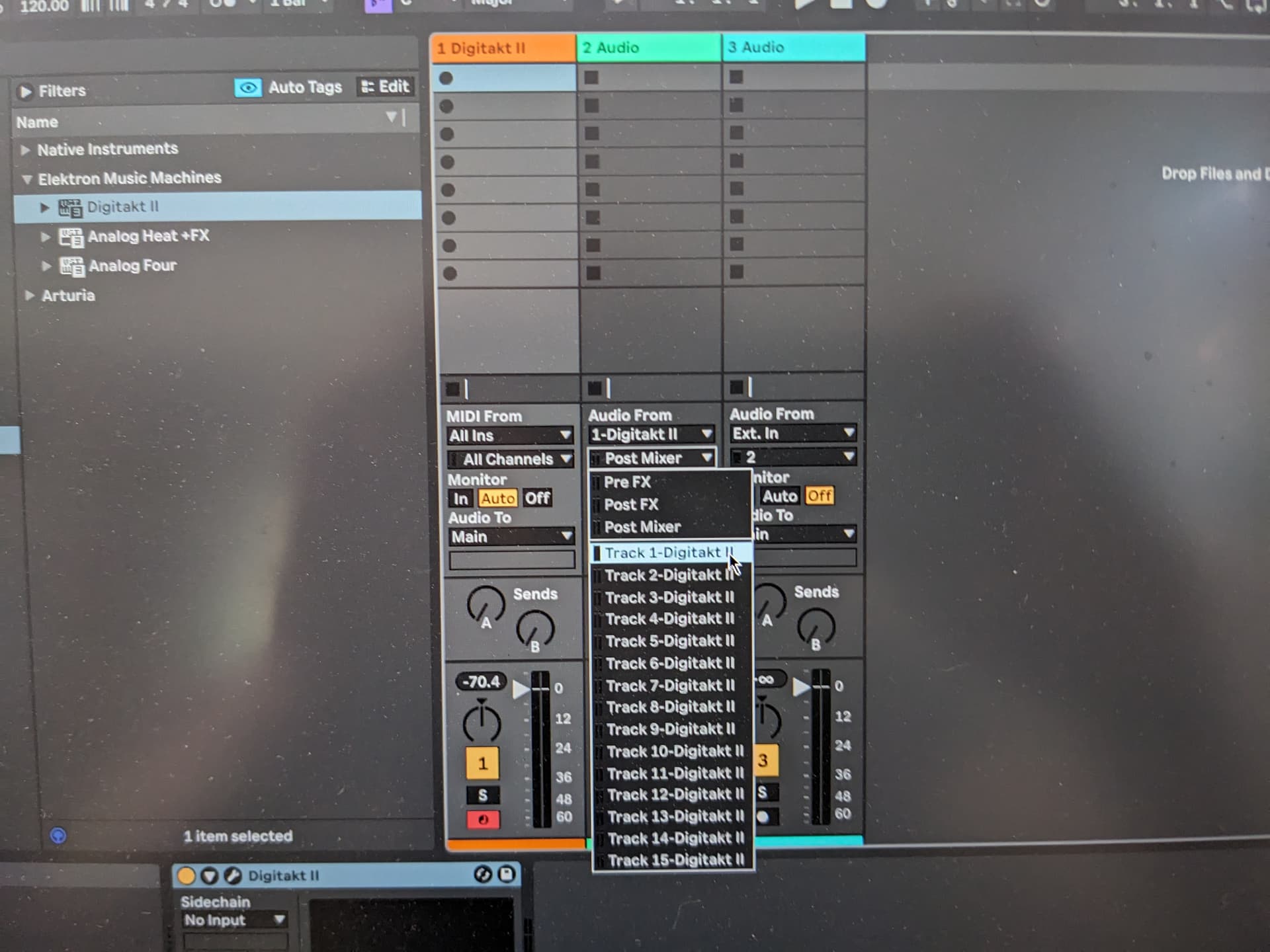
You should not have to do anything to the i/o of the midi track. In Ableton, once I have my midi track with OB on it, I create an audio track, select Digitone as input, and then select which track from Digitone. Logic should not work differently.
I can see this, but if I route track 1 to 4 on separate audio tracks, all audio for all tracks are recorded in track 1, track 2, track 3 and track 4. I am looking to see if there’s a setting hidden in the digitone that’s mixing the output somehow and can’t find anything.
In this photo, it looks like Audio 1 is set to Stereo Out. Also, it looks like you have a bunch of Bus/Aux tracks, each set to a different track of Digitone, which I don’t think will work how you expect. These should be used as effect sends. For example, Aux 1 might have a reverb on it, which you could send audio from any number of audio tracks, to be effected by that reverb.
You should change the input on Track 1 to Digitone 3 - 4, or whichever stereo pair you would like to record onto that track. Then, create another audio track, Audio 2, for example. This track should be set to Digitone 5 - 6, and so on.
It looks like your Inst track is loaded with Overbridge? That looks correct. Just change the input on Track 1 and you should be good to go.
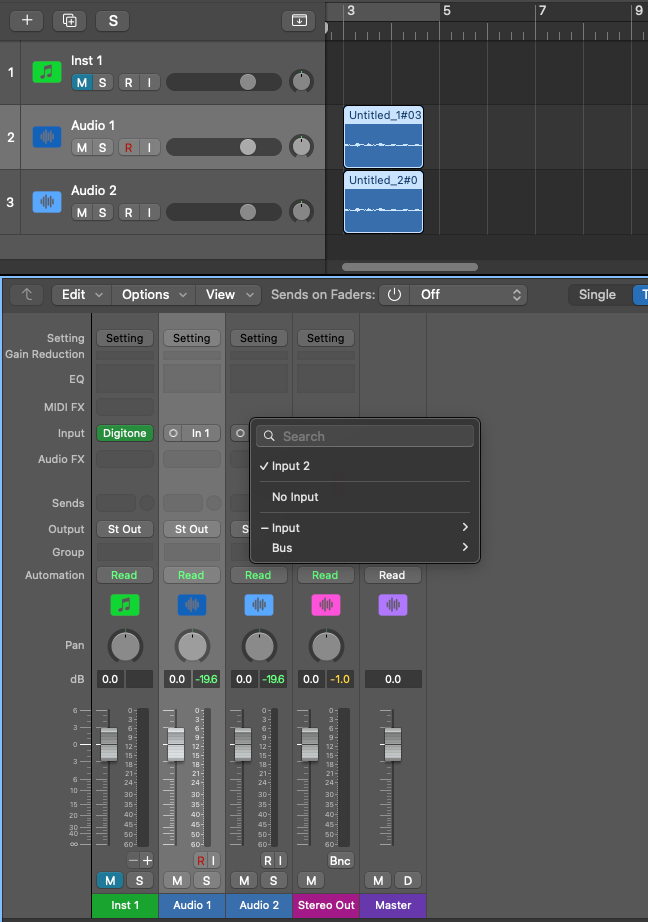
I did it that way because that’s what I’ve seen in tutorials. I only can select the digitn3-4, 5-6 inputs as inputs for aux not audio tracks.
Inst1 has digitone with overbridge, OB engine is showing active.
I have generic inputs that I can use, but like I explained before, it captures the audio of all 4 tracks. In the screenshot here, the 2 audio tracks take in each separate input (1 and 2), but have the same audio.
I fixed it, leaving solution in case someone has the same issue.
You have to change the “Route to main” setting in the Digitone audio routing options. You unselect the tracks you want to record separately. For Digitone, that means route to main value is now 3/7 (removing the 4 tracks).
Then in Logic, you add an instrument track with digitone which has to be in overbridge mode.
The setup above with the bus is the right one. You add aux tracks by clicking the + button in the mix view of the Instrument track. Set each aux output to a bus.
For each audio track, you set the input to a bus.
edit: Another thing, if your volume is very low all of a sudden, I found that for some reason all my tracks velocity changed to 0. I think this is an actual bug with the device.