Overbridge Dreams

Hey!

I’ve been trying to use over bridge again. I’ve tried many times before and given up. But this time I’m just not going to quit until I can use it.

I have an analog rhythm MKI, analog keys and an analog Heat MKI that I believe I should be able to use Overbridge with.

I have all three of them in Overbridge mode on the Hardware. In the over, bridge plug-ins, that I inserted onto midi tracks in Ableton live 12, initially the plug-ins said select device or something like that, but when I put each instrument into Overbridge mode they became selectable and said the device name.

Then I her instructions created audio tracks for all of my electron over bridge instruments just to the right of the midi instruments in which I in instantiated electron plug-in. Then I believe I had trouble seeing the electron devices…. Some search engine selected that I would need to make an aggregate device to use the following.;

MOTU 24Ai as input for external drum machines and synths
UAD Apollo x4 as my monitor output interface
And then the Rytm MKI, Keys, and Heat MKI.

Creating the aggregate device was easy to do.
It was also easy to selected and able to live 12.

Then for all of my audio tracks for my electron over bridge instruments, I was able to find them as inputs, and able to set up all of the tracks that could potentially transfer audio from the Overbridge devices.

This point in time I felt like everything was going pretty sweet. However, then not only did I not see any audio from the electrons, but then I could not receive input from my external devices or monitor them through my UAD Apollo, X4… like I have been doing successfully for months prior to wanting to use Overbridge.

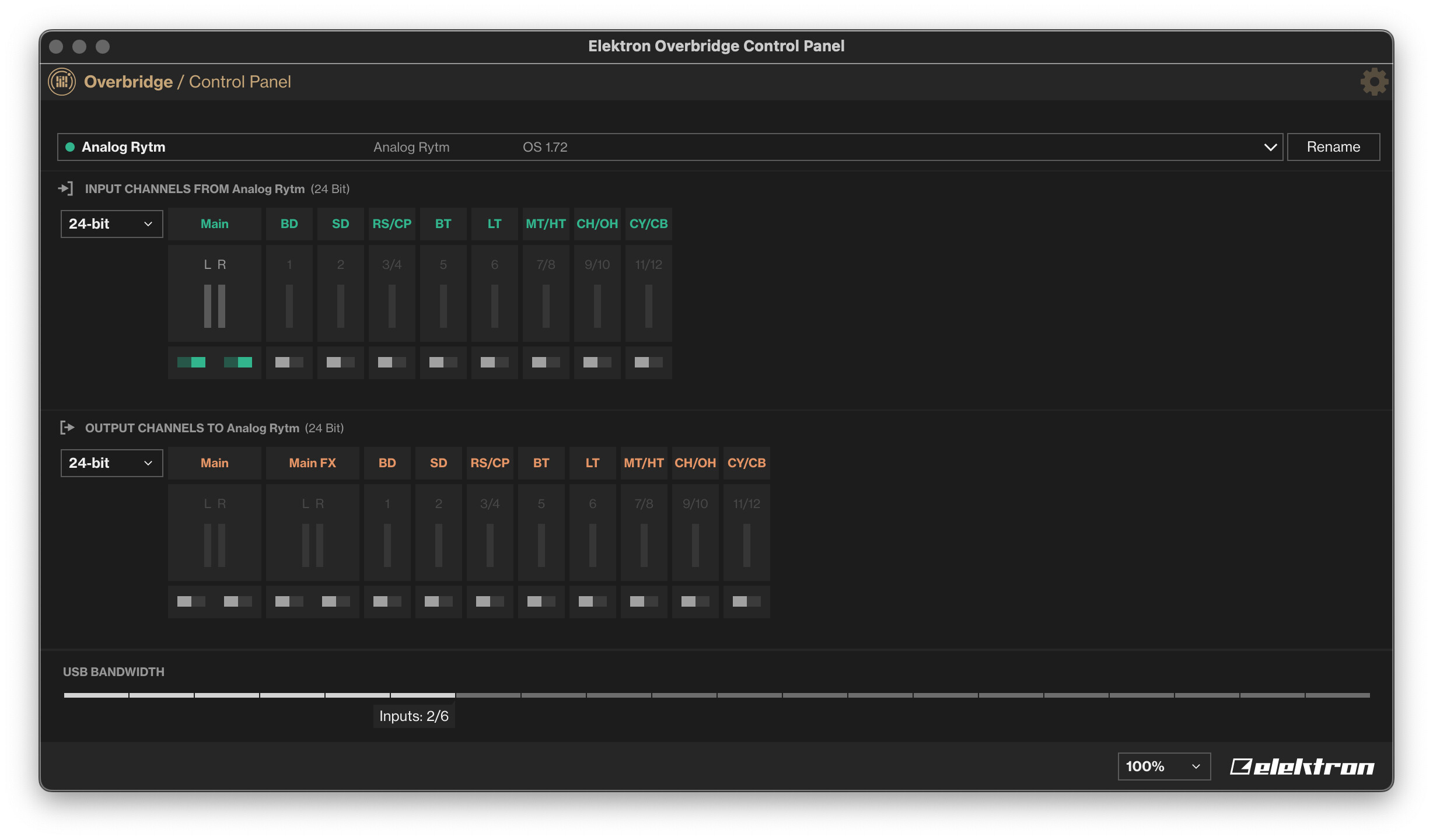
Then I decided to check the sample rates, on both the Motu input device, the UAD output, device, and the over bridge devices. When I went into the over bridge control panel I saw that initially my RYTM AND keys were in 16 bit mode, when the Ableton Session, MOTU input device, and UAD output device were set to 24bit.

I thought when I changed the electrons to 24 bit, that I’d surely be off to the races. But no, nothing.

I just do not want to believe that you cannot use these electrons with external gear. It just would never do what I’d want to do…

Gotta be something I’m missing.

Please help

B

I didn’t read everything you wrote because it seems like you gotta be over-complicating it. I can tell you I never needed to make an aggregate device… :slight_smile:

Give Dave’s tutorial video a try: https://youtu.be/inKIWJ1Ck6I?si=JKkTGUOAOUo3EDDX

Edt: Also, the Elektron Overbridge manual has a step-by-step guide for setting it up in Ableton Live at the end of the manual - Appendix A

4 Likes

OB devices don’t need to be aggregate devices with your other interfaces, they send audio on their own through the OB plugin.

Best thing to do would be to try to get one OB device working on its own, and one interface to monitor it with. Then try adding the other 2 OB devices one at a time. And when that’s all working then try to add the second interface as an aggregate device.

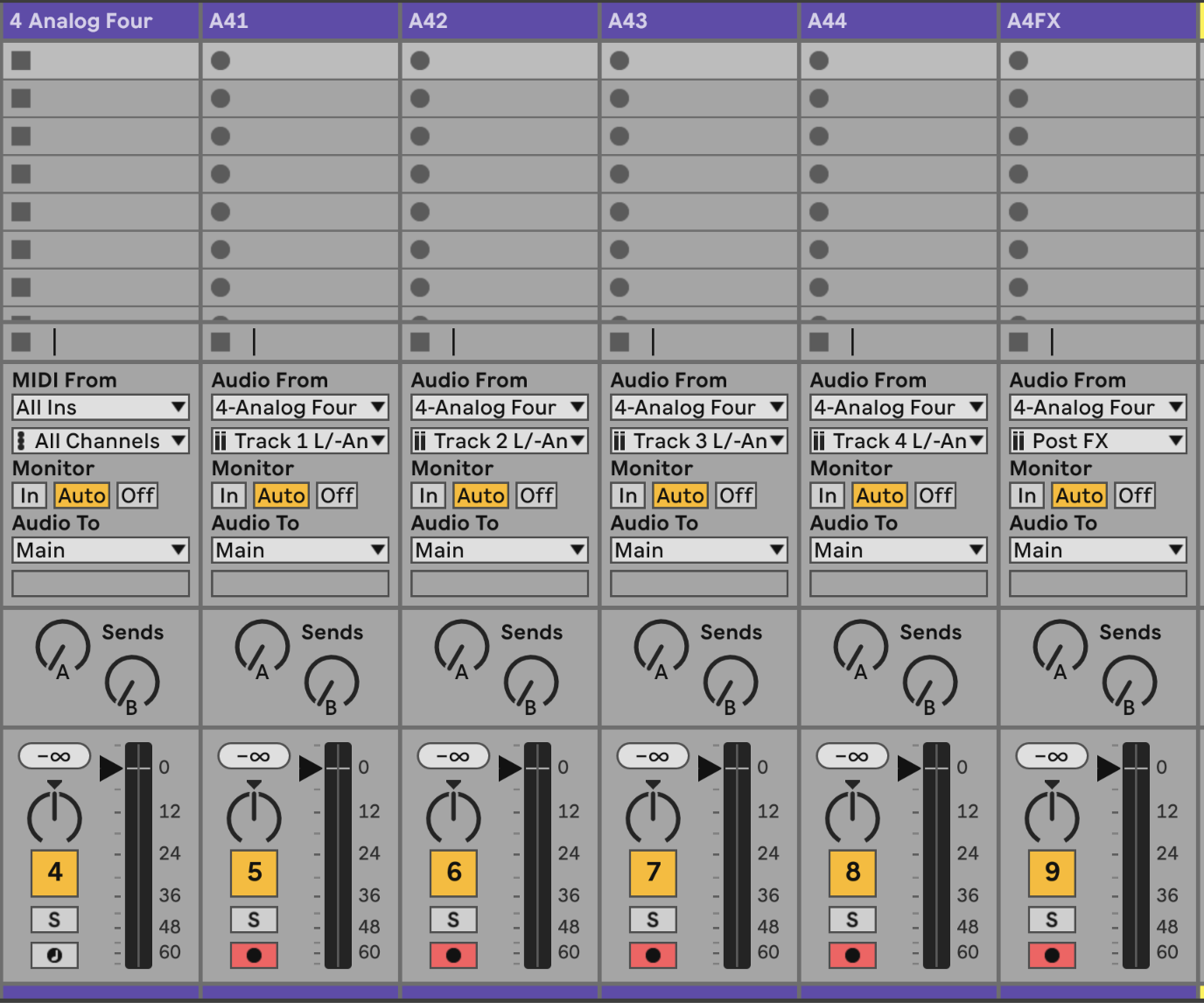
Live routing should look like this

1 Like

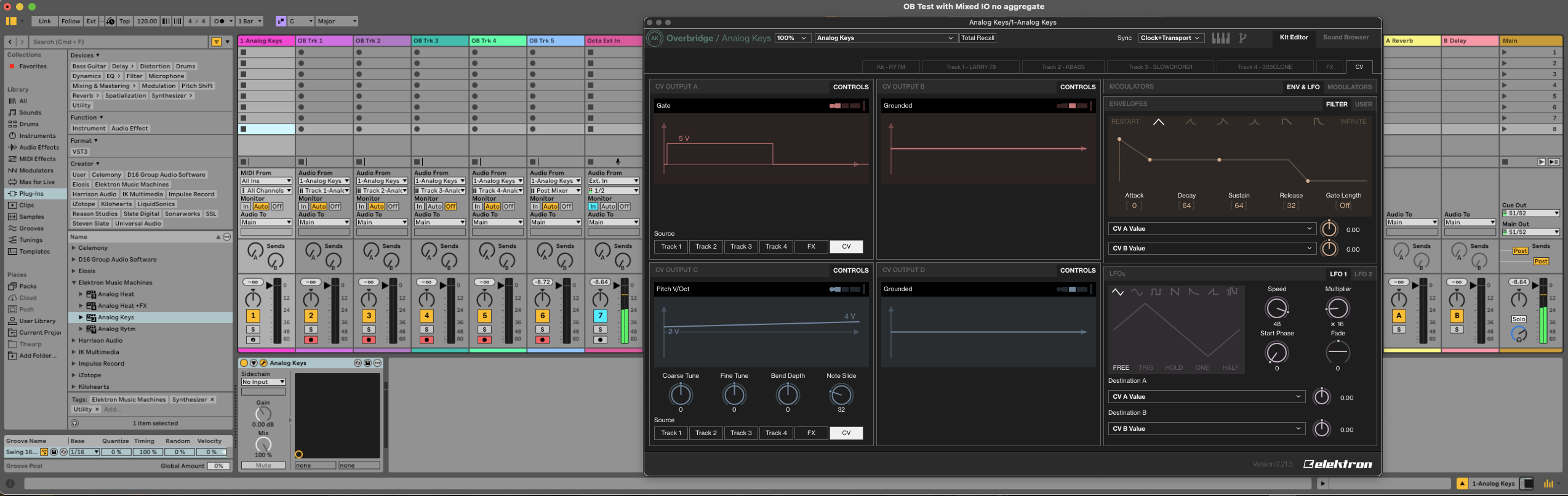
Thank you for your reply. Please see my screenshot of simpler session Ive created to mimic your session. It seems like it is setup like yours is. I have one of my non OB instruments (Octatrack) playing as Ext In. I am monitoring it through the mains/monitors. I have the tracks Armed to Record. I have the Analog Keys in Overbridge mode and it shows Active in Overbridge Engine. I have the Analog Keys sequencer playing. What am I missing, to get audio signal to Ableten via the Overbridge Plug In? Thank you so much!
B

I watched this video. It looks like, it just works with the Digitak. I am using a Analog Rytm MKI, an Analog Keys and a Analog Heat. I want to learn to use them as OB instruments. However although my sessions are setup just like in the video you sent, and my instruments are all on the most recent OS versions, and although they show active in the Overbridge Control Panel, they do not pass audio to Ableton like in the video.

Any advice is much appreciated.

Thank you,
B

I don’t have my Digitakt 2 or Syntakt currently hooked up so can’t test myself but silly question: have you tried turning monitoring On instead of Auto?

Hey, I had a small victory here. Per the video you sent I learned and was able to add lots of parameters to record into Ableton, by going to the MIDI trk my Analog Keys plug in is on and then twisting the parameter knobs on the instrument. Still no sound to Ableton audio tracks though. I switched the tracks to ON.

1 Like

If you only have your Apollo connected instead of 2 interfaces, same issue?

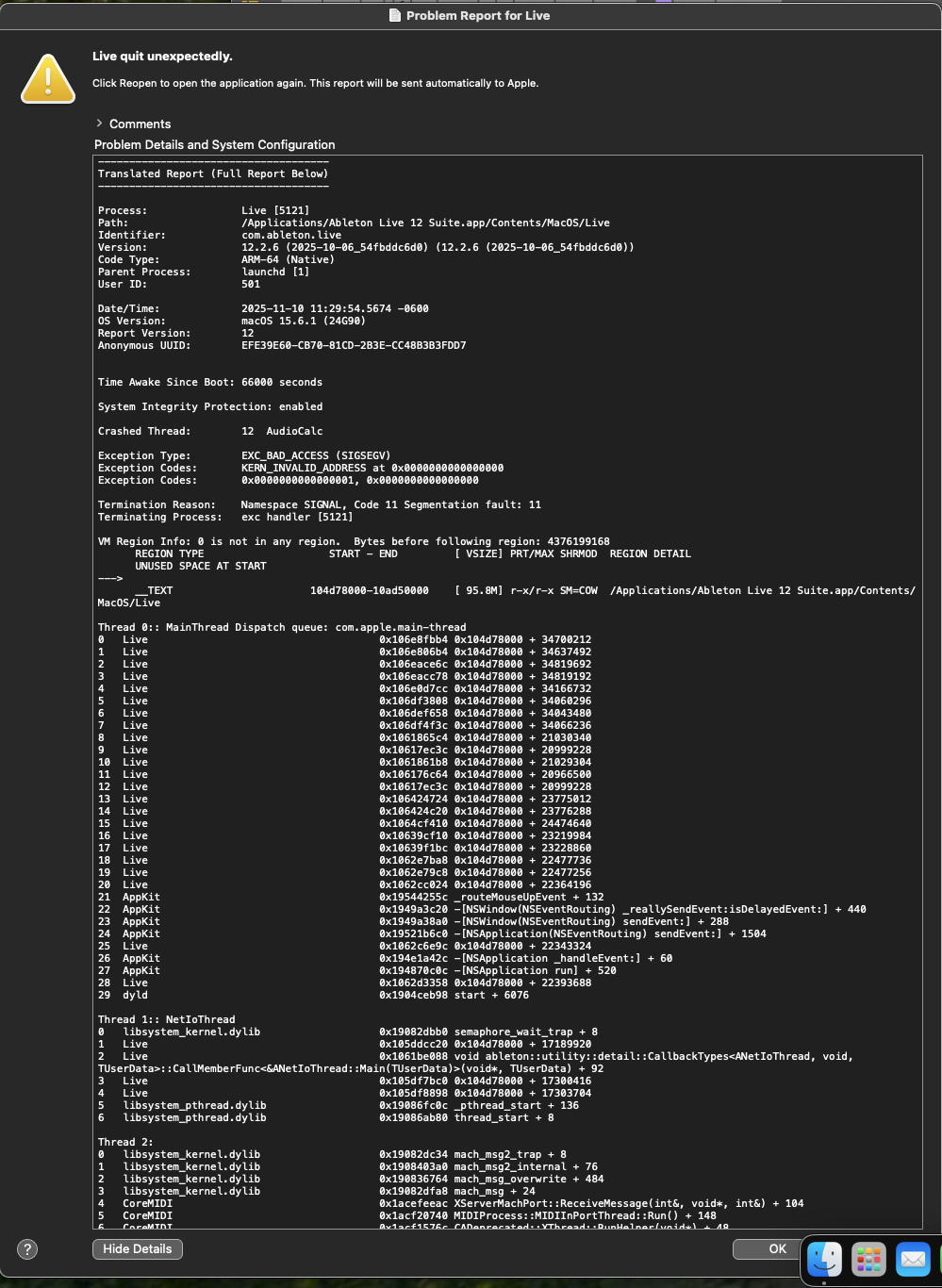
I also tried going into Ableton Settings to see if I could select my Analog Keys as the Audio Interface, instead of the MOTU where all my External Gear I am hoping to mix along with my OB streams, thinking I surely has to work if it is the Audio interface, but it crashes Ableton with a long error message, so I am unable to test that method.

I dont want to have to track one Elektron at a time, I enjoy how they interact with each other that plays a role in my compositions.

Thank you all for tips!
B

You should definitely be able to record more than one OB device at a time. I have done this quite a lot with Digitakt 2/Syntakt without issue

I have only used OB as plugins with my MOTU Ultralite AVB interface, not as any of my Elektron boxes acting as an interface so I don’t have any insight there

I am going to power cycle everything and see If I can test a session with just the analog Keys as the input device and just the Apollo x4 as the output, no Motu, which isnt what I want but hopefully may let me test out Overbridge and see how I might like using it.
Thank you
B

1 Like

Ya, I would try simplifying to start - one interface, one OB device to see if you can get that working and help troubleshoot

1 Like

Great to hear! The Motu I need to use for my other external gear I am hoping to compose with in Ableton and track is a 24Ai using my MOTU AVB switch that I need to use to ultimately send audio from my midi setup we are discussing to my live tracking setup that uses the UAD devices for live inputs. If you can do it on your AVB, I would think it would work on mine too!

I don’t know if you’d like to try something else after all the stress, but I still have an idea. I recently had difficulties with Overbridge myself.

Try the simplest setup.

Then start the standalone Rytm overbridge app.

If that works, try it with the next device. And then try your Ableton setup.

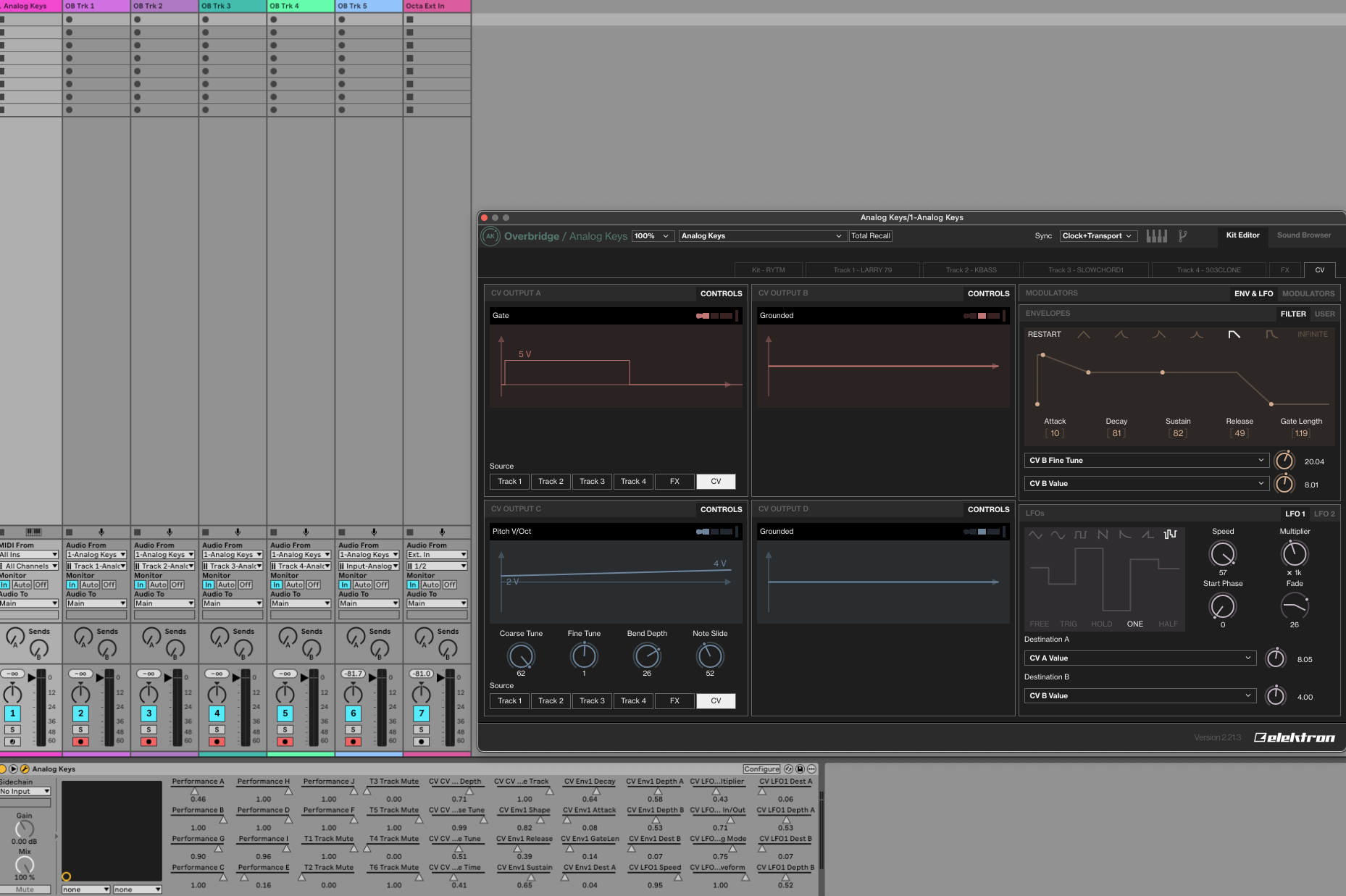
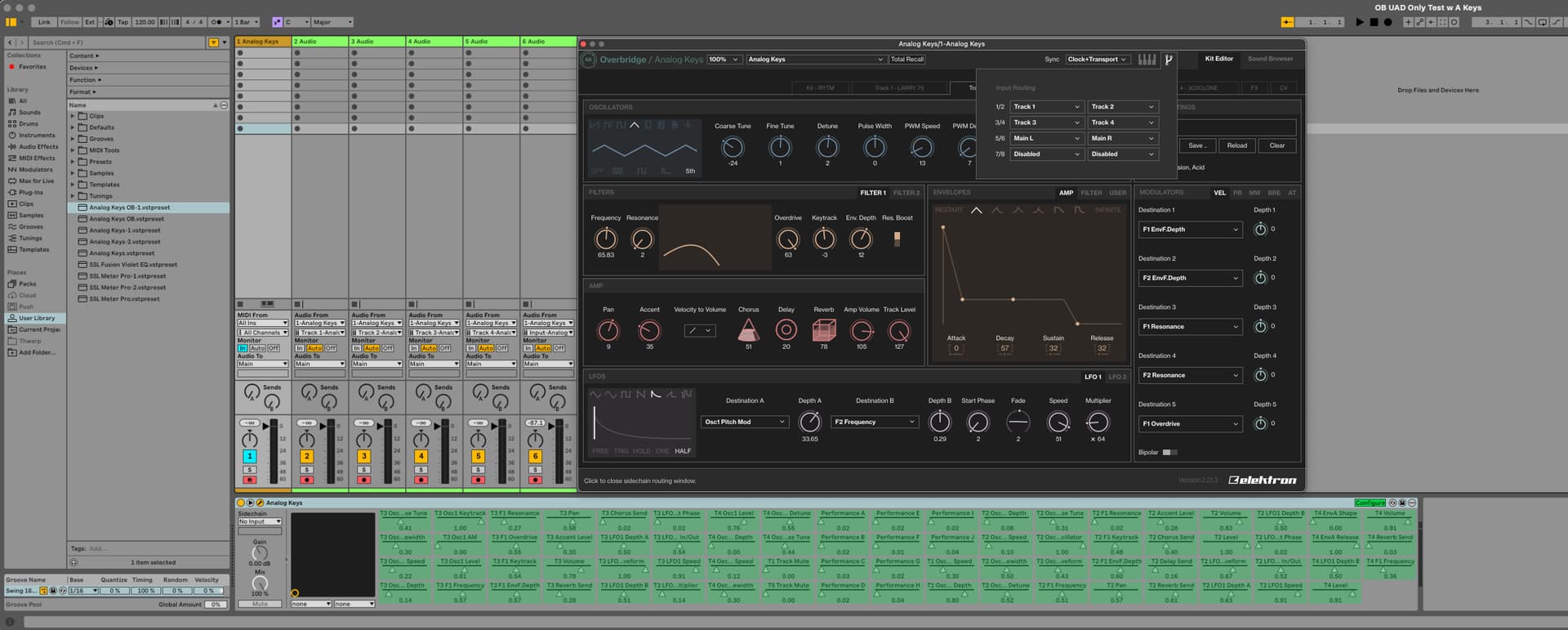
Ok. I just tried using only my UAD interfaces as Input and Output, taking the MOTU 24Ai I use for external synths out of the equation. It worked to set parameters for recording into Ableton, but did not pass any audio. Please see screen shot. I am going to try it now with just the Motu as Input and Output to see if it behaves differently.
Thak you,
B

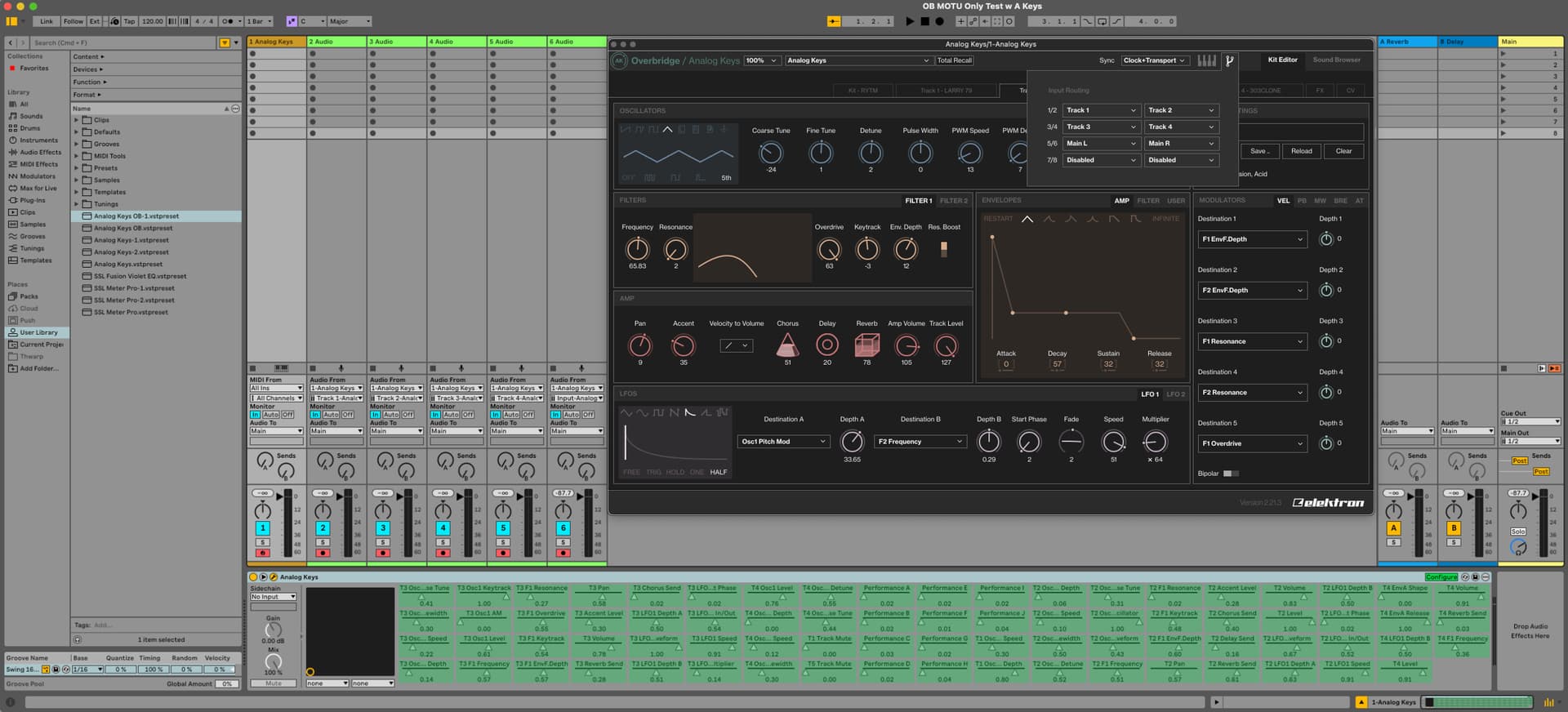
I tried the Analog Keys test again, with only the MOTU as INPUT and OUTPUT device. Still no Audio. Does my Input Routing the the Analog Keys Overbridge Control Panel look correct, for trying to get audio?

Ive got to take a break for a few hours, but am not giving up yet. I’ll check to see if anymore ideas get suggested to troubleshoot some more later…
Thanks again for trying to get me up and working. :laughing:

You are looking in the wrong place, please show your Overbridge settings in the Overbridge control panel

On your pics we are seeing the inputs. They are labeled outputs in the Control Panel.

That sounds confusing, but in your picture you show us the inputs for the Analog Keys (sound goes to the Analog Keys). But you want to set the outputs (sound comes from the analog keys).

But that doesn’t work in the plugin. To do this you need to use the Overbridge Control Panel app.

Ok. So not the Elektron Control Panel App I see, where I can use the drop down menu to toggle between my three Elektron units by opening the app., but another Elektron Control Panel app?

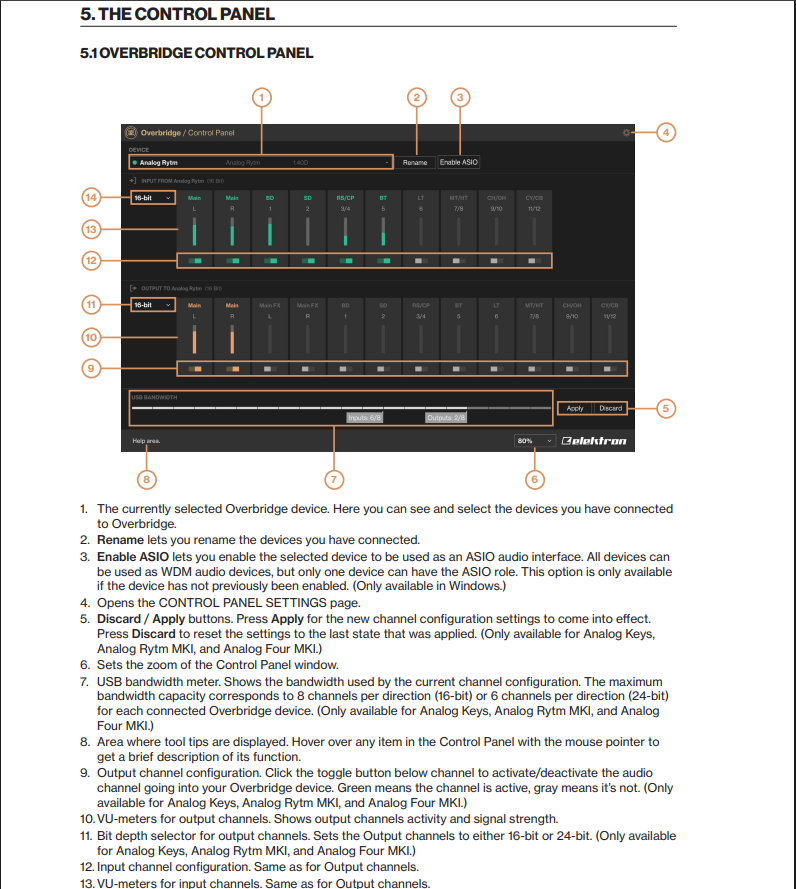
Think they are referring to this one!

1 Like

Yes, the app. Overbridge Control Panel. Thx Sleepynumb for the manual reference.

I find the explanation in the manual a bit confusing.

The top row of inputs are actually the output channels aka audio out.

The bottom row of outputs are actually the inputs aka audio in

1 Like