It’s been a while since I used my Rytm with overbridge and I remember having this problem in the past, but I can’t figure out how I solved it before.
I’ve got everything on the Rytm configured correctly (as far as the docs go) audio routing all enabled, USB set for overbridge. Overbridge shows ok levels on the tracks, but when I add the plug-in to Logic Pro X or Ableton, the audio shows up at -50db, completely unusable. Not matter how many tracks I have the output set to.
I swear I’ve had this problem before and fixed it, but I’ve been googling for days and just keep getting the same advice around settings over and over which are what I am already using, or there are references to settings that aren’t in Logic Pro anymore.
The volume knob is turned up on the device and each tracks’ volume is fine. The overbridge app shows volumes for each track showing up at -12dB-ish (where it is supposed to be).
The volume knob on the device won’t have any impact on overbridge volume levels. Also, as unlikely as it is to make any difference it’s always a good idea to power cycle your computer and power cycle the device. Also try a different USB cable if you have one.
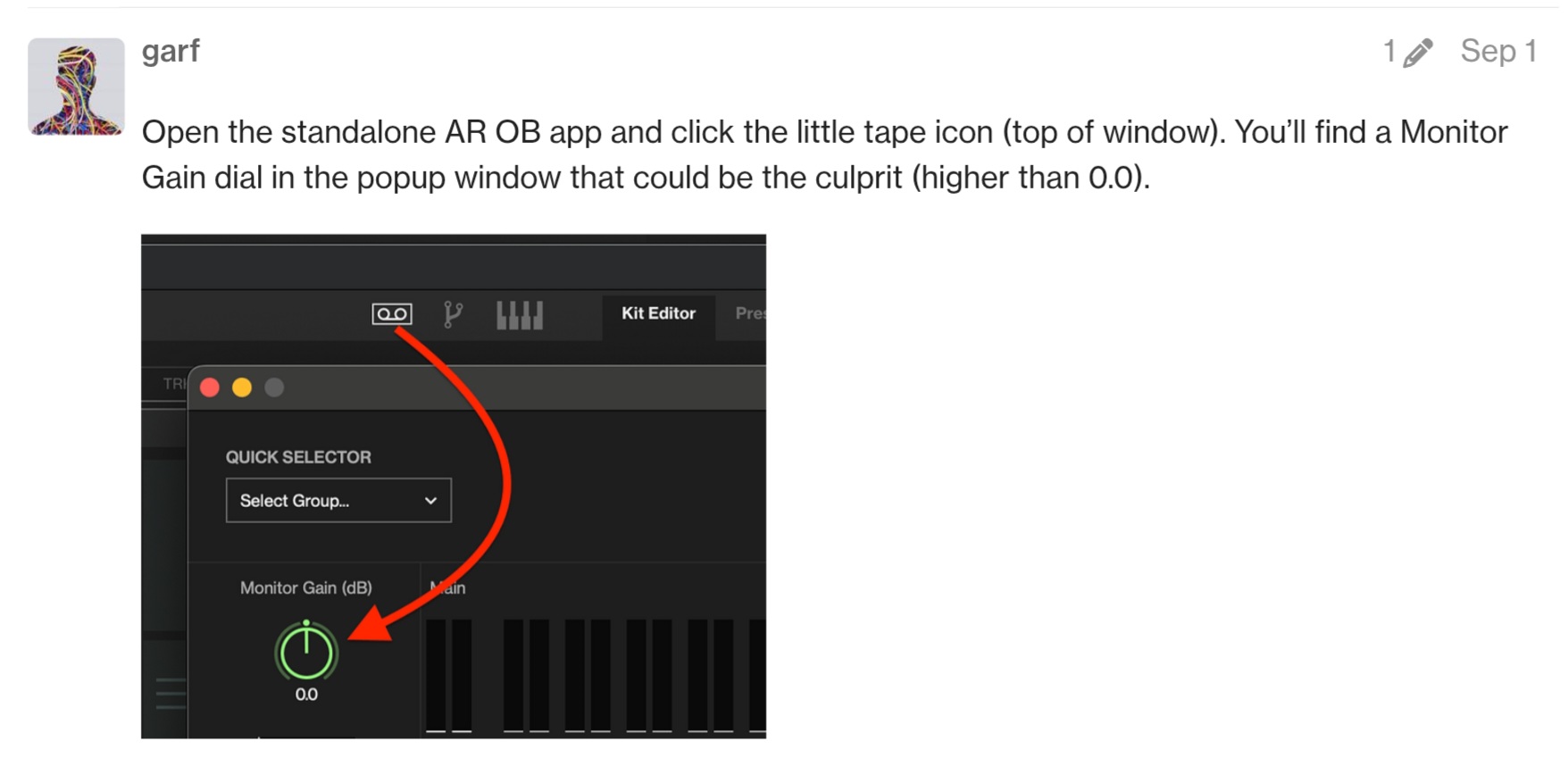
I believe that there is an icon in overbridge for gain adjustment that looks like the cassete symbol, something like this:
So if you did not already locate that icon and confirm the gain setting there, then do that first.
After that, I’d try using the Rytm’s other USB audio mode which is not overbridge, the one in the device menu called USB MIDI / AUDIO and then assign the Rytm to a track as an audio device to see if the level is still too low.
I’d also test the output using the standalone app to record some stems as a test. If the level on those comes out normal then at least you have an option to record the stems with the app and import into the DAW.
If the stereo track you get using usb midi / audio is still low but the app records at a normal volume then I’d suspect a setting in your DAW is still the culprit.
If both alternate recording methods are still quiet I’d look at the more general network audio configuration for your computer. I’m not familiar enough with mac to suggest any specific direction to take it in though.
If you suspect that it’s a logic setting and want to confirm, you can probably get a freeware DAW like audacity and test for results there.
Thanks for that! I’d forgotten about the standalone app. The monitor was set at +12dB. I set it to +24dB and the volume in the monitor channels were showing higher, but main and all the individual outs are still really low, and it is still at -50dB in the DAW.