The most interesting information to hunt that bug down is that in the firmware before 1.40 this bug did basically never happen in my workflow.
Suspicion: USB mode state can become undefined or the filesystem of the CF card can become locked. That is i have another scenario that freezes even the USB mode itself. For that i mount the volume by going into USB mode, crawl around in the files with my file system manager (finder on mac) and then hit the unmount icon on screen. Unmount is expected and happens. Now on purpose i go in USB mode again while a folder from the former session is still visible in finder (yep not any window with content of the same drive is automatically closed on mac, the finder works with the cache it has build up), so the finder spinning wheel spins indicating it tries to reach and parse data it has not seen before (another unseen folder clicked), and from here keeps spinning, the device never really mounts, here i can also not exit the spinning wheel in finder. If i try to exit the USB mode on the machine by pressing exit , the machine is frozen already with a red LED. Which is why i think the state can become undefined, the controller does either not recognise whats going on at USB or does not act when something should happen but fails. I don’t know enough about the inner workings of USB protocol for filesystems but removable drives are called that way because their filesystem cache can become invalid at any point of re-mounting. Which is why most manuals suggest “completely” un-mount. Maybe thats related, maybe not.
Back when I first got OT in 2018 this bug bothered me twice before I remembered to unplug every time. If this thread leads to the bug being fixed then great.
This clears the lock value but doesn’t clear the green lock trig itself, so when you look at the track trigs you don’t see any visual difference. This wouldn’t be a big deal but it just leaves clutter that makes it hard to see where the active p-locks are if you’re using live recording a lot, especially so if you’re coming back to the project at a later date.
I think it would be much better if it was consistent with the NO + Tx shortcut that fully deletes (all?) trigs.
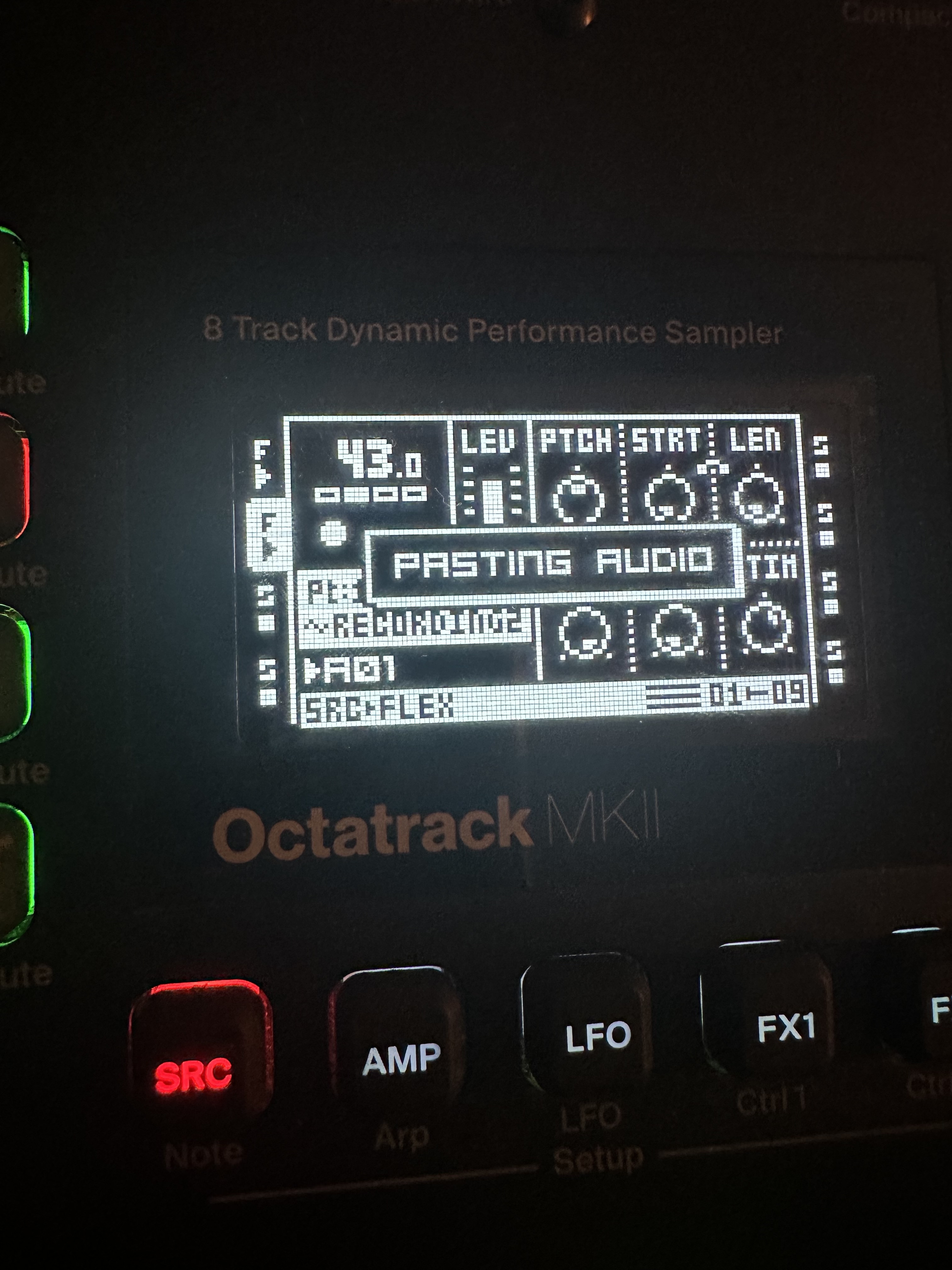
there’s bugginess that should really be addressed in the paste function of AED. in particular if you paste something that overlaps the end of the currently loaded file. I get menus that stick on or ‘pasting audio’ menu pops up over various other menus in messed up places if you press stop even with no function button. And no my function button isn’t sticking . Not that it should be there anyway. Its pretty bad, it completely messes up the machine till you turn it off
lol that’s the sort of encouragement I would like. I haven’t changed CF but I’ll give it a go. It was quite repeatable for me when I tried it a while back. I was only reminded of it when I had the same issue again just using paste. it’s easy to go a long time without using a specific function on the OT but having the paste not work properly in the audio editor seems like a pretty bad bug
The way I tested it before that was repeatable was just loading something on track 1. Can’t remember if it was just a recorder buffer or what. Loading something flex on track 2. Copy a section of t2 with func+copy. Then if you place the edit marker in track 1 so whatever you paste overlaps the end of the current sample it completely glitches it. It doesn’t paste properly and it keeps pasting if you press stop at all even out if AED. Requires power cycle. I most recently came across it just working deep in a project. Tried to paste something and it glitched out. The simplest way was as described above in a fresh project. I’ll try when I get home
So it doesn’t happen if pasted audio is shorter and doesn’t overlap the end ?
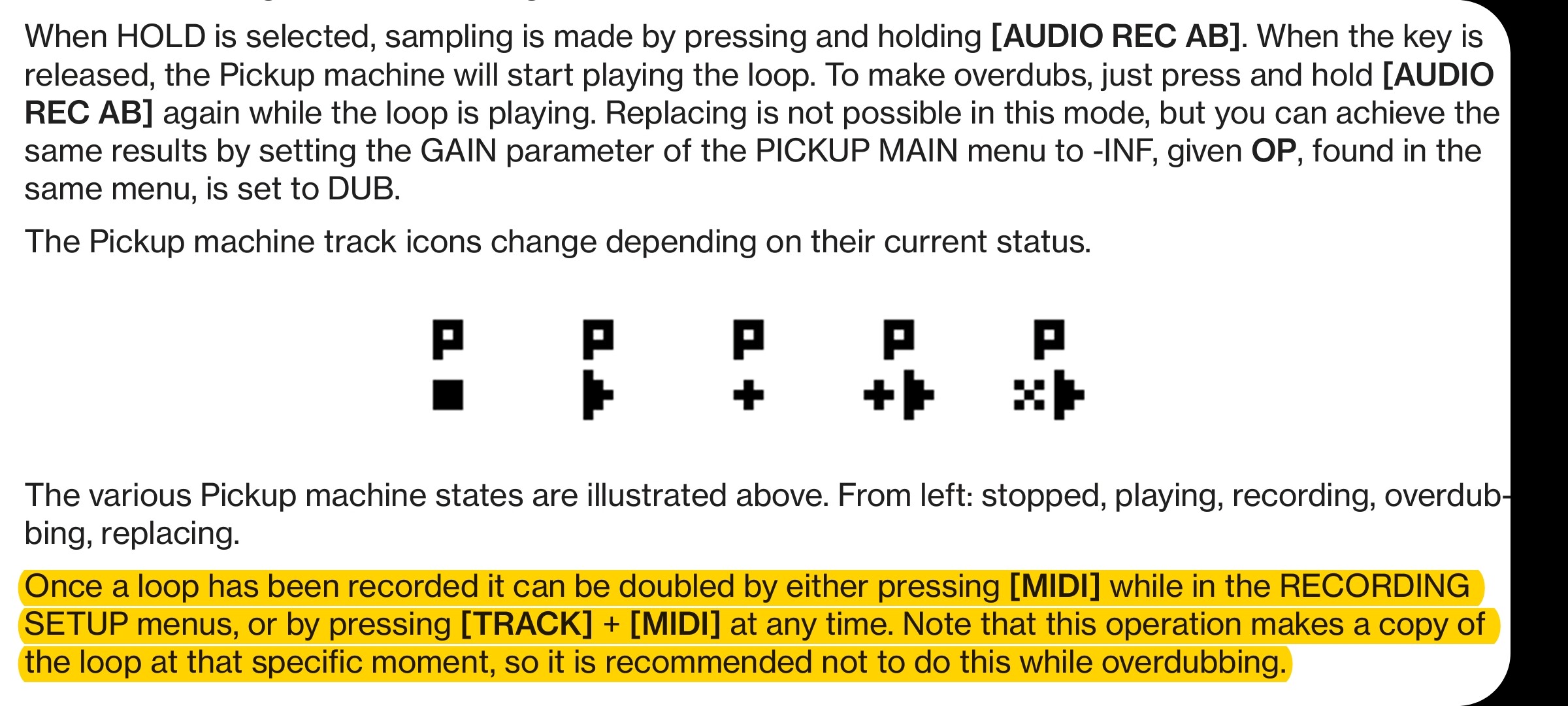
With OT MKI you can duplicate buffer in the Pickup machine with Func + Midi button or something like that (Multiply function). Not sure if its possible with MKII. Possible via external midi. (Multiply).
This allows to duplicate the audio several times and avoid overlap…
I didn’t know that I don’t use pickups. Cool to know I’ll have a look into that with the mk2. With this I was just editing audio and I needed to paste at a specific point, resampling wouldn’t have worked for what I was doing
If you want to try it on the Mk2, it’s T1/2/3/etc + Rec3. The feature and the shortcut is almost totally undocumented in the manual, it only lists multiply in the MIDI section as a CC.
I only found out about it because of multiply being listed in the MIDI standard mapping section, it’s the only instance of “multiply” in the entire manual so I eventually figured it out via some searching, and I think that firmware changelog was the key.
Yeah that’s missing in the Mk2 manual, I’ve previously reported the omission here a while ago. Hopefully they’ll add the info if they ever do another update.