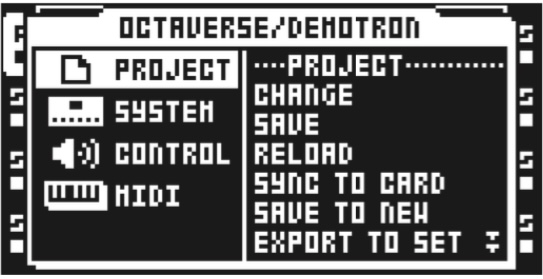
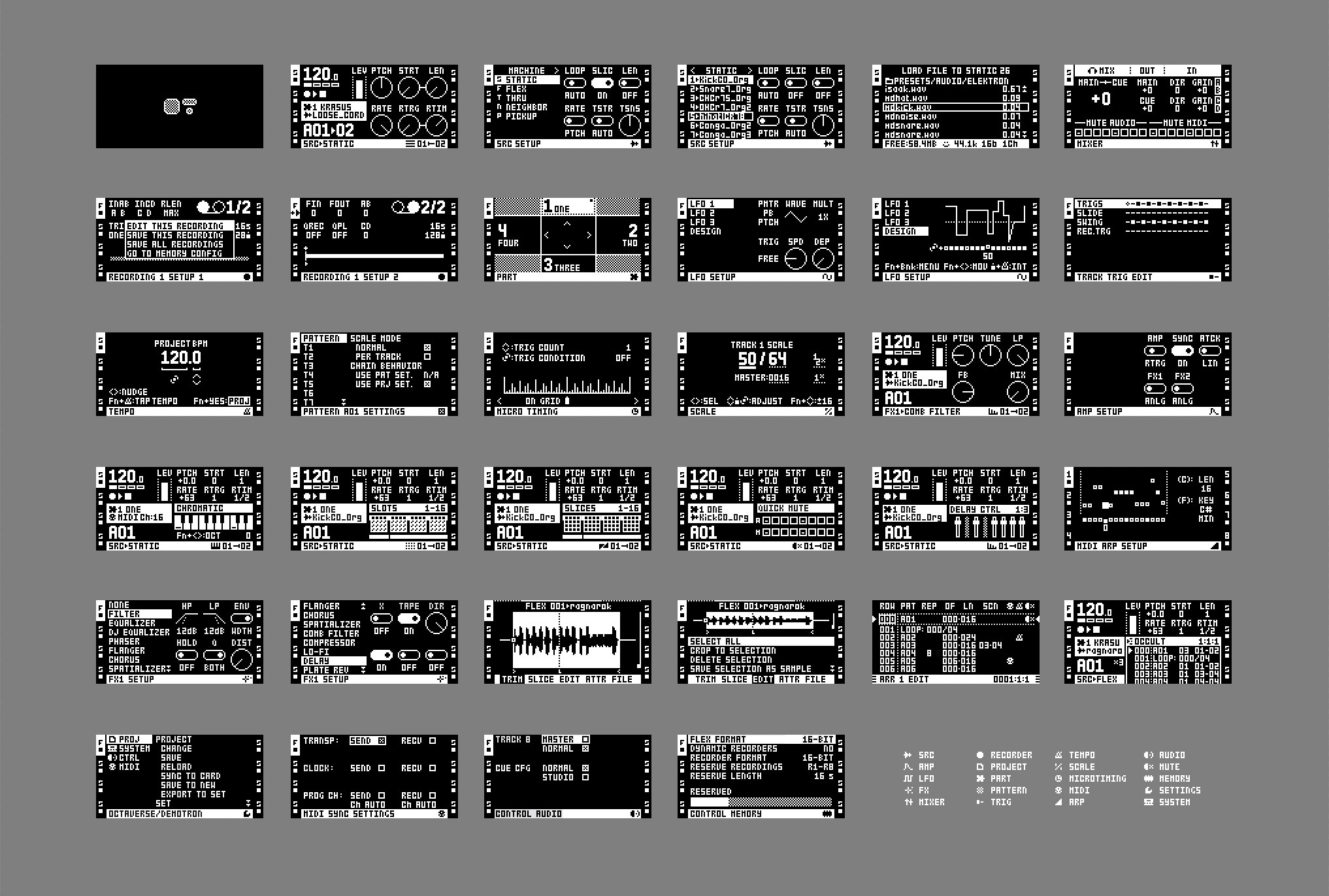
Octatrack GUI update concept

Hi everyone!

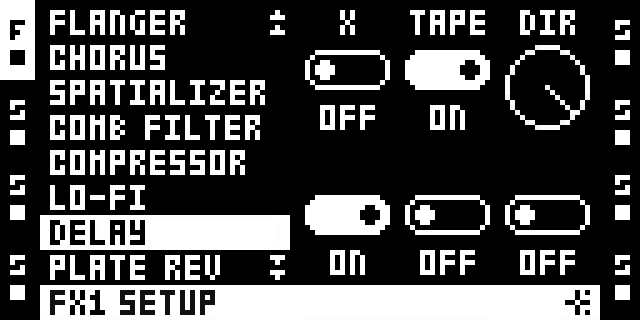
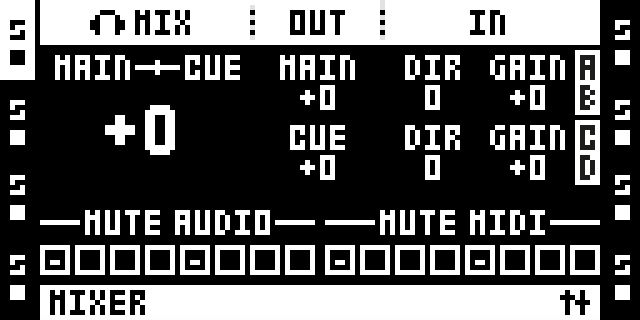
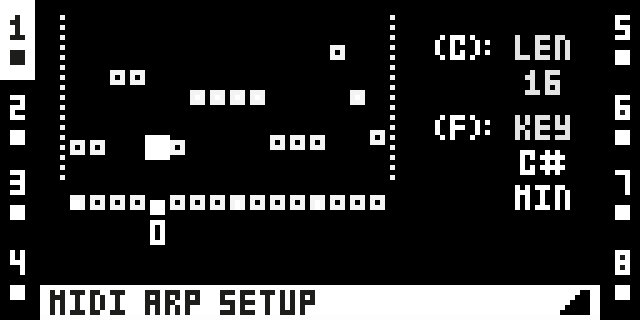
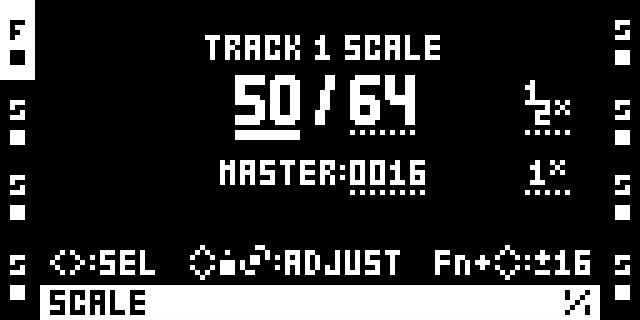
After spending some time with OT MKII, I started to think about how I would improve it’s interface. I made an attempt to re-draw main screens: simplify the menus, bring some bigger Digi- style elements, clean it up the from dividers, windows and pop-ups, improve usage of screen space and add some useful info without changing workflow patterns or bringing any new functionality. So, only visual changes and tweaks, like a re-skin.

This is just an experiment for fun and I do not claim making it better in every detail, some decisions may be questionable.

logo

Icons is my favourite part of it. They are similar to the existing ones for trig modes, but now they are for almost every page or menu.
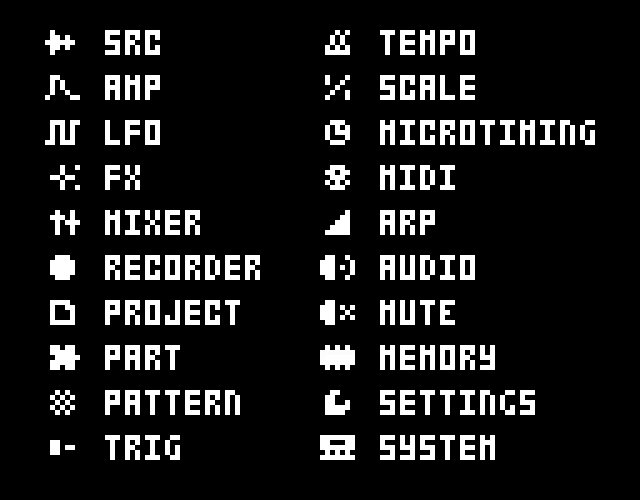
icons3

SRC page and SRC setup
Bigger text for BPM and pattern, knobs and toggles from digi- machines, puzzle and waveform icons for part and sample.
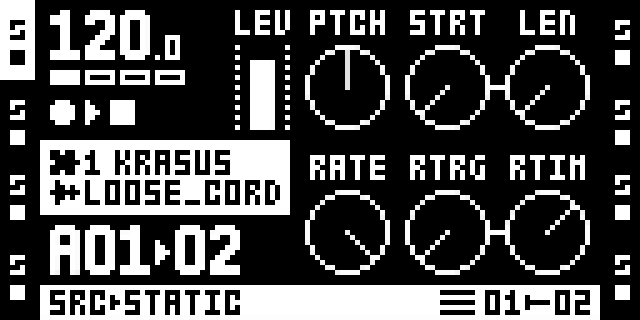
src

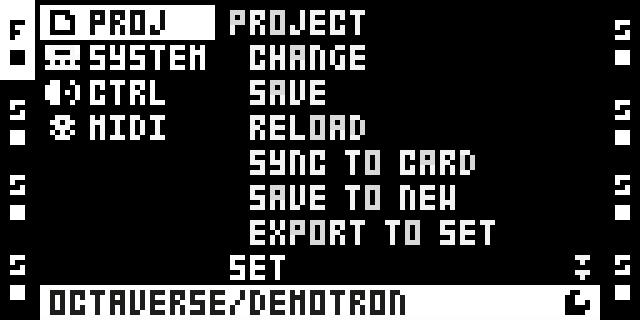
Every menu is fullscreen, no overlaying windows on top of each other.
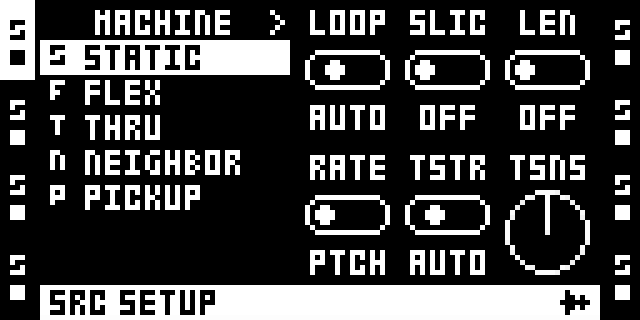
src-setup

Sample slots list now fits 7 samples on screen instead of 6.
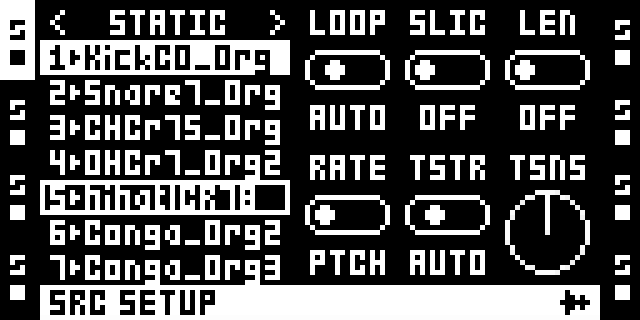
src-setup2

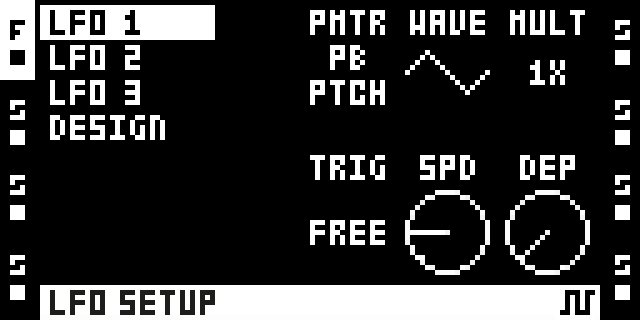
AMP and LFO setup
I removed these big illustrations on the left that may be confusing (it’s even mentioned in the manual that they are not interactive)
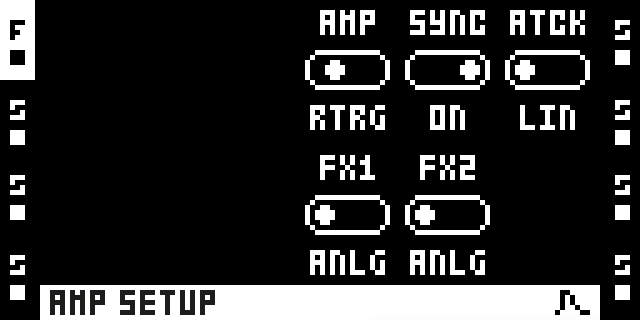
amp

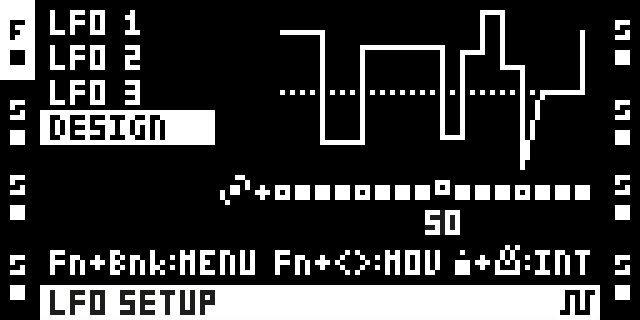
lfo2

LFO Designer can fit an additional row of key combos underneath.
lfo2

FX

fx

Mixer with slightly different layout

mixer

Recorder
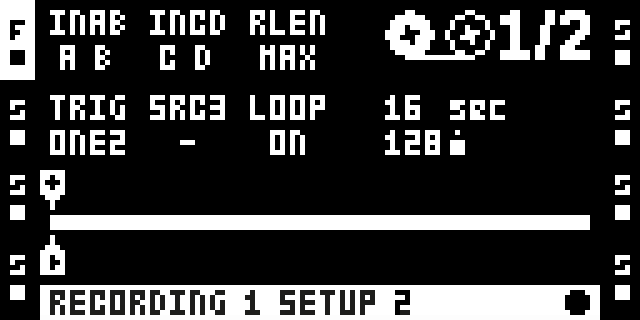
“Record” and “play” icons added to corresponding markers on timeline (instead of just arrows)
rec-setup2

Audio editor
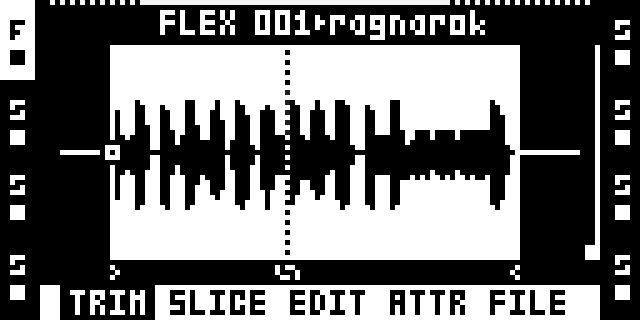
Little start / end arrows and loop sign instead of S-L-E which I always find a bit confusing, because they correspond to A-B-C knobs
sound-editor-1

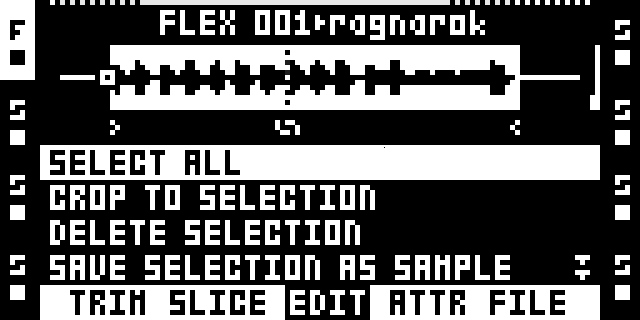
In edit / attributes / file tabs it would be cool to shrink the audio preview to show it together with the options list.
sound-editor-2

MIDI arp

midi-arp

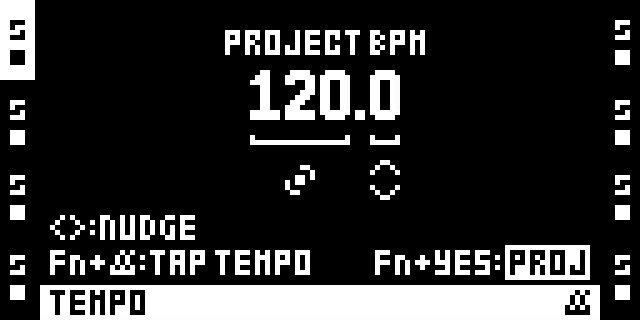
Tempo and Scale with tips for combos
tempo

scale

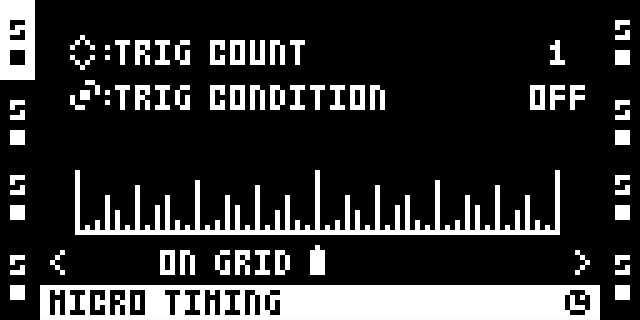
Microtiming

microtiming

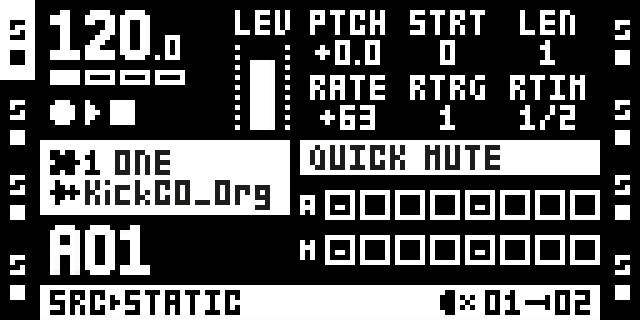
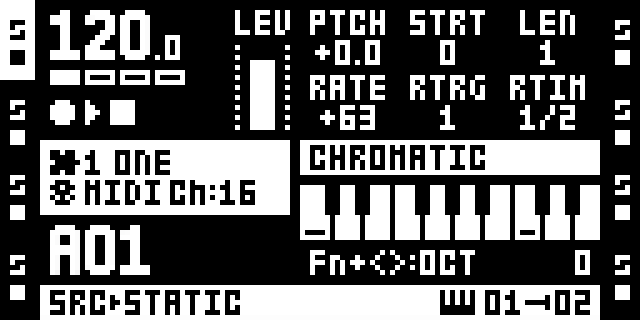
Chromatic & Quick mute modes
chromatic

quickmute

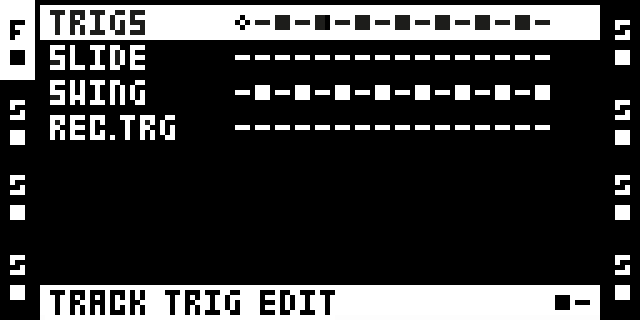
Track trig edit

track-trig-edit

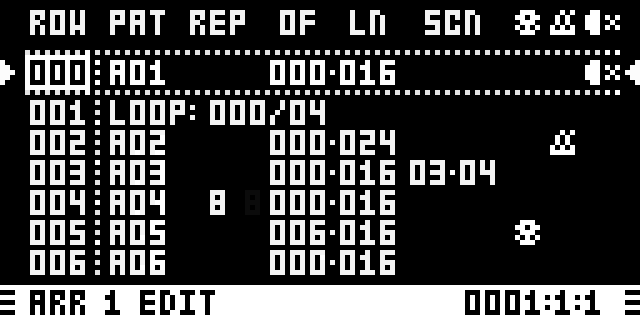
Arranger
Now it can fit 6 rows instead of 5.
Midi, BPM and Mute icons instead of T-B-M — I keep forgetting what these letters mean.
arr

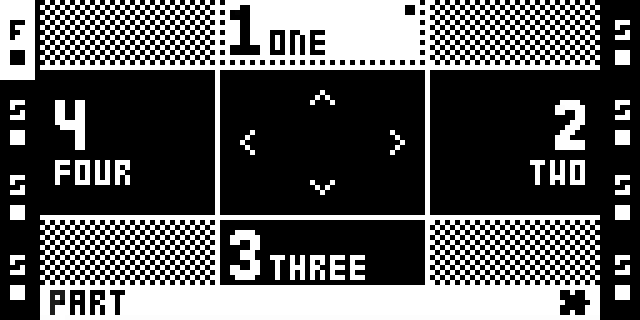
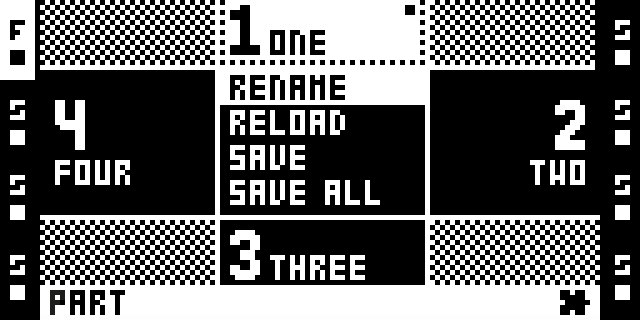
Parts
This one is weird

part-select2

Options list fit inside central segment instead of popping up
part-select

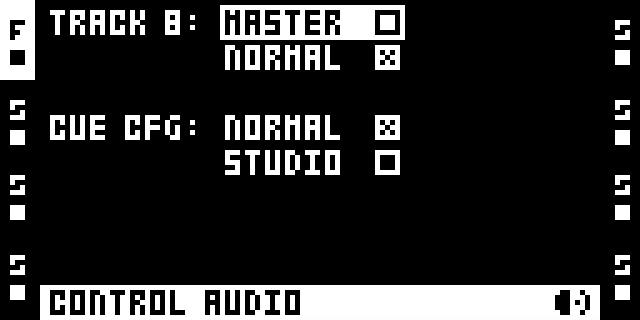
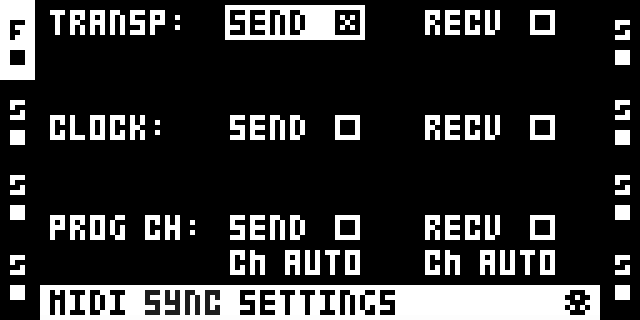
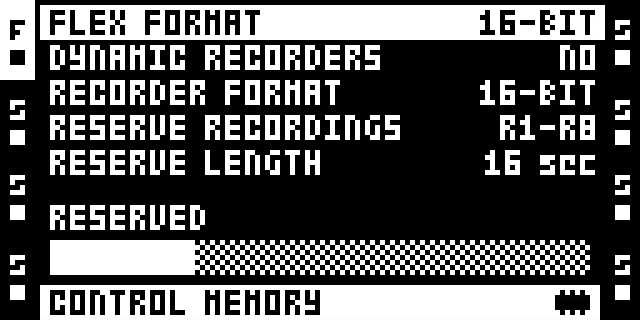
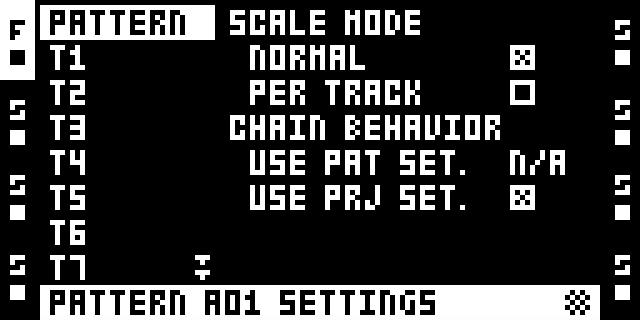
Some Pattern & project settings screens
pat-settings

proj-settings

ctrl-audio

midi-sync

ctrl-memory

This exercise turned out to be a great way to study the device — i finally explored almost every single function and page of the manual.

What do you think about it?

44 Likes

You’ve made it look like ceefax. It hurts my eyes.

I have OT mk1. I prefer the older screens.

5 Likes

I think it looks a bit too busy, TBH.

I actually prefer OT (old) style graphics than DT (new) style too, I also don’t like the text replacements when other trig modes are selected on OT, because I find it much easier to see at a glance with the knob and value.

I don’t like the graphical views of the filter and envelopes, it might look “prettier” but I find a simple knob graphic much easier to read quickly.

Obviously it is down to personal preference, but I think older Elektron machines got it right.

5 Likes

Great job! I like the icons and that the knobs indicate more clearly what value they are at.
But I have to agree that it does look a bit too busy.

Take the recorder page for example. I believe he dividers in the original interface really help to distinguish the separate input options much better.

Otherwise, great effort…back to the drawing board :wink:

Very cute, I like the use of the bigger fonts a lot. It doesn’t look necessarily more busy than the existing interface, it’s just not what people are used to.

2 Likes

Part center menu is a great idea

3 Likes

I understand why this might seem like a good idea at first, but those overlaying windows are an important visual cue: parameters that appear in a window are the ones that can’t be locked or assigned to a scene. I don’t have the OT in front of me but I think that’s consistent across the UI. Also, windows can be closed with the NO button, so if you eliminated them you’d have to rethink that as well, otherwise it would make navigating the UI a lot more confusing. A small indicator in the corner might be enough for the NO/close window indicator, but there needs to be something that shows how deep you are in the current branch of the menu hierarchy, IMO. Plus a clear visual indicator of which parameters can be automated with locks and scenes, so in your design you’d want something like two different knob graphics.

Anyhow, I think the OT’s GUI is really solid already (I’m on the MKI, so maybe it’s not as good on the MKII displays where it’s inverted - it definitely doesn’t look good that way to me in photos). Maybe it’s because I came from an MPC2000xl and it’s graphically pretty similar in a lot of ways.

9 Likes

Great ideas! But don’t you dare touch my octa menu.

1 Like

Lots of great ideas, clean and professional. Thank you for sharing!

1 Like

Thanks for the feedback everyone.

Displaying the current menu depth level is a main drawback, I see.

I can share the psd to play with, if anyone is interested.

5 Likes

Thanks for sharing your ideas. No doubt, if OT ever receives another update (MKIII?), Elektron should consider some of these improvements, especially with regards to usage of screen-real-estate.

Thanks for sharing. It clearly took a lot of time and effort on your part and there are some really great ideas/suggestions in there. I hope the @Elektron designers and developers get to see it purely for inspiration :yellow_heart:

I think that I find the current
image
Much easier and cleaner than this
proj-settings

11 Likes

Here is the source file:

OT.psd (1.6 MB)

3 Likes

Personally I really like this, it takes out a lot of the “noise” out of the interface, it looks a bit cleaner. I also like that some of these pages enlarge the text some.

Yeah these are nice @sevavar. A lot of the lines and stuff are taken out, instead using an implied grid and I think it’s nice to have a little less stuff. Plus I’m all for knob pictures vs. text for parameter readability at a glance when possible.

I enjoy the OT menu, though I can understand why you may see room for improvement. I think having the borderlines in say like the project/main menu is better and I really love the reel to reel tape icon when I’m messing with recording, so you’d have to reimagine yours to be ‘cooler’. But really like the visual concepts for the parameters like the Digitakt has. Overall really well done!

I do too, but it seems to be buggy. Oh, hang on, there’s a thread for this…

1 Like