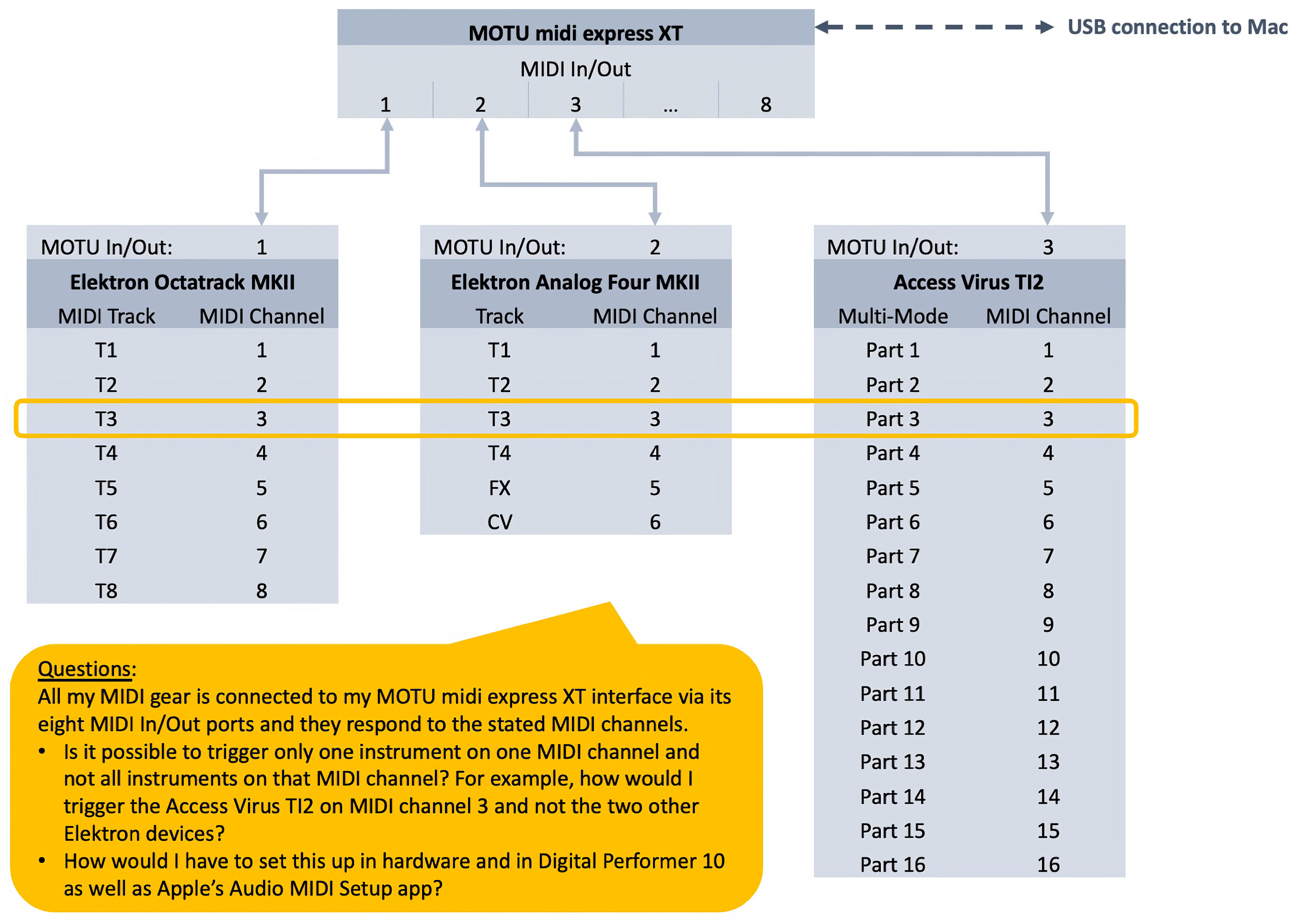
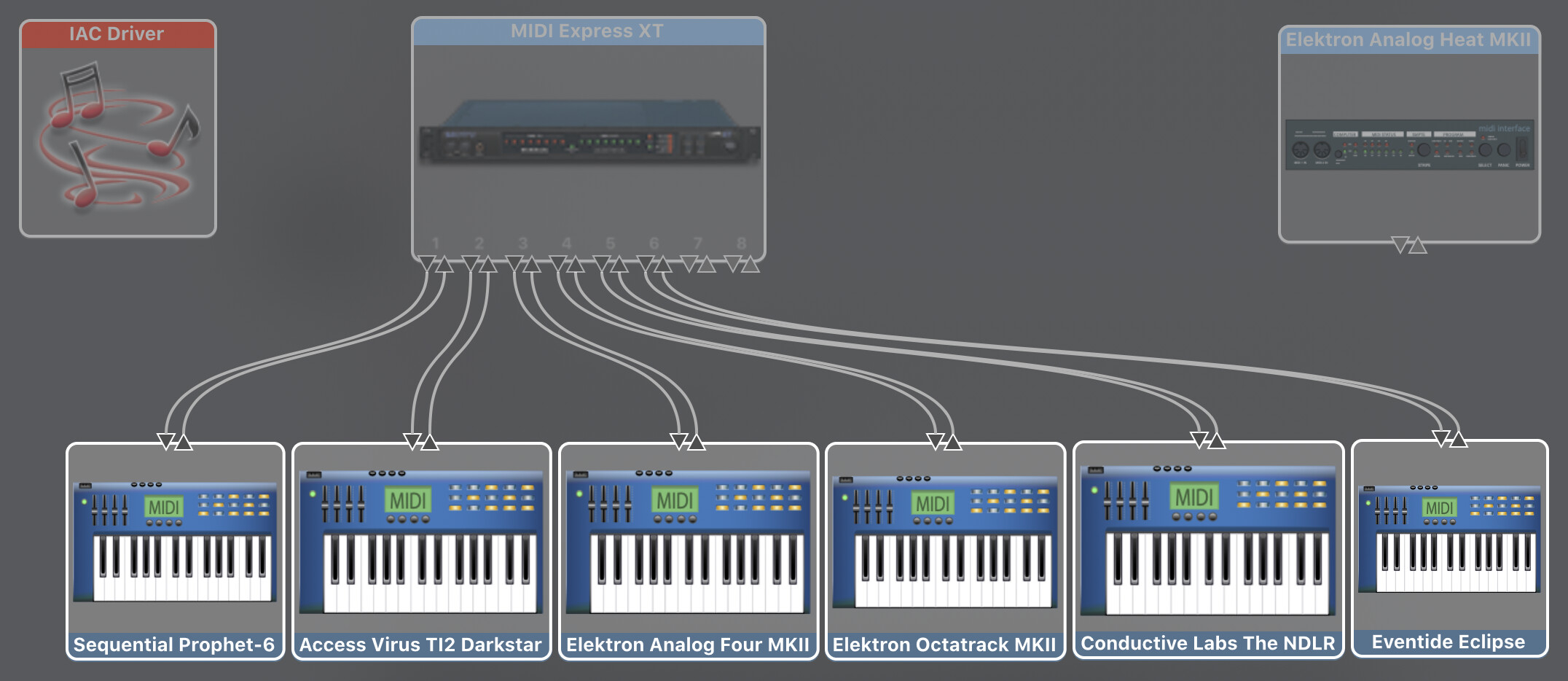
I’m a total newbie to MIDI and seek some help to wrap my head around a problem caused by my various synths communicating on multiple (same) channels - refer to the picture.
All my MIDI gear is connected to my MOTU midi express XT interface via its eight MIDI In/Out ports and they respond to the stated MIDI channels.
Is it possible to trigger only one instrument on one MIDI channel and not all instruments on that MIDI channel? For example, how would I trigger the Access Virus TI2 on MIDI channel 3 and not the two other Elektron devices?
How would I have to set this up in hardware and in Digital Performer 10 as well as Apple’s Audio MIDI Setup app?
I’ll try my best to explain in a different way what I’d love to achieve. For example, it would be great if I could have:
Device X play device Y on MIDI port 1 and MIDI channel 3
Device X not play device Z on MIDI port 2 and MIDI channel 3
Another example could be the NDLR triggering a motif sound from one synth on a MIDI channel and a pad sound on another synth on the same MIDI channel - same channel but different devices and triggers.
Is this even possible? I’ll have to play around when I find the time.
With “in hardware” I meant if there is anything in particular that I should pay attention to when configuring any hardware device?
Hello everyone. Trying to set up a jam session, trying to wrap my head around all this setup and wondering you think this will work.
We have a Digitakt, Digitone, Analog Four mk II, two Octatracks, a Novation Peak, an Analog Heat, a Keystep, and Kenton MIDI Thru 12.
Digitakt audio into the Analog Heat
Octatrack #1 audio into Digitone
Peak Audio into Octatrack #2 which goes into Analog Four mk II
Then record all gear into DAW via Overbridge with the Heat, DN and A4.
I THINK this will work, but my issue is with the Keystep. My thinking is connect all gear to the Kenton Thru 12 except Octatrack #2 and Peak. Instead, connected the Kenton out into Keystep, then daisy chain the Oct #2 and Peak off the Keystep.
Does this makes sense? Or is there an easier solution I am missing?
Goal is to essentially have three setups simultaneously recording into DAW via Overbridge.
Setup 1: Digitakt with Heat
Setup 2: Octatrack into Digitone
Setup 3: Octatrack sequencing Peak, with keystep playing Peak, and OT outs into Analog Four.
The Kenton MIDI through for syncing them all together and I chose Digitakt as the master, though maybe the DAW should be.
One person jamming on each setup.
I guess the main problem is lack of mixer - which is why I’m trying to route everything into Overbridge capable devices.