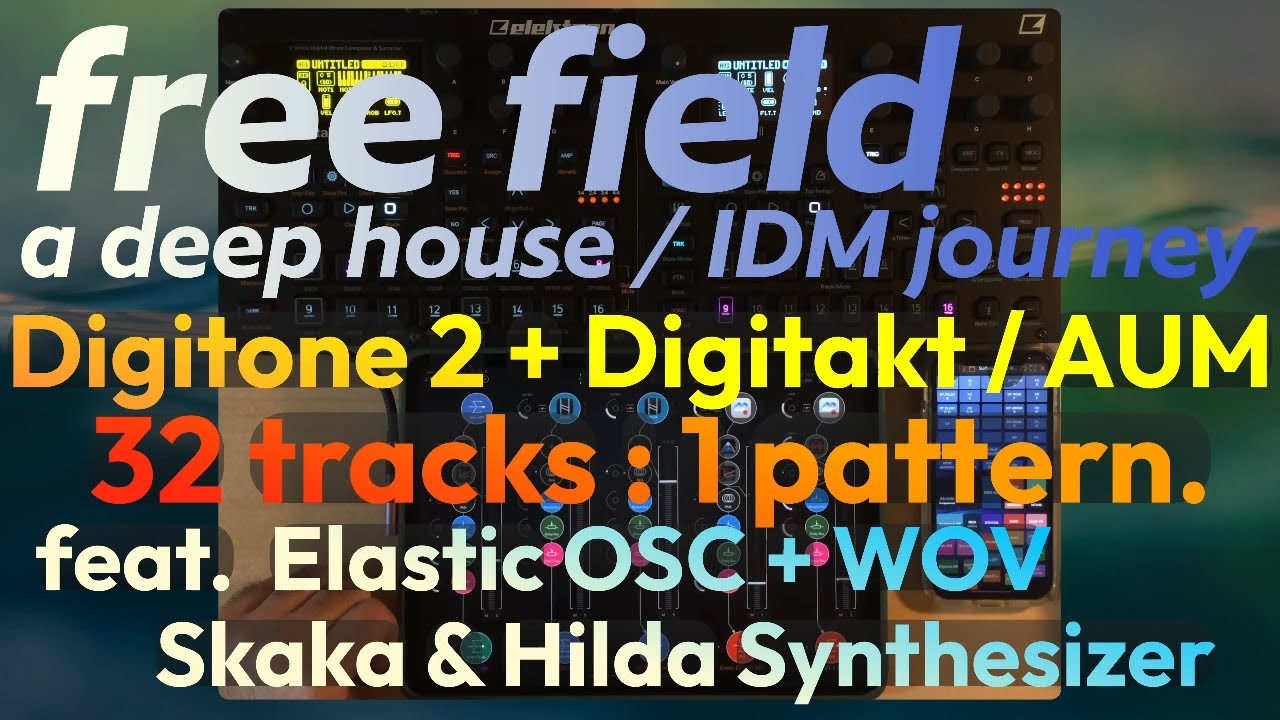
2-step influenced atmospheric deep house/IDM hybrid using the Digitone 2 & Digitakt combo with AUM. The track also features Quanta 2 (Audio Damage), Strng (Erik Sigth) Hilda (Bram Bos), OB-Xd 3 (DiscoDSP), Rings FX (4pockets).
As always, this is a live arrangement performance with no post processing, effectively showcasing how incredibly useful including an iPad Pro at the center of this kind of setup can be. Cheers!
Improvised Live arrangement performance of a moody deep house groove titled “Feels Good” recorded in one take/attempt (which is very rare for me). The track also features Skaka (by Klevgrand) and Rings FX (by 4pockets).
I made this demonstration video after discussing the TRIG probability strategy that I developed over time in another video.
The most powerful Elektron sequencer trick I know
(TRIG probability trick/strategy DEMO track)
If you’re interested/curious about the discussion/explanation video itself, a link for it can be found in this demo video’s description directly on YT. I also pinned the link in the comments section.
My most ambitious live arrangement project so far!
32 tracks, 1 pattern, while also extensively leveraging the Elektron sequencer based trig probability strategy.
Good stuff. Are you running Dt and Dn trough AUM, and then Main Out? Or are you running ipad trough usb into one of Elektron devices and use it as a audio interface ?
And how do you deal with latency?
Thanks! What actuality happens to the signal in my “Free Field” project is:
Digitakt analog output into >
Digitone 2 analog input >
[The signal of DT and DN2 is merged and, because the DN2 is my iPad Pro’s audio interface, the signal then goes from:]
Digitone 2 USB digital audio output into >
The iPad Pro, in AUM
[From there, the summed DT+DN2 signal gets processed in isolation with
Shaper (by K-Devices)
MagicDeathEye DDMF Stereo compressor (by Christian Siedschlag)] and:
Gets summed with the digital outputs of other virtual instruments loaded in AUM like:
Skaka (by Klevgrand) [1 instance]
Elastic OSC (by Oliver Greschke) [2 instances]
Hilda Synthesizer (by Bram Bos) [2 instances]
Reverb send bus (using custom AUv3 effects)
Delay send bus (using custom AUv3 effects)
Chorus send bus (using custom AUv3 effects)
All that audio then gets sent into >
My “Main Out” AUM channel, point from which that summed digital audio signal gets processed further by going into >
MagicDeathEye DDMF compressor (by Christian Siedschlag)
Transit (by Baby Audio)
Volcano 3 (by Fabfilter)
Pro Q 3 (by Fabfilter)
Pro MB (by Fabfilter)
MagicDeathEye DDMF STEREO compressor (by Christian Siedschlag) [not the same plugin/behaviour than the other version which doesn’t mention the word stereo]
TAIP (by Baby Audio)
The audio of everything then digitally goes BACK into the DN2 via USB and the DN2 lastly outputs the end result of it all through its analog output, which then goes into>
my PC’s audio interface
[which ultimately allows me to record the audio signal in parallel with a webcam video feed coming from an iPhone using OBS on my PC. the DroidCam iPhone app and OBS DroidCam plugin are involved. Ultimately only a video file is generated in this process, and this whole system is live stream compatible if need be.]
LATENCY:
Essentially there is no detectable latency (approximately 3.3ms reported), and that’s the whole magic of that setup (and IMO the reason why the iPad Pro is completely changing the “hardware”/“dawless” game as the value it presents is in a ballpark of its own). I run 48kHz / 128 samples in AUM with an iPad Pro M2.
Very importantly, I don’t use a limiter, which would have been the main source of latency.
TAIP adds 1.3ms and essentially performs the task of a limiter/soft clipper as far as massively helping loudness (it’s arguably the most important plugin in my chain), and the only other substantial addition is Pro-MB which I run in Dynamic Phase mode, with Lookahead OFF and 2x Oversampling, which adds 1.4ms of latency.
The whole AUM setup I used for the “Free Field” project despite being rock stable pushes my M2 iPad Pro close to its sustainable limit (this is strictly due to thermal considerations) because of the VERY heavy audio processing involved in this particular project. That’s a crucial detail to understand as it effectively highlights the heavy lifting role that the Digitakt and Digitone 2 play as sound sources. The amount of sound sources (synths & sample based instruments in this case) coming from the iPad directly in this project is rather minimal (5).
Thank you very much for this detailed explanation and tutorial, and time you put.
I will definitely get back to this post and in detail check it one more time and try to match some of the routing you did.
I have ipad pro from 2018, which is pre M chip, bionic A14 or A12, i don’t remember any more, and i need to be weary of amount of plugins i use. But i love this concept and wanna see to implement it into my production.
Thank you one more time, and will see to get back to you with my findings/setup.
At home because i already have Ableton live, i realized i don’t need ipad, but when i am traveling on a vacation this is my preferred combo. Just need to figure out good setup
My pleasure I had written what I shared in a previous comment as people on YT have also asked me about the audio routing in my setup, so this was a quick reply to write. I understand your perspective if you have access to a lot of plugins with your DAW. I’m also running my setup at home as a “no compromise” approach actually preferred over using my PC as IMO making music this way is a lot more immersive, ergonomic and conducive to creativity due to the format of the iPad and its touch screen interface.
I use my PC for monitoring, recording, writing down notes, consulting user manuals, and “post processing” of my iPad setup audio, either in real time or processing recorded audio. I can process my iPad setup audio output within my DAW in real time, but if I want to involve a limiter then of course there’s inevitably going to be added latency.
When I want proper mastering (which I did with Free Field) I can use my PC’s computing power to process and audition the signal coming out of my iPad setup. I can do mixing/mastering adjustments if needed (including micro managing each note coming out of the Digitakt/Digitone 2 with parameter locking) to optimize everything.
An incredible advantage of this approach is that when I no longer need to audition what my source signal sounds like when affected by my PC’s mastering processing, I can just turn off the auditioning of the processed audio within my DAW and go back to zero latency monitoring of my iPad’s output using my PC’s RME UCX audio interface and TotalMix to control all this.
The iPad centric approach is also incredibly cost effective (despite the fact that my overall setup is definitely not cheap) due to the massive price difference in the cost of plugins on iOS compared to PC/MAC. It’s not uncommon to pay about 80-90% LESS for the same plugins on iPad.
Lastly thanks to Ableton Link technically nothing stops me if want to integrate my iPad setup with my PC DAW setup for the music composition stage, but so far I haven’t felt the need to go that route precisely because I’m actively avoiding the screen + keyboard + mouse archetype when I create music as I find it very distracting/draining.
Even though I literally have my PC screen right in front of me, the fact that I can make music without having to consistently look at my PC screen and need a mouse changes everything for me. Most people think of the iPad as a mobile device but I approach it really as a module which I can control directly with my hands that I install and remove from my desk when I’m done making music, just like elektron boxes (those do stay on my desk though!).
This is definitely a super deep subject so I’ll stop there
I love this, and i can understand your approach.
But for me i like to split the two, as explained in another elektronauts thread, into digitakt exploration and then Live finalization.
Unfortunately one thing that i miss on my ipad is power, and i don’t plan to invest in a new one. And my pc is powerful to run all latest stuff without thinking about it.
But i will try to utilize some of your ideas trown here and see where it gets me, since i love ipad workflow, all the apps (have most of them) and, like you said, as a extension module of digitakt (that’s why i asked this question, because i see it in a similar/same way)
For me, this guy is putting out some of the best sounding music using this set up/gear. Deep, melodic, great sounds, evolving, interesting and has a groove.
When I first got the DT2, my plan was to use my iPad Pro M1 with AUM and some AUv3s as a kind of synthesizer rack.
Unfortunately, the USB connection proved to be unreliable. It always broke down after a certain amount of time. After a few days, I gave up in frustration.
Why so? I use this setup especially these days when on a vacation (it’s older model of Ipad pro- before M chip) and it works flawlessly.
Could it be faulty usb cable?
I connected the iPad directly to the DT2. I tried it with two different cables (both cables are USB C → USB Type B, in other words, suitable cables without adapters).
Both cables work flawlessly as soon as I connect my OP-XY to the DT2 to send audio and MIDI data in both directions. So I think the cables are fine.
I deliberately did not use a dock in order to rule out any potential issues. The next step will be to use a dock as soon as the connection with a single cable has been stable.
The fact you reported using a direct connection (simple USB cable between your DT2 and your iPad) and still got a malfunction changes things. Sorry for assuming you were using a hub, it was so likely that I just went for it
If you’re not even trying to pass audio (digitally) through the USB cable and you’re getting disconnections between the DT2 and AUM (assuming you’re not physically moving the iPad or the DT2 at all during this troubleshooting phase), there’s a possibility your iPad Pro might have a faulty USB-C port.
What I would try would be to test a connection between your computer and your iPad (ideally using a brand new USB-C to USB-C cable) and to test when you ever so slightly move the cable at or near the connection point on the iPad side if you’re losing charging momentarily. Typically in these circumstances on PC if there’s a problem you would hear some sort of a “bleep” to signify the end of the connection between the 2 devices. If that happens, it would confirm it’s the iPad’s USB-C port’s fault, and that would confirm it’s a physical issue.
There’s an off chance if this is your case that if you use an intermediary USB 90 degrees angle adapter (like what I use) between your USB cable and your iPad that it could fix the issue physically because these adapters are VERY tight fitting (much tighter than plugging in a typical USB-C cable to your iPad) and so that in itself might allow you to bypass having to do anything to fix your iPad’s port, it’s a gamble though. At least you know the DT2’s USB port is not at fault since it works reliably with your OP.
I spent the whole evening yesterday jamming with the DT2 and the iPad Pro. Everything worked great, no connection interruptions. I have no idea why it’s working now. Maybe one of the many iPad OS updates that have been released since then helped.
I worked a bit to find a suitable workflow with the iPad but me really starting to get happy with it Even if some choices have been made for economical reasons.
Your last 2 posted video appear private to me btw.
Hi! Thanks for your interest! I hope you find some useful bits in what I’ve released on YT so far. Finding an optimal/enjoyable workflow on iOS is destined to be a work in progress… Overall though I believe I’ve achieved a respectable/satisfying “solution” with the approach you see on my channel, to the point where I no longer feel the urge to put everything in question to find a viable approach. It took a LOT of effort and research to get there though.
The weakest part of my setup remains the difficulty of having access to convenient raw STEREO audio recording/playback functionality in the context of AUM. I wanted to solve this by involving Circa Looper but it doesn’t yet have the adequate level of polish to completely address this.
I haven’t been willing to invest in Loopy Pro so far as overall it aims at being its own host (even if it can be hosted) but I’m aware it could probably address the stereo audio recording/playback lack of flexibility in my setup. I’m just not that interested in spearheading the idea (and paying to find out) for now as I want AUM to remain at the centre of my setup. I’m also unsure if combining AUM with Loopy Pro is viable considering resources usage efficiency. I also haven’t been willing to give Koala a chance because I’m not convinced it would give me the level of control I expect/need out of a stereo sampler, especially being accustomed to the Digitakt.
Originally when I imagined my setup I was counting on using Cubasis 3 in parallel with AUM and using Ableton Link to tie everything together, hence gaining access to the stereo audio recording/sequencing capability. I quickly discovered Cubasis was essentially unusable as it couldn’t deliver clock properly to my Elektron boxes and would cause desync issues when switching my iPad’s focus from AUM to Cubasis or vice versa even if I was using AUM to send MIDI clock to my Elektron devices to circumvent Cubasis’ failure to send proper clock. At the time I was so frustrated when I discovered this (about 2+ years ago) that I haven’t bothered testing it since, even though many updates have been released for Cubasis, I’m just disillusioned that something as fundamental as sending MIDI clock could magically start to function properly after seemingly not being addressed for years.
About my videos being unavailable: Sorry if that disappointed A while ago I decided to hide them and I forgot to remove their mention on Elektronauts. I just removed them now.
Even though I liked the content and had fun making it at the time, I consistently felt that most people did not and that this would be unlikely to change in the future. IMO it’s preferable to keep my YT content as streamlined as possible. Posting too much stuff that doesn’t hit the mark can cause a “quality dilution” effect, which can ultimately negatively impact people’s willingness to listen. I’ve made 52 videos so far, and only 30 remain publicly visible. I guess that’s a good measure of my willingness not to fall in that trap.
Lastly, and on a completely different topic:
To anyone curious as to why I haven’t posted YT content in the past 4 months:
I’ve grown deeply tired of YouTube’s visibility management system. Most of the live arrangement performance music focused videos I’ve released (that do not involve talking & sound design) get systematically flagged as “just music” (which severely throttles my visibility) whereas the whole point of video recording these live performances with such a POV is to reach an audience that is actually interested in the intricacies of the live music making/arranging process involving the iPad Pro & Elektron boxes, perhaps to find inspiration to help develop their own process. Sadly it’s become overwhelmingly apparent to me that YT makes it extremely difficult to reach that audience.
Do people actually believe content like this deserves no more than 160 views in 8 months?
People are of course free to have their own opinion, but I don’t think such a small exposure is fair for content of this quality.
A big portion of my incentive to make these videos to begin with was to share information through demonstrating the revolutionary potential of the iPad Pro in action as a part of a music hardware setup (as opposed to just presenting YT music videos strictly for entertainment purposes) in order to empower people in the context of their own music exploration process. The level of engagement that this particular kind of content has generated either shows that the right audience is either not being reached, does not exist in sufficient quantity, isn’t ready or does not care for the content, or actually rejects the content. My talking videos actually show that there is an audience, but generally that has gravitated more around Elektron machines content.
Bottom line, even though I remain 100% convinced (Morpheus style!) that my content is relevant and useful, my perspective is that any hope I could have had of eventually being financially sustained by making content that bridges the iPad Pro world with the music hardware world (obviously mainly focusing on Elektron boxes) has been squashed by the empirical observation that the YT platform is dysfunctional for my use case. Music remains my passion and I’m proud of the content I’ve released but as it appears I would have to modify the core nature of my content (by having to switch to mostly talking content) in order to be visible at all, in my mind there’s no longer a middle ground where I feel like I’m truly getting something out of the process in the absence of financial incentive. I’ve grown to see making YT content in this context as a form of enslavement and as my fundamental motivation remains music exploration, I’ve chosen to let go of making YT content, for now at least.
I personally hate music related video where there is no music ! And there are countless of them !
Sadly, yt algorythm seems less and less useful for anyone these days.
Regarding iPad , I settled on Loopy because it’s modular in its approach and allow to me to build my own system. ( recently support told me : loopy has not been built to do that ! And guess what ? It actually works anyway)
I’m still using aum for prototyping and testing ideas, much focused ui for quick sketches.