Yes very stable. Only issue in this work flow is that you miss transport controls from the MPC. Also, in case you’re trying to finish an existing standalone project, you should note the BPM of your project before opening cause the plugin will follow live’s and not the one you had on your MPC project.
2 Likes
Has anyone tried making an arrangement in one big sequence then? That sounds interesting is it a good workflow.
I don’t have a standalone. But in the software that’s how I make my tracks. In one sequence. I only use other sequences to experiment something within the same project. In theory you can use other sequences and then make your track in the Song Mode. But on a computer this is not a necessary activity. If anything I think it is not a good practice as MPC Software has a lot of painful limitations.
I did this a handful of times. It works well if you aren’t using loops, but the moment you decide you want to change something that repeats a lot throughout the song it becomes a massive pain because instead of changing it on a couple of patterns, you have to change it in every single place that it occurs.
2 Likes
Since we’re talking about sequencer workflow this repost may helpful to some:
Akai Force: How to Emulate the MPC Song Mode in the Clip-Matrix
Peace Akai family,
Over on the MPC thread on Gearspace (I go by Wise Beats there) we got into the differences between the Force & MPC style of sequencing songs. I explained how the Force could be used to emulate the MPC song mode via the Clip-Matrix & the unique way I use it with something I call the “Clip-Bank Method” (CBM). This is 2 short videos I made to explain my points to them & may & be of interest to you guys.
This is a link to one of the members I was talking to that lead me make these videos: https://gearspace.com/board/showpost.php?p=16935837&postcount=31010
If you go there & read back some post I explained more about my method. I hope this clears up some confusing about the different styles of sequencers. The Force may still not be your thing & that’s cool.
If you don’t want to use the link here’s some quotes from the site, but the site has way more info:
[QUOTE=Leighty;16935837]Having come full circle back to the MPC world but now with a MPC 4000. I swapped my Push 3 for this last week. I’ve also owned the newer MPCs in the past and the Force.
I’ve come to realize as ‘fun’ as clips in Force/Push are to come up with ideas, it’s a hideous way to arrange a track. With only 8 scenes to view at a time, and a never ending combo of pad colours…try to actually piece together a 6 minute arrangement using scenes is so hard and messy to follow. Don’t get me wrong it’s totally doable but in practice it gets confusing. Push 3 is even worse in that you can’t set follow actions and tbh follow actions in controller take me ages to setup.
The MPC 4000 has reminded me how tried and tested the MPC workflow is for song writing. I like that you can build on a non-destructive arrangement in song mode based on your patterns and then print the song to a new pattern. Optimal approach I have is to setup each song to actually be a section e.g.
- song 1 = intro . Intro is made up of four 8 bar sequences
- song 2 = drop 1. This is made up of 4 8 bar sequences.
- song 3 = break 1. This is made up of two-four 8 bar sequences
- song 4 = drop 2. Two to four 8 bars seqs
- song 5 = outro. Two 8 bar seqs
You can chizel away at your sections this via the underlying sequences, or very rapidly produce a simple set of seqs just using mute states. Then print each song section to a new pattern. Do more detailed edits in those, and then chain then to make a complete edited song.
It’s a really solid workflow, even if not super quick, it causes you to focus on sections and move forward in a linear way.
I love MPC sequences and song modes![/QUOTE]
[QUOTE=Wise Beats;16936940]What are you talking about? You can view all 128 tracks & 999 (if you have that many) scenes at once in the Navigate view. You can only view 8 tracks & 8 scenes in the Clip-Matrix which is like the main screen. How many sequences & tracks can you view in the MPC at once?
All tracks & pads can be set to the same color.
Akai Force: How to Emulate the MPC Song Mode in the Clip-Matrix
The first video I show how you could make the same MPC song structure you gave me in your post, tho you didn’t tell me how many tracks you used so to keep it simple I just kept it to 8 so everything could be seen at once. On track 8 which is blank, I used it to name the parts of the song. The first 4 clips are named Intro#1, Intro#2… . I made the intro part beforehand, with four 8 bar seqs. K1=Kick S1=Snare, H1=Hats.
Then I did the Drop section live by making each clip one by one. I forgot to renamed them to Drop#1, Drop#2, but as you can see, once you rename the track, all new clips will have that name & the Scene number it was created on.These are just dummy tracks & clips & normally you would make them as you grow the project & record into them. I could’ve did the rest of the songs sections but, hopefully you get the point of how you could recreate all them section in the Clip-Matrix"
I finish by showing how fast you can delete & copy clips by using the the 64 pads that not seen in the video.
Akai Force: Clip-Bank Method (Ruff Draft) --AKA Ableton Style Sequencing.
The second video is me roughly showing how my “Clip-Bank method” works to create a new song with just copying & pasting the clips in the Clip-Bank, which is all the clips above the blank row of clips on scene 8 using the Inset & Capture feature. I start by putting them on scene 11 keep some kind of order to the song. If I more than 11 clips in the the Clip-Bank I would start the song on Scene 21. I put a blank row of clips at the end of the song to signal that the song is over & if I want to make a new version of the song I would start any where below it. Remember there’s 999 Scenes/Clips.
Pay attention to the Launch scene numbers on the right side of the screen. Off screen I’m using button shortcuts to move around the clip-matrix super fast. I then show how the Navigate view can show you the whole Project at once & how you can use it to move around the clip-matrix. You can hold Shift+the top 8 pads or Shift+any of the Directional buttons to move by 8 tracks at once.
This Project is one of my custom templates & each of the different colors is for a different synth. The first 16 gray tracks is for the RS7000, next 16 Light Blue=Proteus 2500, Green=MC707, Dark Blue=Akai Plugins, Next Red=TR8S which really has 11 tracks but to keep it even with 8 I put the last 3 after the 8 Yellow Audio tracks. The rest is dummy tracks & the last red one is a Drum track.
Finally I show the Arranger that had data from an older project just to show what you can do with the “song” in the Clip-Matrix once you record into it"[/QUOTE]
I’ll make a more detailed video for the CBM later as its still a work in progress, but as is, its enough to give you an idea & how it works to help you make better compositions on the Force. Any questions or advice to improve it please let me know.
1 Like
Has there never been the ability to change the GUI skin? Or any talk of it? I find that red and grey scheme depressing. Feels rather dated. Fonts need to change also.
6 Likes
It’s march 17th akai.

march seventeenth

You got the stuff or not G??
4 Likes
Still 2 weeks in the month
2 Likes
Moog and Akai are both part on inmusic, and in January moogblog reported that stems would be released in February. One would assume that their information is coming straight from Akai via inmusic (otherwise why is moog reporting on akai releases in the first place?) so at that point this should have been officially “accurate” however in Feb the Akai website updated to March and it’s now past mid March.
Uncertain how much the March release date can be counted on as accurate. I would rather get a complete product without whatever bugs are holding it back, but I’m not a fan of the set dates and then push it back methodology.
This is why I don’t understand complaints about Elektron not being more forthcoming with plans and dates of releases, it seems like that just builds expectations and even if the reason for not delivering is valid, it doesn’t instill confidence in the process.
By process I mean the typical “publicly set a deadline, meet a deadline” type of corporate accountability. For some technologies it’s just not practical.
4 Likes
I should clarify my thinking/intentions with this… I don’t think I’d ever complete something standalone MPC for the reasons you said… I’ve been thinking about switching to an MPC hybrid mode, similar to Push 3/Ableton… so work MPC standalone to a point then switch to MPC DAW with the hardware in controller mode.
I think I’m in the minority, but there’s something about MPC Software as a DAW that I really like, and obvs that opens it up to 3rd party plugins and efficiency with certain editing/mixing tasks.
1 Like
As someone who recently switch from Reason to Live, I’d place the MPC software at a distant 100.  That’s interesting that you enjoy that DAW. It seems very illogically laid out to me, and those arbitrary limitations of not even allowing master/bus automation is a total showstopper to me. I suppose if you get to a point where it’s nearly perfect and then you route the individual outs to channels in Live and do the final touches there, it could work. But at that point I’d much rather export earlier and leave the MPC software behind.
That said, I think this is one of the things to really appreciate about the MPC ecosystem: it offers you so many different ways of working, from just using it as a creative sampler, through stemming out early ideas or even complete song structures, to approaching a final mix and integrating the MPC VST in your DAW.
2 Likes
Barbarian.
6 Likes
core value
1 Like
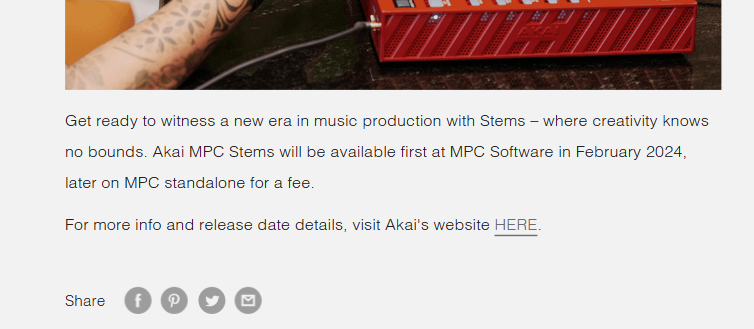
What’s the orange device in the picture?
Red MPC One, I believe.
2 Likes
I agree with the creativity. Other than using my Minilogue XD, I produced everything in MPC Software.
No need to repeat it, the fact that you can’t automate submixes is a terrible disappointment. There are ways around it but let’s face it it’s not ideal. And for that reason I started to use Ableton Standard last week for my final automation of submixes.
But like another person said above, there is something special about the Software. To me it’s to be limited to 4!!! Inserts comes first. This literally forces you to be more creative or design a sound better early on or learn how to mix better even during the production stage. Sure you can have 10 plugins on a track in Ableton but I find it distracting to be honest. at least for my purposes. I am sure there are times someone might need it.
I also like Air plugins. They are so underrated! I like the VSTs user interface too.
I like the way I was working and I am quite good at it. So I will keep producing in MPC Software as much as possible either by using it as a VST plugin in Ableton or separately.
2 Likes
Maybe I’ve been superficial and dismissed it on the ground that is ugly as f**k, any good starter resources for a seasoned MPC Standalone aficionado?
So many tutorials but I usually found them confusing. That’s why I even started mine oriented towards producing house music but then gave up. I am not built to be a “content creater” 
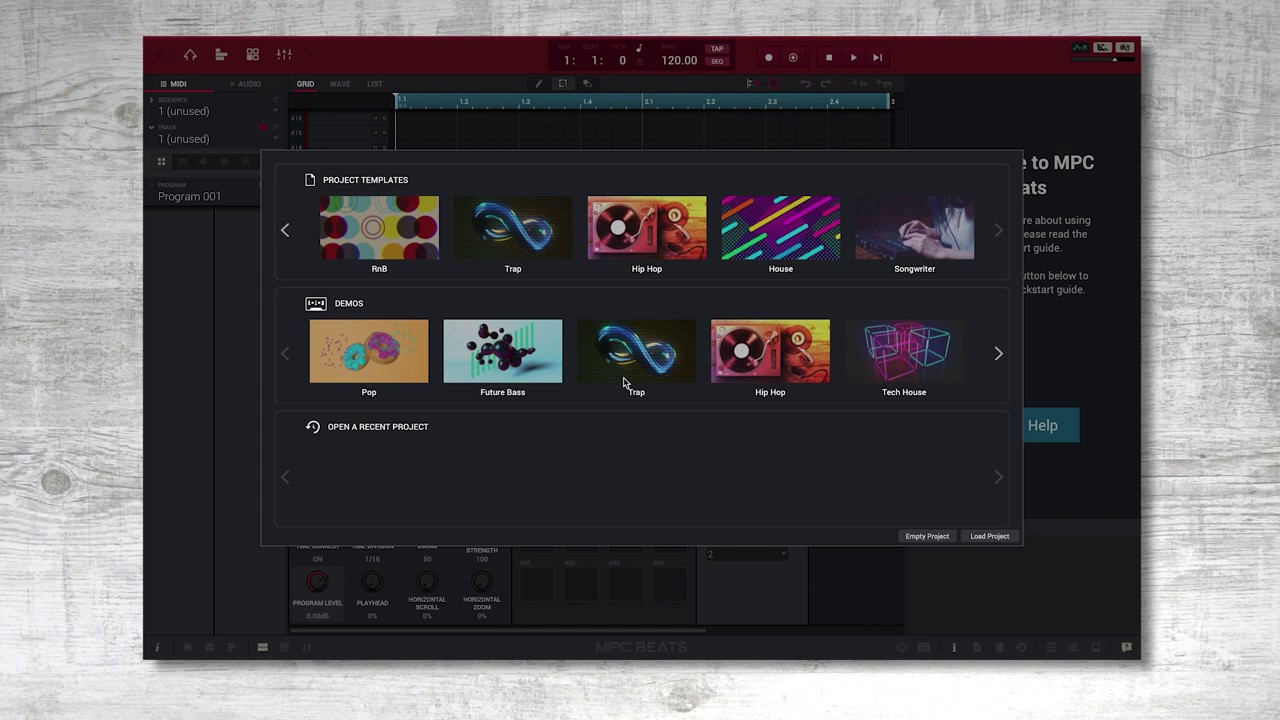
I would suggest the cleanest and easiest as the official free MPC Beats series. MPC Software is just an expanded version of it with unlimited midi and audio tracks (I guess 128 but who’s going to use that many) and plugins etc.
This will take you to the playlist. Also if you ever need any help happy to answer as much as I can.
1 Like
Had the MPC One+ for 3 weeks now, so much fun! Made my second beat tape with it… enjoy!
Thank YOU! for listening…
2 Likes
Nice, LA Woman sounds like Gorillaz Clint Eastwood though unless I’m trippin
1 Like