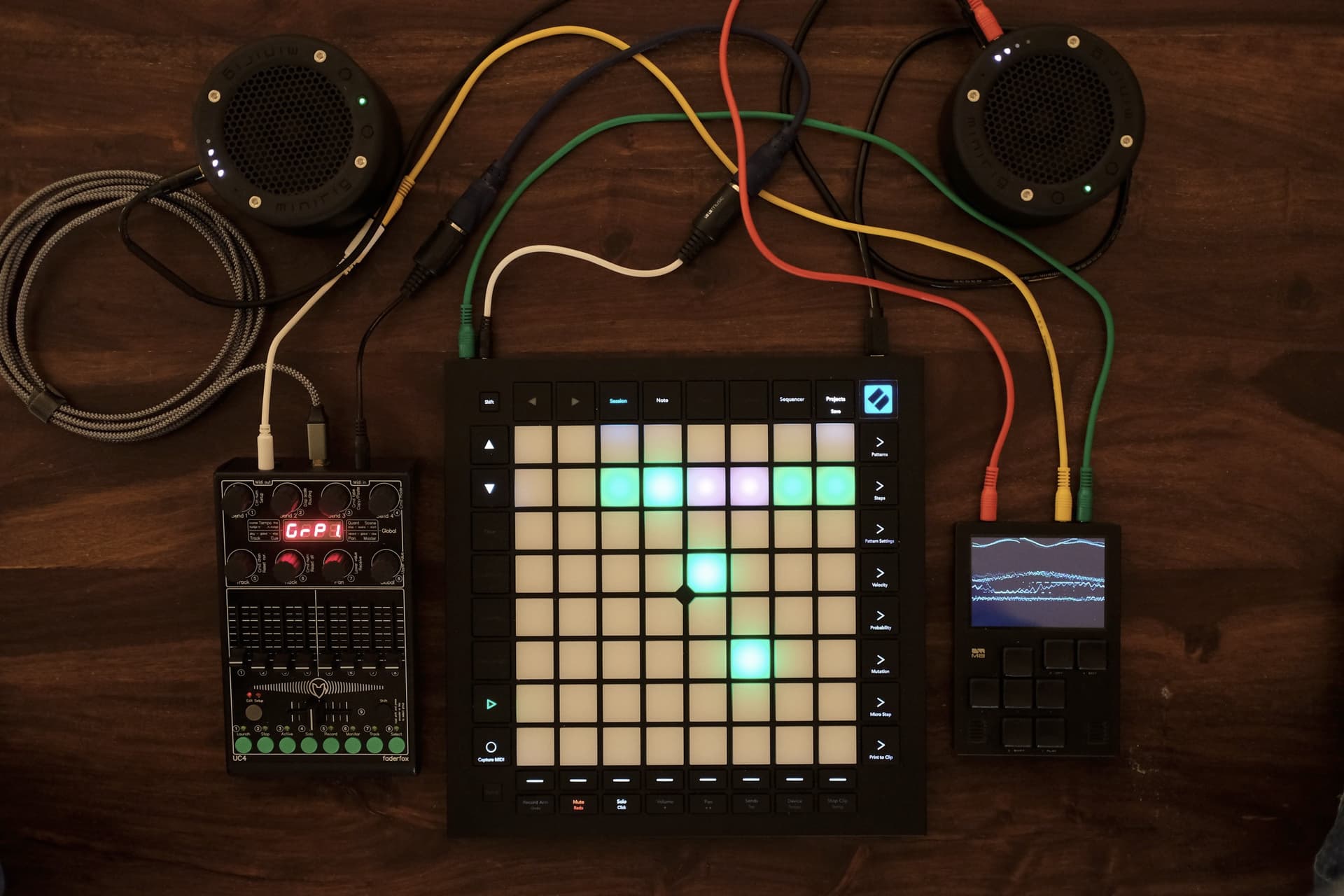
As it seems the M8 is soon going to enable separate track streaming to a host, I’d like to take advantage of this for my live act, and root one or several tracks from the M8 to a hardware FX, via a phone with a mixer app (I don’t want to bring my computer on stage just for that)
As I used to use an iPad in the past, I’m familiar with AUM. So I’ve been looking for something similar (enabling me to multitrack via a phone), but with an Android phone.
I did a little research and I was surprised to see there doesn’t seem to be anything like AUM for Android? I’m probably wrong… Please tell me I’m wrong…
You’re not wrong. Unfortunately, the music app landscape on Android is barren, and there’s no reason to think Google will reconsider their “we don’t give a shit” stance anytime soon.
Afaik the issue is that so many different Android devices with vastly different hardware exist, developing low latency dsp apps isn’t really profitable. Google has improved audio and midi performance in the past, but only a handful of devices actually work well.
Wow, that’s crazy…
A mixer app didn’t seem so exceptional to me
Bummer, I hate the whole Apple environment
I will have to dig out my old iPad, that might not work anymore once updated due to planned obsolescence…
the real issue is huge audio latency of Android audio subsystem that is what it is by design, and this can’t be solved without certain fundamental changes that no one’s willing to make.
How about a Linux device. You could try a raspberry PI 5 with an ARM64 DAW; Reaper, Renoise, but you’ll need some sort of screen. Steamdeck is also a good option. You can load Reaper, BitWig, Renoise, or any other Linux DAW on it. I’ts plenty powerful and works low latency with most class compliant interfaces I’ve tried.
I understand the frustration, but it has been known for many years that Apple offers the better platform when it comes to mobile music production or audio processing.
Planned obsolescence is a buzzword that smacks of conspiracy theory. It’s true that even Apple devices eventually become obsolete and can no longer be properly used. Devices that no longer support a particular os can no longer have it installed. This has other causes but is not planned obsolescence.
Exactly! I’ve once tried a music app, sort of a groovebox, on Xiaomi and it ended up crackling when more than one track is occupied with a synth. Switched to iphone - no issues. So android devices are so different that you as an app dev will have a hard time adapting your app to some shitty xiaomies.
I’ve had clicks and crackles on a top of the line Samsung, so it’s not uniquely a Xiaomi issue.
I absolutely prefer Android for everyday use, but it sucks for music in general, despite having a few great apps (I beta tested Wave 6 that was released recently, it’s awesome).
iOS for music production is pretty stable even with an old device. I have two iPads, and my 2017 iPad Pro is still able to run almost everything, though I use a newer device for running large multi-instrument projects. The 2017 iPad can’t update to the latest OS but it can run all the plugins I own still.
I get all the frustrations around Apple and their walled-garden. But honestly for music production I think its worth it as a middle-ground between ITB and OTB. The plugins are cheap and things mostly just work (besides USB-C docks and Audio Interfaces which you need to know which ones to buy). Apple “locking down” the environment/hardware has allowed stable music production to flourish in the space.
You can spend ~1k on an iPad, audio interface, USB Dock and plugins and have a high-quality setup with a ton of power. All the Waldorf plugins, Korg, Fabfilter, Drambo, etc. You could go cheaper too and still do a lot.
Sorry, that was somewhat a tangent from the point of this thread
Yeah, unfortunately audio was never a priority. From what I’ve read Google has improved audio and midi performance, but with such a vastly different hardware landscape they probably think it won’t be worth to invest into fixing the root cause, because there would be so many customers with lower end hardware where performance maybe won’t be what they expected and also developing for hardware like that with so many different manufacturers probably is a challenge even for Google.
I never really used Android for making music, but I still use my wife’s 2016 Iphone SE as an editor for my Eventide H9. I also have a few Moog apps and Synthmaster on that phone, but don’t really use them.
I’d go also go for an older Ipad or maybe a refurbished current base model Ipad. Android is fine as an idea notepad (for example with G Stomper Studio) or maybe as a non synced sample player for some background textures.
Or maybe as an editor for synths or effects pedals.
Adding an iPad into the picture might seem like not a big deal. But it would increase the footprint by some 30%
And I would rather avoid screens as much as possible, so a phone-based AUM would have been ideal. But I don’t own an iPhone.
Yes, that’s an option.
As a matter of fact, I wanted to use hardware FX, and I just needed AUM to extract one of the tracks of the M8 via the USB out (that’s new to the latest FW on the M8) to feed it to the said hardware FX.
But everything is becoming more complicated. So I guess I’ll just stick to my current setup.
Whenever I add a piece of equipment, there must be a strong rationale.
AUM is usable on an iPhone but a lot of scrolling is required. I’m not sure it would work well for your live use. Trying the old iPad would be a good start. A used iPad mini would not be too expensive and would not increase the footprint much.
Yes, I’ll probably give it a try with my old iPad. I think I had AUM on it.
I shouldn’t need to scroll anything during a performance, the idea is just to set it up to have one of the track out of the M8 via USB - possibly one of the FX bus.
While performing I would just assign knobs of the UC4 to the dry/wet of M8’s internal FX bus to use it as a send on various tracks.
That is a good philosophy. I think we will see some interesting uses of the new multitrack audio on M8, and some of those might build such a rationale for you.