Recently, I was able to record from my MIDI keyboard through the Digitakt (in) to the Digitone (in), but I’ve somehow lost it and can’t get it back (the settings). I’ve dug through solutions and tried nearly everything, but I can’t figure it out.
Essentially, I recorded midi into the DN, then sent the midi data back to the keyboard’s sound banks.
I would super appreciate anyone’s suggestions and help! Any ideas?
I have done this in the past playing a keyboard on the DT Auto channel to play into one of the DT MIDI tracks. Then that track is configured with the DN auto channel which should play to the currently selected DN track.
Is everything set up correctly in settings / midi config / ports config ? Especially is thru port func set to midi ? Are you able to play digitakt from your keyboard ? If yes, are you able to play the digitone thru the dt ? If you remove dt from the chain are you able to make it work? Same if you remove Dn ?
The auto channel plays the current chosen track. So if keyboard is set to auto channel 1 it plays DTs chosen track. If you play midi to chosen track that track in turn need to be set to send midi via the out port. Cant remember how the sample tracks are set up default but test setting one of the midi tracks to send on channel 1, chose that track as active track -> then DN should recive midi if set to recive midi on track 1 when playing the keyboard.
 Any ideas?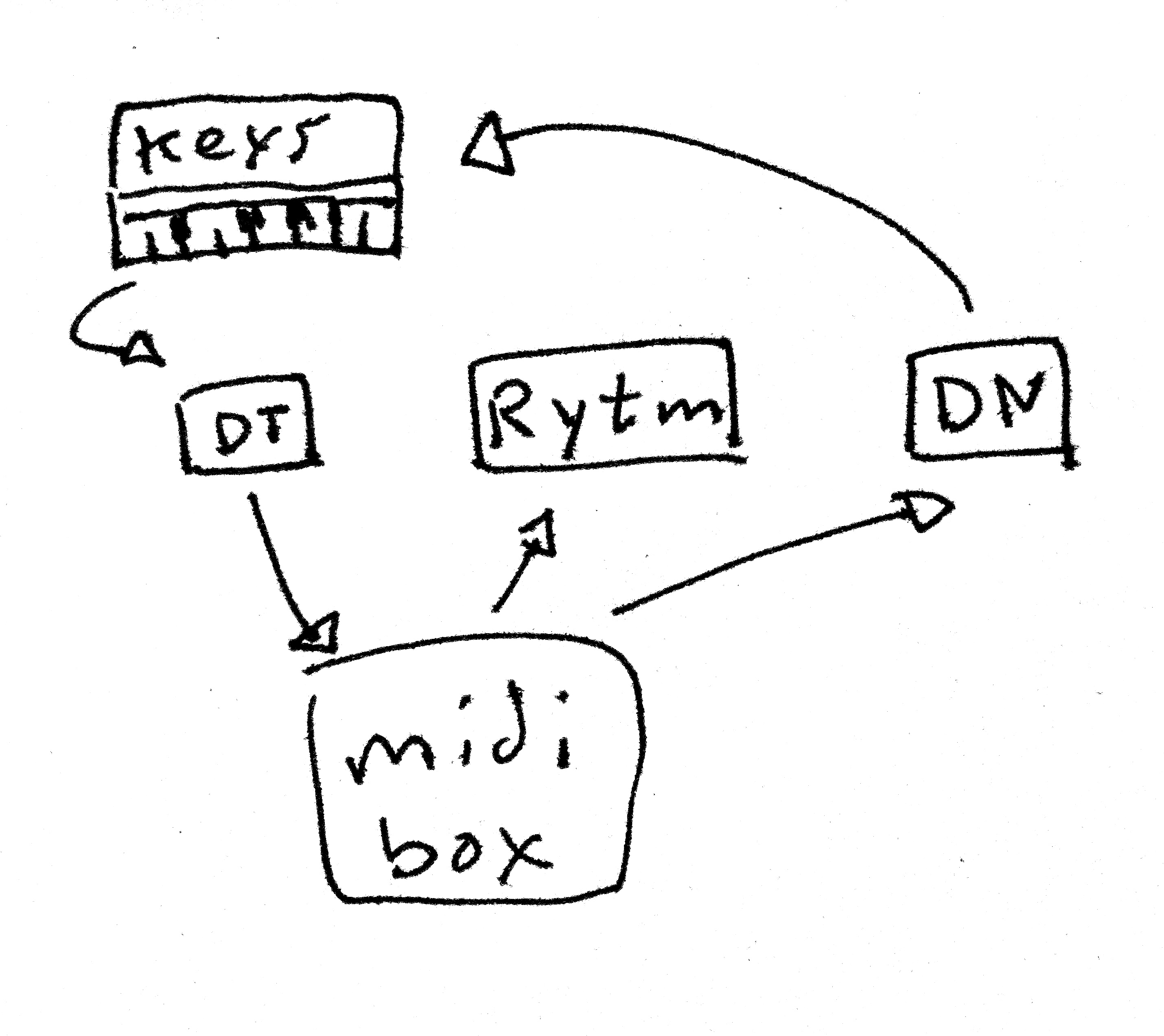


 (I’m really lost as to why this isn’t working)