Like I said, I’m not opposed to a computer-involving workflow. God knows that chopping samples on a small old school screen is no better for the eyes and soul than doing it on a bigass computer screen. Keeping track of all your sample banks for all your different boxes is no better, and let’s not talk about midi / routing situations that can ruin an evening of beatmaking.
I think that what I want is mainly decluttering my setup by adopting a solution that is complete enough to let me make a (somewhat) full track, but freeform enough that I can try different possibilities quickly.
@olafmol thanks, that’s exactly the kind of things I’d like to know! The little details that can get on your nerves in the long run…
great sum up! To be fair: I like the routing on the Maschine, it’s (also) very flexible with busses, inserts and aux sends.
I think MPC with 2.8 has the advantage for MIDI integration, although I can do everything with Maschine that I want MIDI wise. It’s indeed lacking the CV aspect.
Resampling and sampling works very well in Maschine tbh, super smooth and fast workflow, the only thing missing is lack of “auto-sampling”
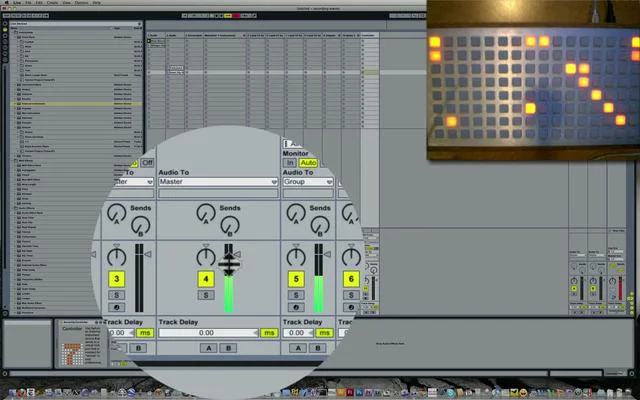
A bit OT but does any one of you remember the monome + max for live 7up, that was my first controller for Ableton Live and way ahead of all other controllers. It´s like the blueprint for Push intergration. Was also avaible for Novation Launchpad, Maschine and ( afaik ) the Apc40.
My mate who is a DJ adores the Maschine Mk3 and has been using them since the original version. I love the incredible drum and synth sounds that it can produce thanks to Native Instruments’ stellar software instrument packages. I personally never got on with the Maschine software but I’m set in my ways now as an Ableton Live addict.
I had an MPC Live and it was impressive as a sampler and sequencer. Didn’t like the touch screen and the built-in instruments sounded like run-of-the-mill iPad apps rather than the rich offerings from VSTs. But I do love the MPC workflow, it was the first method of making electronic music that clicked with me.
Me personally, if I were going to get another MPC it would be a 2500 with all the trimmings (JJOS, fat pads, upgraded RAM, SSD etc) because for the price they knock these new offerings out of the park. But I’m 34 years old and am happy to work with the old-skool screen and clicky buttons. You may be younger and/or prefer the touch screen.
I’m 35, never used an iPad, just got my second smartphone ever… So yeah, touchscreens, I don’t know. Sounds cool on paper, but then I see peeps trying to edit notes on the MPC and it seems messy as fuck. Let’s say that it’s not what I find appealing with these new units.
Forgot to mention: I don’t have a lot of hardware, and I’m more about selling it than buying more, lately. Whether MPC or Maschine, the idea is to get a solid core that can function alone, then get some quality pieces as I go along in the long run. So… Super detailed midi sequencing is not really a huge selling point (and I still have my OT to go bonkers when I want…).
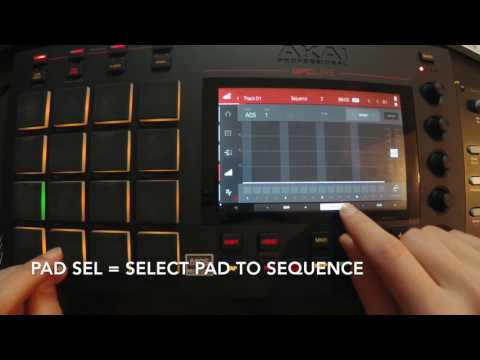
IMO editing notes with the touchscreen and the Q-Links is very efficient and quick.
I use my MPC X often for live recording MIDI, when I play on a keyboard, with both of my hands, and sequences of 32 to 64 beats. Since I don’t practice my ideas, because in this mode I’m almost only improvising, I get “unhappy” accidents sometimes. The MPC X is the first OTB machine in my arsenal, which supports me to zoom in an area of interest, pick an event or a selection of events very quickly, to make corrections on the fly, and continue with my idea as soon as possible.
We all know the beauty and joy that is the OT so i won’t get into that.
After 3 weeks of use i feel totally at home with the M+ and it has a lot to do with the workflow. I’m a first time Maschine user but i found it instantly satisfying to play the instrument.
While i like my MPC it just feels like an antiquated workflow brought forth from the past and how MPC use to work. That’s not a bad thing, it just feels like more work and screens and views and drill ins than i want when grooving.
I am really happy with the investment of the M+. It’s ticked all the needs i wanted from the MPC One, which i never really accomplished. FWIW, if you own an iPad or iPhone you will not enjoy using the touch screen on the MPC line. It’s slow and feels like you’re using an ATM at times. I am glad the M+ is knobs only.
imho the mpc workflow is only antiquated if you don’t need the capabilities that it has that Maschine does not… if you don’t need recordable mutes and solos, bpm/tempo per pattern, track explode, midi merge, time signature per pattern, sample stack freeze flatten including fx per pad, auto sampler, and Ableton Live export to name a few…
really depends on the workflow you need to evolve your music like you mentioned earlier, if you don’t need any of the features listed above then I would definitely go for Maschine +
the touch screen has it’s uses but it’s not mandatory for the most part
fwiw, the MPC is a great device that suits a particular workflow. If you get either it or the M+ you’ll be a happy camper. It always comes down to what you need to take your craft to the next level…
I always tell people to check the manuals of what a beat machine’s sequencer can do because a lot of good folks think just because something came out today, that it can do everything that a beat machine that came out yesterday can do… in particular in regards to MPCs this is often not the case.
Not only this … there is a Ableton Control Mode as well … it’s not a replacement for a Push, but if the MPC is hooked up to the computer anyway … it’s a nice feature.
Generally speaking I would say that most people, who use Machine or MPC as their preferred instrument for long time, will tell, that this is the better solution (for them).
This phenomenon can be observed, even if the “tool” is very weird and quirky in the eyes of many other users. If somebody is used to it for years, has developed muscle memory, knows the thing in and out, is fluent in all major tasks, and it satisfies most of his/her needs, he/she will stand up for it. And there is nothing wrong about it.
The problem with MPC and Machine is that both are very deep and a potential first time user faces the challenge to analyse and understand, what he/she really wants and needs. That’s always a hard job
I think I might go with the MPC One, after all. Maschine looks mighty cool, but I’m afraid I’ll fall into the “too many presets / options” paralysis and begin chasing one vst after another “just to try it, you know…”. With the MPC, what I know the best, sampling, stays at the center of the workflow.
Hello. This isn’t 100% accurate I’m affraid. With some workarounds you can:
1/ You can automate volume in the channel window. The mixer indeed is fixed and cannot be automated.
2/ You can automate mute-solo by using Locks. You need to sequence lock states in the Maschine sequencer by using a virtual MIDI cable that loops back into the software. While not ideal and sort of a hassle, it is quite flexible.
The locks alone is in my opinion worth getting Maschine. I’ve used pre-renaissance MPC’s for years, and compared to those, Maschine is miles ahead and also quick, reliable, intuitive and most important great fun
You do need to develop some muscle-memory for note data editing and stuff related to “non-live” sequencing. And there’s multiple ways of doing things in this regard. And this might confuse you slightly in the beginning. I even think this is more confusing than the OT, which I think makes more sense for editing note data
Sampling is the core of Maschine. If you’re doing sample based hiphop, get the Maschine.
Unless you prefer using your finger on a touch screen…
Getting chops right and cutting up breaks = heaven. You can straight up ignore all the vst’s/plug-ins/presets
To all, who wrinkle their noses at the MPC touch screen
The multi touch screen of a MPC can be very handy, because we can zoom in like on every smart phone, select regions with our fingers quickly. Same goes for MIDI editing and the Step Sequencer.
With the touch screen we can draw quickly any kind of Q-Link, or CC modulation, just with our fingers. Watch videos like this … do this with knobs …
The XY control is not only fun, it’s like a tool replacing something like a Chaos Pad.
Of course, I’m aware these are options. But for me “workarounds” take away from the pleasure and smooth workflow. The moment I need to think about how to achieve things, and they don’t come natural and intuitive (as luckily much on the Maschine does come intuitively, the reason I love it) it takes away from the entire experience and can possibly hamper the creative flow.
With regards to automating mutes/solo’s etc: I do love locks, but for this is not a replacement for recording a “live performance” into automation lanes so I might be able to refine it later on.