Quick question I’m hoping should have a straightforward answer… but you never know!
I’ve got an older Mac Mini that I intend to start using as my music computer. It’s decent spec for its age I think (Mac Mini Server mid 2011, 2GHz i7, 16Mb, 2x500Gb). I was using it with my TV in the living room but now I need to get a dedicated monitor for it. I’m only looking for something in the 22” - 24” range (due to desk space considerations) but I’m a bit baffled by the options available.
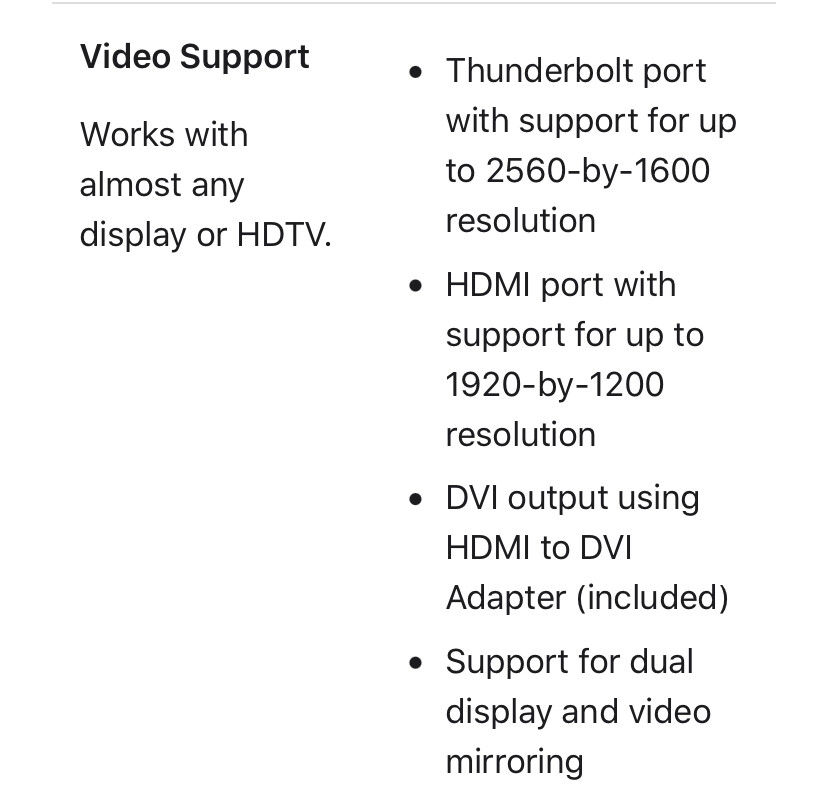
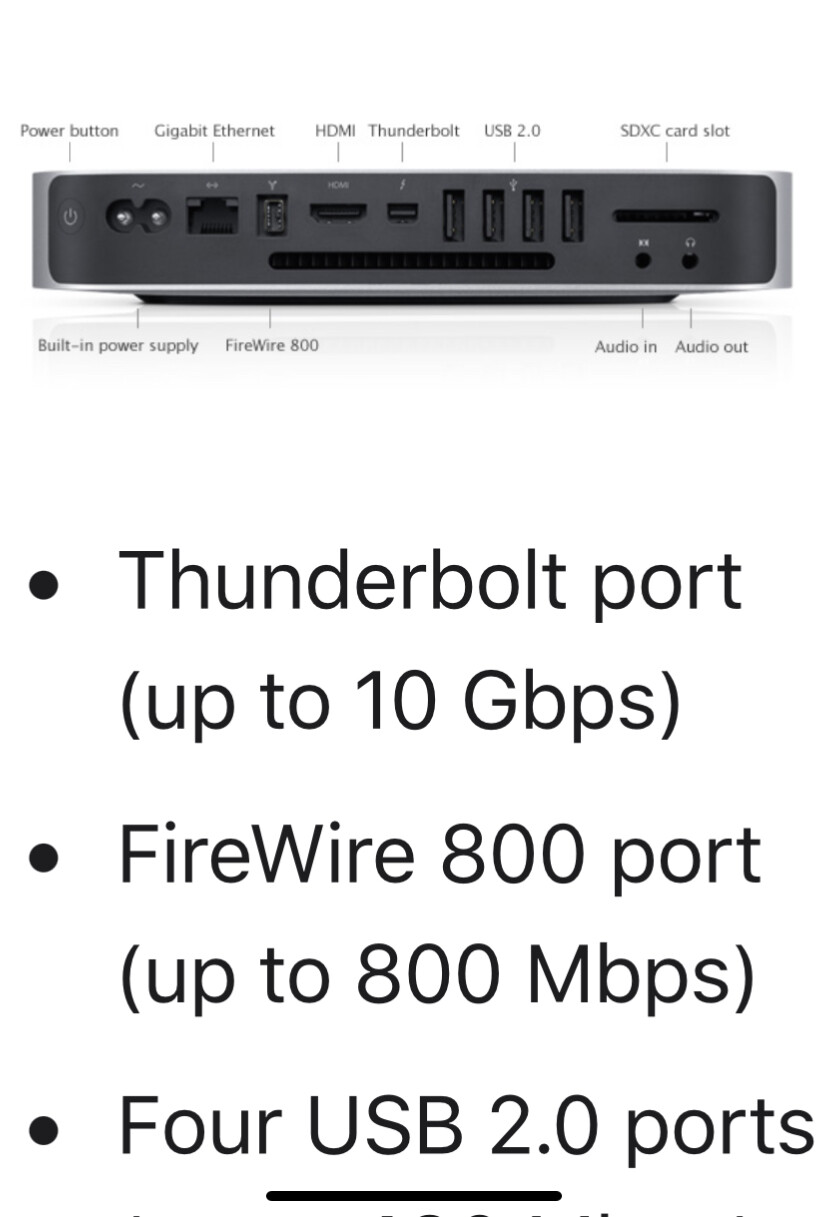
So my question is Whats the best route to go? I’ve read going for say a 4K monitor isn’t good if the computer can only output 1080i for instance? I see there’s a better resolution option if I use the thunderbolt port but I don’t have any adaptor for that. I’ve also read getting the right one can be a problem.
Basically I’m looking for the best solution in terms of resolution based on the outputs I’ve got available
Sorry for my ignorance, computers aren’t my forte!
Just to add … I don’t do gaming etc and I’ve no immediate plans for doing any video editing so that shouldn’t be a consideration. (I doubt it would do stuff like that given the spec!) I do use it for renoise and studio one and sometimes I have a mess about with gimp for photos etc
I was surprised to discover i could get 4k out of my mac mini -7 late2012
i have it hooked up over DVI - the monitor i have can take hdmi/dvi/usb-c on different switchable sources
it was bought for a cheap arm mini, but my trusty old mini suddenly seemed to offer the full res and i just ran with it
perhaps you will get the same resolution over DVI as you could via Thunderbolt - DVI cables are cheap if you have support at the monitor end - i’m not sure if a converter would maintain the resolution potential
so it could be a spendy mistake to assume too much, but perhaps a bit of specific googling on the DVI out for your earlier mini might yield a pathway to consider
keep in mind DVI does not support sound !!
for a 22-24" monitor you won’t want 4k resolution from an old mac - unlike the new ones it probably won’t throw the resolution at crisper letters, it will expand the desktop with a fixed ppi - none of this retina display silkiness
i.e. i have a 4k arm mini with big smooth UIs and a legacy mini with masses of real estate and tiny UI elements - that’s on a 32" monitor iirc - so 2560/1600 on 23" (if available) might be a bit teeny-tiny unless you have falcon eyes
I just use a USB C to DisplayPort cable from my MacBook’s Thunderbolt port to a 4K monitor. My monitor does not have a USB C input. No issues at all. No adapter needed just the USB C to DisplayPort cable. I did have a USB C to HDMI cable before but I believe that the DisplayPort offered better quality. Personally I would not even consider buying a 1080 monitor in 2025. 4K is cheap enough now and a massive boost in quality.
The early Thunderbolt ports were mini DisplayPort as far as I know. Honestly though my memory of the capabilities on a Mac that old are not the greatest. I’m not even sure what version of MacOS you will be able to run on that thing.
This stuff is all a fucking nightmare.
On recent hardware Mac have been forced to make their own thunderbolt ports cross compatible with usb c (thunderbolt still theoretically running faster with appropriate devices) which is a massive improvement.
That doesn’t help you though, as your thunderbolt is the old connection type.
There’ll always be adapters available, but My advice would be to just try and connect via hdmi.
That’s what I’ve done on my main tv in the past. However I’m using a hand me down Samsung TV at the moment as my monitor and is sooo bad. I have to guess at words etc they’re that fuzzy and that’s using the HDMI. I know it’s an old telly box I just wanted to see what my options are for an old bastard with shit eyes!
The way 4k monitors work on Mac is that it basically scales the resolution for the optimum viewing experience. If you did view 4k or 5k natively it would be way to small. The difference is that you get more pixel density with 4k or 5k monitors, so you’ll get a sharper image compared but the same viewing area as say a QHD monitor.
I had a similar predicament (when using my older 2015 MacBook Pro) and went for a QHD Wide 1440p monitor (Dell Ultrasharp U2715H 27” ) which cost me £150 used because 4k monitors were expensive at the time. You could prob get one used even cheaper now. I have a 16” M1 now (and also use my 14” work M3), and it’s still perfect for work and music.
Mac OS works in 2:1 scaled resolutions. So 1440p is the 27" resolution size, but if you say if you use a 5k display it will have 2x more density per pixel, and can show scaling of a 1440p display. 4k displays will recommend 1080p “scaling” for Hi DPI on Mac OS, as that is 50% of 4k.
You can connect Thunderbolt to display port (or mini display port) as I did for years on my older Dell Ultrasharp 27”. You’ll get a resolution of 2560 x 1440 at 60 Hz which is perfect for Ableton (and Bitwig). I use a 4K 27” monitor at work and when I work from home I really do not notice the difference between the two, and I’m on these 8-9 hours a day.
These older Dells Ultrasharps are IPS so good for consistency with viewing angles.
Here’s some info on scaling and resolution for Macs:
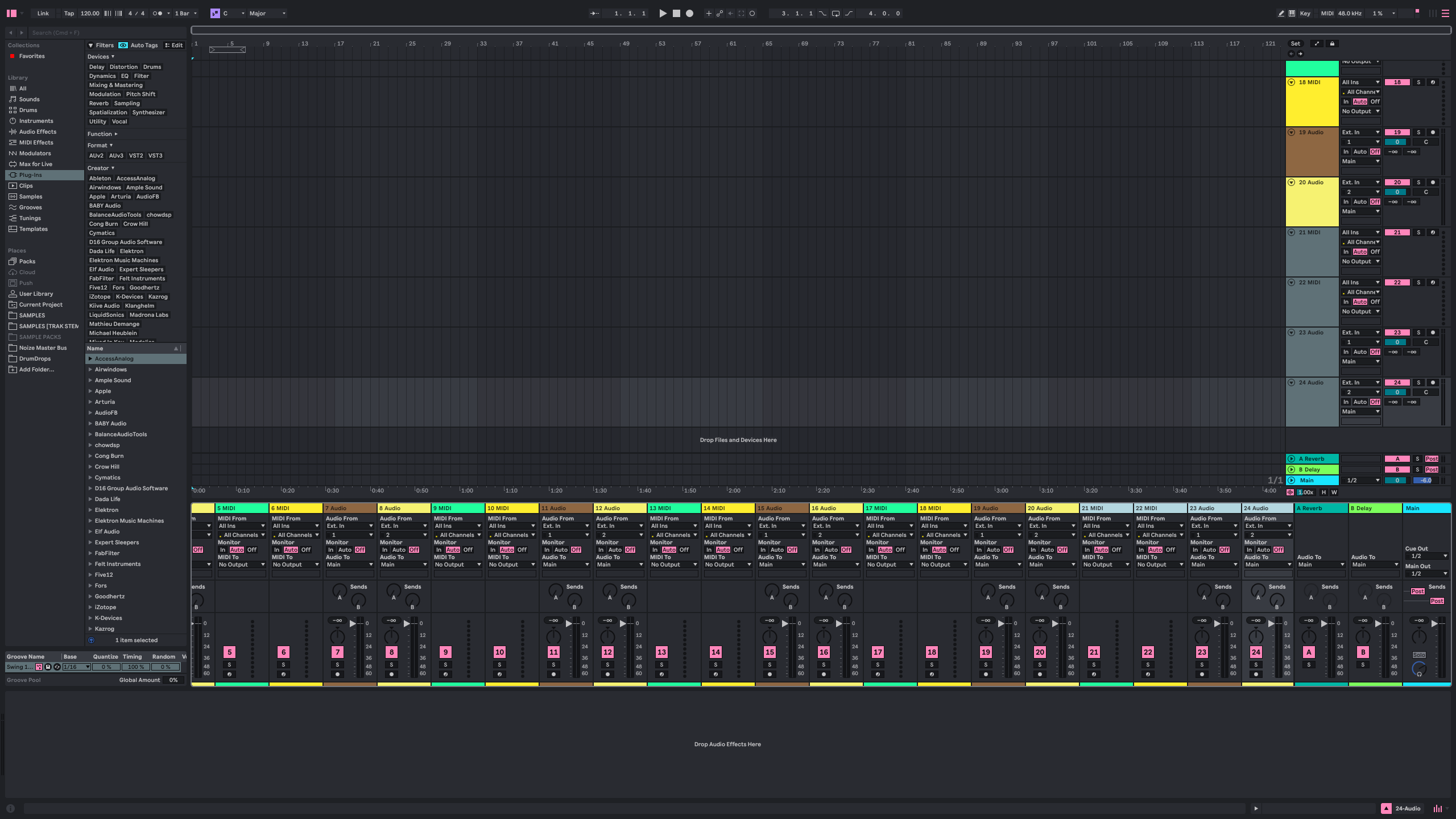
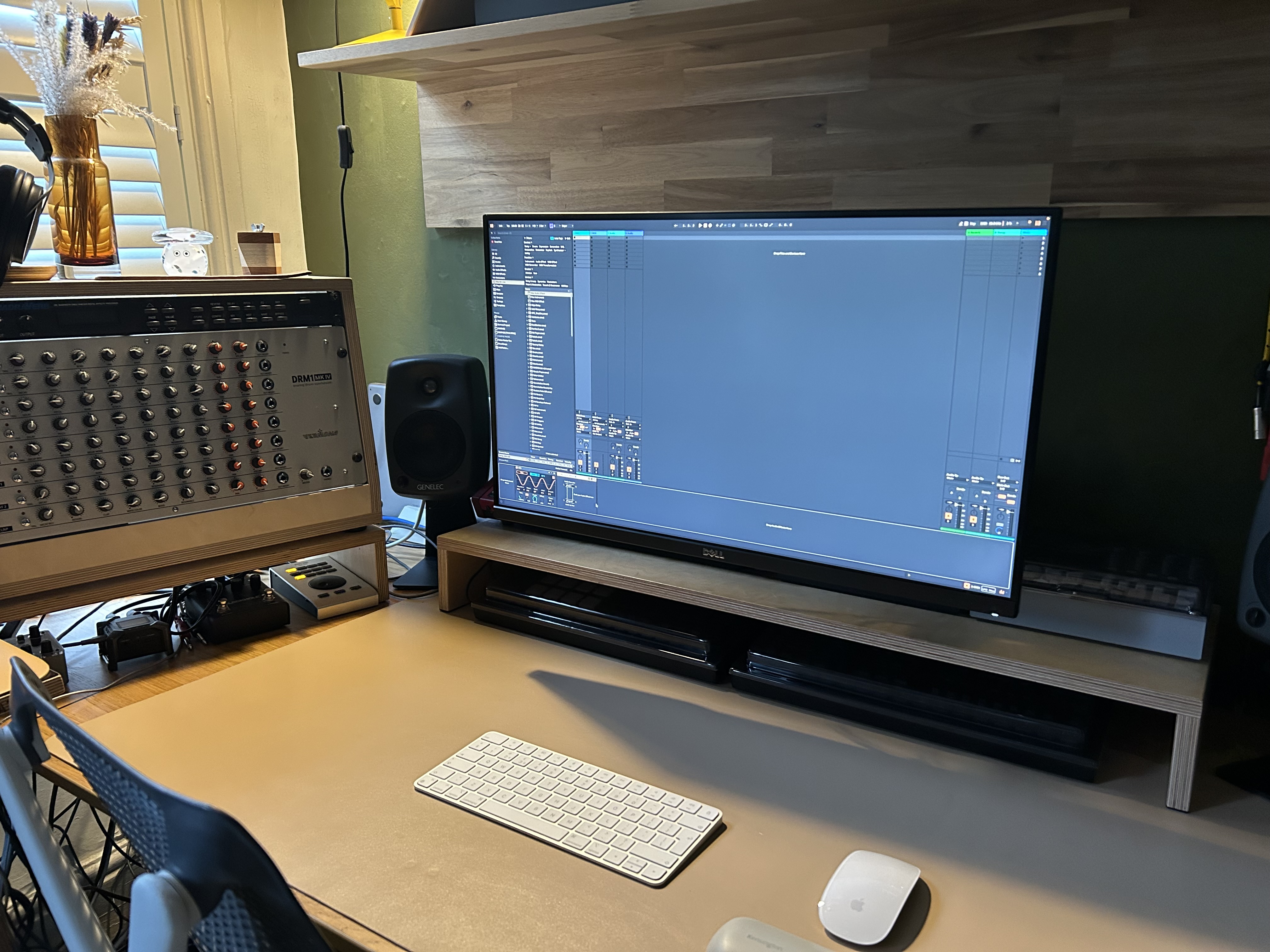
So… this gives you an idea of the resolution scale of the Dell 27" Ultrasharp IPS with Ableton on screen. On the Dell with the QHD resolution you get the 2560 x 1440 pixel area (as mentioned).
Display port and Mini Display port on these, so looking at a similar question (on a Dell 25” with the same tech)…
“If all you are connecting is a monitor, a simple DisplayPort to DisplayPort cable will work fine. Since the Mac mini has mDP and the Dell has both mDP and DP, either a mDP-mDP or mDP-DP will function.”
Edit… mine in situ for context (any older decent IPS QHD monitor brands with the same connections would work).
Hey Bunker, are you based in Manchester? I have an old Samsung 24" monitor with a displayport>DVI adapter that I used to use on my old 2011 macbook, free to try them out if you’re nearby.
Hey Garf, yeah I am. I ended up moving my desk around and using my old plasma tv over the HDMI port. I’m happy with it so far plus it’s got the added bonus that I can see most of it without my glasses!!
But thanks anyway and I’ll bear it in mind if this doesn’t work out. Much appreciated