M8 Tracker (Part 2)

I’m interested in tips re- arrangement. I’ve done a lot of really satisfactory generative pieces but I want to produce some structured works too.

The way my cognition works, I haven’t really found that M8 helps me with broader structure; I tend to find the relationship between phrases, chains etc doesn’t really sit solidly in my mind, especially since I’m used to tracks being lock-synced to each other a la Elektron etc.

Do people generally keep all the chains the same amount of phrases and just think of them as chunks of 64 step patterns, for example? How do people keep track of what is where? I’m a visual thinker and find it easy to lose parts etc.

I tend to use the track 1 / chain 10 etc method.

Interested to hear how people implement broader structure.

1 Like

A phrase is a bar. I haven’t tried composing in other than 4/4 yet.

A chain is a chunk of bars. How big depends on the function within the song. 1, 2, 4, 6, 8, 12, 16. I keep my chains the same length across tracks and keep the playheads synchronized. I can see doing otherwise in many situations (drone, ambient, seriously generative) but I tend not to.

I don’t try to keep phrases and chains numbered in any organized way. Too much cognitive overhead. The numbers aren’t as important as where they are in the song->chain->phrase views. Cloning really helps for easy variation, as does transpose in chain view.

So I guess I’m mostly treating it like an Elektron box, but I rarely get beyond 32-step patterns on those, because it’s such a nuisance to manage. There is more information visible and it’s easier to navigate on M8.

4 Likes

Yeah I know all that, ta. Not what I was after.

TY. I know the general hierarchy of phrase chain etc. it’s how people iterate to build the bigger structure I’m interested in… Do you work on one row at a time in Song mode for example?

Understand not spreading too much info - but when he says mixer thing, he’s talking about software i.e. a new feature of the M8? or some new physical hardware gizmo?

1 Like

This

3 Likes

I also use the track 1 / chain 10 method. All my chains the same length (usually 8 phrases), with rare exception for intros, outros, and bridges. I usually decide section lengths ahead of time (e.g. 32 bar A-section, 16 bar B-section, etc).

I may copy a whole section, or even part of a section, into an island to focus on it before moving back to the full song. Some folks always keep their sections in islands and use SNG to jump to the next island. I rarely get lost, but I will bookmark the starts of different sections if I do

I have a default mental map of where certain kinds of instruments/parts go
1: Kick and Snare
2: Hats
3: Bass
4: Crash/Aux Percs
5: Melody
6: Chords/Central Sample
7: [As needed]
8: Global FX/As needed

(My mental map is heresy to the LSDJ faithful, who order it in reverse)

2 Likes

Islands is a great way to isolate one part of the song. You can move whole chunks of the song around by selecting all the chains you want to move (in Song view), and using a key combo (OPT+arrow up/down iirc) to move that chunk around. You can isolate a row (or several rows) in song view and they will just loop.

3 Likes

Generally, but not exclusively. Sometimes one or two tracks will get ahead of the others. It depends on the composition. I don’t think I have a formula.

1 Like

I start with single row islands and then natural m8 tectonics group them like : intro island, verse island, chorus island, bridge, outro, etc. later copying / cloning / colliding islands to get the song.

i deal with different lengths of chains and my empty chains are 0x like 02 : 2 bars, 04 : 4 bars, etc … and as long as i have a free track, i put these empty chains to remind me the length of each sections, which helps identify them.

(subtility : empty phrase is 00 and empty phrase with all OFF commands on 1st row is 01, so chain 0(x + 1) is empty chain of x bars with OFF commands)

globally i keep the playheads synchronized too, but there are some exceptions when dealing with fx commands on 16 bars sample in a section where the others chains are all 8 bars… but the playhead sync again after that chain with a SongHop command.

3 Likes

I will also tell my workflow for who it matters :smiling_face:

The drum parts i always place on track 1-3/4, depends on the type of song. This way i will always remember where my drums are. Track 4-7 are melodys or/and bass. Track 8 is for vocals or automation, like eq another track.

Then i always start on the first row making a complete loop. Meaning, everything is in place. The drums, melody and bass/pads.

From that first row, the loop, i then place the chains i created there piece by piece from row 3. Maybe ill start with the drums, then ill just copy the chains from track 1-4 to row 3 onwards. When a light framework of the song is in place, i then deep clone or clone the chains to make variations of the melody/drums/pads etc. And as last, i put automation or vocals on the parts that are free to use, mostly track 8.

This way, im focused more on the foundation of the song, so i can build upon that. Chains i create with 4 or 8 phrases, sometimes even 2 for small buildup. Also depends on the BPM or type of song you create. Even if you have a long melody or a long pad, its just easy to extend.

For variations, you can do 2 ways. Deep clone, meaning everything in the chain will get a new phrase number, or you can do clone. Clone will just create a new chain number, but the phrase numbers stay the same. Mostly i do clone, then go into the chain, and clone a part of the phrase to create a variation. For example, ill just change the 3rd part in a 4 phrase chain. This way you keep better organized and dont have a wild west of chain and phrase numbers cloned. ← this way you can get lost a bit. Keep it simple and compact.

As the M8’s workflow is so extremely flexible, the song view is a canvas of creation. Select a portion of your rows in the view, move it up or down to create buildups, bridges or outros easily. Maybe you think that the first 3 rows of your song is also great for your outro, then select them and copy it to end. Just that easy.

Coming from working in DAWs for decades and started musical journey on the trackers, this workflow is so refreshing ones it click for someone. It took me a bit, but now i fly over the screen. The biggest advantage over any other gear with the M8, is its speed. The amazing tables and FX tools are fun ones it grows on you.

Hope it helps anyone considering or struggling with the M8’s workflow.

Have fun! :sparkles::man_dancing:t3:

12 Likes

can i recommend two beloved utilities I’ve found for sample library astral projection

on the phone, it’s Folder Player by Peter Shashkin. You can point to a folder and have it shuffle everything in it, including all subfolders. I grab a lot of sample off of internet archive on my phone, folder player is the only way to actually listen to them all. specifically with scan subfolders and shuffle, there are folders so deep i would never go there without being on a guided tour.

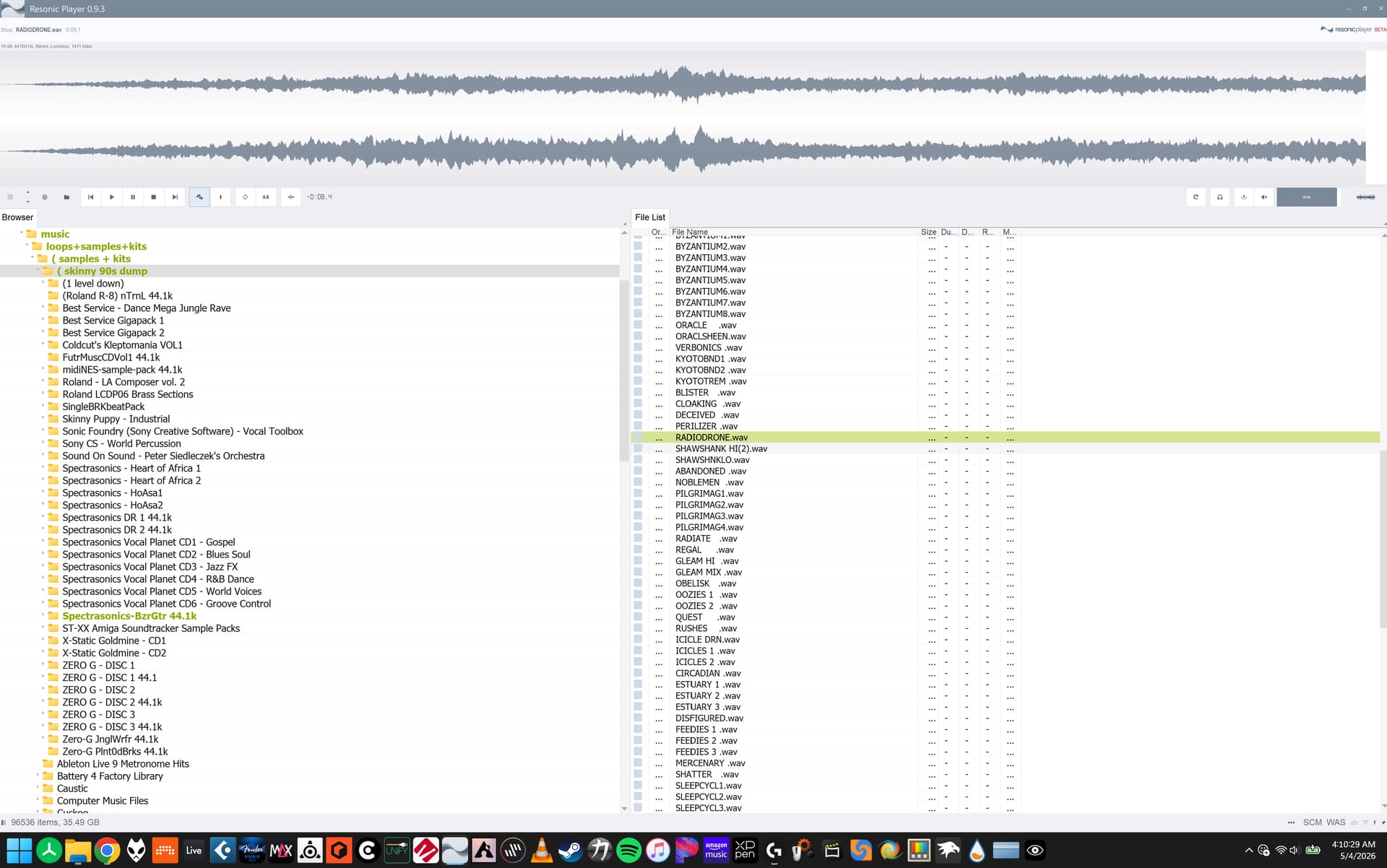
on the computer it’s resonic player beta, it’s free. you can right click a folder in the tree and select scan subfolders, and it will populate the whole playlist window with all files in the parent folder. I use Sononim too but Resonic Player is so ridiculously fast, it’s like the M8 of sample browsers. zero latency click bang.

7 Likes

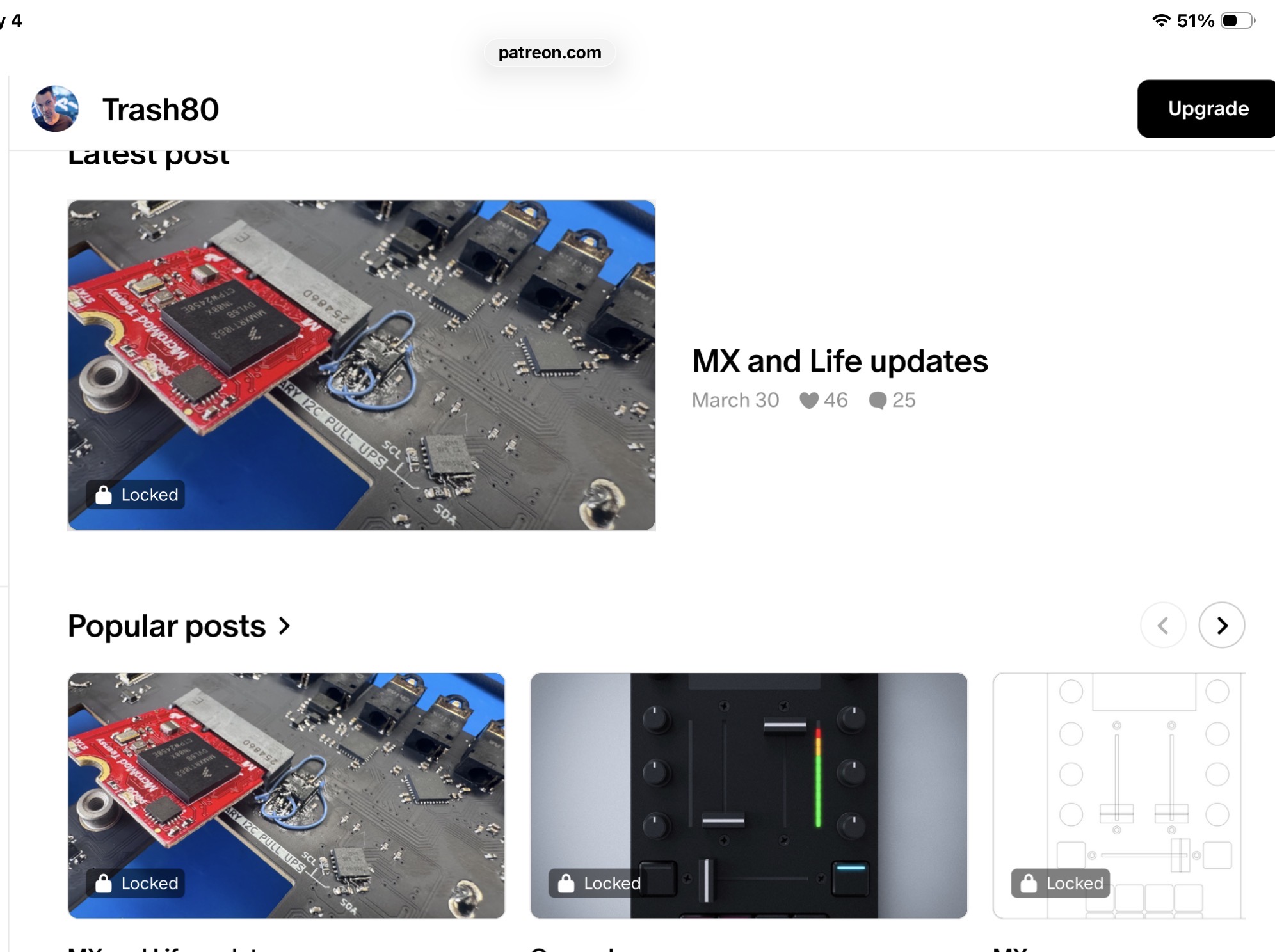
If you visit his Patreon page there is a thumbnail of a mixer. Or join and see what it’s all about.

I’ve actually joined, but unpaid (so far), so I don’t see much - and no mixer at least.

1 Like

Same here. I see this on the home page. Which is available for the public to see.

3 Likes

Thanks!

Hm, there must something wrong with my settings, because I don’t see that

EDIT: OK, I hadn’t checked the actual ‘home’ page :sweat_smile:

2 Likes

I am not on his Patreon, but from the photo, and the hints dropped in Discord discussion, it seems to me that it will be a portable 2-channel DJ mixer. Both Trash80 [edit: not him] and Mikey do sets with two M8s, as do a number of other users, and there really wasn’t anything small in this space before. Now there is the DJ Drift Zero, but that is more geared towards traditional DJing (for some definition of “traditional”) and also fairly expensive. What remains to be seen is what special integration there will be with one or two M8s. (It would make commercial sense for the controls to be configurable for many different devices.)

5 Likes

I have fingers crossed that it will host the M8s via multi-channel usb, and route those channels via analog jacks.

But tbh whatever Trash does it’s going to be amazing

4 Likes

FYI I only use 1 M8 for my live sets. It is just a portable battery powered 2 stereo channel mixer and fx (with stereo aux in/out and independent headphone and main outs), usb host for usb midi, and 2x midi io. It is kinda like a live performance mixer/midi controller/midi hub inspired by DJ mixers for smaller setups. Not so much for a setup that requires more than 2 or 3 stereo input channels and accurate gentle mixing (the faders are contactless hall effects innofaders for throwing around, think of the OT cross fader in terms of feel / resistance). Nor does the USB host port work for USB audio as of yet if at all.

It kinda replaces the need for the usual pioneer dj mixers found on live performance table setups for some of us. It is still somewhat at a conceptual phase as I work on the firmware and hardware.

34 Likes

I’m very interesting, that’s something I’m currently using a TX-6 for, but there are definitely times a 2 channel option that’s a bit easier to handle would come in handy for my live sets.

2 Likes