On my iPhone I use SysEX Buddy app by the Dixie dev:
1 Like
I recently updated mine and found that the firmware on the Download → PC Firmware page works (Version V15 · 2026_07_30) but you need to use it with the correct M-UPDATE software, and for some reason there are multiple different versions of that updater software on the product page. I downloaded three versions and the third one I tried worked. I think it was this one, but I can’t test it now because my FM1 has already been updated.
As a fun addition to this trial-and-error approach to downloading software, the site doesn’t even have a security certificate!
Incidentally, I was disappointed to see that the update hasn’t changed the menus so it doesn’t stay on the same edit page across different operators. But maybe that’s just the way my brain works, and nobody else’s.
1 Like
Hmm the link you gave is a .dmg file for mac, with direct download. Please don’t give direct links like that ! (Windows user)
The Download PC Firmware page also worked for me but not the M-Udate I found in downloads. Better go directly to Product page to download the right update software (M-Update) and last firmware, as suggested @bartleby.
https://www.m-vave.com/product?id=fm-1
Apparently the PC Firmware is the same for PC and MAC so it is confusing…and the file doesn’t have version in its name !
(FM-1.fwsc)
Ok cool; so you can upload and import to / from FM-1 , and edit / save in DIXIE ? (Its envelopes editing have a very helpful visual feedback)
Fair point, I realise a direct link feels a bit dodgy but it was because the page has multiple links to different versions of the same software so I thought a direct link to the one that worked for me might help. And apologies for being Mac-centric.
I was looking for “Mac Firmware” alongside PC Firmware for a while until I realised that even “PC Firmware” doesn’t even really make sense because it’s firmware for the instrument, not a computer!
1 Like
No worries, I’ve been surprised to download a 55MB .dmg file on my phone ! Fortunately it is not a huge file you can get sometimes for some gear…
Confusing indeed ! Should be called FM-1 firmware or something…
Anyway M-VAVE should update download page…
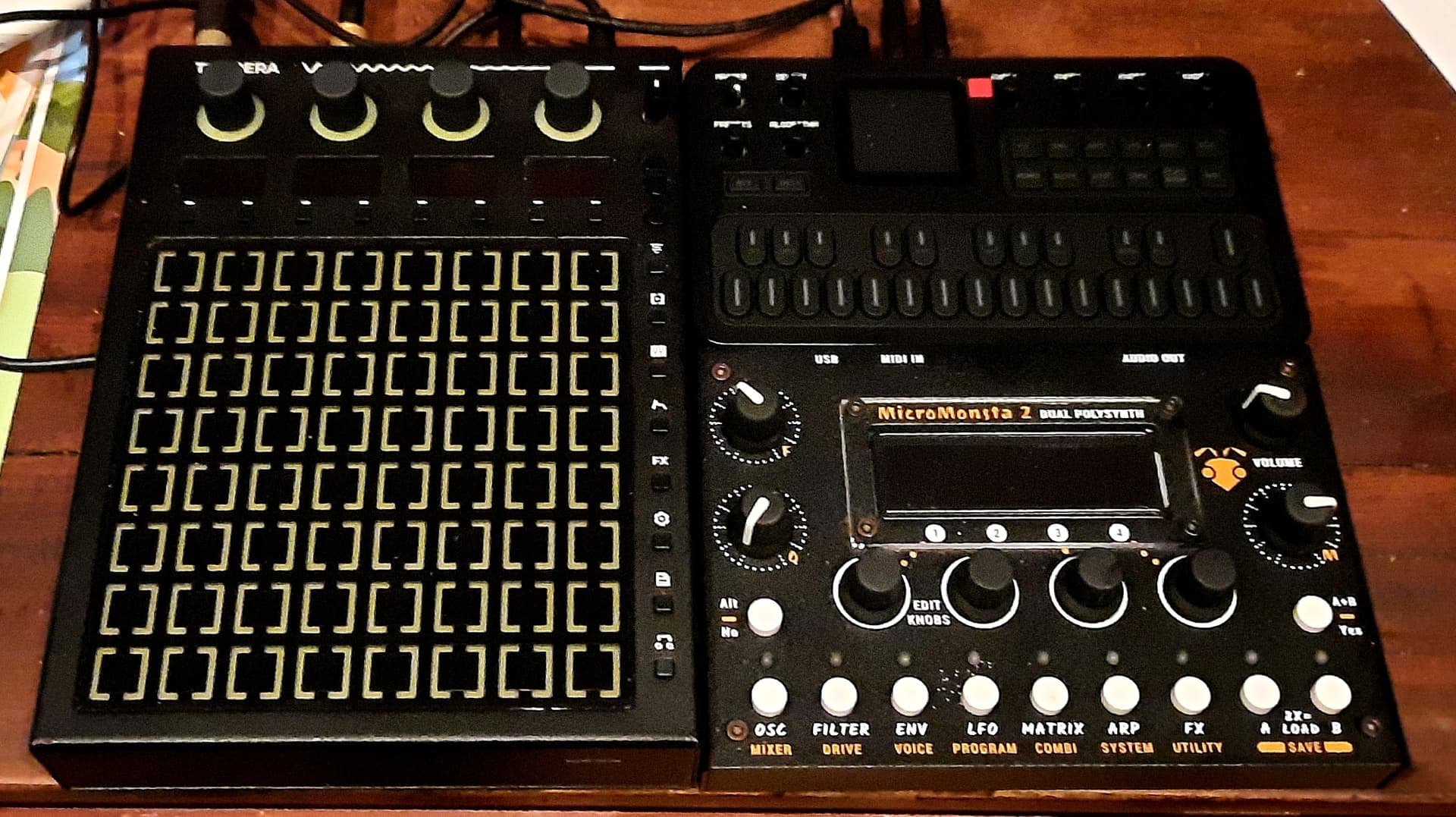
Test with Tempera as midi controller (trs) recorded with iPhone (usb audio).
Smaller than Micromonsta 2 !
11 Likes
Nice jam, Its time to remove the plastic 
3 Likes
Anybody knows how to calculate Delay Rate to set a specific time / tempo division ?
Value 0% seems to correspond to 75 bpm, 50% around 120 bpm so I don’t get what Rate corresponds to…
I can set it by ear, but I want to know…
FM-1 parameters can be controlled with these sysex (F0 43 10 pp qq vv F7 sysex format)
EDIT : there is a mistake for Global parameters, they are shifted by 2. I will correct that later.
Other site true values DX7 SYSEX
Here is the complete, comprehensive list of all 155 DX7 voice parameters mapped directly to the F0 43 10 pp qq vv F7 SysEx parameter change format.
 Quick Format Reminder
F0 43 1n pp qq vv F7: Change10to1nwherenis your MIDI Channel minus 1 (e.g.,10is Channel 1,11is Channel 2).vv(Value): Must always be provided in hexadecimal (e.g., a volume of99becomes63).
- Operator Parameters (
pp = 00)
The DX7 processes operators from 6 down to 1. To find the exact parameter address (qq), look up the base hex offset for Operator 6 below, then add the specific operator’s hex modifier:
- Operator 6: Base offset +
00 - Operator 5: Base offset +
15(21 decimal) - Operator 4: Base offset +
2A(42 decimal) - Operator 3: Base offset +
3F(63 decimal) - Operator 2: Base offset +
54(84 decimal) - Operator 1: Base offset +
69(105 decimal)
qq Base (Hex) |
qq Base (Dec) |
Parameter Name | Value Range (Dec) | Value Details / Notes |
|---|---|---|---|---|
00 |
0 | EG Rate 1 | 0 – 99 | Envelope Attack Speed |
01 |
1 | EG Rate 2 | 0 – 99 | Envelope Decay 1 Speed |
02 |
2 | EG Rate 3 | 0 – 99 | Envelope Decay 2 Speed |
03 |
3 | EG Rate 4 | 0 – 99 | Envelope Release Speed |
04 |
4 | EG Level 1 | 0 – 99 | Envelope Peak Level |
05 |
5 | EG Level 2 | 0 – 99 | Envelope Decay 1 Level |
06 |
6 | EG Level 3 | 0 – 99 | Envelope Sustain Level |
07 |
7 | EG Level 4 | 0 – 99 | Envelope Release/Start Level |
08 |
8 | KBD Level Scaling Break Point | 0 – 99 | MIDI Note Number 0 (C-2) to 99 (G6) |
09 |
9 | KBD Level Scaling Left Depth | 0 – 99 | Attenuation depth left of break point |
0A |
10 | KBD Level Scaling Right Depth | 0 – 99 | Attenuation depth right of break point |
0B |
11 | KBD Level Scaling Left Curve | 0 – 3 | 0=-LIN, 1=-EXP, 2=+EXP, 3=+LIN |
0C |
12 | KBD Level Scaling Right Curve | 0 – 3 | 0=-LIN, 1=-EXP, 2=+EXP, 3=+LIN |
0D |
13 | KBD Rate Scaling | 0 – 7 | Key tracking speed modifier |
0E |
14 | Amplitude Modulation Sensitivity | 0 – 3 | How much LFO Amp Mod affects this Op |
0F |
15 | Key Velocity Sensitivity | 0 – 7 | Velocity response depth |
10 |
16 | Operator Output Level | 0 – 99 | Total volume/modulation output |
11 |
17 | Oscillator Mode | 0 – 1 | 0 = Frequency (Ratio), 1 = Fixed Hz |
12 |
18 | Oscillator Frequency Coarse | 0 – 31 | Coarse tuning adjustment |
13 |
19 | Oscillator Frequency Fine | 0 – 99 | Fine tuning adjustment |
14 |
20 | Oscillator Detune | 0 – 14 | Micro-tuning (7 is dead center / no detune) |
- Global Patch Parameters (
pp = 01)
These parameters apply to the overall voice architecture and do not use operator offsets.
qq (Hex) |
qq (Dec) |
Parameter Name | Value Range (Dec) | Value Details / Notes |
|---|---|---|---|---|
00 |
0 | Pitch EG Rate 1 | 0 – 99 | Pitch change speed 1 |
01 |
1 | Pitch EG Rate 2 | 0 – 99 | Pitch change speed 2 |
02 |
2 | Pitch EG Rate 3 | 0 – 99 | Pitch change speed 3 |
03 |
3 | Pitch EG Rate 4 | 0 – 99 | Pitch change speed 4 |
04 |
4 | Pitch EG Level 1 | 0 – 99 | Pitch level 1 (50 is standard center pitch) |
05 |
5 | Pitch EG Level 2 | 0 – 99 | Pitch level 2 (50 is standard center pitch) |
06 |
6 | Pitch EG Level 3 | 0 – 99 | Pitch level 3 (50 is standard center pitch) |
07 |
7 | Pitch EG Level 4 | 0 – 99 | Pitch level 4 (50 is standard center pitch) |
08 |
8 | Algorithm Selection | 0 – 31 | Maps directly to Algorithms 1 through 32 |
09 |
9 | Feedback Level | 0 – 7 | Feedback amount for the designated Op |
0A |
10 | Oscillator Key Sync | 0 – 1 | 0 = Off, 1 = On (Resets phase on keypress) |
0B |
11 | LFO Waveform | 0 – 5 | 0=Tri, 1=Saw DN, 2=Saw UP, 3=Sq, 4=Sine, 5=S&H |
0C |
12 | LFO Speed | 0 – 99 | Speed frequency rate |
0D |
13 | LFO Delay | 0 – 99 | Delay onset time |
0E |
14 | LFO Pitch Modulation Depth | 0 – 99 | Global LFO pitch intensity |
0F |
15 | LFO Amplitude Modulation Depth | 0 – 99 | Global LFO volume intensity |
10 |
16 | LFO Key Sync | 0 – 1 | 0 = Off, 1 = On |
11 |
17 | Modulation Sensitivity Pitch | 0 – 7 | Overall pitch mod responsiveness |
12 |
18 | Transpose | 0 – 48 | Semitones (24 is exact center / C3) |
13 |
19 | Voice Name Char 1 | 32 – 127 | Standard ASCII Code character |
14 |
20 | Voice Name Char 2 | 32 – 127 | Standard ASCII Code character |
15 |
21 | Voice Name Char 3 | 32 – 127 | Standard ASCII Code character |
16 |
22 | Voice Name Char 4 | 32 – 127 | Standard ASCII Code character |
17 |
23 | Voice Name Char 5 | 32 – 127 | Standard ASCII Code character |
18 |
24 | Voice Name Char 6 | 32 – 127 | Standard ASCII Code character |
19 |
25 | Voice Name Char 7 | 32 – 127 | Standard ASCII Code character |
1A |
26 | Voice Name Char 8 | 32 – 127 | Standard ASCII Code character |
1B |
27 | Voice Name Char 9 | 32 – 127 | Standard ASCII Code character |
1C |
28 | Voice Name Char 10 | 32 – 127 | Standard ASCII Code character |
 Quick Calculation Examples
- Targeting Operator 4 Output Level to max (
99):- Base offset for Output Level is
10hex. - Modifier for Op 4 is
2Ahex. qq=10+2A=3Avv= 99 in hex =63- Result string:
F0 43 10 00 3A 63 F7
- Base offset for Output Level is
- Changing Algorithm to Algorithm 32:
pp=01(Global parameter)qq=08(Algorithm parameter)vv= 31 in hex (Algorithm 32 maps to value 31) =1F- Result string:
F0 43 10 01 08 1F F7
5 Likes
very cool!
is this fm1-specific, or is it standard dx7 format, so that existing dx7 editors/librarians would work with fm1?
Delays with bpm matrix :
DelayRateBPM.pdf (44.8 KB)
Delays from rate values…
Formula : Delay = 800 - (7 x rate)
| Rate 0% - 25% | Rate 26% - 51% | Rate 52% - 77% | Rate 78% - 100% |
|---|---|---|---|
| 0% = 800 ms | 26% = 618 ms | 52% = 436 ms | 78% = 254 ms |
| 1% = 793 ms | 27% = 611 ms | 53% = 429 ms | 79% = 247 ms |
| 2% = 786 ms | 28% = 604 ms | 54% = 422 ms | 80% = 240 ms |
| 3% = 779 ms | 29% = 597 ms | 55% = 415 ms | 81% = 233 ms |
| 4% = 772 ms | 30% = 590 ms | 56% = 408 ms | 82% = 226 ms |
| 5% = 765 ms | 31% = 583 ms | 57% = 401 ms | 83% = 219 ms |
| 6% = 758 ms | 32% = 576 ms | 58% = 394 ms | 84% = 212 ms |
| 7% = 751 ms | 33% = 569 ms | 59% = 387 ms | 85% = 205 ms |
| 8% = 744 ms | 34% = 562 ms | 60% = 380 ms | 86% = 198 ms |
| 9% = 737 ms | 35% = 555 ms | 61% = 373 ms | 87% = 191 ms |
| 10% = 730 ms | 36% = 548 ms | 62% = 366 ms | 88% = 184 ms |
| 11% = 723 ms | 37% = 541 ms | 63% = 359 ms | 89% = 177 ms |
| 12% = 716 ms | 38% = 534 ms | 64% = 352 ms | 90% = 170 ms |
| 13% = 709 ms | 39% = 527 ms | 65% = 345 ms | 91% = 163 ms |
| 14% = 702 ms | 40% = 520 ms | 66% = 338 ms | 92% = 156 ms |
| 15% = 695 ms | 41% = 513 ms | 67% = 331 ms | 93% = 149 ms |
| 16% = 688 ms | 42% = 506 ms | 68% = 324 ms | 94% = 142 ms |
| 17% = 681 ms | 43% = 499 ms | 69% = 317 ms | 95% = 135 ms |
| 18% = 674 ms | 44% = 492 ms | 70% = 310 ms | 96% = 128 ms |
| 19% = 667 ms | 45% = 485 ms | 71% = 303 ms | 97% = 121 ms |
| 20% = 660 ms | 46% = 478 ms | 72% = 296 ms | 98% = 114 ms |
| 21% = 653 ms | 47% = 471 ms | 73% = 289 ms | 99% = 107 ms |
| 22% = 646 ms | 48% = 464 ms | 74% = 282 ms | 100% = 100 ms |
| 23% = 639 ms | 49% = 457 ms | 75% = 275 ms | |
| 24% = 632 ms | 50% = 450 ms | 76% = 268 ms | |
| 25% = 625 ms | 51% = 443 ms | 77% = 261 ms |
5 Likes
DX7 Standard. DEXED work (tested on windows), RQ DIXIE seems to work too (on iOS.)
My goal is to use a midi processor to control these sysex with Control Changes variables (CCs from an Elektron sequencer)
3 Likes
thanks for the tip! i hadn’t heard of that app. it’s actually “kq dixie” - and looks very promising. seems to be a full-blown fm-synth that can also serve as an editor/librarian for external dx7-compatible synths: KQ Dixie 26 App - App Store
1 Like
Best 6 op fm DX7 compatible I found. All parameters, envelopes display, even usable with iPhone. Options to send patch after patch change, or send each parameter change…to FM-1.
I primarily used it to analyse DX9 4ops patches and reproduce them on Digitone 2.
3 Likes
For 4-ops the same dev has another app, KQ Tixie:
1 Like
So I could control FM-1 with Octatrack CCs mapped to sysex. All parameters can be controlled. Crazy results !
And it actually hack the FM-1 because you can set values higher than 99 !
Level 127 = digital distortion. 
Possible to mute ops.
Demo asap, I have to update my sysex list and choose the most pertinent parameters…
1 Like
when in seq mode, and inputting notes. you can set a different clock division per note. this results in some obscure timing of the sequenced loop.
2 Likes
Firmware V15.
Op mutes seem inverted : holding Op1 mutes Op6, holding Op2 mutes Op5, etc…
Anyone can confirm before I report ?
Easier to test with an organ preset, change Coarse Tune…
I can’t test now but I’ve had couple of times when I could not hear any sound of the carrier and it might have been muted because of that inverted behavior.
1 Like