1 Like
2 Likes
I know like two Chinese words and that was a little better, but we need some direct audio!
1 Like
Still in the mail, should come at the end of this month…
1 Like
Mine arrived so I made a (rather long & rambling, sorry!) quick unboxing and first look video that will hopefully help people get a better idea of what this FM-1 is all about.
I connected it via my Livetrak L6 so that should give you an idea of what its line/headphone out sounds like.
I have to I’m quite impressed with it on first look! Happy to answer any questions and I’ll try to make a more structured video on how to use the sequencer properly and how to get it to play multitimbral
6 Likes
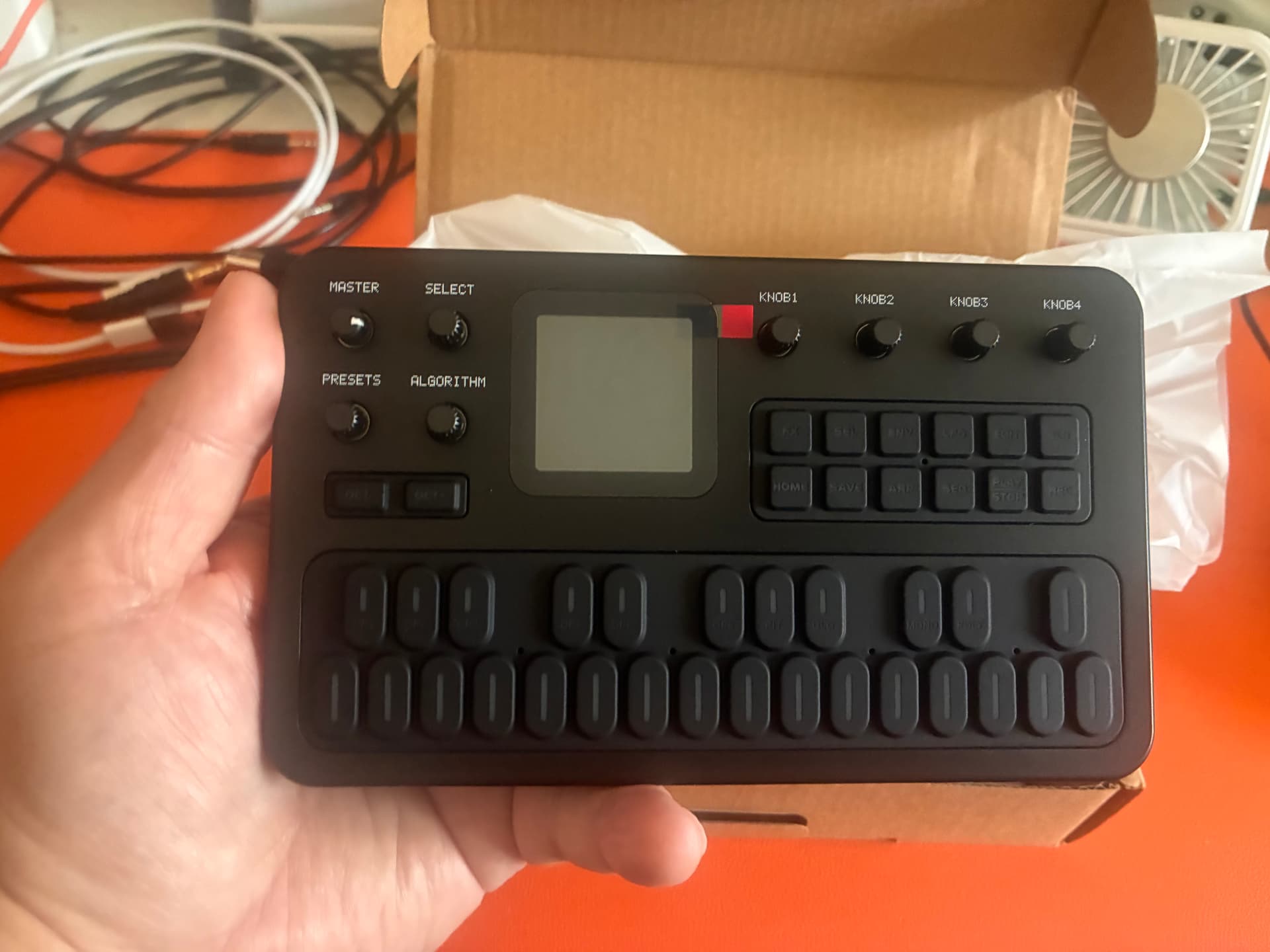
Hard to find manual:
FM-1 UM OG.pdf (1.9 MB)
4 Likes
Thanks for sharing that. Mine just came in and holy cow it’s tiny. Sounds way better than expected, and the effects are very useable.
3 Likes
Just FYI M-VAVE have already released firmware update which adds the method to skip steps when step recording a sequence which I noticed was missing when I used the sequencer in my first look video I posted above. Heres their video showing how to upload and probs to M-VAVE for making the windows updater app standard enough that it ran just fine for me under Wine on Fedora 43.
3 Likes
Mine arrived yesterday, and my impression is that it’s exactly what you probably expect it to be, in both the good and bad ways.
It’s Dexed in a cute little box (Roland Aira compact sized), with an interface that is fairly logical but doesn’t magically change the reality that programming 6 operators through a little screen is a slog. Using the four encoders to control whatever is on the screen is vaguely Elektron-like, but the fact that it’s a 1x4 line of encoders controlling a 2x2 grid of parameters is a bit silly. On the other hand, the screen is huge and pretty legible by the usual standards of devices like this (i.e. small Roland and Behringer synths). Makes me wonder why Roland didn’t put useful screens on things like the P-6!
I was pleasantly surprised to find that it’s a USB audio interface, which I don’t think was listed in the official specs. So, like a Roland S-1, this would make for a nice pairing with an phone or tablet. I assume it could work as your mobile midi controller, sound source and (crappy) speaker simultaneously.
I have an issue where the 6x2 grid of buttons isn’t illuminated (until you select one) and they’re pretty hard to read as a result. The product shots show them all lit up. The context-sensitive illumination generally makes sense (e.g. you only see the operator selection labels when it’s relevant), but things like FX and EDIT should probably be illuminated all the time.
The build feels on par with other compact synths, and impressive for the price. Having said that, mine has already lost one of its little rubber feet, but to be fair I did let my five year old have his way with it (which was part of my rationale for getting it in the first place) so it’s already had a hard life. The ‘keys’ feel a little nicer than the ‘keys’ on my Roland S-1, but of course not as nice as, you know, keys. Very soft and rubbery. The speaker is nice to have on a toy synth, but it also sounds like you’d expect.
It sounds like a DX-7, obviously, with all the DX-7 sounds you’d expect, but with the added effects (including a filter, but there’s no envelope on the filter). The sequencer is very basic, but it’s there. I’m pleased to see the new firmware lets you skip a step, which is something I was baffled by last night. Hopefully I’ll soon find time to dump some DX7 patches to it.
For some reason I find this more compelling than Behringer’s mini synths, despite the fact that this is a free VST in a box while Behringer is making (partially?) analogue synths. I think it’s because this fully delivers on putting the DX-7 experience and sound in a little box, while things like Behringer’s mini-Minimoog that doesn’t even let you control each oscillator individually just wouldn’t satisfy me as a Minimoog clone. Roland’s S-1 is still the gold standard for me, but it’s also priced accordingly.
That was probably too many words for something that is fundamentally a novelty toy synth, but my impression is that if you wanted a simple FM sound module for a live setup it could do the job nicely.
12 Likes
Well discribed! But I’d add to it that the benefit of such “toy” synth is an ALL-IN-ONE. I wish to have more of such toys (like a sampling rompler, or a 2- or 3- or 4-track looper, or a mini QY700-ish sequencer, etc.)
2 Likes
For those who wants to upload some SysEx to the FM-1, here are ones of the best (VRC-104 even has some percussion sounds, a couple of them even work as a kick in lower register, and a snare in high register):
Demo beat 1:
Demo Beat 2:
3 Likes
Hey those things are cute! I like the all black look, kind of Elektron-esque. How are the buttons and keys? Rubberish or hard plastic? Also how does the button/key press feel? Clicky or soft touch? Thanks for posting the pics!
Soft rubberized. Playable but the external MIDI controller for serious work is the must.
Mushy to say at least. I’d prefer hard plastic over those.
Thanks, looks like something I’ll pick up when they are more readily available.
1 Like
Coming to the MIDI CC matter. The manual says the following -
What the FM-1 receives via MIDI:
• Note On/Off with velocity → triggers the internal synth engine
• Pitch Bend → bends pitch within the configured range (see Globe settings)
• Control Change → various parameter control
• FM-1 SysEx voice dumps → import standard Yamaha DX7 voice banks (32 voices per bank). After receiving, choose which bank slot (A/B/C/D) to save to.
What the FM-1 sends via MIDI:
• Note On/Off with velocity from keyboard, arpeggiator, or sequencer
• Notes are sent on the configured Note Channel (1±16, set in Globe mode)
Everything mentioned above works just fine except the CC. Tried so far CC # 7 (Volume) - nothing; CC # 10 (Pan) - nope; CC # 11 (Expression), CC # 91, 93 (FX) - none. Weird. Those are the most used basic CC numbers. Have no time to check all 128 CC’s, but if these don’t work… Why?!
BTW, there are 1000’s of SysEx banks from DX7 online available for download, and you can upload all of them (128 at a time) which is really GREAT!
3 Likes
Nice, thanks for sharing. I just dumped a bunch of Jexus’ DX7 patches to the FM1 and it works nicely. Although as far as I can tellthere’s no kind of patch management on the device itself so perhaps I should have been more selective before dumping them all on! There is an option to reset the patches though.
2 Likes
How the FM-1 looks inside:
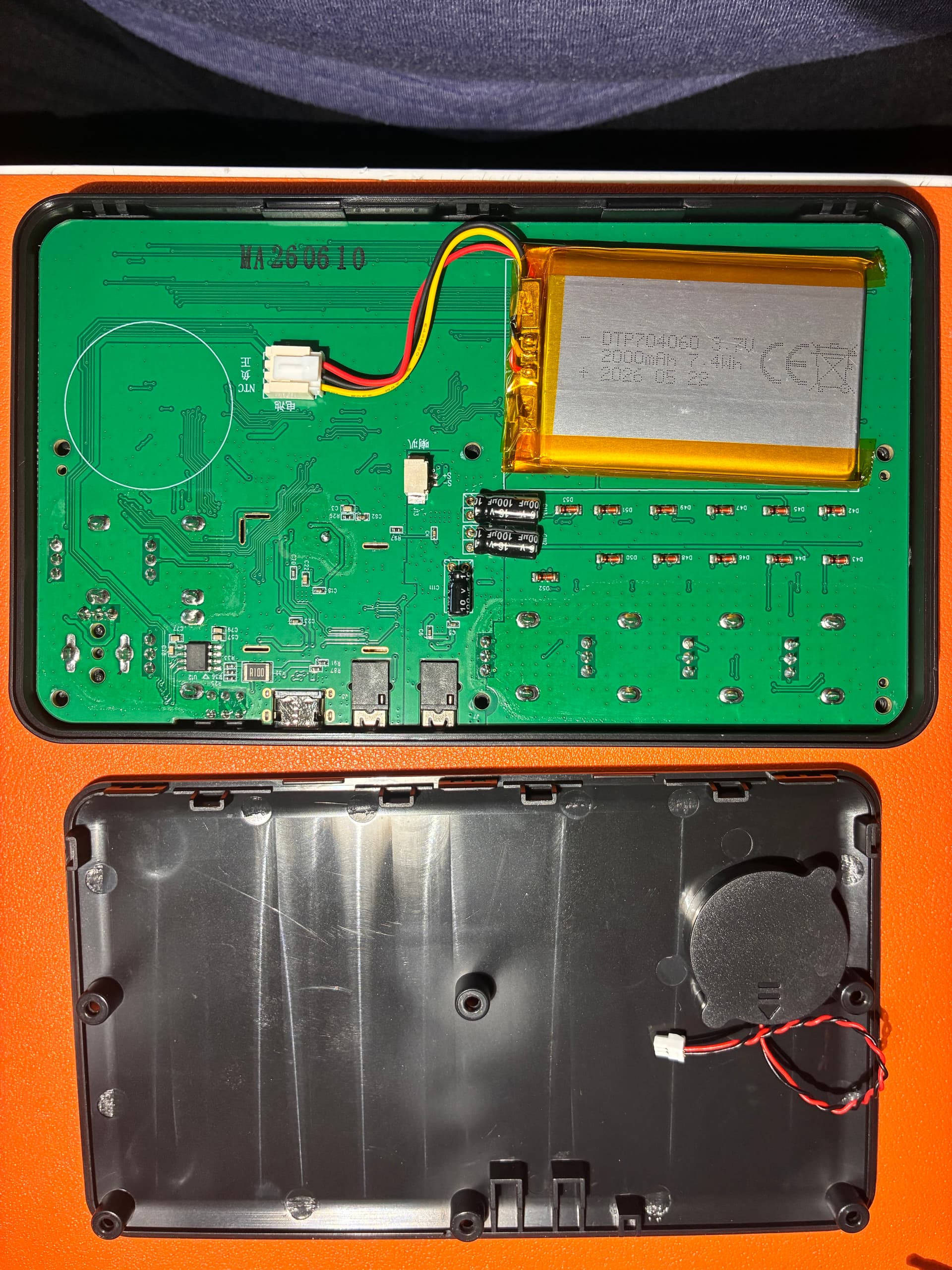
Now will look for the battery upgrade, the original is 2,000mah, would be good to find some 4,000-5,000 with the same size (inside space is quite tight). The connector is kinda propriatory too, so perhaps some soldering will be required.
1 Like
Following up on the rough edges of the MIDI implementation: the “Note” channel seems to be for input as well as output so seems its able to do multitimbral playback though I could have sworn I saw it mentioned by Mvave somewhere on their socials.
Also about CC’s note there is the “Effects Channel” global midi setting is for which MIDI channel effects are on and by default it seem to be set to different channel than Notes so could explain your lack of success in using CCs
1 Like