I’ve got some 25000 unlabelled (no metadata) FX and Foley sounds that I need to categorize into different folders so I can put them into tonverk. I was wondering if there is an app that can do this via machine learning/AI by listening to the sounds and grouping similar ones together? For windows
I found this app called orion-sfx which does just that, unfortunately file management on it isn’t very good as I can only drag and drop one at a time into a windows folder out of it’s GUI, and it only copies them rather than moving them. Which creates a problem since there is going to be overlap between some of the sounds’ characteristic/categories which would mean I’d end up with duplicates across folders.
Looking for a similar AI powered app which can allow me to group sounds into categories like weather, ambience, nature, animal, percussive, Foley, water, swell, explosion, impact, voice, etc. While allowing batch moving them from a source folder to another folder. Anyone know if something like this exists?
I suppose I can do them one by one using orion-sfx, copy and delete, but that would take ages.
I tried this actually, it seems quite good except for a few tags not quite hitting the mark. Also need more sfx library specific tags. It’s not anywhere near the level of orion’s categorization algorithm though which is quite surprisingly amazing at finding whatever sound you describe.
For some reason sononym is bugged for me as in when I press a tag in the tags window it doesn’t filter for it. The other issue is it doesn’t update the library after deleting a file in windows and after restarting the app it seems to think none of the audio files are preset requiring a rescan. It’s kind of buggy
Do you know if sononym would allow me to batch move files to windows folders (not just copy paste)?
Use Claude Code and build it. I have no coding experience and have built quite a few studio apps now for my own use. You have to be willing to put in a bit of time and bug test and will need a paid version, but it’s pretty remarkable what you can do. As you said this is the kind of stuff that AI is good for, making custom tools that are designed to do exactly what you need. I’m kind of addicted so after my current very ambitious build I’m going to cancel my subscription, otherwise I’m just tempted to build everything cool that pops into my head.
I’ve built a sample organizer that uses spectral analysis. You’ll have to see if it works for you. That doesn’t employ an LLM and runs locally. Using an LLM you can probably do even more.
Claude will find a way to do that, if you tell it that’s what you want. Claude code will help you build a program to do it, and I’m pretty sure there will be a way to get Claude work(or is it cowork ?) to do it directly.
Exactly how it classifies stuff depends on you explaining what you want.
Yeah. I do everything in Cowork. I never remember the names for all the different ways of working with Claude.
The three tips I have for working with it, are: (1) get it to prepare and update handover and briefing documents after every major round because new sessions can lose context and sessions can crash during long builds, (2) make sure it is creating backups along the way in case it screws something up (I’ve also done manual backups). The backup thing is actually very important for something like a giant sample library as I had an instance of a database getting corrupted. Something like that doesn’t mess up your actual files or the code, but you lose everything you’ve indexed, and scanning and doing analysis of a massive library can take many hours. (3) I’ve noticed some instability from several versions back but that may only be because I’m working on a really big project at the moment. I’ve learned that I need to actually break up the build across multiple brand new cowork sessions, but you can ask Claude to prepare a handover that preps the new Claude (as per the first tip above). It really does feel like you lose a coworker that knows exactly what you are working on to suddenly getting a new coworker that has to get brought up to speed. Without thorough handover documents the new Claude will be flying blind and it can be very annoying to have explain to it everything you’ve done and what you are trying to do.
Also one bonus tip. It can be tempting to get it to do a lot at once, but it’s best to do small chunks, test and debug as you go. Otherwise, you risk running the program and it’s a total mess and not at all what you wanted.
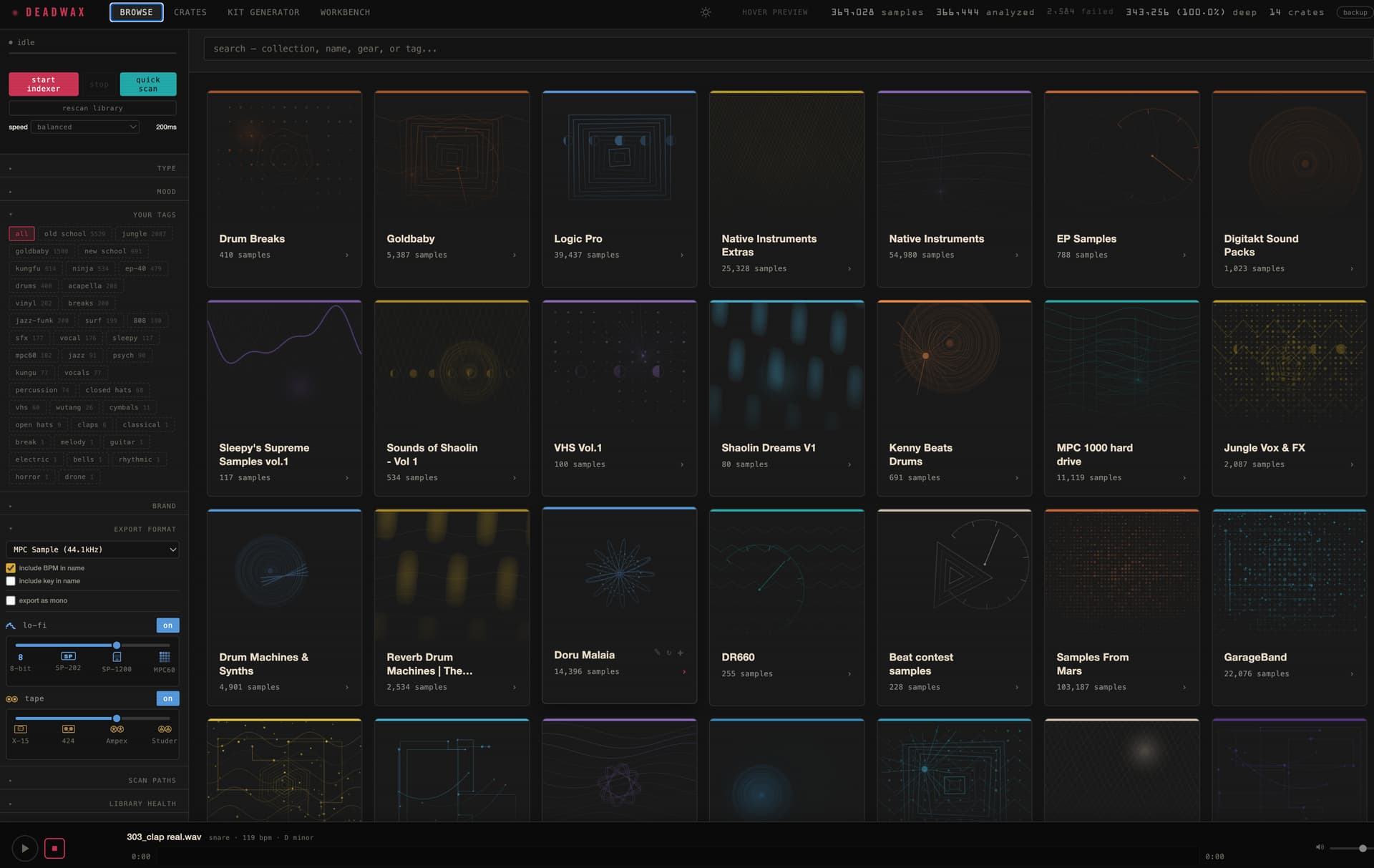
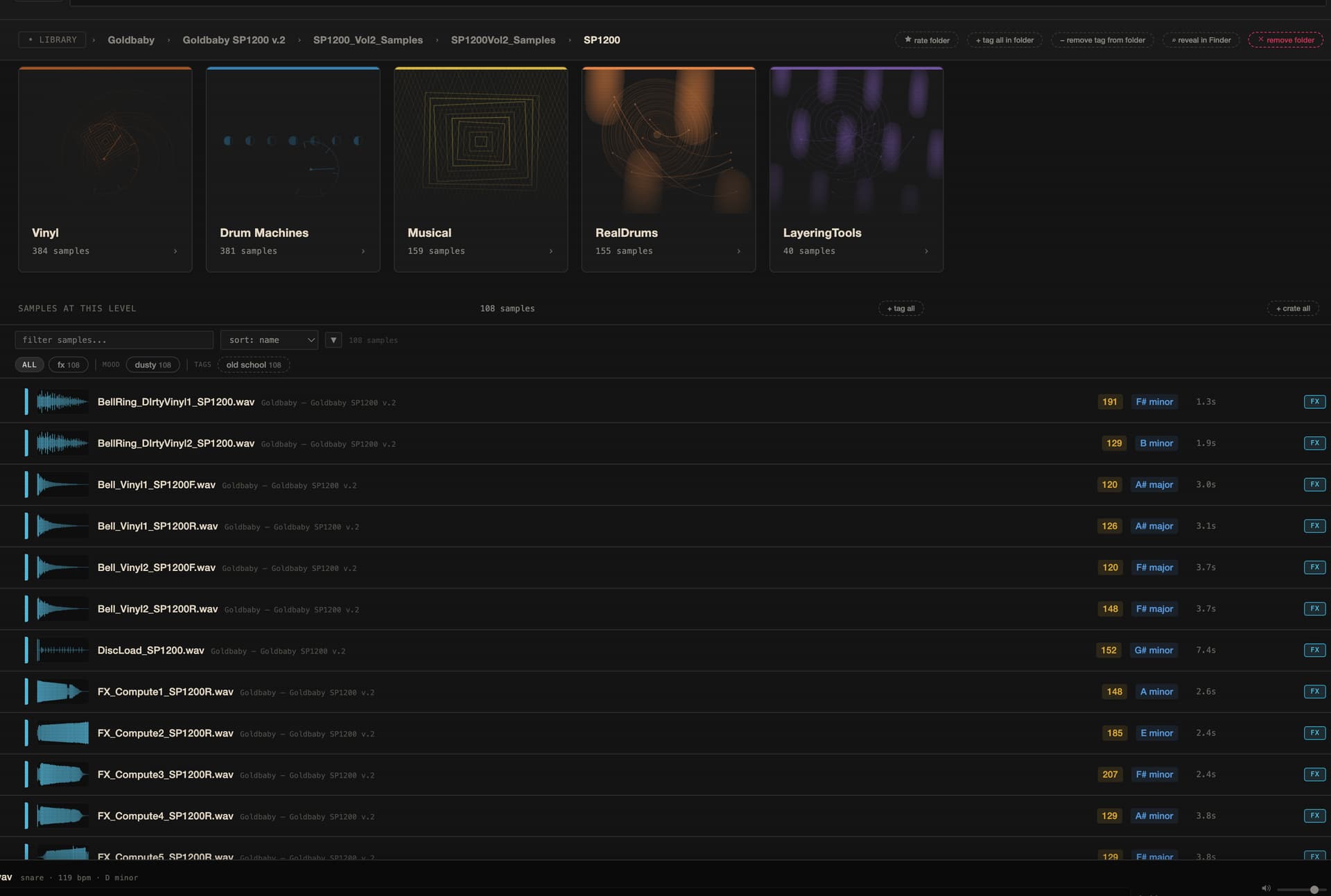
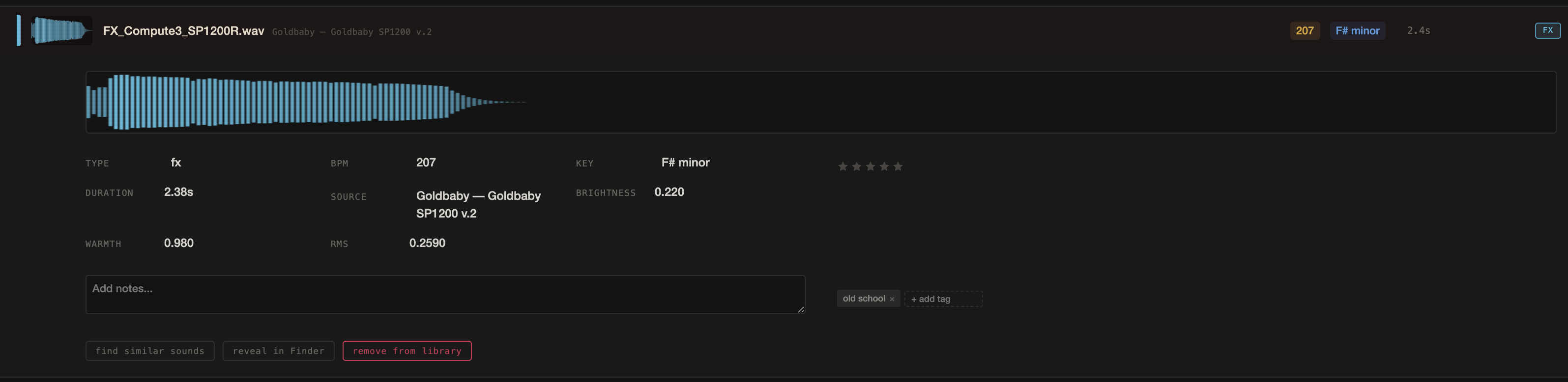
You can drill down into your folders. It found every audio file on my computer and external drives, including all of the audio content in all my VSTs and stuff like Logic and Native Instruments, excluding stuff that’s blocked like Kontakt files, etc. Instantly searchable and sortable in multiple ways.
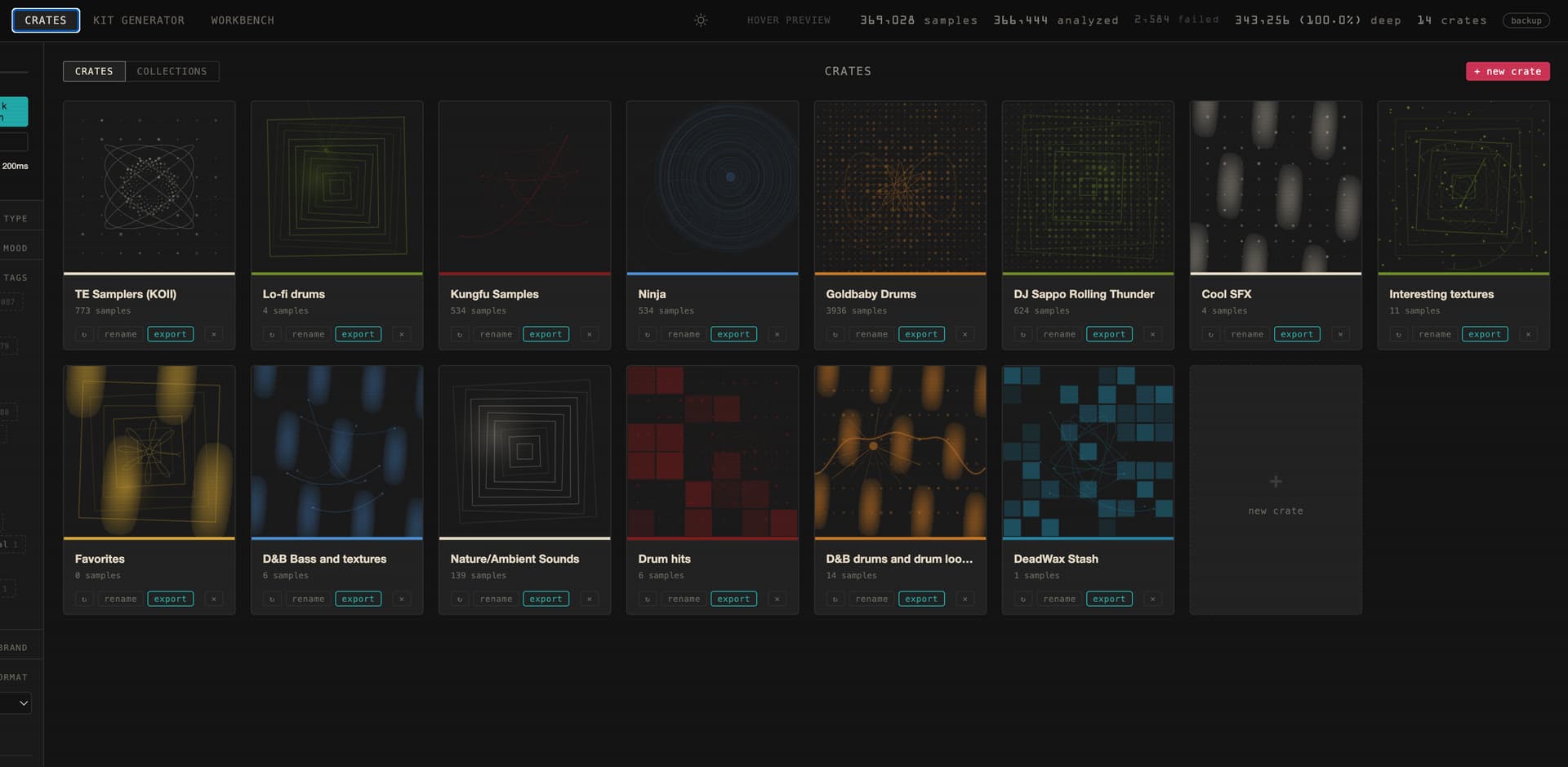
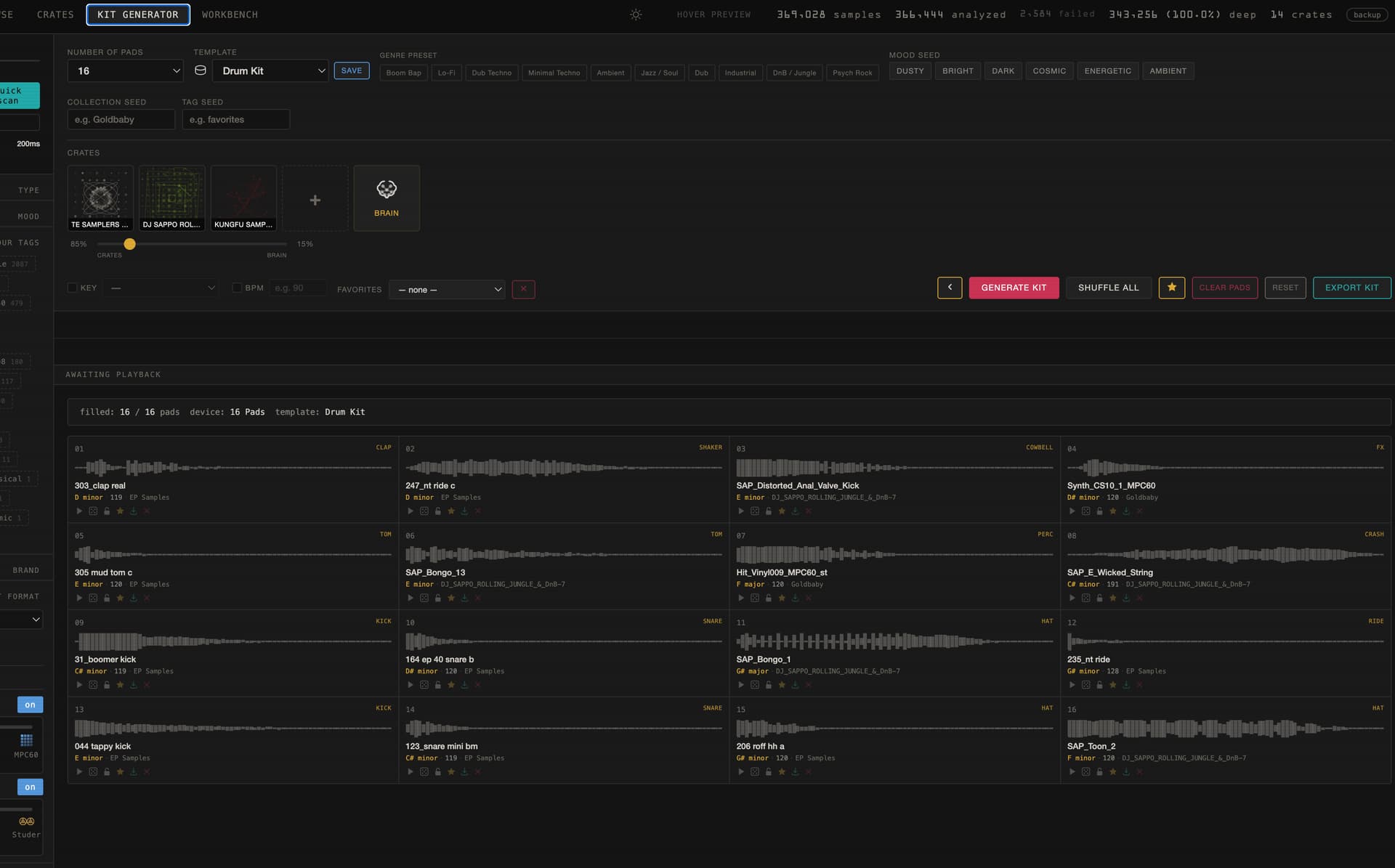
Drum kit builders with a smart algo I called the brain (riffing on TE’s idea). You can, for example, have it pull 80% of samples for kits from crates or collections you have created (like say using only the samples from my TE samplers, my Goldbaby samples, and my custom collection of Kung Fu samples, and then the brain will smart fill the remaining 20% from samples that it thinks would pair well based on a very complicated set of parameters I built in plus spectral analysis, and you can even tell it if you want to match bpms or key). These kits can be drum kits, loops, vocals, etc. Then I can export into any format used by my samplers, with samples arranged according to my preferred kit layouts for those samplers. I also integrated some custom tape and sampler DSP I did in a separate project, matching against stuff like my old SP202 and lots of research. The DSP side is mainly just tuned by ear to my sonic preferences though, I don’t pretend to have magic complete emulations.
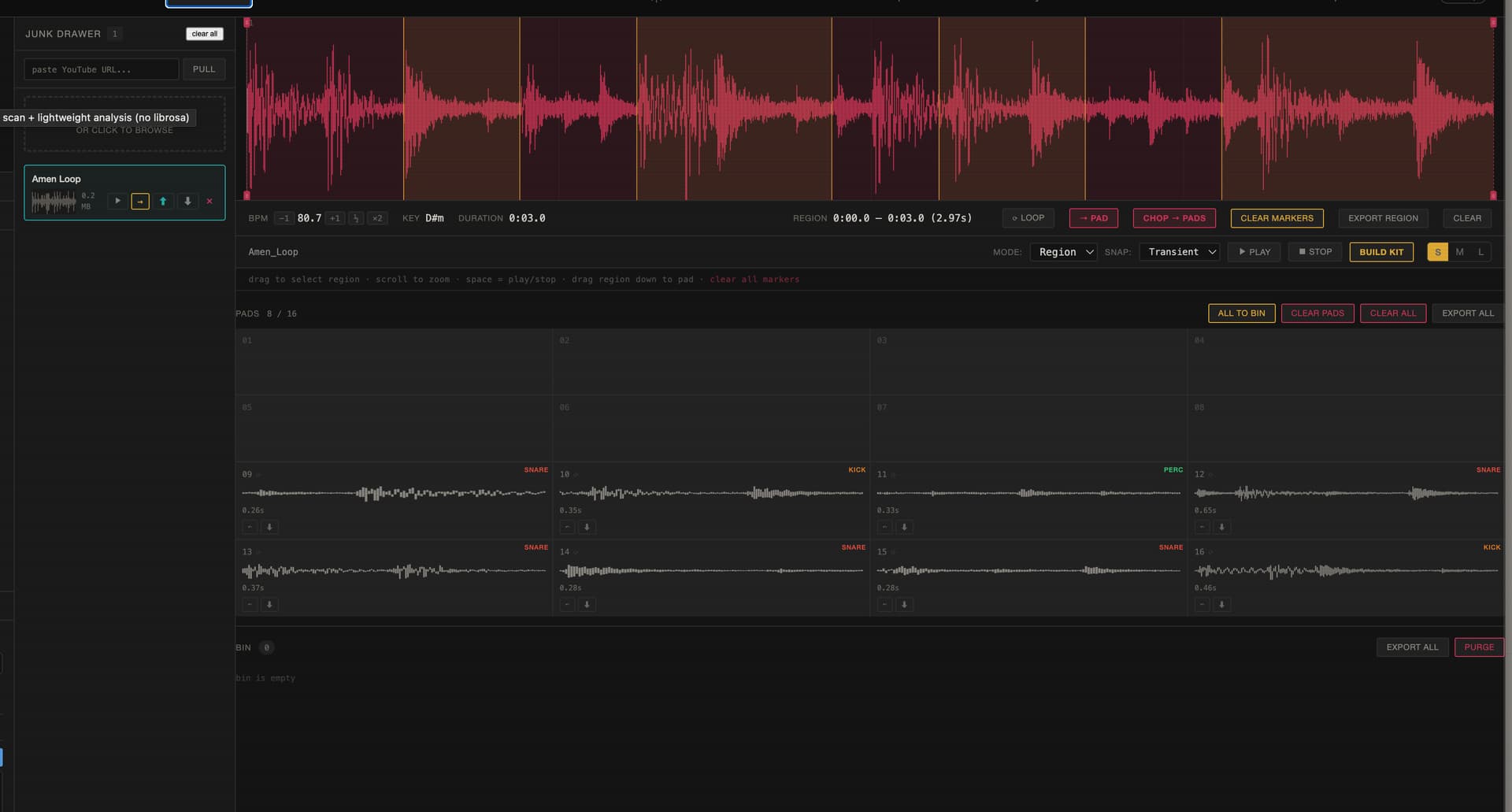
I also built in a custom chop feature for quickly building kits and samples. It can even import YouTube audio for endless sample curation possibilities. This is mostly just made to help me be able to quickly process samples I might use for a beat battle or something.
Probably some other stuff I’m forgetting. I basically stopped short of building one of those custom sample field views some of the commercial samplers do, but I could have if I wanted to put the time in.
Anyway, this is just one of the studio programs I’ve built for myself. I basically have a whole set of custom tools for every part of my process now. I am now designing a practice app for guitar, keys, and my other instruments because I finished the jazz program I was in and wanted to have a quick way to keep practicing. Believe it or not it’s way more complex than this one. Haha.
I don’t think so. I don’t have the time to spend bug testing for other people and I don’t have the coding knowledge I’d need to do all the proper vetting. The other thing is that it’s basically designed to run well on my old Mac offline, porting to other OS systems sounds like it would suck. Basically my goal now is to get everything I want together and running well and cancel my Claude subscription. I built all of this stuff to basically give me more time making music and it’s quickly becoming apparent that I’m not going to be making any music if I don’t stop building programs.
I’ve actually built some other stuff I’m super proud of as well for designing album art and quickly making videos. All the stuff that used to take me a load of time and get in the way of me creating music. Basically I’ve rolled all of my experience and musical knowledge and design preferences into this suite of apps.
Seriously though, I think the best thing is to give it a try and build stuff how you want it. I hate the generative aspect of AI, but the tool building aspect is something I like and it’s not actually hard to do.
To be honest, I couldn’t tell you. I think I built it over the course of maybe two weeks. I put in a couple of big days on the weekends and then did a little bit each day after work.
I’ve never built or maintained a big database before so I had to deal with a couple of big database crashes not knowing what I was doing and that stung because it takes about 30 hours to properly analyze a massive sample collection and you don’t want to have to do that more than once.
One thing that was really tricky was getting the probability tables and sorting polished for the drum kit generator. Making it smart enough to actually produce good results and filter out all the crap you don’t want. Now it’s really great because nobody has time to wade through thousands of kick drums. Now you can just keep rolling the dice and find all sorts of interesting stuff you didn’t know you had and it produces results that match pretty well with the rest of your kit. Also, I’m now able to make use of all the content I had on my hard drives that before was just taking up space. In my mind, making music is what humans should do.
I built all my other apps with just the $20 a month Claude account in like a month and a half. Then I decided to do one month on the $100 plan to power through two big builds one being that one and one being this big music training app I’m doing. That’s kind of a lot of money, but once I finish the music training app I will have a lifetime’s worth of resources for practicing my instruments, and I was paying the same amount per month for the music program I was in for the last four years, so it’s going to be worth it for me I think.
After that, I think I’ll drop back down to the $20 a month plan. That’s enough for ongoing bug fixes, adding little features here and there, and building other small things if I get bored.
It might just be my personality but I find it’s sort of like crack. There’s this creation side that gets really addicting and you just want to keep going and going.
A $20 account is good because you get locked out after a couple of hours and can basically only do maybe a few days worth of building a week. With the $100 account I could basically build as much as I want and don’t ever really run out. I don’t want to live like that. Haha.