Other than using pan on the M8 to send tracks either to the left or right channel, and just connecting the NTS-3 to either (but of course you loose stereo), I don’t think it’s possible.
I haven’t received the NTS-3 yet, but I plan on using it as a Send FX for various instruments through my mixer (BlueBox). The M8 would automate it, but it doesn’t mean its output will always be processed by the NTS-3.
(I’m quite a noob with the M8 as well, but I’m pretty sure it can be used to automate the NTS-3)
Ah this lets you get the tail of an effect you’ve already triggered, but you can’t start a new touch with the mute held so it’s not the same as a “send”/full wet mode. Still useful trick when using it as an insert
Ah ha I worked out how to get an individual effect working as a send:
First, set that effect to always be 100% wet as I described in another post:
Go to edit mode for FX slot in question: Edit + FX1/2/3/4
Scroll the knob as far to the right as it will go, to Dry/Wet
Press the knob in
It enters setting the “Assign” for this parameter. Press on the left edge of the pad to set it to “None”, which means Dry/Wet will have a fixed value independent of the pad.
Turn the knob 1 notch right, to “Value”, and press the right edge of the pad to set this to 1024 = Dry/Wet is always fully wet
Press Perform to go back to the “home screen” (you can also save this as a preset from the Edit screen)
Then set the effect so you don’t hear the dry signal when the touch pad is released:
Go to “common” edit mode for FX slot in question: Edit, then FX1/2/3/4 twice
Scroll right one to “Rel mode”
Press the knob in to edit the value
Tap the right half of the pad to set it to “Silent”
Et voila, it now works as a send effect – the effect is silent unless you press the pad (or press it and set it to “hold” - not sure if you can configure an effect to it’s always on regardless of pad status).
This does mean you need to set up all the chains you want in this way, you can’t just make every preset work in send mode, but this is fine for my use case.
I see the unit can transmit/receive program changes from 0-99
I can only presume, that this means you can use sent program changes to change through the 100 built-in presets. Can anyone confirm that this is the case?
LPF has LFO click!
If you choose an LFO with a straight line as Square or a SawDown there is an audible click.
This renders these LFO Curves useless.
Have not looked for any other LFOs in other effects. Hopefully it is not as bad.
BTW. I love this unit. The effects sound really good and it is possible to dial the right amount in.
The Editor is dope as you can adjust everything very comfortable.
Just received my unit, and now it will take some time for me to get familiar with all the settings
About what you describe - which corresponds to the way I want to use the Kaoss - I just wanted to add that using the Korg Kontrol Editor makes configuration much less tedious.
I’m definitely not in the “use your computer” camp but for this, I have to admit it’s really helpful to have all the parameter laid out in front of you in the editor, instead of scrolling through countless menus on the unit itself.
Haven’t had a lot of time to get into this box but the first hours give me reasons to be quite enthusiastic!
It’s my first Kaoss Pad, so I don’t know how the older ones are, but this one 1) sounds great, 2) gives you a lot of control/creativity over your FX chaining and parameters with Korg Kontrol Editor, and 3) is really fun to use with the touch pad and strip.
(I could add 4) it’s cheap and 5) the tiny form factor is an advantage for me, but that’s more personal)
This being said, given the aforementioned deep control and wealth of parameters you get for each effect, it’s going to take me a while to wrap my head around it and be able to design the effects I want. For such a little box, you really have a lot at hand!
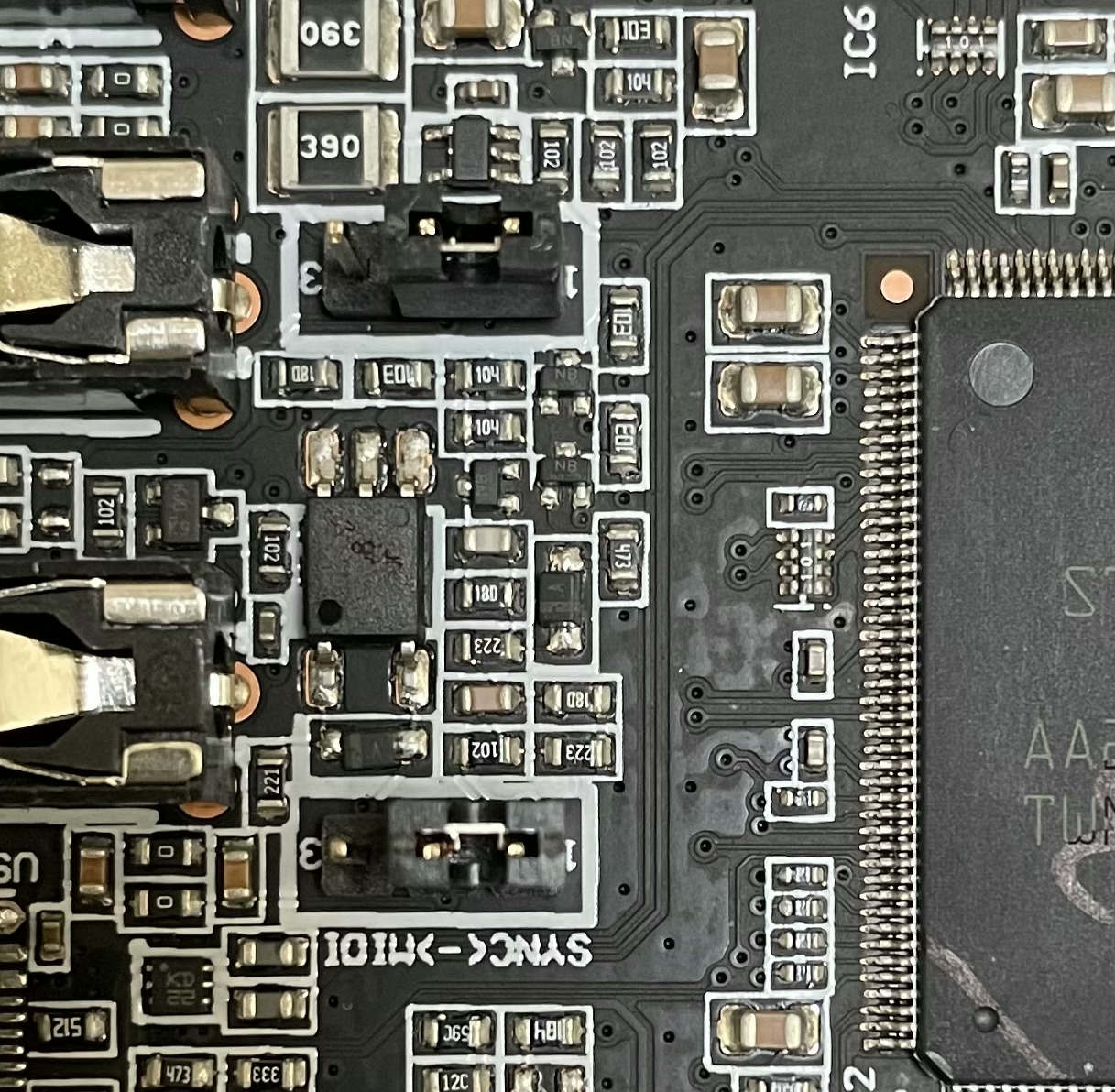
Super frustrating that it’s not shown anywhere how to switch from Sync to Midi Neither in the assembly PDF or in their video. It’s beyond my comprehension that they don’t show this clearly…
How is it done???
I find myself quite disappointed at the user guide as well, especially considering the countless options and parameters. There doesn’t seem to be any resource detailing everything in a thorough/user-friendly way.
I’m a developer but never made anything specifically for audio, how accessible is the sdk? and is there anything anyone knowledgeable about this would recommend to look into beforehand that could be helpful?

 Any experiences with it? How are you like yours? How good is the quality of the effects

 Neither in the assembly PDF or in their video. It’s beyond my comprehension that they don’t show this clearly…