It's 404, yo!: a small Mac app that makes any sample pack SP-404 MkII-ready

I make beats on an SP-404 MkII, and I kept hitting the same wall. Drag a sample pack onto the SD card, and half of it comes back as “Unsupported File” with no idea which files are the problem or why.

It turned out to be format, almost every time. A lot of packs (Splice, pro packs) are 32-bit float WAVs, often 96 kHz, sometimes FLAC. The MkII only takes 16-bit linear PCM WAV at 44.1 or 48 kHz on SD import, so it quietly rejects the rest. Fixing them one by one in a DAW across a few hundred samples got old fast.

So I ended up building a little Mac app to do it for me, and figured plenty of you run into the same thing. It’s called It’s 404, yo!. You drop in a whole folder, it analyzes every file and tells you in plain language what would fail and why (“32-bit float to 16-bit”, “96 kHz resampled”, “FLAC to WAV”), then converts the pack in one click. Files that are already fine get copied untouched, and your folder structure stays intact.

A few honest details. It’s macOS only and $0.99 on the App Store. I also put the source up on GitHub (MIT) if you’d rather build it yourself or just see exactly what it does to your files. It runs fully offline and sandboxed, so nothing leaves your Mac.

This is the second of these tiny single-purpose tools I’ve made. The first one, It’s mono, yo!, sorts out a different mono and stereo headache. Same idea both times: one job, done well. I use the gear myself, so if something chokes on your pack or you want it to handle a case it doesn’t yet, tell me and I’ll take a look.

App Store: ‎It's 404, Yo! App - App Store
Site: https://its404yo.iamjarl.com
Source: GitHub - JarlLyng/its-404-yo: Make any sample pack SP-404 MkII-ready. Native macOS drag-and-drop converter that fixes the 'Unsupported File' error. (It's mono, yo! sibling) · GitHub

6 Likes

I was under the impression that Roland’s official SP404mkii app was intended to cover some of this use case (converting samples for batch import) so I’m wondering, what advantages does your app offer over Roland’s? Besides being non-proprietary and open-source :slight_smile:

There’s a free app, on Windows, Mac and Linux called “Fre:ac”. It’s a batch audio converter, feed it an input folder, tell it precisely what format you want it to spit out and where and it just chews through the folder and converts everything pretty quickly. Only mention as it’s multiplatform and useful for much more besides the 404 use :slight_smile:

2 Likes

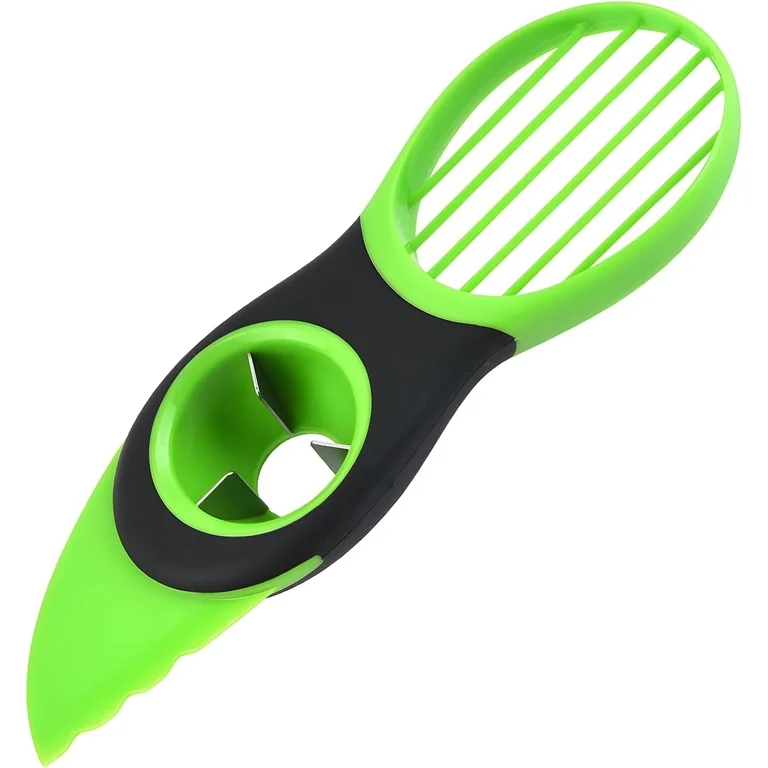
single purpose AI slop being sold for 99 cents, no thanks! ill stick with literally any other audio converter made ever. the equivalent of a boiled egg slicer kitchen gadget

4 Likes

I have one of these :flushed:

2 Likes

Egg slop!

1 Like

AI produced apps lookin like

1 Like

:face_with_raised_eyebrow:

the fuck is that?

2 Likes

my 404 sample slicer tool

2 Likes

Good question, and honestly Roland’s app does overlap here. The difference is mostly workflow. Roland’s app is built around loading samples onto pads inside a project, and it needs Roland Cloud Manager running. Mine works one level down, on the raw files: point it at a whole pack (or a folder of packs) and it batch-converts everything to the SD-import format in place, keeping your folder structure, so you can drop the result straight on the card or keep it as a clean library. It also tells you per file what is off and why before it touches anything.

So if you are happy importing through Roland’s app, you may not need this, and that is fair enough. Where it earns its keep is prepping whole packs as files, especially if you import via SD card rather than over USB.

2 Likes

Yeah, fre:ac is genuinely good, I’ve used it myself. The one difference is you have to know and set the exact target yourself (16-bit, 44.1 or 48 kHz, PCM WAV). Mine just knows the SP-404 target and flags per file what would fail and why, so there is nothing to configure. If you are already comfortable in fre:ac, it honestly won’t add much for you.

2 Likes

All good, it’s not for everyone. I’m a developer, I built this myself and put the source up openly, mostly to scratch my own itch and share it in case it saved someone the same hassle. The 99 cents is just to cover costs. The price is just the lowest the store allows, I’m really not getting rich off this one. And yeah, it’s a bit of an egg slicer. I got tired of doing this thing by hand :grinning:

2 Likes

y’all need to channel your inner zero cool and use ffmpeg on the command line

1 Like