The endless fun box.
I keep getting amazed by just how versatile and expressive this synth is. It’s an endless source of inspiration.
This time I’m leveraging the mod wheel macros, they’re incredible! This was recorded straight into Ableton with only light EQ:ing and compression on top. It was mostly already mixed on the Digitone itself and the macros make it easy to morph sounds while keeping the mix tight.
I’ll be doing a track breakdown with some sound design tips later when I have a bit more time.
9 Likes
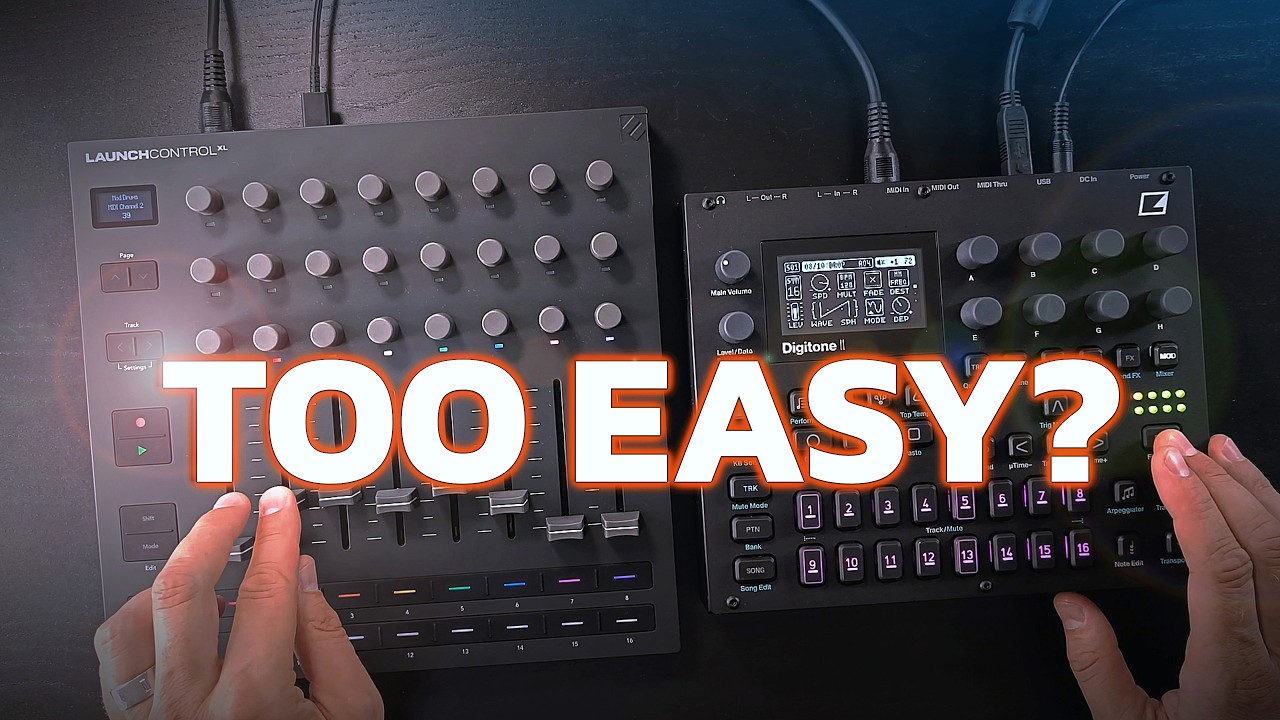
That is pretty nice. I have 11 spare tracks not midi’d up on my DN so would not really mind that it only has 8 faders.
Map the encoders to cutoff, reverb, and delay ofc!  Is it easy to turn them to max via one swing? Like with DN.
I kinda want one now. Should be a lot of fun with pattern reloading.
Edit: in Loopop video comments he said that the encoders send absolute values so does that mean that if I turn encoder and reload the pattern, then the value would jump back up?
So this is modwheel-fader per track via dedicated MIDI channel?
The macros for mod wheel, breath controller and aftertouch are the best hidden feature of the digis. It’s a whole performance mode tucked away in a sub menu, so incredibly powerful and actually useful with a MIDI controller! I don’t understand why Elektron isn’t shouting more about that and making videos showing it off.
2 Likes
Use the MIDI macros with MIDI loopback to eliminate external MIDI controller.
2 Likes
Or just use a MIDI controller and be happy that you now have a synth with faders or more knobs that are even dedicated to different tracks  .
.
1 Like
They’re a tad more resistant compared to the DN2 encoders, but they have similar acceleration so it works. But…
Yes, I haven’t figured this one out yet but the XL definitely sends absolute values and it’s a one-way communication so if you switch pattern on the DN2 side, I’m not sure if there’s a way for the XL to know. Maybe if you plug in a midi cable the other direction too, of the DN2 sends updated cc values when loading a new pattern? But I doubt it does because that would be a lot of midi messages sent out each time you switch pattern or mess with ctrl+all. So yes, I think it’ll jump around. This is why I haven’t really figured out how to leverage the encoders yet.
Yes, with a twist: some tracks share the same midi channel. I have set it up so that the snare, perc and hats tracks share the same midi channel, so I know that fader 2 will always affect the drums (fader 1 is dedicated to the kick). I’ve developed a setup that works well for the type of music I’m making and I’ll go through it in more detail in a later video.
I don’t know about Elektron but I’m having at least two videos planned around this topic. 
2 Likes
Check what I just posted in the Launch control thread. Please try it out, instant buy if it works!
I also submitted a feature request to allow relative encoders for dawless fellas with such use case.
1 Like
Relative encoder values would make it far more useful in this case, provided that the DN2 supports receiving them (when attempting this on the Faderfox, I could never get it to work).
I’ve just checked and the incoming MW value is maintained when switching patterns. Don’t know if this is useful or not.
2 Likes
This is true for all of the macros (mod wheel, breath controller, aftertouch, pitch bend). It’s the best workaround for getting performance kits on OG digis. You have to set the values that are affected by the macros to the same default state on each pattern of course if you want it to be affected continuously.
3 Likes
Yep, it’s super powerful. The hard part is deciding what needs what control. I have 16 faders at my disposal and 32 digi tracks, still working on the right setup.
1 Like
In my experience, this process is super helpful in itself. It will force you to make a decision which elements of which track you actually want to perform and come up with a layout on the faders that makes sense for you. It really helps to narrow your options and learn what each fader does, which makes performing a lot easier than having a synth with 50 knobs in front of you (imo).
2 Likes
The way I use it is to think of it not as 32 tracks, but a number of key elements: kick, other drums, bass, chords, lead, etc. Then you can assign midi channels accordingly (several tracks can share one midi channel). This works well for the mod wheel macros which are relative to the underlying sound presets so you still have full control over what happens on each sound/track when modulating it.
The fact that it stays across pattern switches is part of the beauty, it brings the best of kits and more dramatic pattern switching together.
3 Likes
fiercely good stuff there <3 reckon sasha & digweed would have rinsed this back in 99-00!
1 Like
Bought this device fairly recently and I’m liking it quite a bit. Aside from my own creative blocks, it’s getting me to make music a little better than working exclusively with a DAW right now.
2 Likes
Thank you!
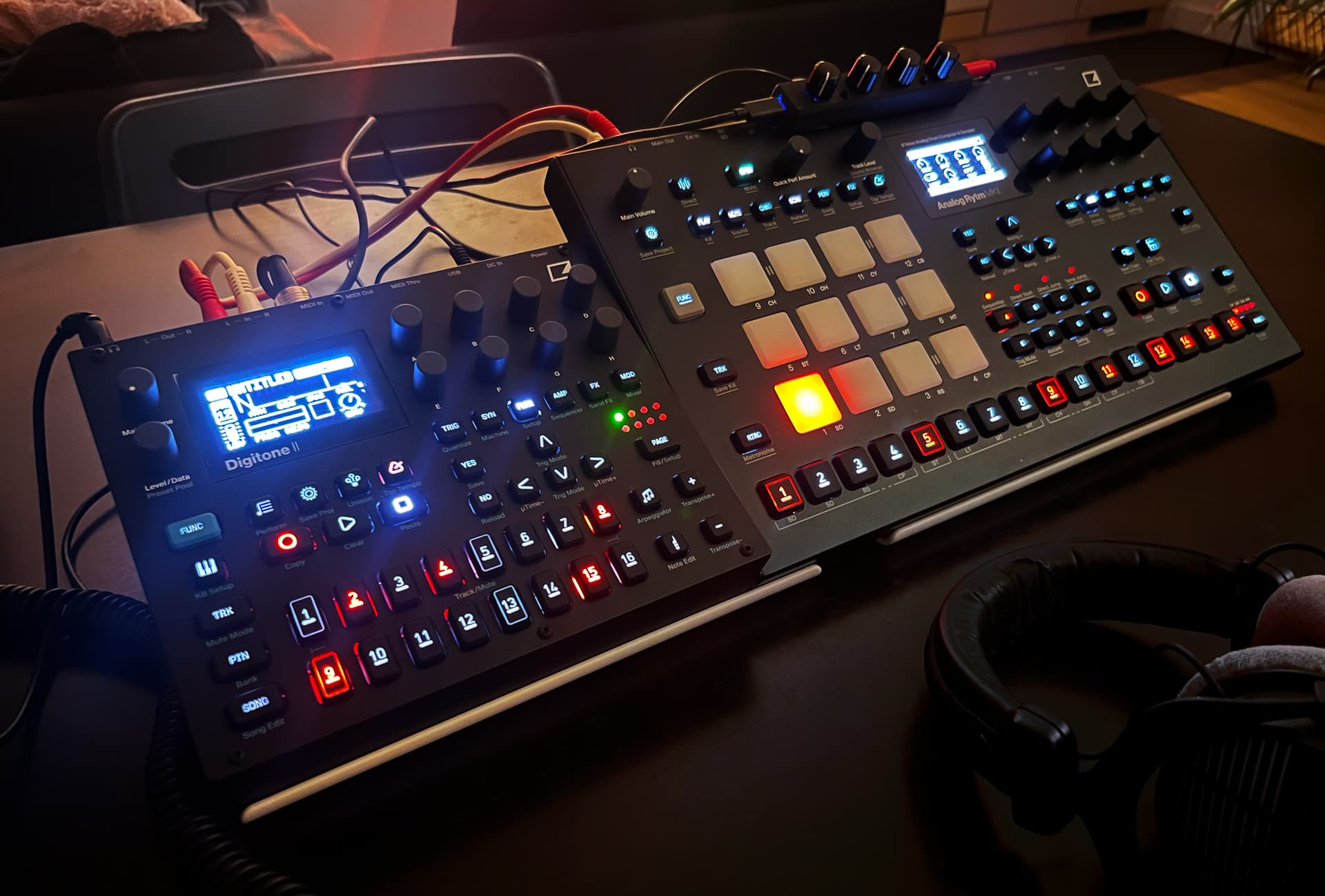
Ok, I finally bought the DN2.
My Liveset rig was way too big. I want to go “minimal”.
The DN2 is just silly. 16 tracks in such a small footprint 
PS: that mini-midi controller (ParksTool) on the Rytm is for Performance Macro’s.
Gonna add a second one on the DN2 to do the same for the Mod Macro’s.
Nice!
14 Likes