Infiltrator 2

Infiltrator 2…

I just want to say, how amazing it is, I use it every single day. It’s incredible!

On top of that, the team are amazing. I asked for them to add 128 user banks so I can access more banks via MIDI.

They added it in the next update. Wonderful software, great devs.

Thank you so much!

[mod edit: this is what we’re talking about ^^]

10 Likes

I think Infiltrator is super powerful, and in theory I love everything it’s capable of doing, but lately I get super lost in it and find myself making a big sonic mess with it. Granted, sometimes it’s a beautiful mess.

I really like the plugin, but I don’t think I’m very good at using it. When I first started using it, it was really magical, so maybe I just need a bit of a strategic adjustment.

How do you like to use it? Any tips?

1 Like

Bit complicated to explain… my setup is crazy. I’ll try my best though.

The ‘rule’ I go by, is when jamming, I’m not allowed to touch the mouse or keyboard. I have a lot of physical controllers, plus 7 Ipads, mostly running TouchOSC.

One Ipad is dedicated to the buses. There are 4 buses: pink, blue, purple, and dry. Pink and blue are my Infiltrator buses (purple is Turnado). They work in different ways.

The blue bus, you can select user presets on a slider, the names come up on the Ipad too. There are XY pads for controlling the Modulator knobs… the XY pads control the offset of LFO’s in Ableton, also an XY for LFO of wet/dry. So I have LFO control of the 4 modulator knobs and the wet/dry of Infiltrator.

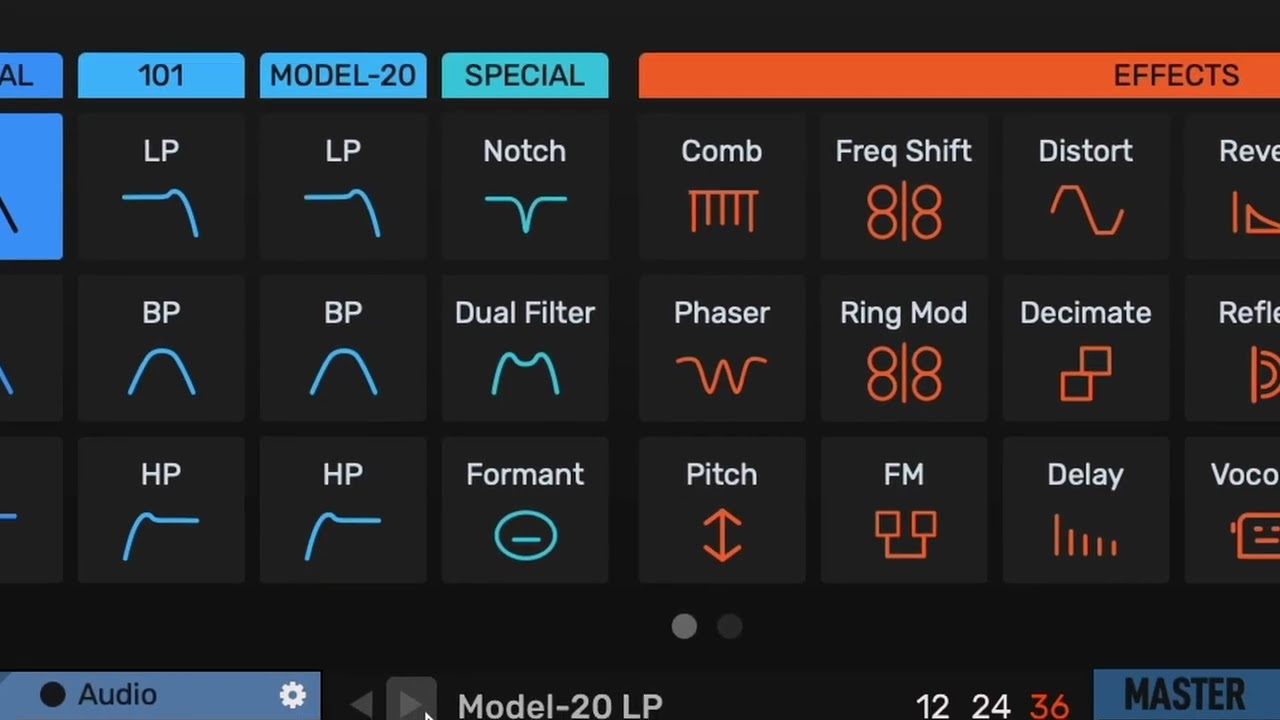
The pink bus works in a different way. There are 3 Infiltrators in a row. You use MIDI notes to turn on each effect, so you have access to the individual effects. Two LFO’s, one for the Offset knob, and the other for wet/dry.

Each bus also has another Infiltrator, dedicated to rhythmic slicing (using the expansion pack… absolutely great, and worth buying). So I can add slicing to any bus and get it sounding more rhythmical.

There’s a lot more, too much to explain. Can do a little video if you want (bear in mind I’m not that great at making videos :smiley: )

How are you using it? Producing by chopping and editing audio etc?

I’d say the important things are, have control of the parameters (not with mouse, you need knobs), and also be careful with wet/dry so you add it sparingly.

Also try adding an LFO to the parameters, then map to the LFO offset. It sounds great coming in and out rhythmically!
2 Likes

Well, kind of? No, not really.

My main way of working lately has been with my hands on the Octatrack at almost all times, with some other gear going into it — it’s a bit of a rotating cast of machines, so probably not worth getting into those. I send MIDI and audio into the DAW, but I use the OT Cue as an FX send that also goes into the DAW and back into the OT (return) — this is where I typically have an instance of Infiltrator. Mostly I jam with machines, use some extra FX in the DAW (OT Cue send/return), then record the OT mains in the DAW.

I do use an OT MIDI track to send notes into Infiltrator, kinda like you were saying. I’ve even experimented with rhythmically enabling/disabling Infiltrator FX using the OT MIDI arp, but this can get pretty weird pretty quickly.

I like your rule of not touching the mouse while jamming —fuck mice, dumb rodents! I might try that out.

I think I make a mess out of everything because the UI is designed in a somewhat opinionated way that makes me modulate everything too much. It’s like I see every FX tab as something that needs a big ass envelope or a follower.

As I’m writing this, it’s becoming clear that it might simply come down to “less is more”. The plugin has a lot to offer, and I need to stop using all of it :))

It’s funny, because the first few times I used it, I had really great results with it, so I’m clearly the problem. lol

3 Likes

Oh wow thanks, this seems exactly the type of stuff I have been looking for.
Edit: okay bought it. Fucking crazy! Love it. So easy to use! It even sounds good.

3 Likes

I love this plugin and use it in almost every production - it’s my go-to for inspiration when something feels stale. Some aspects of it can overpower but for the most part it’s become essential to my workflow.

3 Likes

In case anyone’s interested, what I requested from the them was to expand the number of banks you can select with Bank select message, from 40, to 127.

So now you can favourite 127 banks and choose them remotely via MIDI.

Gonna take a loooooong time to choose them, and make lookup tables with all the names so my little Ipad labels match up correctly. Worth it though, there’s so many good presets!

I’m currently asking them for MIDI CC control of the Swing parameter for the envelope. Hopefully they’ll add it!

By the way thanks @LyingDalai for adding the video link!

4 Likes

Nice. I do this with a Launchkey Mini Mk3’s arpeggiator, using the notes to turn the effects on.

You should try putting multiple Infiltrators in a row, cos you only get 10 slots per Infiltrator, you need 3 to have all the effects available.

Then map the Octatracks LFO to the CC for the Infiltrator wet/dry. Then can bring it in subtly or make it go crazy!

You can directly map the Infiltrators wet/dry control, or have 2 chains (in Ableton) and make wet/dry that way. I do it like that because you can use Infiltrators wet/dry as a master wet/dry for all the FX.

Such an amazing plugin… so much you can do with it!

I just love noodling with Infiltrator! My favorite, when not in the mood for any composing, is loading some Young guru breaks and just stacking FX. So much fun with minimal effort.

Big tip here in case it helps anyone - modifying and saving factory presets.

Say you like a factory preset. But you want to slightly change it, maybe swap some macro knobs around, tweak levels etc - you can’t save over the factory presets, that’s the problem. Here’s what you do:

  • Hold CMD and click the menu button in Infiltrator. This opens the bigger menu.

  • Click on ‘Factory Settings Folder’. This opens a folder in Finder.

  • Click into ‘Infiltrator’. Then click into 'Library, then ‘Presets’. Then copy the folders (main, artist, expansion), and paste them into the user folder.

  • To access the user folder, click the ‘Manage Presets’ menu option in the menu.

Then just use the presets in there, and then you can save over them. You can even use Bank Select and Program Change to access 128 banks remotely, and of course you can now amalgamate folders to have up to 128 in each folder.

2 Likes