So, I bought my Rytm MKI as soon as it was released, and have been using it since. I think Rashad’s like 12 years old by now? Anyways, used it quite a bit until around 2019, then picked it up more intensely again for a small gig I played last night (gig went OKish, but venue acoustics were 'orrible and PA was so loud with no monitors, I could barely hear what I was doing), and in these recent weeks, I’ve noticed some worrying issues… like some sort of “Alzheimer” on the Rytm…
Sometimes, when I switch a pattern in a project, the pattern doesn’t load and the kit display doesnt update with the new settings. If this happens, the last pattn I was on continues playing from every pattn slot I switch to, as if nothing existed in its place before! Power cycling the Rytm fixes this issue, but I learned this too late and lost hours of material reloading a project which hadn’t been saved for days… Now I am concerned that something is about to fail, either the plusdrive or the RAM is getting flaky maybe?
Rytm MKI is no longer officially supported by Elektron, right?
Anyone else have similar experiences with their Rytms?
If this keeps happening, I will be finally forced to upgrade to a Rytm MKII, before the product reaches EOL. I cant stand the thought of losing my MKI and being left with 2ndhand MKIIs, that’s not a good long term plan for maintaining a good relationship with an instrument I want to be taking to the grave with me…
Could try swapping out the little internal battery, which as I understand it is in there for supporting memory related stuff? Probably due a replacement given its age
Bumping this thread to ask more info on any “battery” inside the Rytm. I have tried to search for more info regarding this matter, but am coming up short… ? AFAIK, there is no such battery inside… ?
Your best bet is to contact support. They will help you or give you guidance. As far as I know, they still repair or replace displays and encoders on the MK1 for a fee
Well, to be honset, there are only like 1-3 ideas in there I really would cry if I lost, so its not absolutely essential for me. Killing my Darlings and all that. But I do still want to keep Rashad in good enough shape to play gigs with, and if this condition gets any worse, he will have to stay home…
Be very gentle while removing the knobs, with a pair of guitar picks for instance.
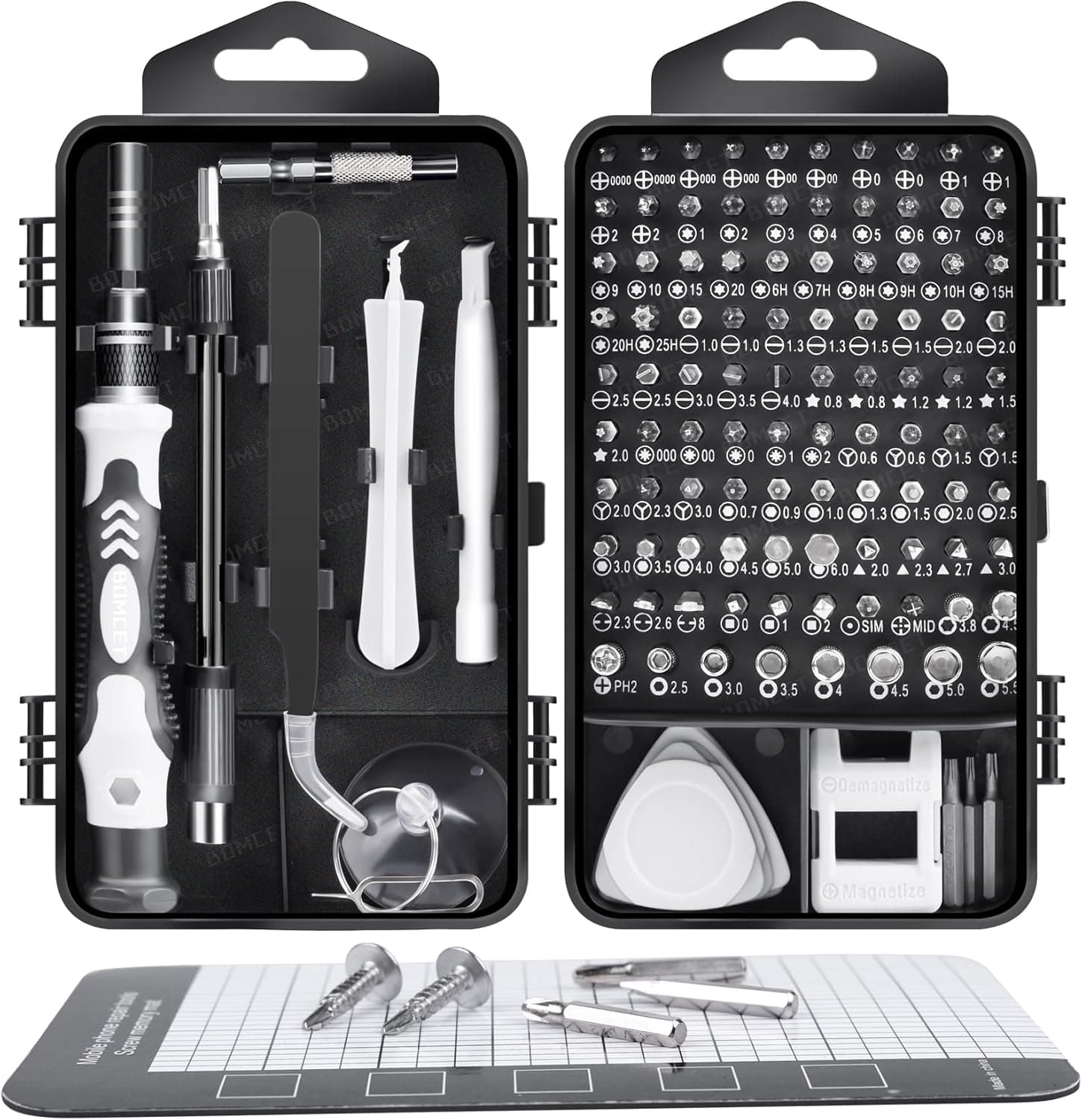
I found an inexpensive phone repair kit very useful for repairing electronics, btw.
It usually includes the guitar-pick-like plastic triangles to remove the knob caps without leaving any mark.
It’s important to have the right tools to avoid damaging what you are trying to repair.
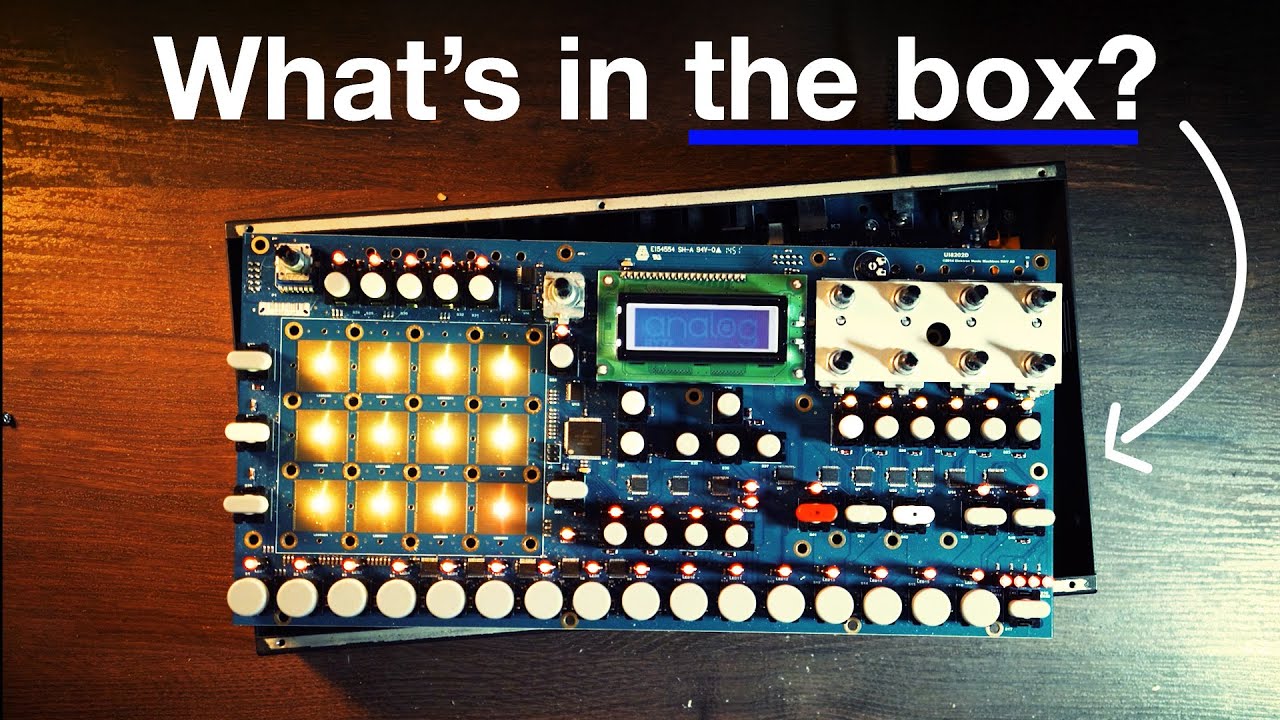
Here is a video of someone opening their unit:
I don’t see a battery btw, but there should be one indeed.
You might want to contact Elektron support anyway, if only to learn what to check.
Could be only the ribbon that has moved with time.
Take pictures and post them here while doing this, so that we can check if there is anything looking suspicious
I know it can be intimidating, but getting more intimate with your machines leads you to demystify how they are build, and reaching the state where you are actually savvy enough to be able to replace a defective component is sooooo gratifying.
It’s best to get some good enough tools and practice by assembling small pedals first, then more complicated stuff like synths… Lots of cheap kits to practice this skill.
Anyway, here you might not have to solder anything. The right screwdriver and maybe a couple guitar picks is all you need
Ok, so my gigs are done for the mo so time to backup, erase everything, and restore. I sure hope it helps, cuz during my last gig I lost patterns quite a few times and had to power cycle mid-show more than once Thank god it was a duo and my partner filled in the blanks, audience was unawares anything went wrong…
I backed up my projects, along with some extra samples I wasnt sure I had anywhere in my archives, reset everything, nuked the plusdrive… and only then remembered I didnt back up my SOUNDS!
Just a little reminder - even if Transfer copies all relevant samples into a Project, it will not touch your global Sound Pool. So always to remember to back those up separately


 Thank god it was a duo and my partner filled in the blanks, audience was unawares anything went wrong…