There was a space before the URL.
1 Like
That does seem to be the cause.
1 Like
Sometimes i want to have a yt link without the image, and in the past i used an insert hyperlink wrapper for the yt link, which is nice because i can label it as i please, but i guess i could use one of these other two methods too – it seems as long as the yt link doesn’t begin at the first character of the line it only shows the link text. ( This though could be implementation dependent and subject to change. )
Whereever it is the software still does knows it is a link.
At least on a desktop computer, when I want a youtube link without the player in my post, I copy the link from the URL bar instead of from the share tab on the video. The share tab provides a link which naturally imbeds into your post. I can’t speak for all browsers on all PC’s, but on my windows PC if I copy the URL address (full http:) then it provides a link instead of an imbedded player, and you would have to remove the extraneous part to make it imbed itself.
What LyingDalai has been trying to implement though, is for all youtube links to have the player / thumbnail so that people don’t have to leave the site to view media. I don’t know if that’s the entire motivation but that’s how I interpret it, so what I was speaking to previously was how to imbed the shorts as a player instead of just a URL link.
The less preferred approach
Sounds like you want to do the opposite. Sometimes when I want to do that, I upload a non-youtube image (photo whatever) and make the photo’s imbedded text string the link title and put the youtube video as the link, that way when people click on the image it takes them to youtube.
Like this (click the bunny it takes you to youtube):

So I dropped a random image into the reply text window (right click image, copy image, then control+v in the reply window), then highlighted the text which appears and used the hyperlink chain icon, then pasted the youtube share link into the URL portion.
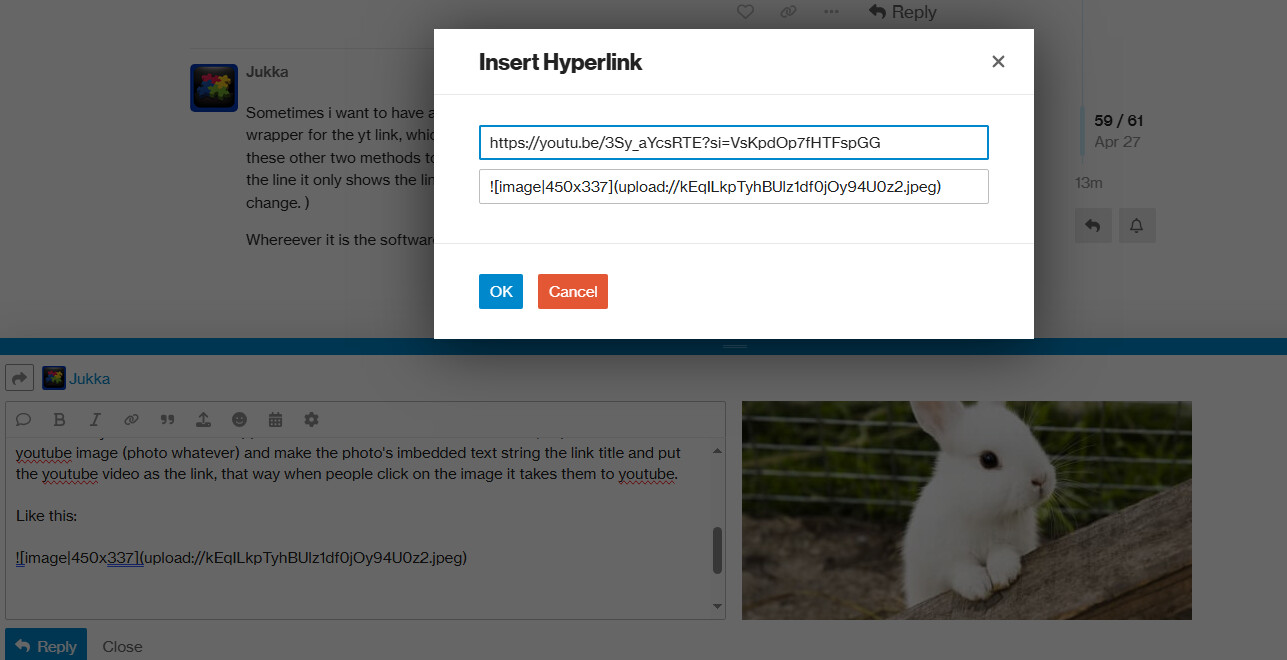
For me, this is what it looks like if I copy direct from the youtube site URL bar on a specific video:
Digitakt II OS 1.10 Video Guide - YouTube
VS this is from the share link under the video:
https://youtu.be/3Sy_aYcsRTE?si=VsKpdOp7fHTFspGG
Not sure if that helps with what you’re trying to do, but it seems possible.
I indeed believe it is better to display the thumbnail so that people can just click the vid/audio within the forum, without to have to move to YT-land and get stimulated by other thumbnails.
Checking a URL before clicking on it should be a reflex, but isn’t in most cases… So, while I have been culprit of playing with “surprise URLs” for the fun, I wouldn’t like it to become a trend, tbh.
3 Likes
Preach! I’ve been manually deleting the identifiers from links for a long time now. It’s such a force of habit I dont even think about it…
Never realized it would interfere on discourse but my genuine hope is to avoid letting companies know when and to whom I’m sharing things. I prefer to starve the algo.
4 Likes
It doesn’t.
But yes, mess up the algos. I wonder if entering random ids would even be better.
Thanks, it was quite annoying
1 Like
There there…
3 Likes
the arrow of sincerity.
On Android, forum main page doesn’t load completely. It gets stuck after 15- 20 threads and it stays there for some time.
Goal:
To share helpful tips for using Discourse effectively, especially when posting media links.
Key Tips:
- Post one link per line – This allows Discourse to generate a preview (thumbnail), making it more trustworthy and visually appealing.
- Avoid adding anything next to the link – No spaces or punctuation after the URL for best preview integration.
- Remove tracking identifiers – Some links include tracking info; clean these out to protect privacy.
2 Likes
Thank you, 
You are right indeed.
3 Likes
I’d like some search tips, questions.
For the larger threads 9000+ posts etc, when I search I often get a capped result. First 3/4k posts only. Is this a discourse limit?
(Test: a username in current sounds part 1/2)
Can we search by most liked posts in a thread? Or say all posts in a thread with 15🖤 or more?
Go to first post in thread, or the last post in a thread. At the bottom of that post find “like”. Click on it – it displays a box with the top three posts most liked.
Fun thing : Click on the “views” at the same spot and you get an activity graph for the past month, so you can see when E’nauts have gone to sleep on a thread.
3 Likes
I think there is a way to reclassify a thread you created’s category. I think i remember actually doing it before, but now i am stumped. Can a mere mortal change category of their own thread ?
Also is there category definitions somewhere ? Like is software – gear ? I notice that sometimes software product threads are in the General Discussion category.
You tell me.
Normally you change a category when editing the title.
2 Likes
Thank you ! That is so easy, how did i forget that ??
So i put the Shows and Events thread, into Social/Event.
Thinking about moving a GASsy thread Crowdfunding, Good Bad & Ugly into Other Gear.
2 Likes