Ok, finally some success, but also some inconsistent behavior and some question marks (I might post a new thread later asking if one of these behaviors is a bug). Anyhow, let’s start with the Novation PEAK where I managed to solve the problem and where I feel that I’ve figured everything out:
So, what I did was that I, in Logic, navigated to Preferences > MIDI > Sync > MIDI Sync Project Settings > MIDI (in the top menu) > Chase. (Talk about menu diving.) There, I could turn of chase for Control Changes.
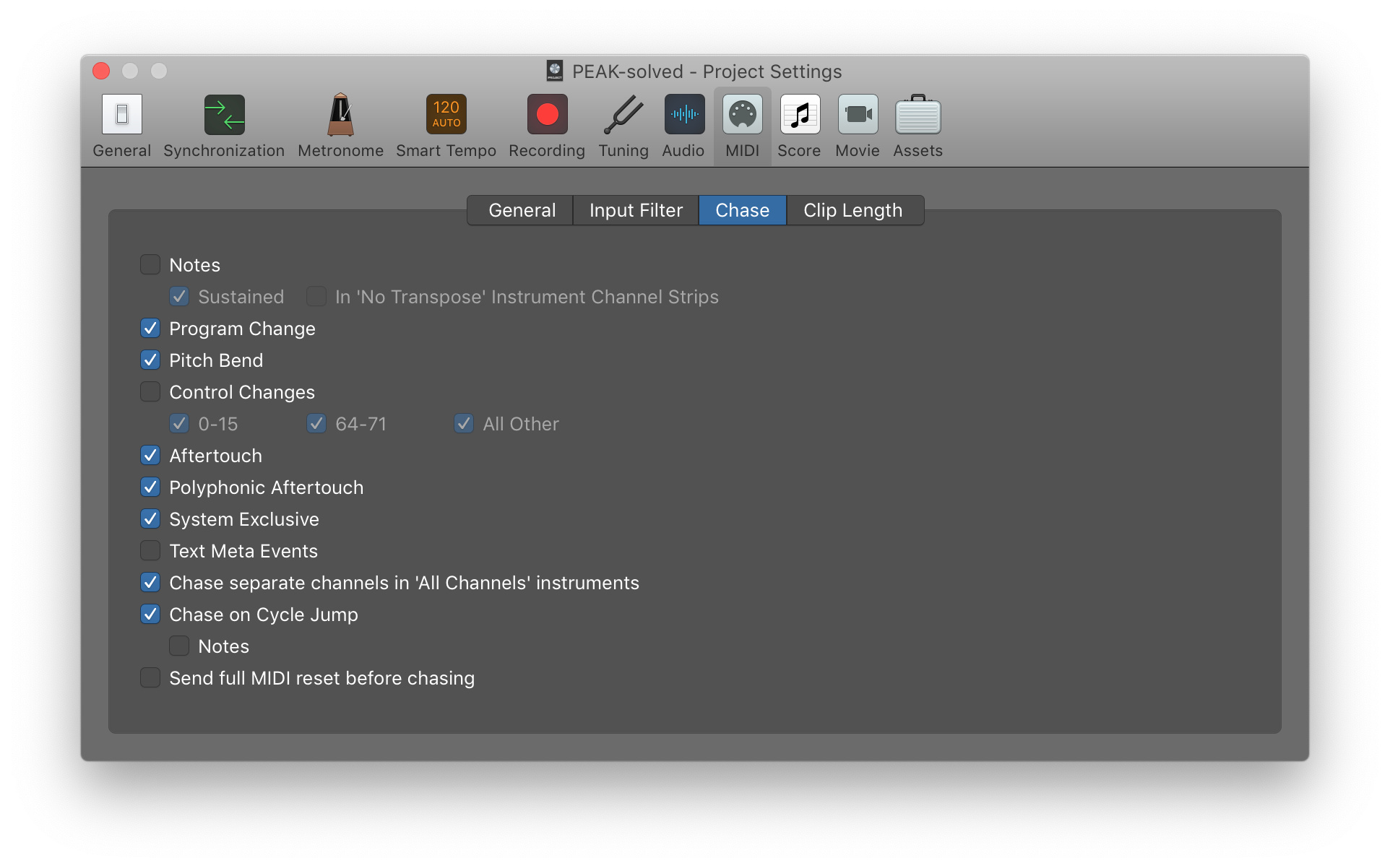
Then, I created a project looking like this:
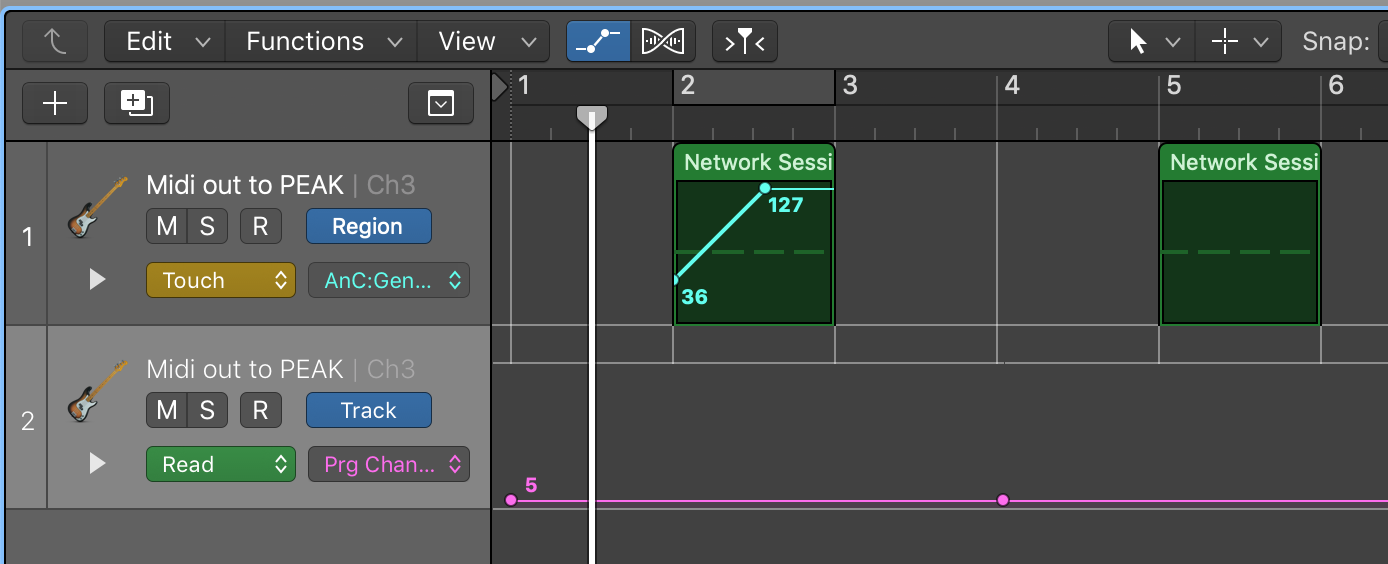
What’s happening here is that I first load patch 5 of the peak with a program change. I then play a note and send a cc automation. I then load the same patch again and just play a note. Now, everything works as expected. If I don’t reload the patch, PEAK still lingers on the last cc message it received which makes total sense. However, when I reload the patch, I can skip directly to the second region without having the automation of the first region take over (which is what happens if I turn on the midi chase for cc messages in the settings above.)
So, moving to the Analog Four, things get a bit weird. Using the same settings as above, I created the following project:

Here, I send program changes on the last track in order to switch patterns (which in turn switch kits, and I’ve made sure to turn on the reload kit on pattern change function). However, simply sending the same program change, telling Analog Four to reload it did not work, so I had to switch pattern/kits back and forth.
So, here, I play the first note which has some automation to it. I then switch pattern/kit and play a note there, which isn’t affected by the previous automation. I then go back to the first pattern/kit again and play a note there which isn’t affected by the first automation either.
However, this works the same whether I turn the midi chase settings described above either on or off. What does change things is whether I play anything while having the other pattern/kit loaded. If I remove the middle region containing just a single note, I get the problematic behavior back that I’ve described before (old automation data influencing the new regions), unless I manually reload the kit using the NO+KIT command on the device itself. What is especially confusing here is that when looking at the screen, when the original pattern/kit is loaded, everything looks like it would do if I reloaded the kit manually (that is, the parameters that are affected by earlier automation are set to their default value again).
This feels like a bug to me (that is, the sound doesn’t correspond to what is shown on the screen), and I guess it has something to do with the reload kit on pattern change function, which might have an effect visually but not auditive when operating in Overbridge mode. I’m not going to speculate on this further here, but I’ll probably post a new thread inquiring whether this is the expected behavior.
It would be nice to not have to play other notes to get everything back to the default settings, but right now, I take it. I might revisit this thread with more information if I come up with something new. Now, I’m off to create the music I’ve been meaning to this whole weekend (instead of fine tuning my menu diving skills which I actually ended up doing) 