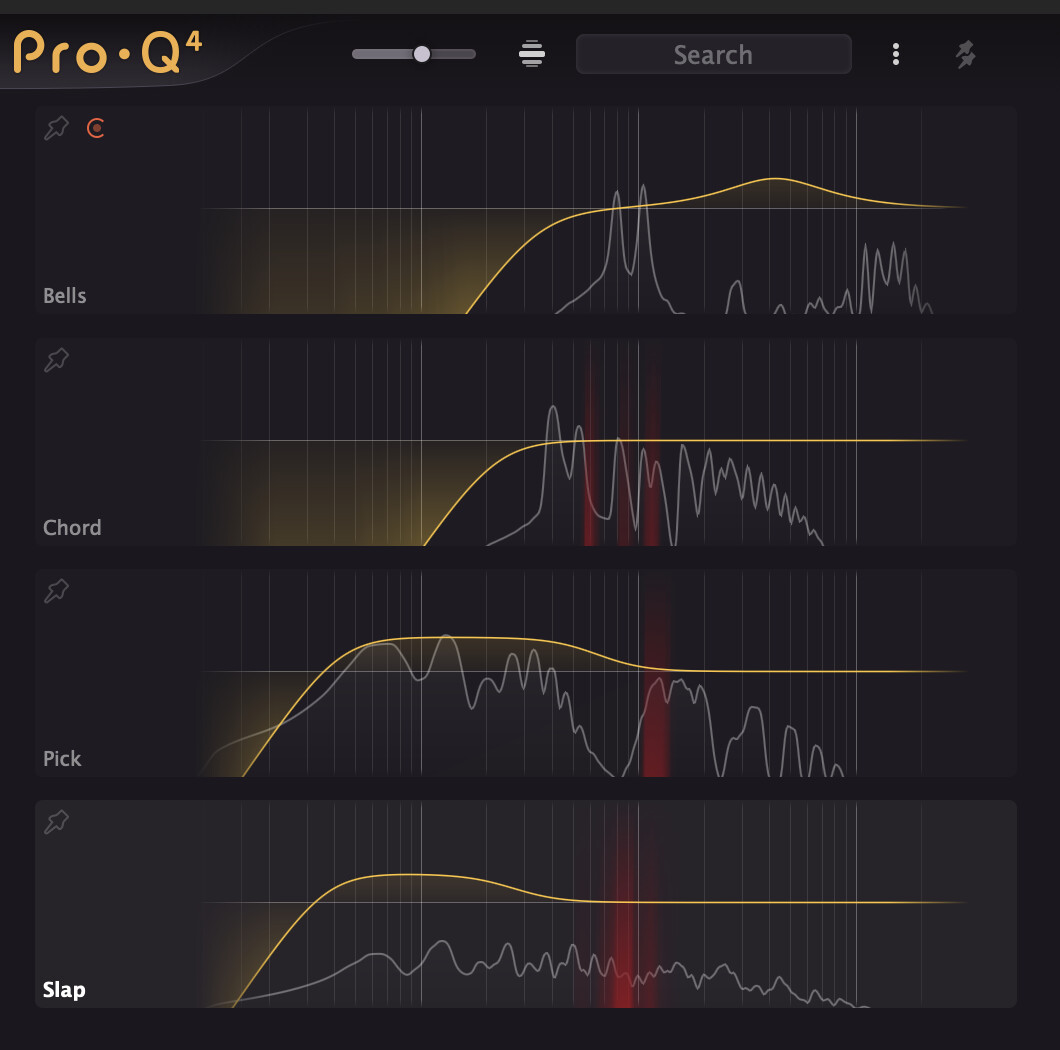
I also like the ability to eq different tracks in one window. Didn’t try it yet but in the teaser it looks even more feature complete than sonible smart:eq (they also have this one window eq approach for different instances of the plugin).
2 Likes
They’re not “new” in the sense they’ve been adding them throughout the FX plugins over the past year or two, but the Character Modes are a welcome addition to Pro-Q.
4 Likes
yeah it’s nice although not sure how much I’m personally going to use it but definitely good addition, there are 5 new features listed at the bottom:
- Advanced Spectral dynamics processing, to effectively and precisely treat problem frequencies in your audio (really want to see how it compares with a DS)
- EQ Sketch: just draw the desired EQ curve in one go to setup initial EQing
- Work fast and efficiently: use the Instance list to view and control any other Pro-Q 4 instance in your session
- Use the Gentle and Warm Character modes to add analog warmth to your mixes (I kinda see it pointless on something like Pro Q which I use as a clean eq to remove stuff or dynamic eq, I have Slick EQ/Maag4 for color)
- Copy and paste EQ bands or presets between plug-in instances
personally I can only see myself getting hyped by the Spectral Dynamics from this list but there are some other good ones on the Improved list like the Optional Dynamic EQ mode for all bands (Bell and Shelf shapes), with adjustable attack and release, optional side-chain filtering and external triggering, but even these two worth the upgrade for me for that discounted price
1 Like
They did enough for me, upgraded.
Bought!
Fabfilter can do no wrong in my book.
65% discount as someone who owns a load of stuff already including Q3.
just upgraded and couple of thoughts:
- it looks gorgeous, everything I loved about the gui actually looks better and super smooth, there are little previews on drawing shelves/cuts/bells and I absolutely love it
- they made the level meter smaller which is weird, I loved the bigger one on Q3
- the Character makes no sense to me without input gain control, don’t see the point of using it without the option to control how much character being added or being able to actually judge how the character sounds like
- not sure I like the new scroll to select the slope, but maybe I’m missing something
- the Spectral Dynamics and free sidechain are great, plus you can audition the sidechain signal which is great
going to have to get used to some of the changes but overall great update
1 Like
Upgraded! Fabfilter has been my go to EQ for years. %65 discount is fantastic!
I’m going to assume this will also be coming to iPadOS at some point.
1 Like
looks interesting but i won’t be updating til the canadian dollar improves 
Upgraded. Easy decision.
Anyone know if and when it will be coming to iPad?
1 Like
I don’t think the idea is to turn Pro-Q into Saturn. I think it’s more along the lines of “Give Pro-Q a Pultec vibe”.
5 Likes
On the Loopy Pro forum, there is a screenshot of a message from FabFilter, saying they intend an iOS release, but there are still some issues to iron out, so not right away.
2 Likes
$62 was an easy decision to upgrade. Kinda wish I didn’t buy Soothe2 though lol.
I guess I can see how they compare but… maybe soothe2 is still the winner in that regard.
I definitely enjoy Fabfilters UI more though.
3 Likes
Nice - purchased them all during black friday so they have upgraded this one for me for free
8 Likes
Luckily, I went back to school this last semester again… educational discount. $29…
anyone know how to uninstall Pro Q 3 on Mac?
2 Likes
nice Plugin Boutique free update for anyone who purchased Q 3 after October 13:
*Customers who purchased Pro-Q 3 after 13th October 2024 will receive Pro-Q 4 in their FabFilter account automatically
3 Likes
Got the update for free because I purchased Q3 2 weeks ago 
4 Likes
not sure you want to uninstall it if you have it in older projects, regardless you need to manually uninstall
yep looks like there will be issues removing Q3
Upgrading to Pro-Q 4
Upgrading from Pro-Q version 3, 2 or 1 to the new Pro-Q 4 is safe and easy: installing Pro-Q 4 will not replace or delete the previous Pro-Q plug-in versions. Different major versions will co-exist and can be used at the same time. This ensures that you can open old songs that use Pro-Q 3 without problems.
Presets from version 3, 2 or 1All presets created with Pro-Q 3, 2 or 1 can be loaded in Pro-Q 4. If you upgraded to the new version, your original presets v3, v2 and v1 presets will be accessible via the V3 Preset Folder, V2 Preset Folder and V1 Preset Folder items in the preset menu. See also Loading presets.
Note: Because the processing engine in Pro-Q has been renewed and improved, it’s possible that a preset from a previous version loaded into Pro-Q 4 sounds slightly different.
Replacing a Pro-Q 3, 2 or 1 instance by Pro-Q 4If you are working on a song and want to replace an earlier Pro-Q version instance with the new Pro-Q 4, we advise you to do the following:
First, save the current setting of the instance as a FabFilter preset in the preset folder of that Pro-Q version.
Then, remove the old Pro-Q instance and add Pro-Q 4 in its place.
Finally, load the preset that you just created into Pro-Q 4 via the V3/2/1 Preset Folder submenu in the preset menu.Automation
Because the feature set of Pro-Q 4 has changed fundamentally, any automation data that has been written by a Pro-Q 3, Pro-Q 2 or Pro-Q 1 instance cannot be read correctly by Pro-Q 4.
Note: We are in contact with developers from all plug-in frameworks to implement a way of properly replacing old Pro-Q instance with new Pro-Q 4 instances, including the translation of automation data, but sadly this is not possible yet at the moment.
5 Likes
If you know that you don’t need to recall Pro-Q3, just delete the plugin.
Presets are stored elsewhere, separate from the plugin so you won’t lose those if you save anything.
As @alechko alechko mentioned, it’s not a 1:1 swap, so just depends on your needs.
1 Like