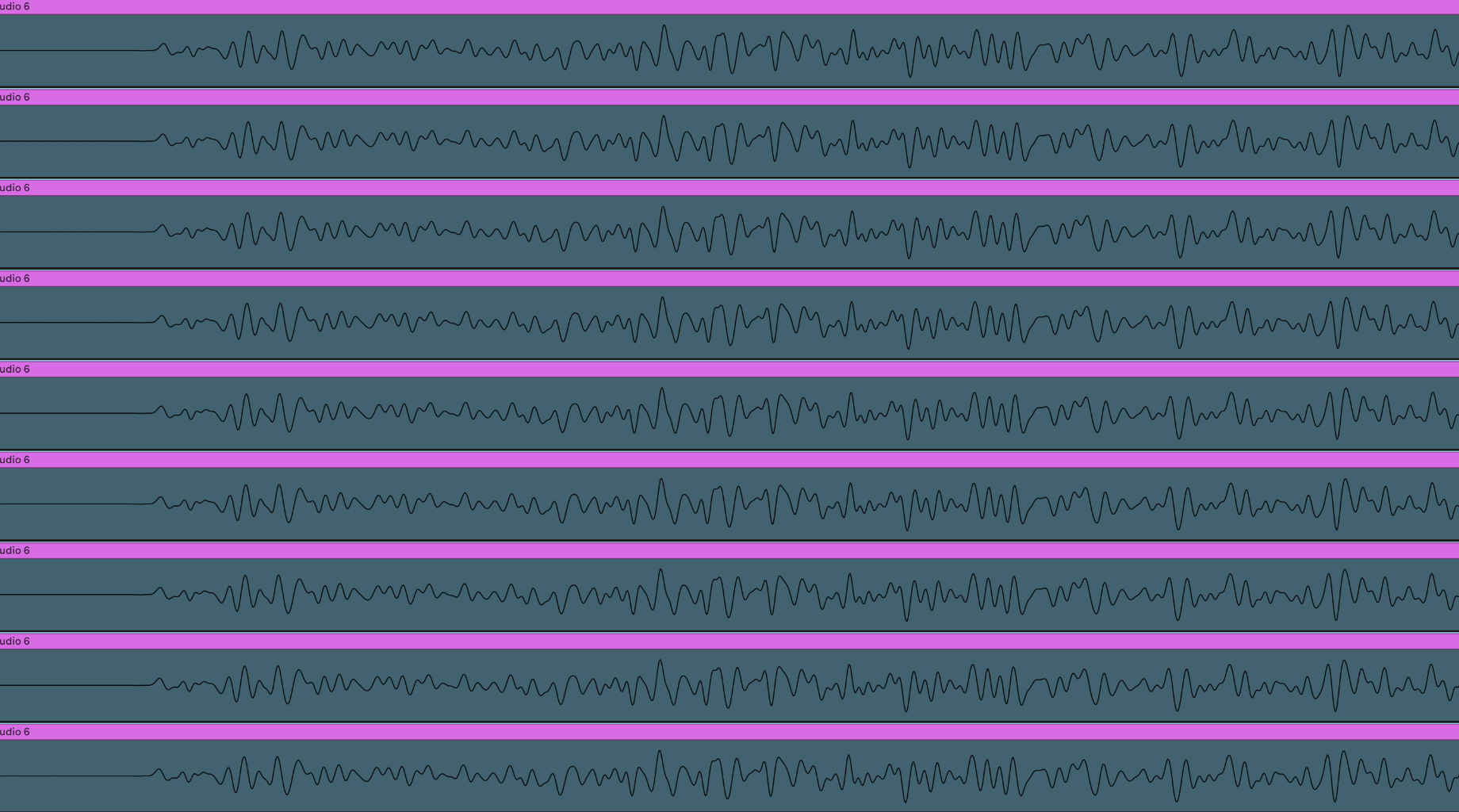
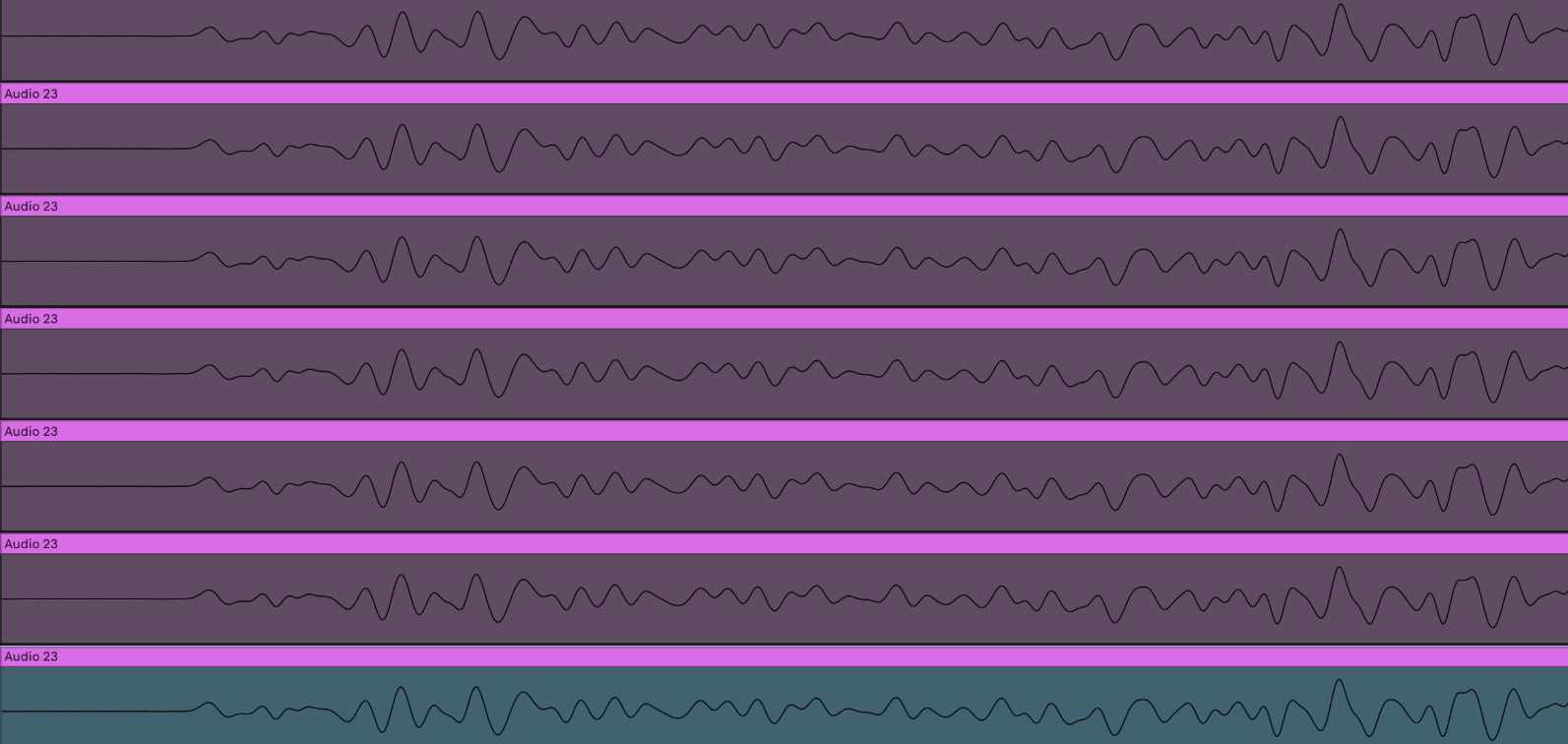
DT2 Delta Time Between Triggers Is Inconsistent

DT1 has only one DSP chip and DN1 has two. On release, Elektron stated that the DTII runs on a newer platform than gen1 digis. And now Tonverk, runs on an even newer platform.

Instead of assuming the issue is unfixable, you should go ahead and put in the bug report, thers plenty to go on in this thread.

1 Like

I sent support a link to this thread. I doubt it will help any.

See this thread:

TL;DR same CPU used on the DT/DN/DT2/DN2, the DT2 added a DSP chip and the DN2 doubled up the CPU. TV using different platform completely Linux, verses the bear bare metal of the DT/DN/DT2/DN2

and also note that I bug I reported about the DT2 also existed in the DT1 (same codebase was used) and they fixed it on both.

See this thread:

2 Likes

In 25 years people will pay high prices for that unperfect DT mojo. :point_up: :nerd_face:

8 Likes

What does this have to do with your findings? I read your post about doing this same test from a DAW with expectedly perfect results, and so I’m wondering why you would be skeptical that they achieve similar results on a platform over which they have even greater direct control.

Also, when you say “bare metal” are you under the impression that the devs are writing the firmware for the DTII in assembly language?

When processing audio on a computer you are using a buffer and everything can be sample accurate during playback. Sample accuracy allows for phase allinging transients something important the ‘modern sound’ e.g. kick design. There is noting ‘real time’ going on. There is always some delay/buffer, that delay/buffer needs to be big enough to allow all the processing to happen.

The threads over here are for the same issue on different pieces of hardware, this has been going on for a while:

To go along with the above threads, and this thread, another test I ran was the DN2 via analog outs into my interface, exact same timing inconsistencies between triggers.

I’m quoting the linked thread. Bare metal does not mean “written in assembly” the context in that thread was that there is no OS between the software and the hardware. Where as the TV uses the Linux audio subsystem because it’s a Linux based platform.

4 Likes

I read your initial post but it’s not 100% clear to me whether you are clocking the machines from your PC in all tests or whether you have done the same test with the device completely standalone using the internal DTII clock only. Can you clarify?

This is without any cables connected into the back other than analog audio out L + R and the power lead.

2 Likes

I think one way to make forward progress on this general question is to focus on outcomes.

In my experience, trying to multitrack by soloing tracks, recording them one at a time via analog outputs, and then expecting them to match up will never work.

This doesn’t really have to do with buffering and is not specific to Elektron, it has to do with how digital clocks work. Even two computers placed next to each other, running at the same tempo, will eventually drift.

In my experience, the best way to get “phase aligned” multitrack output from an Elektron box is to use the Overbridge recorder feature. The Overbridge plugin also works, but in my experience it’s less tight.

I think discussion of what is or is not a “platform” is a red herring. There is no precise definition of the term. Hardware platforms are one thing, but it’s also quite common to refer to the combination of hardware plus software as the platform.

2 Likes

I just did this on my DTII. No DAW, overbridge, MIDI, etc.

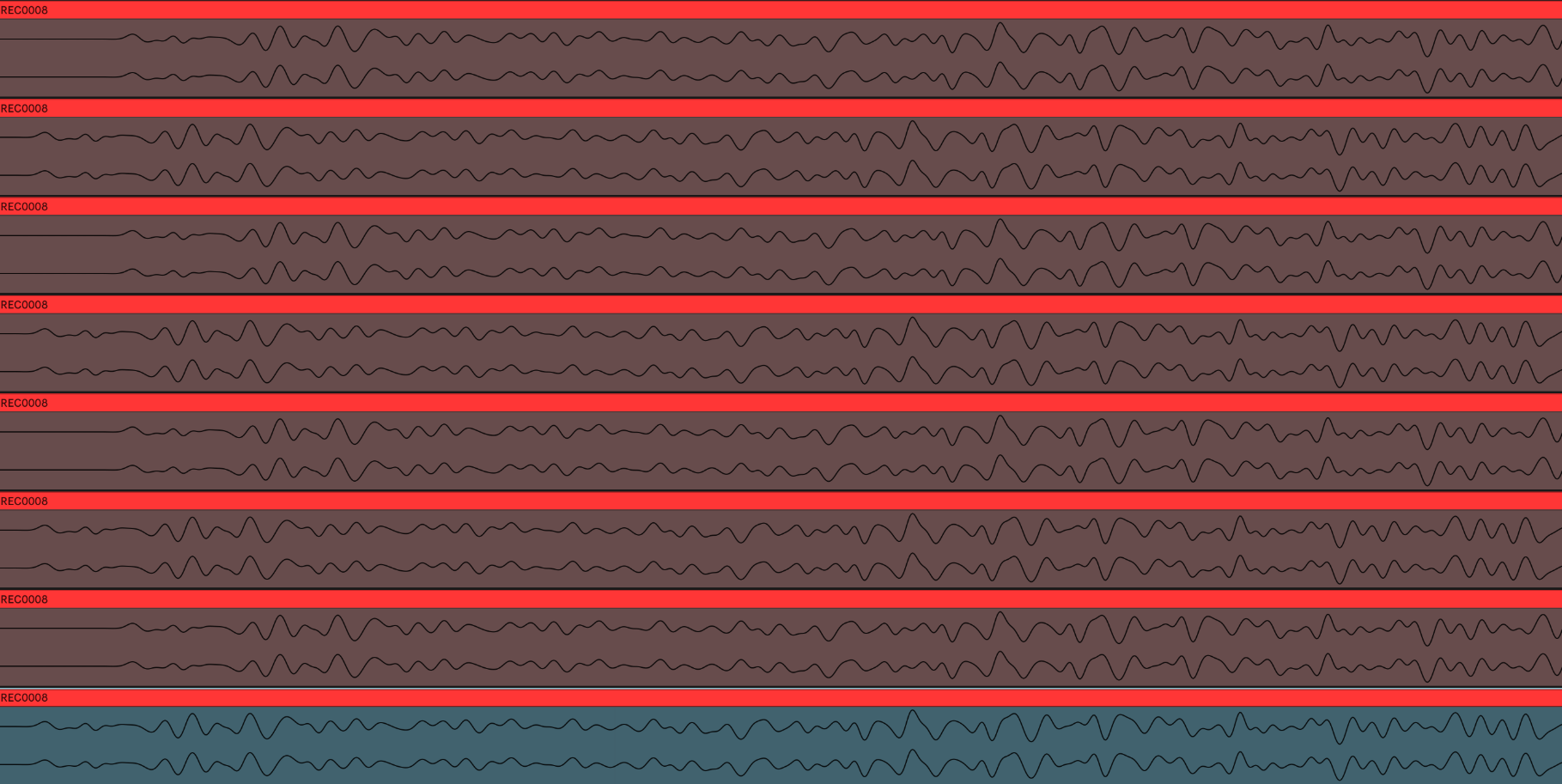
From my eyes, there are two different slices - the even and the odd ones. The even ones are a touch more behind (missing the first part of the waveform) than the odd ones. It looks very consistent in its jitter.

FWIW, if I turn transient detection on, I see similar jitter back and forth from even & odd slices, except slice 1 is way more ahead than the others.

ETA: at 30 and 300 BPM, I don’t see the issue at all. 120 and 110, I do (as described above). Didn’t test other tempos.

We are maybe seeing the same thing?

It seems too minuscule to be perceptible, or am I missing some implications of this?

Lets look at what you found. different BPM have different results. You might have hit on some ‘magic ratios’ that look better than others.

Lets take a look at this.

I do not have the patients to screenshot the DT2 for this one. We are looking at in in a DAW. It’s exactly the same as looking at it through the method outlined in the first post only easier to screenshot.

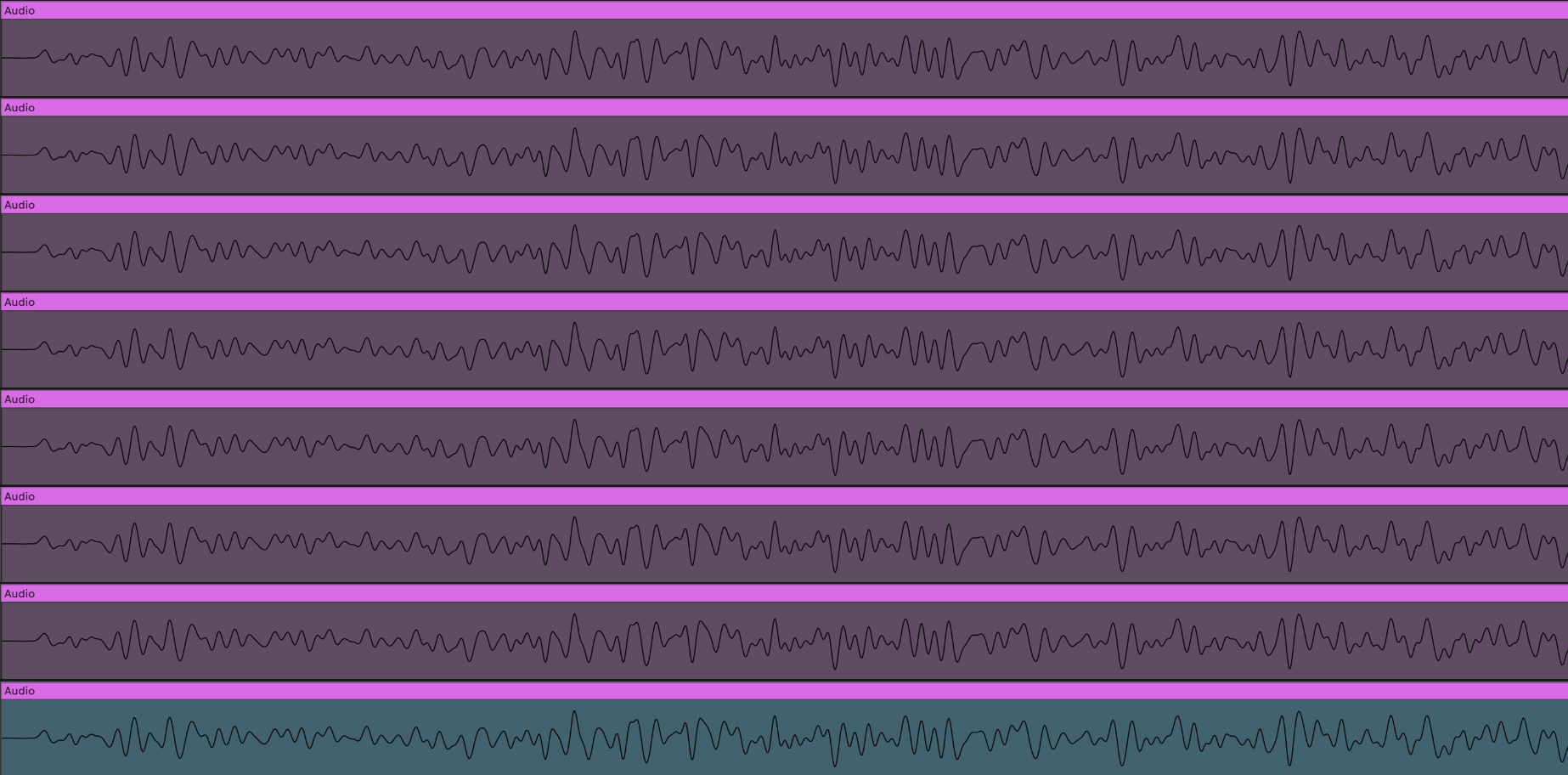
  1. These are all recorded on the DT2,
  2. the file transferred into Ableton
  3. Ableton set to be the same BPM as the file,
  4. the file has warp disabled.
  5. split at the 16th
  6. arranged one below the other.

Here is 120 BPM, the 'back and forth pattern.

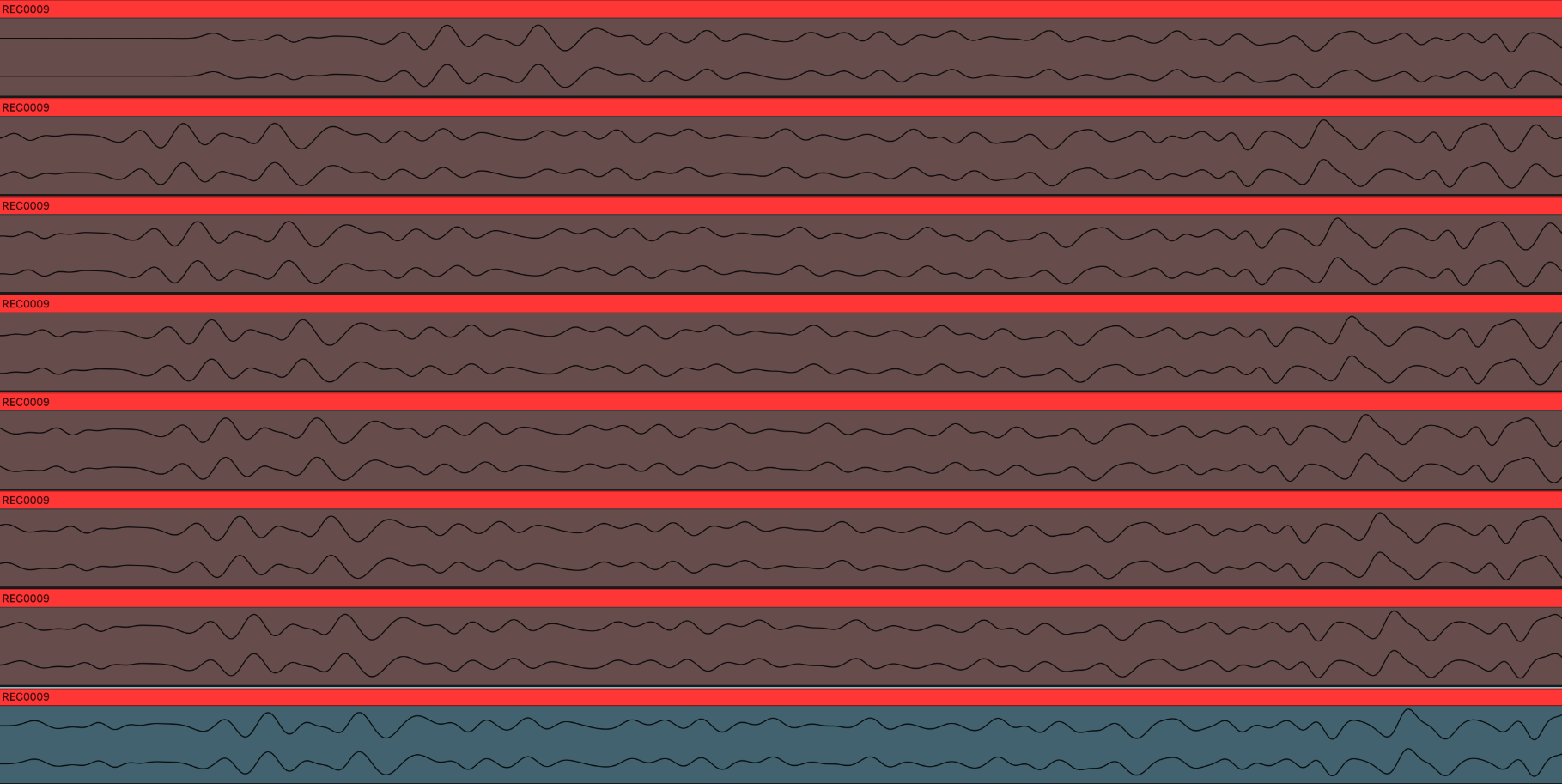
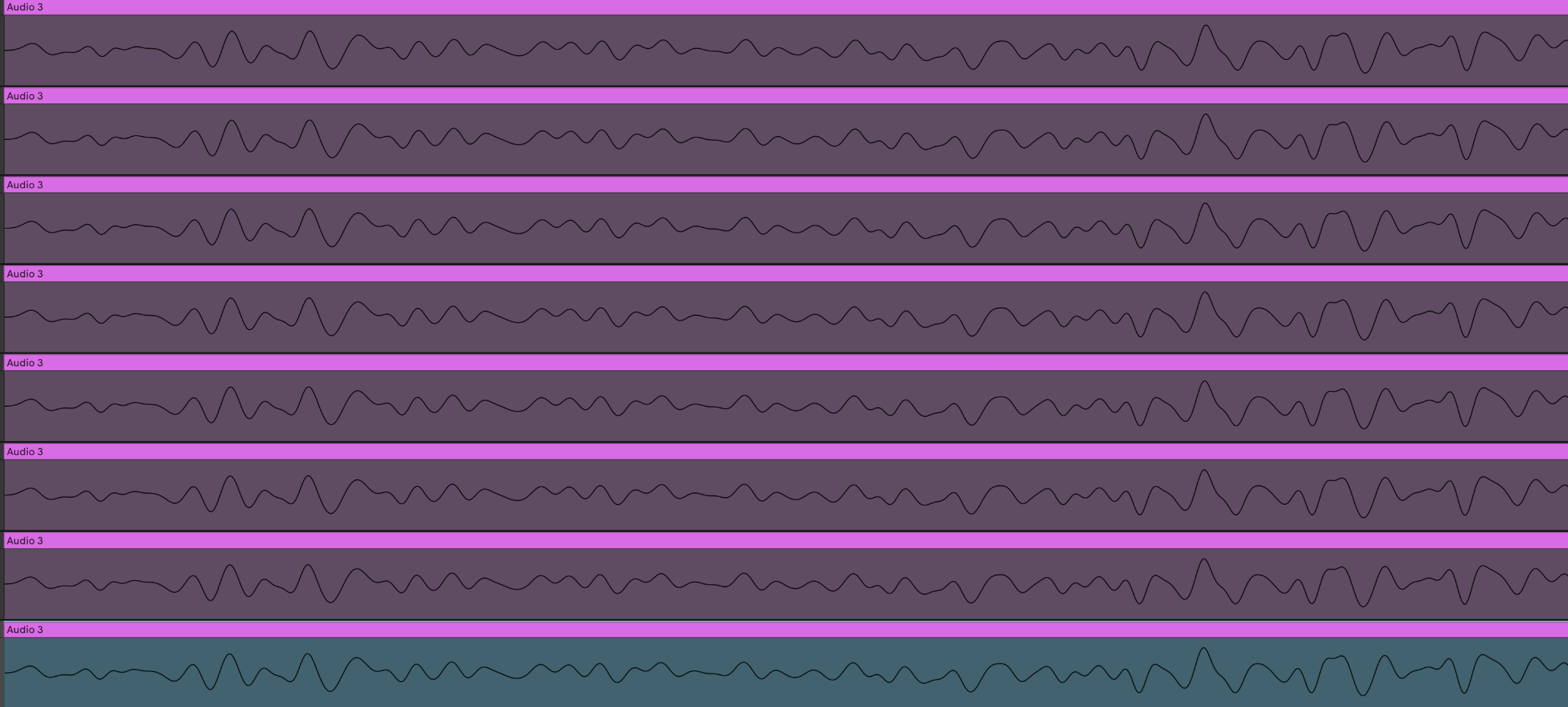
Here is 121 BPM, I’ve no idea how many repeats you need to get around back to the one at the top which was the first 16th slice.

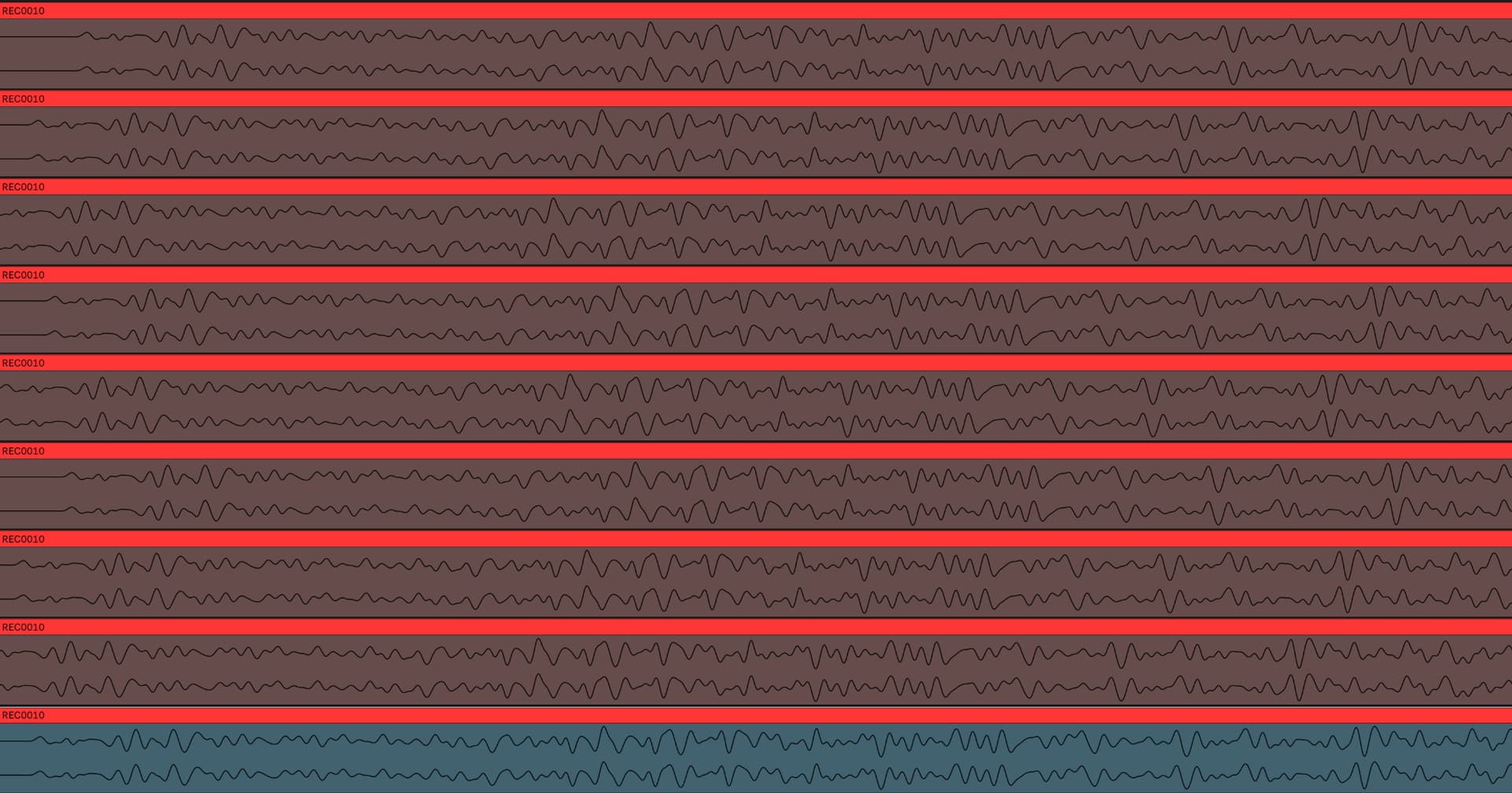
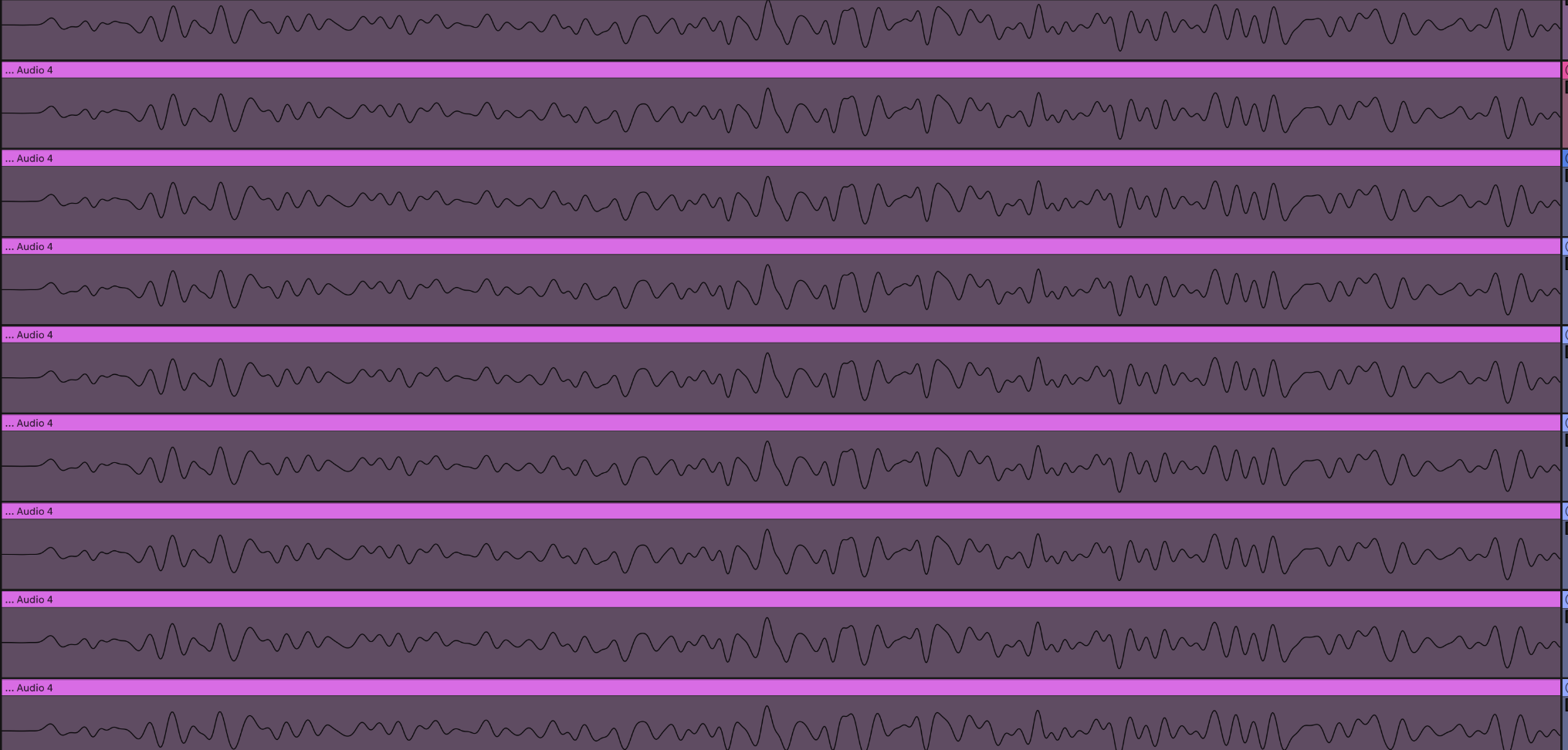
and 122 BPM this one is all over the place.

1 Like

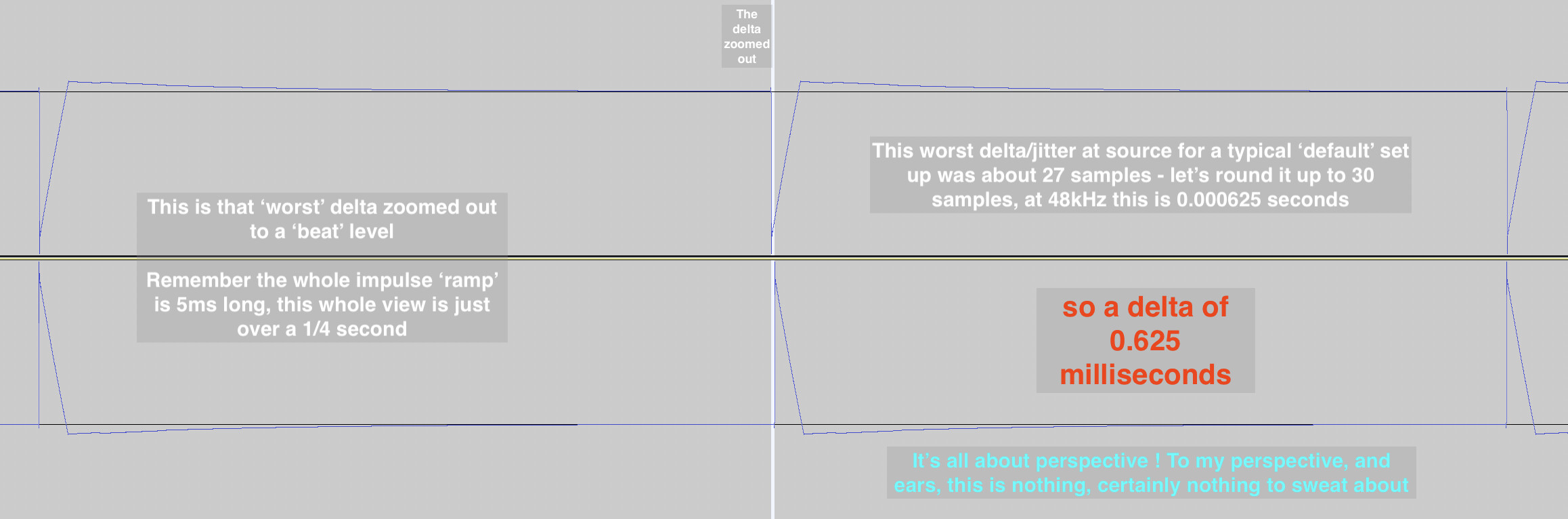
What is the time scale of your screenshots? For example, in the 121 bpm example, the difference between the earliest and latest recordings is how many milliseconds? That’s the most important part.

1 Like

Well, to my mind this needed a more methodical investigation

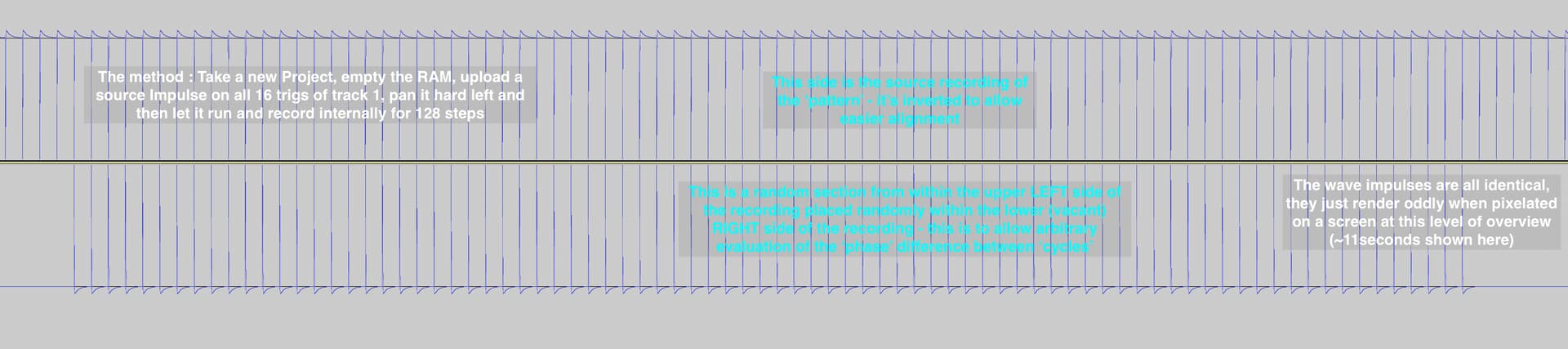
I decided to take the slicing out of the picture because that’s an algorithm - it’s also a source of concern to be relying on the chopping of the recording within the DT so i worked on a more higher level exploration of the jitter(delta) by thinking along the lines of how the phase of the recorded pattern might shift

A way to get an eye on this is to reference the recording against itself, by phase shifting one side of the recording and randomly aligning it with itself on the other side

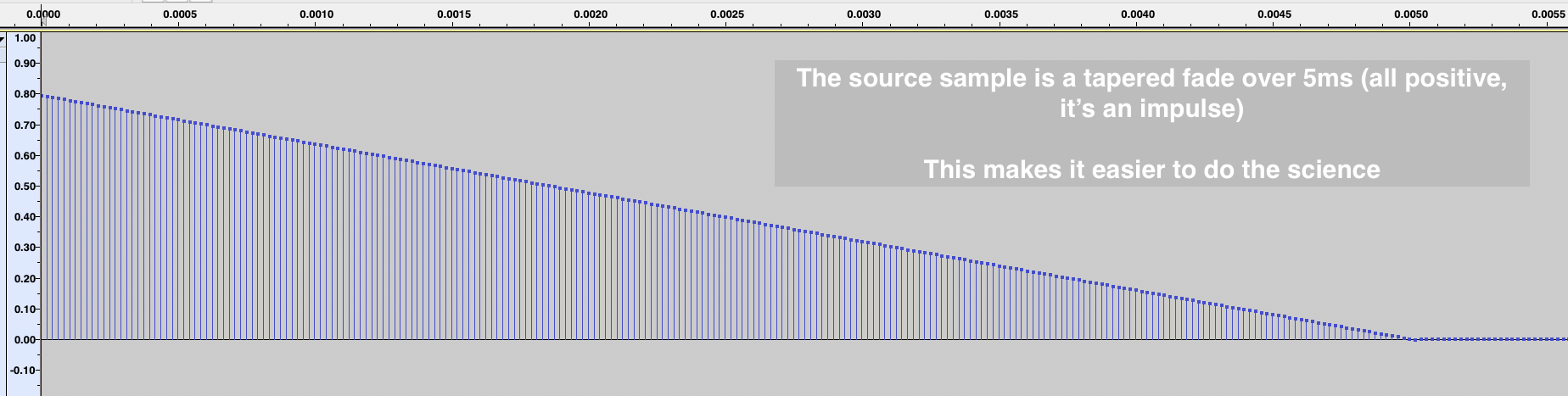
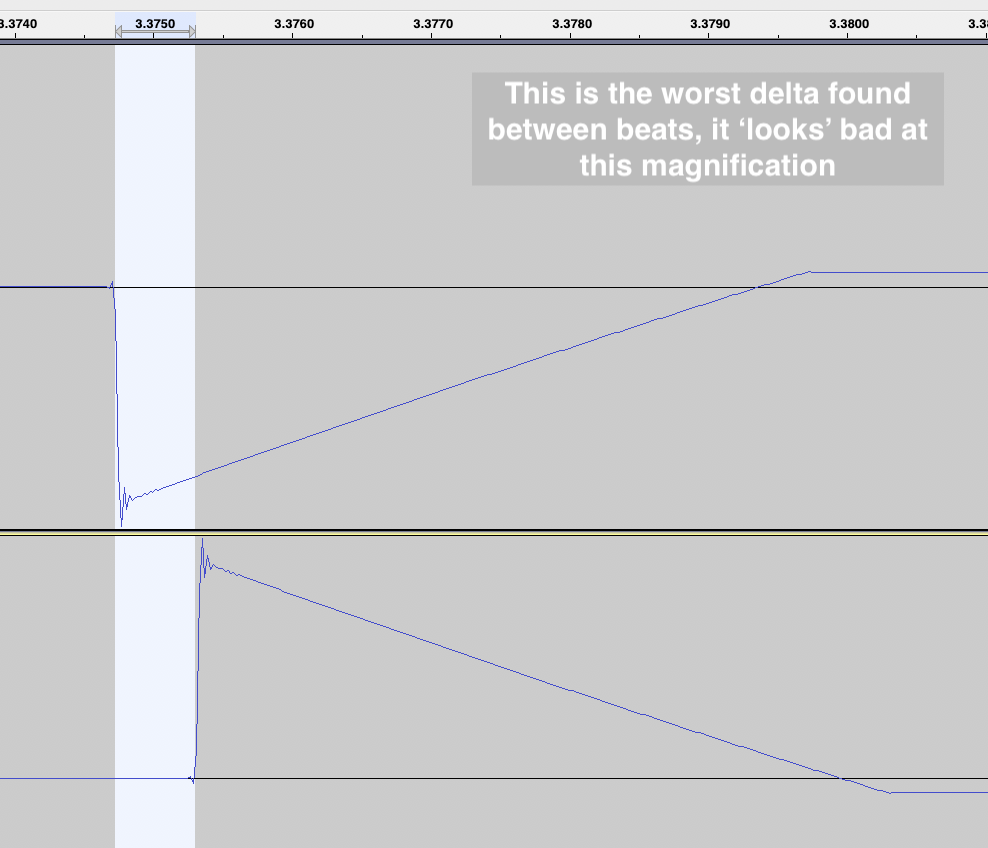
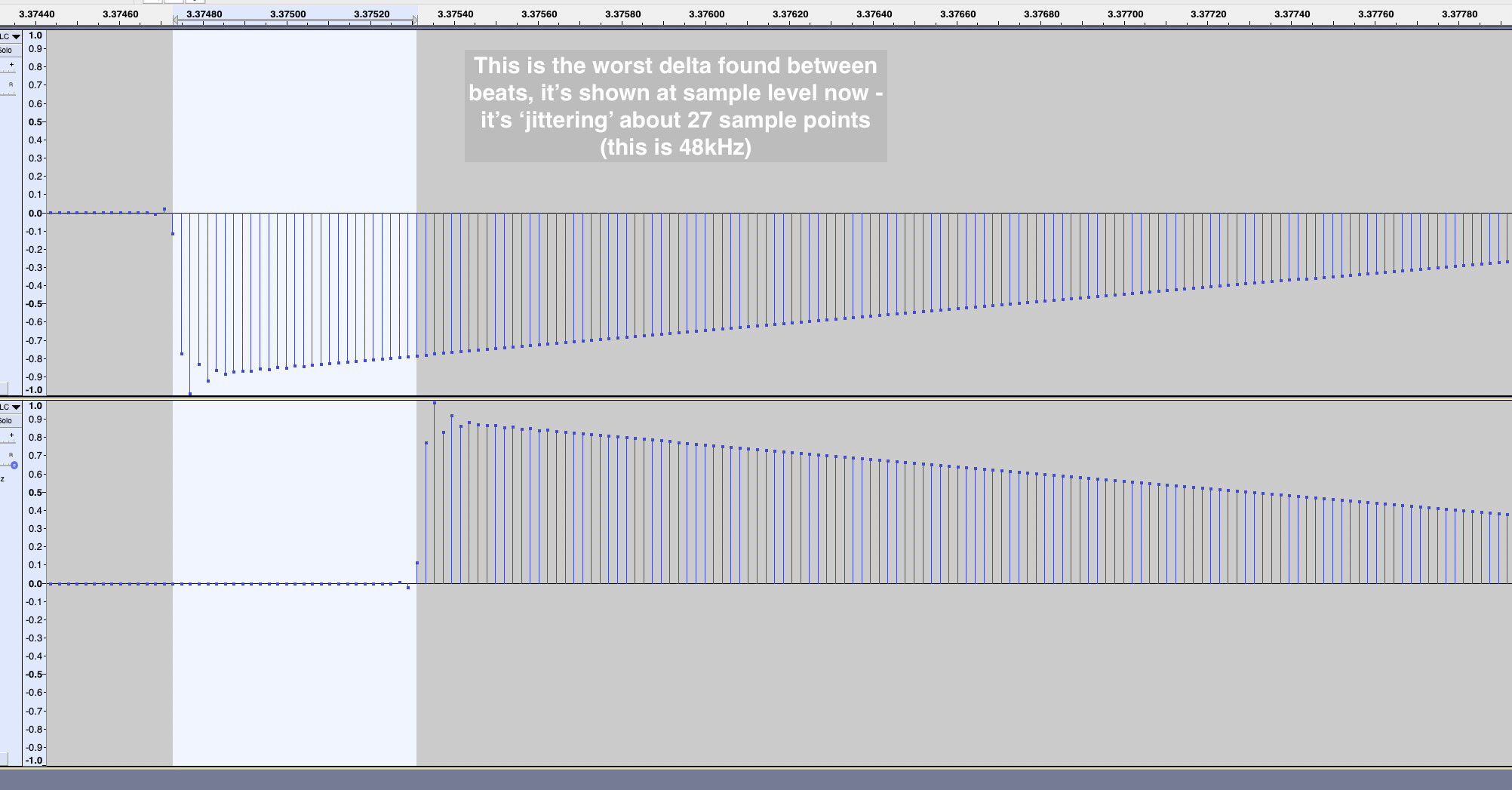
So a long pass of 128 beats was recorded (using a 5ms impulse) this was panned hard left … then i take a random chunk of that spanning many bars and randomly align one impulse on the left to one peak on the right, then observe the ‘phase’ shifting within the staggered alignment of the same source

If the source (left) was 100% jitter free it would align perfectly on the bottom (right) irrespective of where you placed it ! - so it’s a good simple test

This is what’s capture below

I’d rather know what the DT was doing to timing at the source level (remove complications about how it processes slicing and buffer chopping/capture etc) … i.e. make a more robust examination of jitter rather than compounding issues

Look through the following figures to get the ‘milliseconds’ value that i think is more representative of the performance, make your own mind up if it’s a problem for you …

11 Likes

As recording into my DAW via the analog out from the DT is good enough that’s how I did the below.

Again,
1, record into DAW same BPM as on device
2. turn off warp
3. slice at 16ths
4. place one below the other

Trying to work out the interference pattern, what BPM values are perfectly divisible by the internal clock with no aliasing.

Confirming 300 bpm is bang on, no timing variations.

Ok, is it BPM goes by 30 steps gets the timing right? Lets try 270

Well that’s not it, it’s not by 30 BPM steps that gets everything in sync. Lets try 150 BPM (half of 300)

Ah ha, that is perfectly in sync too. Lets try 225 BPM, Half of 150 = 75 + 150

Ok that too is perfectly on grid. To sanity check this, trying 75 BPM

75BPM is good too. ok onto 37.5 (half of 75)

For completeness the Digitone2 playing at 37.5 is also perfectly on grid.

As .5 is the smallest we can set (can’t do .25 or .175) then BPMs divisible by 37.5

The BPM to use to resample so you can then get 16 clean slices perfectly on grid is:
37.5, 75, 112.5, 150, 187.5, 225, 262.5, and 300

May go hunting later to see what other “stable points” there are like the 120 oscillating between two points where those ‘on the beat’ (1,4,9,13) lands on grid.

This is also why some people could say everything is in sync and others saying they have issues. If this is BPM dependent anyone that happens to be using a ‘golden’ BPM won’t see issues but anyone not using one will.

That’s enough for me right now. Once I’ve gathered more information I’ll update the first post.

Note: this has turned into a pure intellectual exercise. I’ve found something with patterns no one else has documented, and it’s interesting (to me anyway :nerd_face:)

5 Likes

There’s a handy plugin for measuring time in DAWs. It tells you time in ms and samples, just have to line up recordings and put the cursor at the transient. It is hardwired to the DAW timeline, so it’s easier to read when you line up recordings at the very start of the timeline.

Edit, it’s freeware.

DDMF Transport

1 Like

Confession, same here. It’s intriguing that 150 bpm yields a perfect alignment and 120 pm yields this alternating on/off. My intuition suggests to me there should be a more direct mathematical relationship between these two than 5:4.

Can you confirm that 112.5 (from your list) is tested to be ‘perfect’ like 150 ? Because that would make it even weirder (the mathematical relationship between 112.5 and 120).

3 Likes

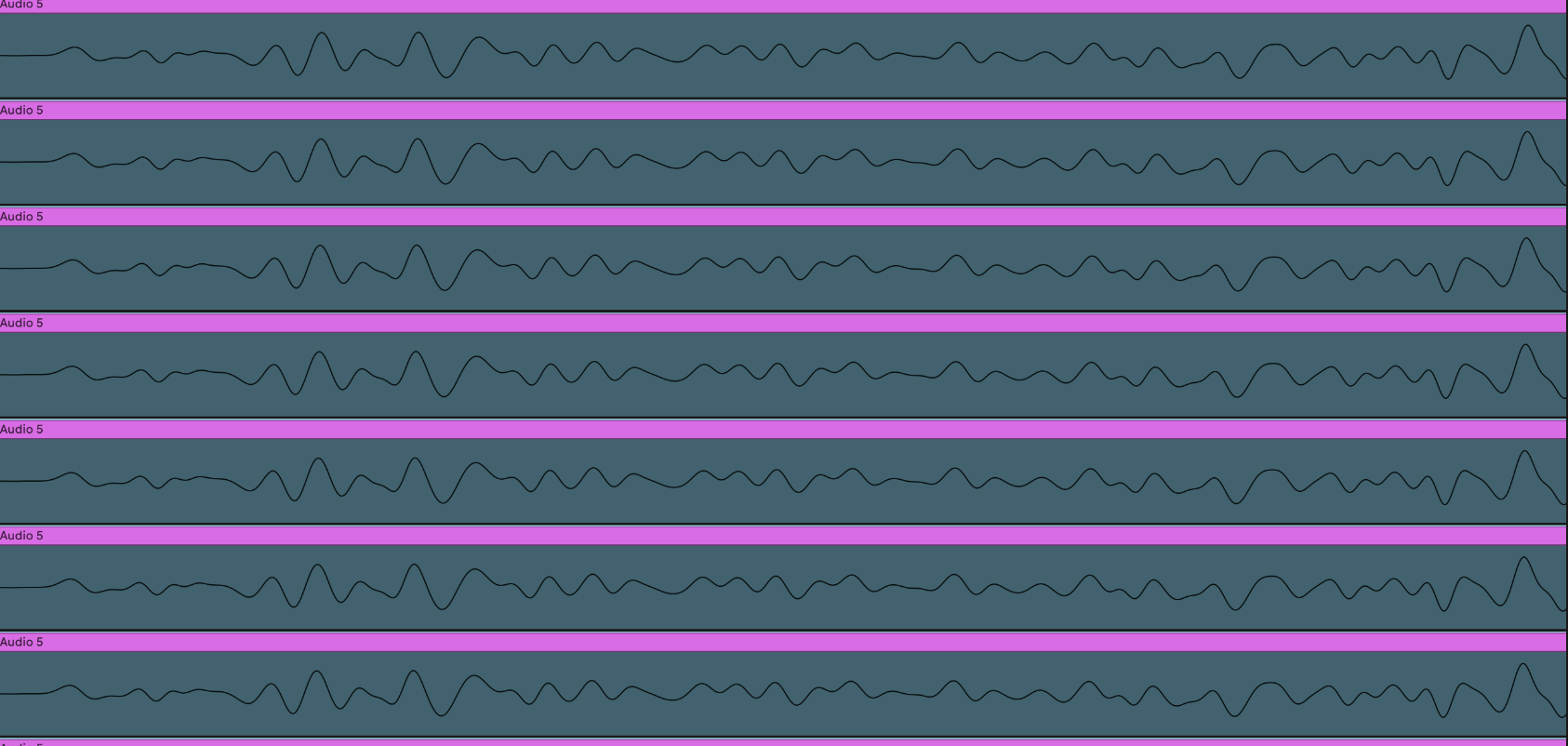
Here it is.

another thing is these look locally consistent I’m not really showing anything over long stretches of time (this is all within the first bar and neighboring hits placed one below the other) so it might be the math works out for some reason that this is ‘close enough’ to look correct.

However in contrast to the results I was getting before it’s night and day, What I’m showing now with these ‘golden BPMs’ is what I expected to see when doing the initial test at 174 and that was all over the place.

Edit:

Here is 200 that exhibits the same back/forth pattern.

and 180 that is bang on.

I wouldn’t categorically rule it out. I’d assume most parts are written in a higher level language like C (which basically is a macro assembler anyway :wink:), but performance optimizations using inlined assembly code isn’t uncommon in embedded programming. I can refer to respective data sheets of the CPU that’s being used by the Digis and which help in understanding the machine at a lower level if there’s any interest (it also helps in reverse engineering the firmware).

2 Likes

Yes please. Getting a better understanding of the hardware we own, that we don’t even know if they are going to get any love in future would be fantastic.

1 Like

I’m just spitballing here, but the fact that the “jitter” is linked to BPM (and thus predictable in some way) makes me think of rounding errors. I found it striking that you observed a tight clock at 300 bpm and then every time you halved that number. And lo and behold, if you take a sample rate of 48khz and a sequencer resolution of 96 ppqn into account, those BPMs match up with very convenient numbers:

48.000/300*96/60 = 256
48.000/150*96/60 = 512
48.000/75*96/60 = 1.024

Nota bene: I have a degree in the humanities and therefore haven’t used proper maths since high school (about 25 years ago), so my logic and my maths might very much be flawed.

7 Likes

There is this thing called “deterministic jitter”, which is a form of predictable jitter due to interference, noise from for example nearby components. So there might be a clock chip nearby and at certain clock rates it affects the other clock in a way that you get clock jitter only at certain tempi.
But I don’t really understand how all these things affect each other.

If someone here could scope the clock signal directly, we could check if the clock jitters or if it’s software related, if the duty cycle is consistently 50% etc.