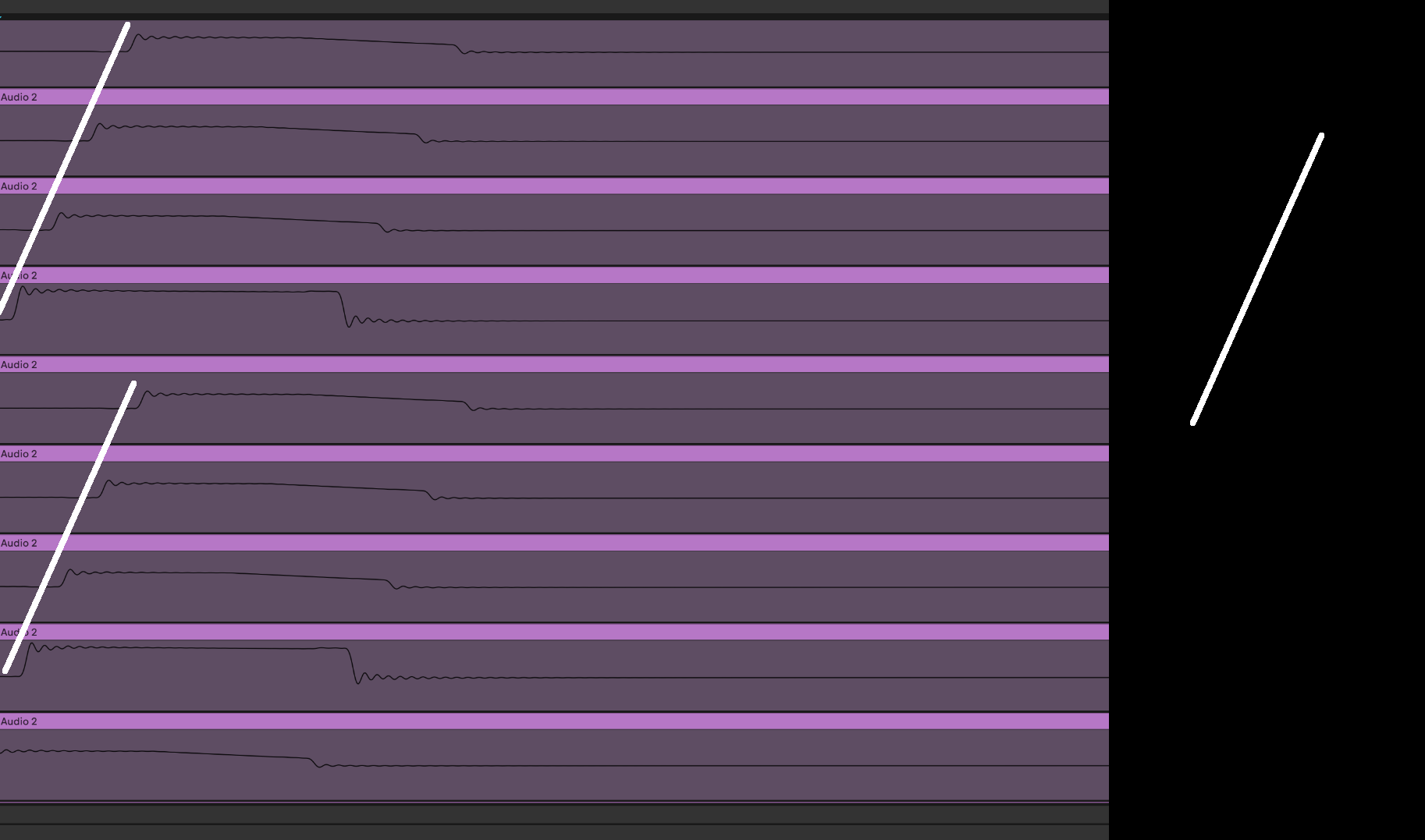
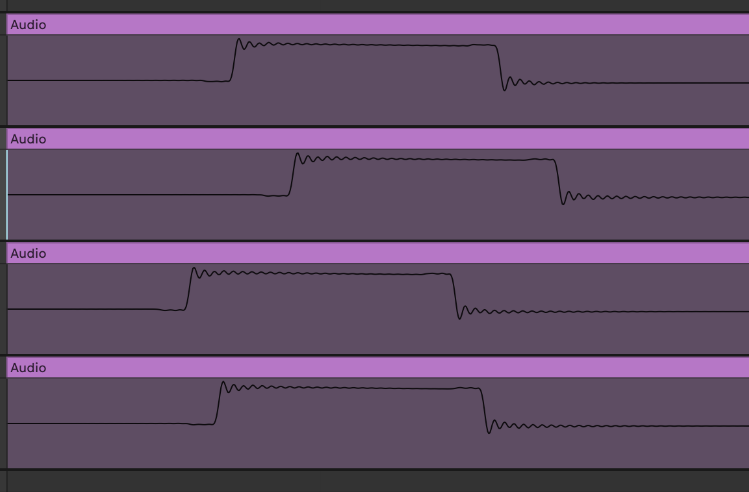
The playback time between each trig on the Digitakt is inconsistent, even with no micro timing present.
If you playback/record two tracks from the same project in two separate passes each pass will have it’s own inconsistencies and the two will not sound as tight when played together.
I wanted to find a way to show this on device, one that completely removes any external influence, so no midi clock jitter or interface jitter.
This also allows you, the reader, to run this test on your own hardware and see for yourself. (step-by-step instructions below.)
The TL;DR is to load a track with a short sound and place it on each trigger, then resample this track and load it into a slice machine and set a grid without using transient detection so the grid is perfectly aligned. You can then zoom in on the grid and see the timing inconsistency in playback.
Note the “offset pattern” looks different at different BPMs. These were recorded at 174
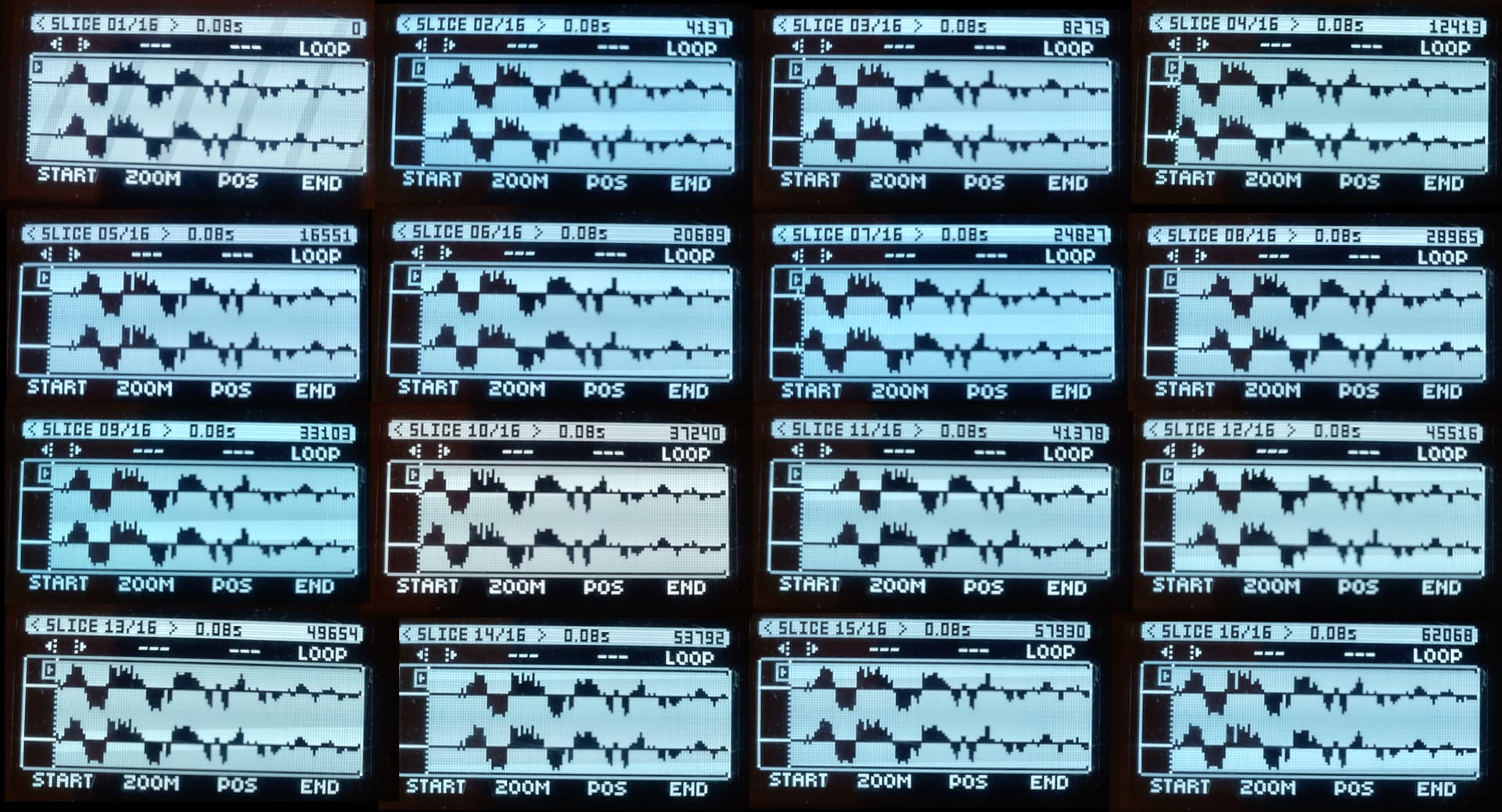
You can compare the start point of each 16th of audio to the in time grid and see the audio does not play back perfectly in sync with the grid.
Compare the above screenshots, to the following. This was identical, the same audio sample played every 16th, but this one was created in a DAW, rendered then transferred to the DT and loaded in place of the above sample.
See how each hit perfectly lines up with the slice grid lines.:
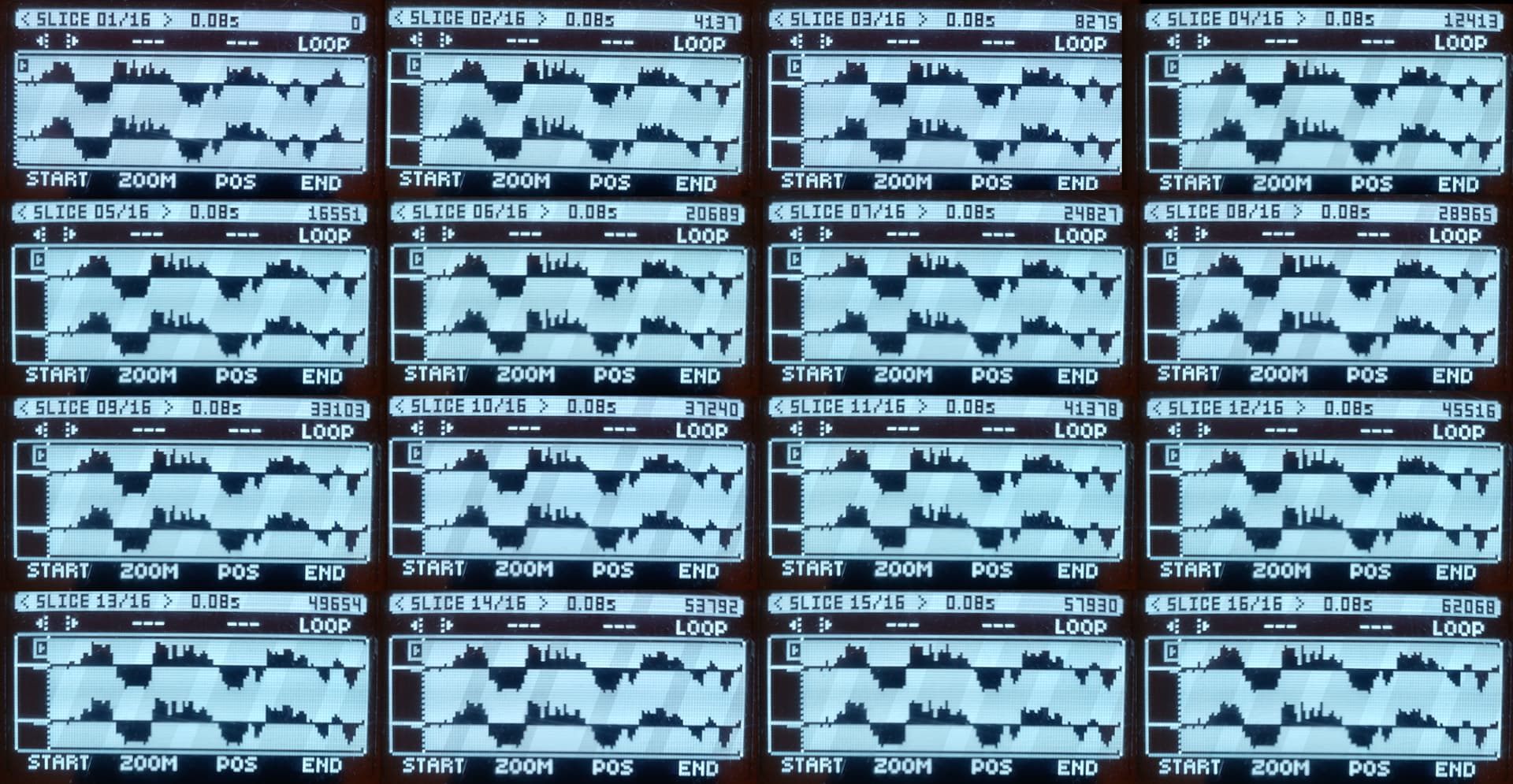
NOTE The slice positions are IDENTICAL to the above example.
Check the number in the upper right of each screenshot and compare, they match.
Instructions for following along at home, if you want to see for yourself :
- in a new project.
- set the bpm to 174
- load track 1 with a short transient
- add a trig on every step 1-16
- go into sampling.
- set length to 16
- set source to track 1
- set record start (R.START) to “Play”
- arm the recording (ENC H)
- hit play, then when it’s finished save the sample and assign to track 2
- in track 2 change the machine to “SLICE”
- get up the slice menu and “create slice grid” choose 16 slices and turn transient detection OFF
- You have 16 slices exactly on the grid.
- Zoom right in.
- press > and < to cycle back and forth throughout the slices note how non of them land at the same time. (this is shown on the first image above)
Note: This timing instability is also there when:
- Recording to a different device via the analog outs.
- Recording to a DAW when set to midi/audio
- Recording to a DAW with Overbridge when clocked from the computer
- Recording to a DAW with Overbridge when not clocked from the computer
- Recording using Overbridge standalone.
- Recording to a DAW with the DT2 set to overbridge and acting as the interface. (useful to know it allows you to map every track inside Ableton where the plugin is limited to 16 stereo channels.)
Why is this important to know?
- if you are individually recording tracks into your DAW via the analog out they will not sync. Think how bad this can get if you are using sidechaining, where the kick hits and the bass/other tracks ducks will be in different places on each trig.
- recording via overbridge either standalone or via the daw needs to be done with all tracks at the same time, so they all have the same timing inconsistencies baked in. You need to know if you alter something you need to re-record all tracks.
- if you use an audio file as a side chain trigger where you’ve shaped that in a daw, like a few bars of sculpted trigger noises that you fire off once. It will sound inconsistent beating against triggers that never fall at the same time.
- If you are attempting to resample an existing loop and make it seamless due to the timing inconsistency you may get clicks and pops. However you could take a RNG approach and keep resampling till you get lucky and things fall perfectly in time on the last beat.
- Seeing the problem when tracking in and thinking this problem is due to midi jitter. Then opting to buy an expensive midi sync box to solve it. The above proves this is not the case and the jitter is inherent to the Digitakt.
Edit: For those who don’t read the full thread this looks to be an issue with the DT/DN/DT2/DN2 (and possibly other products)