hey guys. anyone getting sudden audio garble when loading saved kit to a track? only solved by pressing stop on sequencer and play again …
Can you record an example?
Is the sequence out of step?
Do you have arpeggios in the kit that are triggering at the wrong time meaning their note order / sequence is different from what it would be when you trigger it from a full stop?
I’ve started having this same issue all the time lately, quite annoying when programming long drum sequences
Midi LFO Bug
Configuration
DT2 with OS: 1.10B
DT2 midi out to an external midi gear (e.g. MD SPS1)
Steps to reproduce
- set a midi machine on a track
- affect a CC mapping (e.g. page 1, knob A > midi CC out something)
- set LFO 1 to A: midi CC out something is modulated as expected
- set LFO 2 to A: midi CC out something modulation does not work anymore, neither with LFO 1 or LFO 2, you have re-create a new midi machine
1 Like
Not sure if this one’s a bug but seems odd:
Create any basic pattern chain, e.g. hold PTN + trig 1 + tap trig 2 to create chain A01 > A02. Press Play. Patterns switch back and forth as expected.
Press PTN then Fn+YES to open the chain editor.
Despite the chain continuing to play A01 > A02, the chain editor shows as empty.
Hi!
I’m wondering if anyone else has experienced this error, because it’s driving me crazy. The Digitone II freezes when I’m in Note Edit mode, when I quickly add a few notes, whether playing from an external keyboard or using the DNII’s keys. It also freezes when I add some fast arpeggios (1/64, 1/64T). It also freezes when there are too many notes (8 to 16) in a trigger and I’m editing them in Note Edit.
The most frustrating thing is that it happens randomly; it happens on some tracks and not others, on some projects and not others. Sometimes months go by without it happening, sometimes it happens 10 times a day.
To include more information, DNII was not connected to anything else via MIDI or USB during some of the tests I performed.
I’ve reported it to the support team for the second time. The first time I didn’t get a response. And I’m about to test if the DNII can fly. 
2 Likes
Yesterday I was using the DNII to send MIDI CCs to the DTII, notably delay parameters on FX channel 9 and track parameters on channel 2.
The problem is with LFOs. I wanted a MIDI LFO to control Filter Envelope Depth, which is CC 77. This was configured on DNII track 16 as CC VAL1. Moving encoder A is clearly reflected in the Filter Env Depth value on the DTII. However, if I assign a MIDI LFO to that CC, the value on the DTII does not change as expected. It doesn’t change.
The LFO is in FREE mode.
The odd thing is that as I change the depth of the LFO, the Filter Env Depth value on the DTIi changes statically in an inverse way. I.e. as I increase LFO Depth, the Filter Env Depth on the DTII lowers, and vice versa.
The same thing is happening with Pitch Bend.
I’m on 1.15A on the DTII, 1.10C on the DNII.
I don’t know exactly what you’re doing but MIDI is slow.
LFOs over MIDI are going to be very limited in their update rate. Aliasing will dominate if you’re trying to modulate something quickly, or trying to modulate several CCs at once. Maybe that’s what you’re seeing.
Try a very slow LFO on a single channel and see if that works.
If I edit/manipulate a pattern and then power off the unit, when I turn it back on and try to reload the saved pattern using FUNC + NO, it doesn’t work. It seems to behave as if FUNC + YES had been pressed when powering off the unit.
Steps to reproduce:
- Edit/manipulate a pattern.
- Power off the Digitone II.
- Power it back on.
- Try to reload the saved pattern using FUNC + NO.
- The pattern does not reload as expected.
Not exactly a bug report but didnt want to create a whole thread for this - tldr “is my display fucked?”
Ive recently moved around my boxes so Im now sitting at a different angle which made me notice that my DN2’s display is like… sunk into the body of the instrument. On top of that the left side seems to be recessed deeper into the body compared to the right. None of my other 4 Elektrons have this. Anyone else or do I start bothering Thomann / have someone try to reseat it?
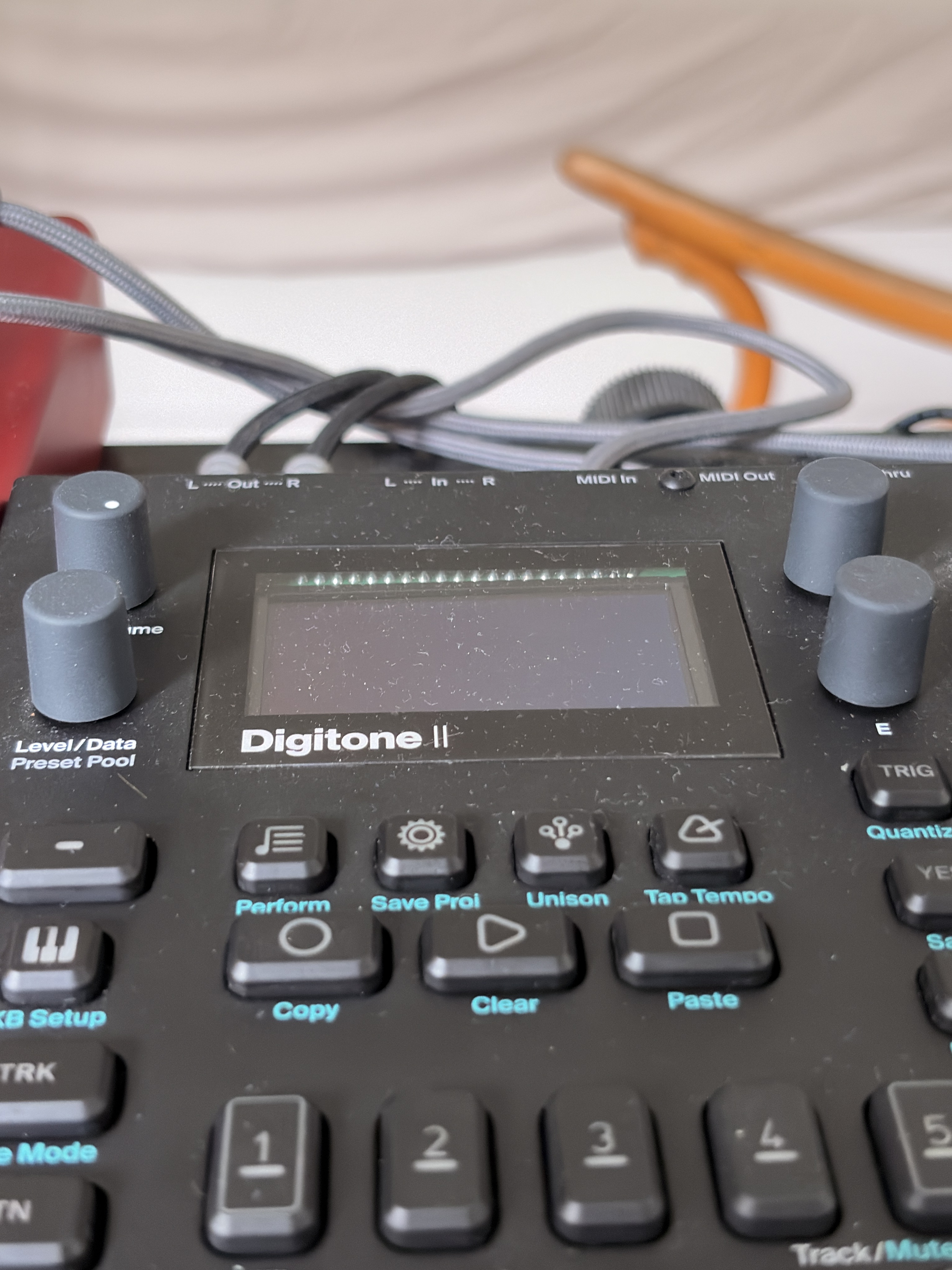
1 Like
No, the screen is perfect. It’s the others that are not as beautiful.
Plus it seems the plastic protection is still on it…
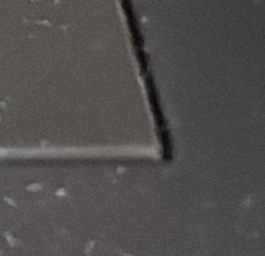
Is it?
1 Like
I see the same circuit board/contacts/soldier on both my DT2 and DN2 at that view angle, I think you’re fine.
Get a sloping stand for it and you won’t see it. 
PS: These things are much nicer to use with a sloping stand.
cool, im fine with the way it looks just the way its more pronounced on the left side threw me off a bit lol. thanks)
1 Like
My digitone 2 is brand new and im on firmware 1.12 and have performed a full factory reset and still the same.
In the preset pool i have 43 sounds and 1-16 are on led 1 of page 1. I can press page and it will move to led 2/page 2 and i can get sounds 17-32 and led 3/page 3 gives me what’s left,you get the idea.
If i want to go back to page 2 by holding page and the left cursor arrow it initiates a tempo reduction of 14bpm and if i hold page and the right cursor arrow it gives me a increase of 14bpm(i think this is a dj beat matching option thing)
I’ve definitely seen a video where a guy is in the preset pool and he uses the page + cursor arrows to navigate banks of 16 sounds from the preset pool.
It could be a setting im missing but im not sure.
I have tried to reach Elektron support but my phone wont accept a support code aarrrggghhh
PAGE+left/right only changes the page when you’re in recording mode.
In play mode it changes tempo by 10% until you release the button.
1 Like
I will try this tonight when I finish work.
Thankyou for the reply
Hi,
Thank you for contacting us. It does state in the manual that if you hold PAGE+LEFT/RIGHT you can navigate the page, but I tested and it doesn’t seem to be working that way. I will let our team know about this. Hopefully it can be fixed in the next update.
Thanks,
Mario - Elektron Support Team
On Mon, 5 Oct at 10:00 PM , [email redacted]> wrote:
My digitone 2 is brand new and im on firmware 1.12 and have performed a full factory reset and still the same.
This is confirmed as a firmware glitch now
7 Likes
idk this is a bug but how come if you got an LFO doing something wacky, and you can manually twist the speed knob to slow it down or speed it up, but if you put down a yellow trig of say 4 steps trig length (ie i want the LFO to do this new speed for just 4 steps) and plock speed to it, it doesn’t do anything
You should explain very precisely how you set it up
- it happened to me more than once that I had overlooked a setting
- this way we can try and reproduce the bug
1 Like