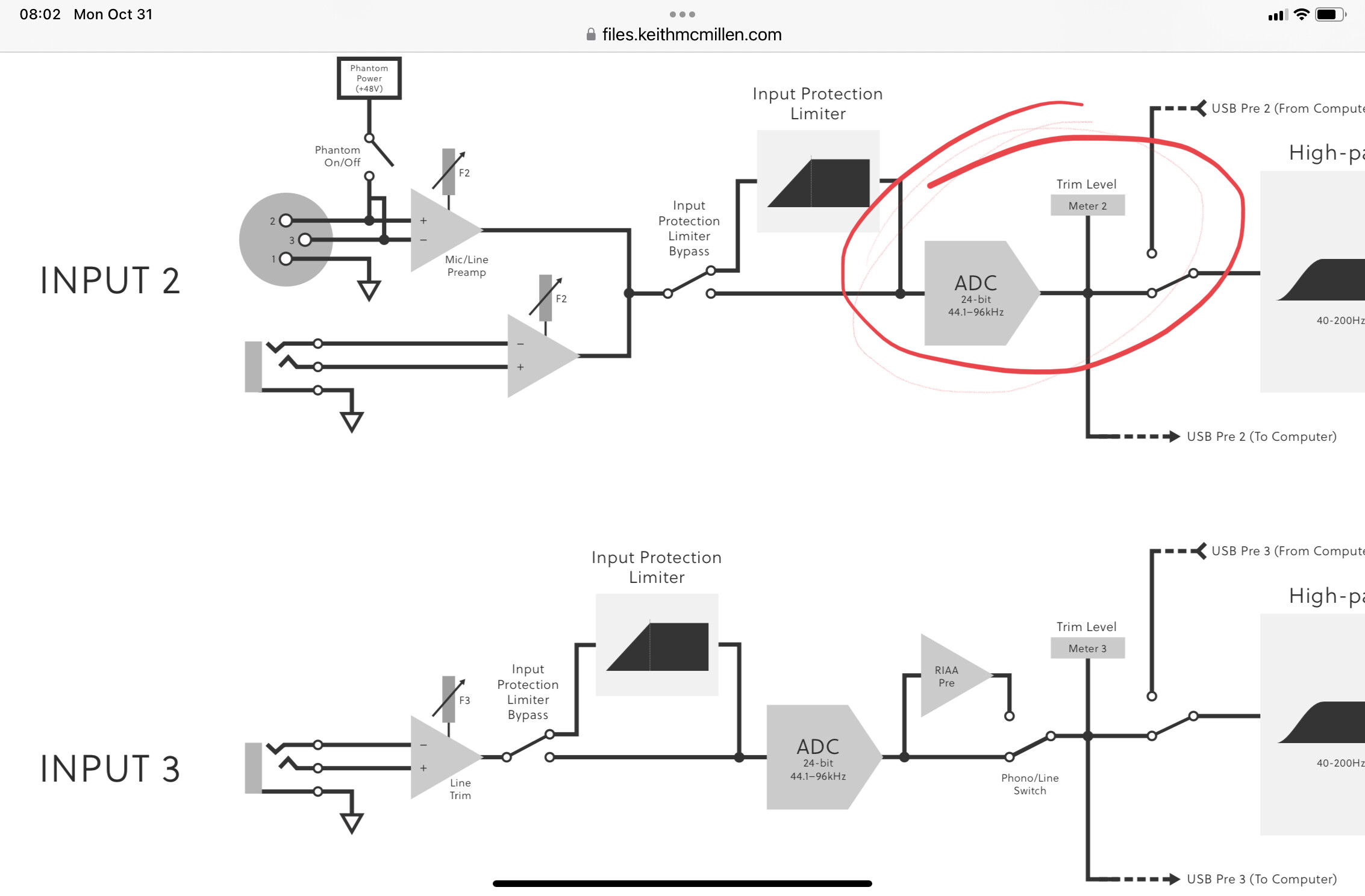
The K-mix has a digital trim on input. You have to adjust it all he time, as it’s so easy to drive inputs into the red.
Seeing as how all the processing is done in the digital realm, should I take the time to adjust the trim? Or should I keep it all the way down, and just add gain in Ableton? Will the sound suffer at all?
(As an aside, when using it as a standalone mixer without the DAW, you can just use the compressor’s makeup gain to do the same thing).
Full signal flow diagram here:
https://www.keithmcmillen.com/downloads/
Whether you’re running analog gain or digital gain, you usually want to use input gain only when needed.
The best workflow:
- Keep your gear from clipping. Don’t drive it too hard (everything at 100%). You usually want a bit of headroom to avoid internal clipping (especially if you’re using overdrive).
- If for whatever reason you still need some gain to get a healthy signal level, then apply it.
I usually keep the mixer input just from the red, the output just from the red, then I adjust the analog gain on my interface to have as high digital domain signal as possible.
If K-mix to the DAW has a low signal, wouldn’t it be a K-mix output problem (not an input problem)?
1 Like
That’s my question, I guess. Where’s the best place to gain the signal?
Let’s say I have an 0-Coast plugging into the K-Mix, at a healthy level (it can get really, really healthy  ). I can adjust the K-Mix trim so that the input peaks in the orange, and all is well. But if I change the patch and it gets louder, then the K-Mix clips, and not in a good way.
Because the K-Mix converts the signal to digital immediately, before adding any gain, all additional gain is in the digital realm. So instead of worrying about overdriving the inputs, I thought I might just keep them as low as possible, and makeup gain in the DAW. Especially as I can also add a limiter, just in case.