Hey all,
This isn’t ready yet. But I wanted to get some feedback. Be warned, if you hate AI development, you’ll hate this lol.
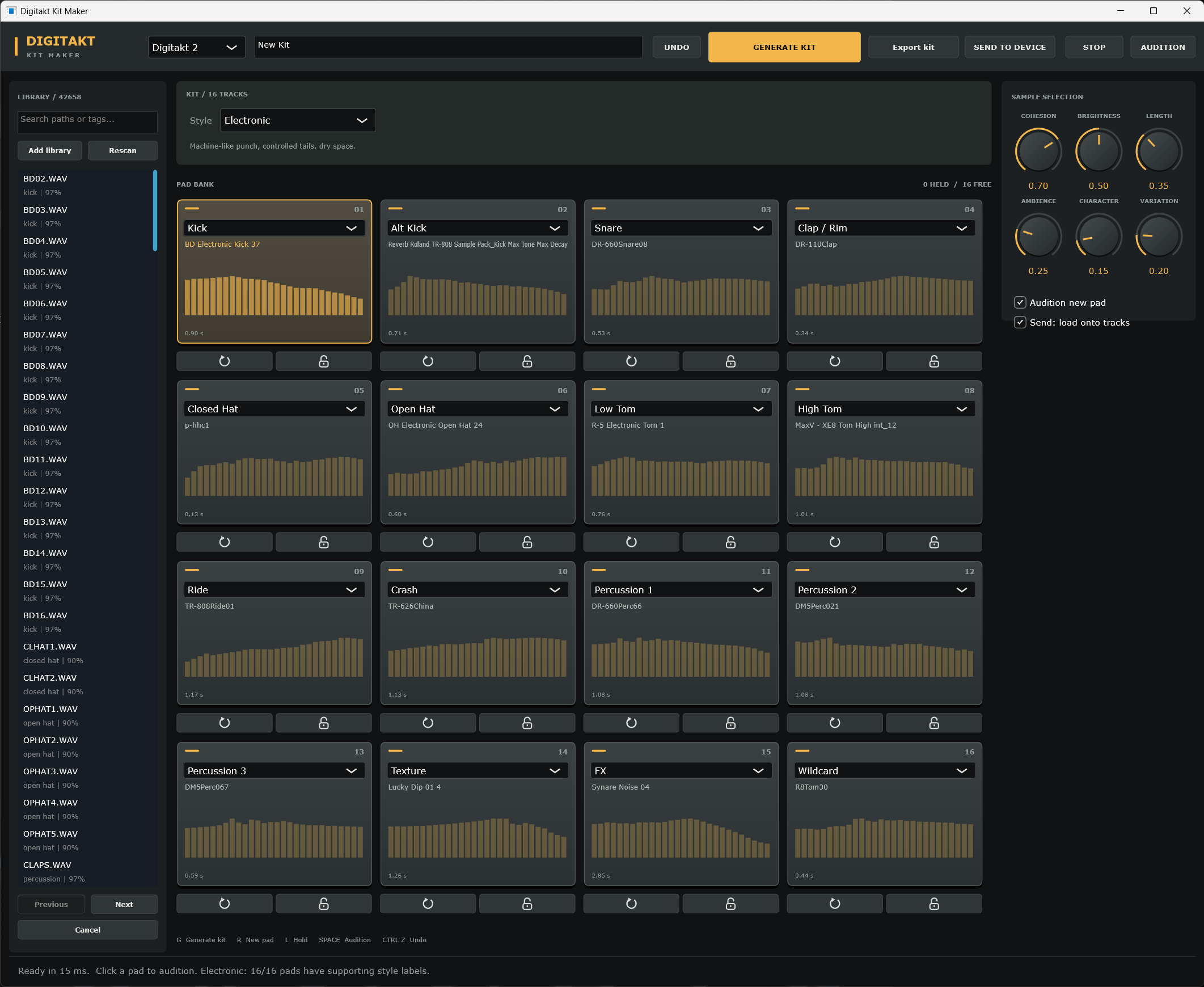
What does it do?
- Add you samples to the library.
- The content is scanned and all of the audio feature data is extracted.
- Generate a kit by clicking the Generate Kit button at the top.
- Choose a style, and tweak the sample selection knobs to change the aesthetic of the kit.
- Click the pads to preview, or assign drum roles like kick/snare/closed hat and so on.
- Click export kit to export the wavs for the current collection.
- Click ‘Send To Device’ to send it directly to the Digitakt 1 or 2.
- You can refresh each pad or lock each pad using the buttons below.
The upload is just as slow as using Elektron Transfer. But this is actually kind of cool.
It is a desktop JUCE application.
What other features would you want from this kind of thing?
 ) testing