I understood to use the ctrl-all on the fade… thats why it’s all the way left here, do i use the ctrl-all somewhere else?
1 Like
LFO Depth is what you turn. Depth changes the LFOs’ offset to the sample volume, in opposite directions for tracks to fade the volumes in and out. (The fade parameter is not relevant to this trick.)
2 Likes
It looks really cool but I don’t understand what you are doing exactly. If you have the time tonadd a little bit more details it would be amazing!
Yes that was the trick, thanks, thats super fun!
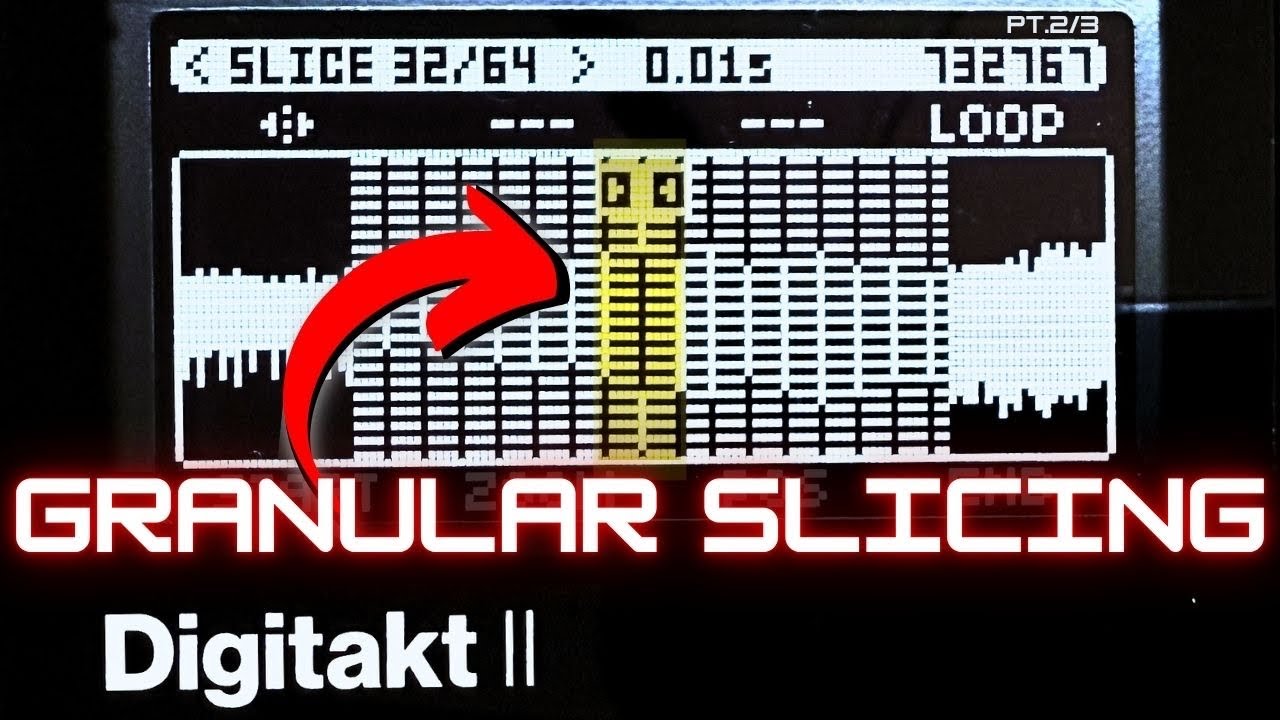
Here’s a trick I’ve been exploring on Digitakt 2’s new slice mode:
I used a long vocal drone (sustained C note, changing mouth shapes) and sliced it into tight segments to sculpt a granular-style bassline. With slice looping, it starts behaving almost like a single-cycle synth, but still keeps the organic vocal texture.
It’s a cool way to turn expressive audio into playable, rhythmic elements – especially when the original sample has subtle movement or vowel shifts baked in.
Heads up
There’s a quick mention of my Patreon and coaching at the end of the video. The goal isn’t to hard-sell — I’m just trying to build systems that help people finish tracks faster. But the focus here is definitely the technique.
8 Likes
Granular Synthesis / Multiple Play Heads
- Load sample of choice into a one-shot machine (better yet a slice machine, see Digitakt II Tips & Tricks - #491 by Kerberos)
- Copy this track to other tracks, for as many play-heads you would like to have
- On all the tracks, enable RTRG on TRIG page 2, set LEN to INF, RATE to value of choice (this has to be done individually because on current FW 1.15A, TRIG settings are not copied when copying a track)
- Configure CONTROL ALL CONFIG so it covers all the previous tracks
- Play all tracks simultaneously or have the sequencer trigger them, using a 1ST condition on step 1 for example (Elektron: track layers pretty please!)
- Now finally for the fun part: while all the tracks play, go to SRC page 2 and move the play head using CONTROL ALL (hold TRK while moving the rotary for SRC STRT)
- Optional: customize each track’s SRC STRT, AMP, FLTR, FX, MOD settings individually (have a track’s LFO modulate SRC STRT for example)
- Optional: resample / record the soundscape during play
24 Likes
Tremendous fun with this tip - thanks.
3 Likes
Instead of using One Shot-machine, use Slice-machine.
Create just 1 slice → sample precise trimming of the start, end and loop points.
Pretty handy especially when layering drum sounds, f.e. building a snare from 2 or 3 snares.
9 Likes
love this - will give it a go when I’m back with my DTII
1 Like
Making a ‘non-looping’ pad sample loop using ping-pong playback.
This works brilliantly for ping-pong play with pad sounds … a base play mode of FWD.L combined with a square wave LFO, and a mod depth of around 1.8 results in play mode switching back and forth between FWD and REV.
You still need the technique outlined by @ThomasJ to get round this issue (uses 2nd LFO)
And you need firmware 1.15A .
9 Likes
Hi, just wanted to chime in to say that was a great trick that is also working on DN2. So I was exploring your idea with melodic contents and I think I discovered something new but I need confirmation.
CC 3 is the CC responsable for changing the NOTE in TRIG page. With the new option we can lock this on a scale. Well I discovered that if you modulate that with a MIDI track, random LFO you (kinda) get random note on a chosen scale. Like a QUANTIZER, which is a feature I always miss on Elektrons.
I have to explore this further, but for example I had the scale locked on C IONIAN (c major) and I could not make it play a C# (out of the scale). But I was still getting some out of scale notes here and there (like an A#) which sounded good in context still.
Mixed with the EUCLIDEAN MIDI LOOPBACK trick I am getting endless generating pattern of melodies, it s awesome.
6 Likes
Thanks @Bojack_Coarseman
New ? That recent ?
Scale quantize with external midi ?
Not sure ?
Have to try this back home…
The option to choose a scale existed for a while both on DN and DT I think, but now we can select from the menu the option to lock it on the NOTE selection KNOB. Just clarify, I am talking about this feature:
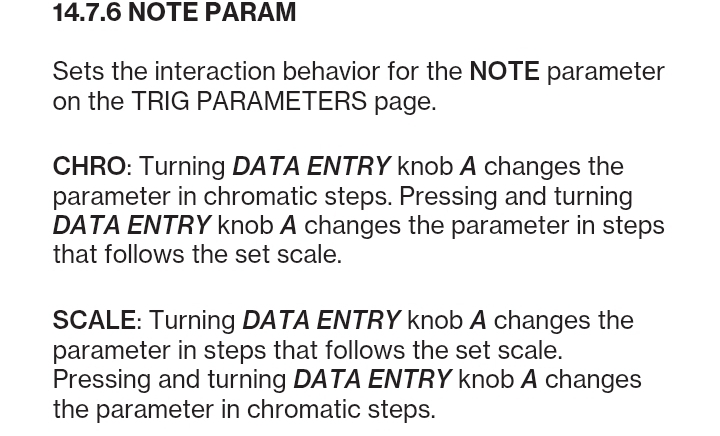
So the behaviour I want to explore concerns if this feature applies to external MIDI while modulating the parameter in MIDI LOOPBACK. It feels like it (more or less) but more research is needed and the behaviour may not be consistent (but still usable).
EDIT: I made some more tests with rand LFO and it clearly changes the notes it selects if I change the scales (getting alterations with CHROMATIC and not alterations with IONIAN) so it does QUANTIZE to SCALE to some extent. I can post a video or make a detailed guide on how to set it up if you are interested.
3 Likes
I’m pretty sure I know the answer, but you can’t route/disable track audio to main at a pattern level, only global? Was this something possible on the first Digitakt? It’s great to be able to just send a track to fx only, but to be able to do this on specific patterns, not all of them.
1 Like
Yeah, this is one I miss on the new machines, I use the per-pattern audio routing all the time on my Syntakt.
I’m not sure if they intend to add per-pattern routing or global FX params back into the 2nd gen machines; for now, track swap makes it a little easier to route a track out globally…
1 Like
I can confirm scale quantize works with CC3 and Digitone 2. 
Wasn’t it while pressing FUNC ?(seems to get chromatic).
Got some clicks and I need to be in Live Rec ?!
I didn’t try with Euclidean sequencer…
2 Likes
Yeah probably I was pressing something because today it went totally smooth. Weird stuff happen with MIDI LOOPBACK, today I was unwillingly changing the octave of the operator while pressing FUNC + LFO DEPTH. Whatever…So I made few more tests with DN2, it does not work with normal sequencer notes already written because in DN2 (but not in DT2) it already locks them to the note but it works perfectly with the Euclidean sequencer because I discovered that only in that mode in DN2 you can change the notes of the whole pattern while changing the CC3 (NOTE in the TRIG page).
I will report my findings on the DN2 thread when I have some spare times.
1 Like
This locked note behaviour always bothered me. Works in Live Rec but leads to errors ! So it also works on DT2 ? (Sold mine, wish I could test).
1 Like
I am interested for some time learning about midi loopback option on dt2. New to this, so will first do some research to check how to set up everything right, so there is no surprises.
Any info/link is welcomed. Found one from @humanprogram everyone is referring to.
The sound macros (MW, AT, PB, BC) have a lot of potential with loopback, as do the 2 Midi LFOs sent to the FX track. Personally, I have yet to find something I want to do with midi loopback that I haven’t been able to do with stereo resampling, the preset pool, or, on breaks, the keytrack macro (with tuning =-8). I think the loopback would work nicely for adding automation lanes for gradually evolving sounds or fast turnarounds with sound changes. I’d be interested to hear what you or others come up with…
3 Likes